Paste Keyboard: Text Snippets
Saved replies & text expander
Designed for iPhone, iPad
In-app purchases
- Age rating4+
- CategoryUtilities
- DeveloperMahaveer Gill
- LanguagesEnglish
- Size6.9 MB
Links to the official App Store page
Download.org hosts no file of Paste Keyboard: Text Snippets. The button opens its official App Store page, published by Mahaveer Gill. Listing last checked on Nov 23, 2026.
Screenshots

About
Stop typing the same thing twice.
Quick Paste is a keyboard for the text you type all the time — email sign-offs, addresses, meeting links, saved replies, order numbers, bios. Save it once, then insert it in any app with a single tap.
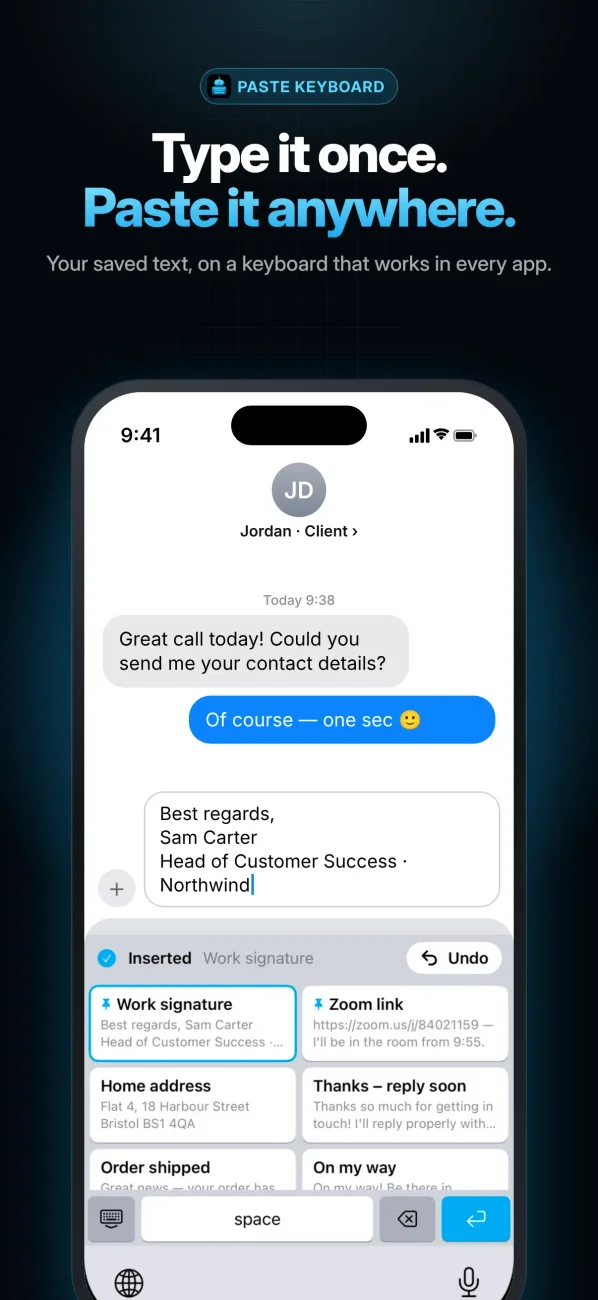
TYPE IT ONCE. PASTE IT ANYWHERE.
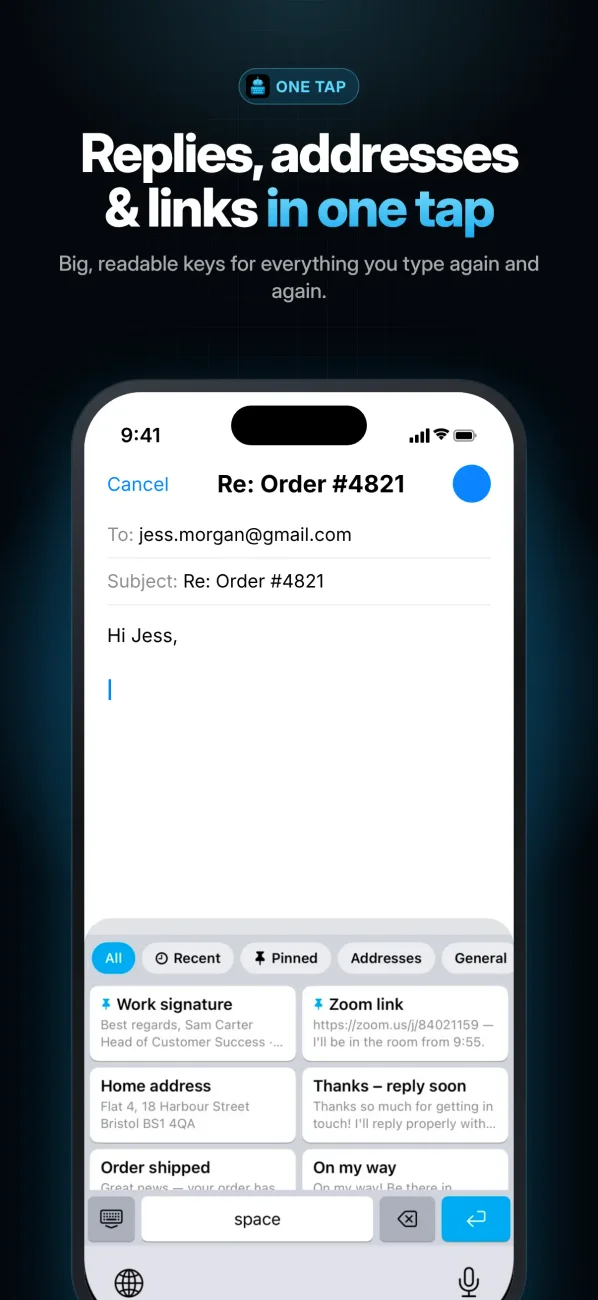
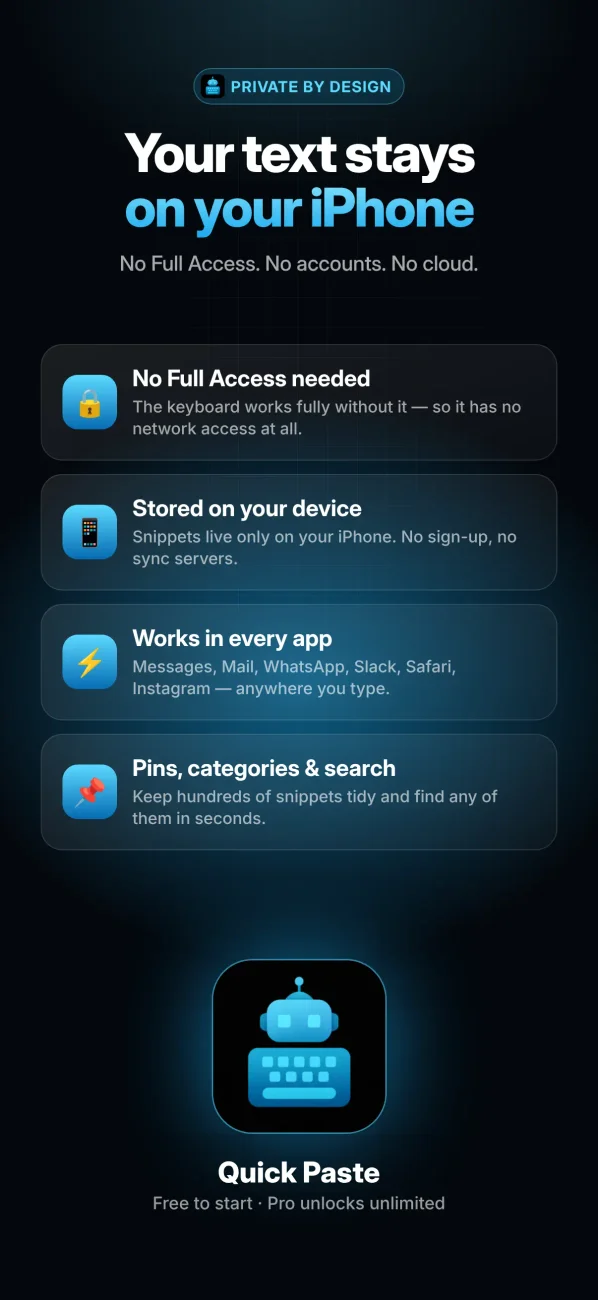
Switch to the Quick Paste keyboard with the globe key in Messages, Mail, WhatsApp, Slack, Safari, Instagram — anywhere you can type. Your snippets are laid out as big, readable keys. Tap one and it's in.
BUILT FOR SPEED
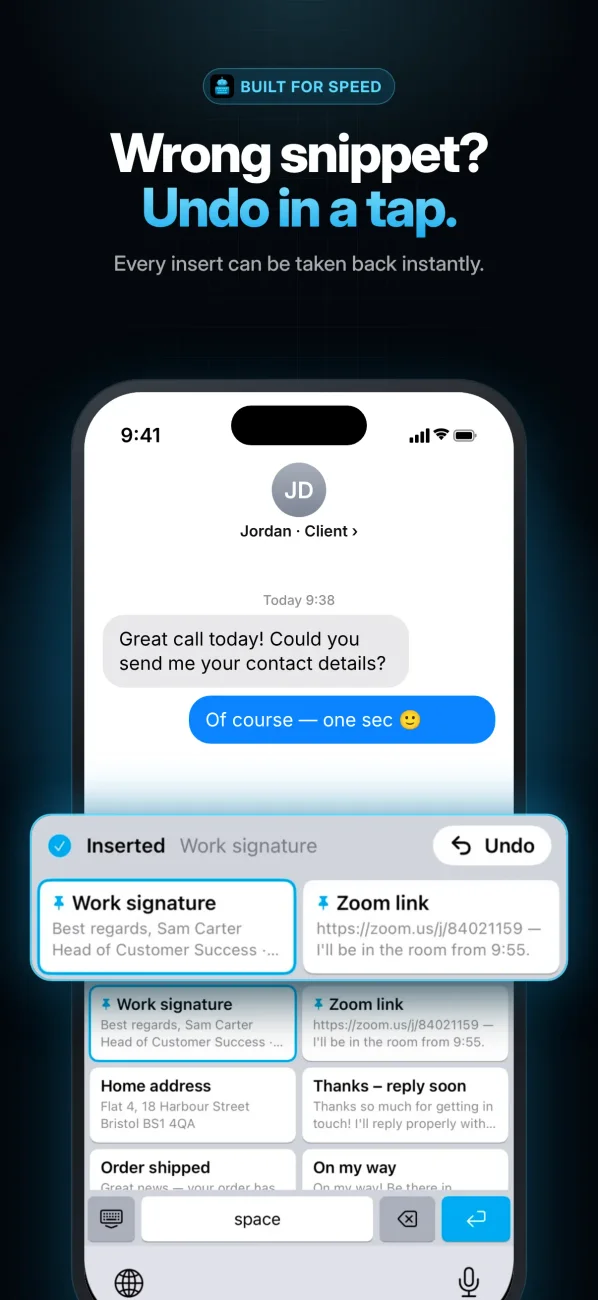
• Pinned snippets stay at the top of the keyboard
• Most-used snippets rise to the front automatically
• A Recent tab for what you just inserted
• Inserted the wrong thing? One-tap Undo
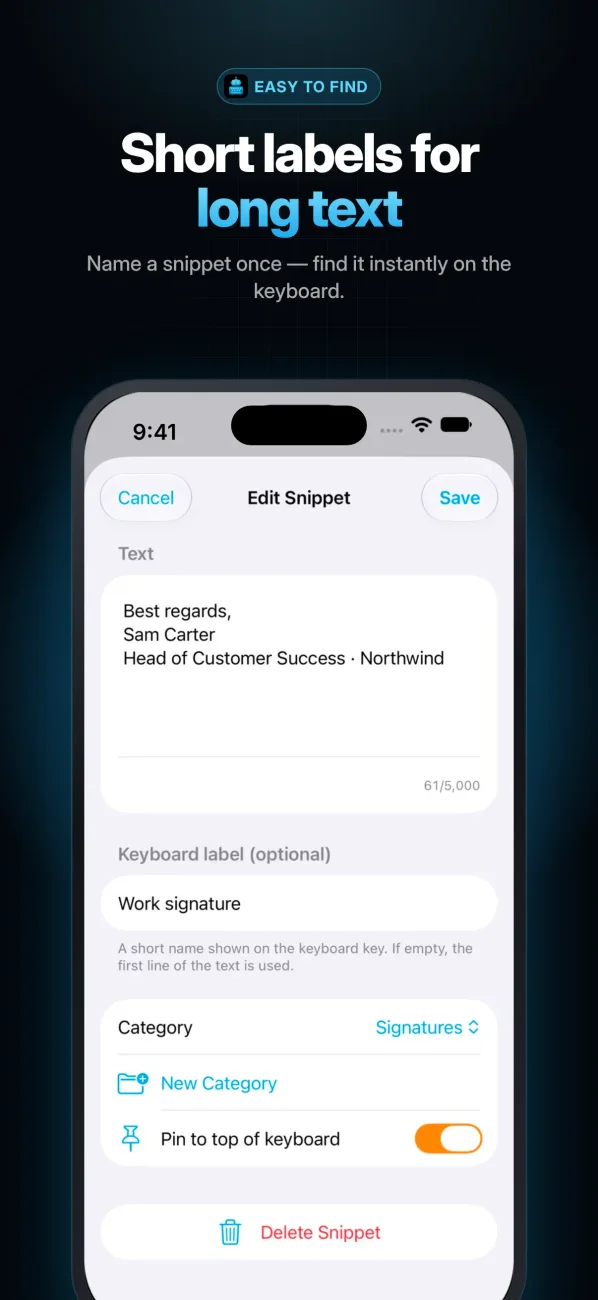
• Short labels so long text is easy to find ("Work signature", "Zoom link")
STAY ORGANISED
• Categories for replies, signatures, addresses, links — or create your own
• Search by label, text or category
• Pin, copy, share, edit or delete with a swipe or long-press
• Paste straight from your clipboard when creating a snippet
PRIVATE BY DESIGN
Quick Paste never asks for Full Access, so the keyboard has no network access at all. Your snippets are stored only on your iPhone.
GREAT FOR
• Customer support and sales replies
• Email signatures and sign-offs
• Home, work and delivery addresses
• Meeting, booking and portfolio links
• Social media bios, hashtags and captions
• Sellers on Vinted, eBay, Etsy and Depop
FREE & PRO
Save up to 5 snippets for free. Quick Paste Pro unlocks unlimited snippets and removes ads. Pro is available as a weekly or yearly auto-renewing subscription, with a free trial for eligible new subscribers.
Payment is charged to your Apple Account at confirmation of purchase. Subscriptions renew automatically unless cancelled at least 24 hours before the end of the current period. Manage or cancel any time in your App Store account settings.
Terms of Use: https://gigapixelsapps.netlify.app/quick-paste/terms-of-service.html
Privacy Policy: https://gigapixelsapps.netlify.app/quick-paste/privacy-policy.html
What’s new
Version 1.1 · Nov 10, 2026
A big upgrade to the Quick Paste keyboard:
• Redesigned keyboard that matches iOS, with two-column snippet keys
• Pin your favourite snippets to the top
• Most-used snippets now appear first, plus a new Recent tab
• Inserted the wrong snippet? Tap Undo
• Give snippets a short label so they're easy to spot
• Hold delete to delete quickly
• Copy, pin, share and edit from a long-press
• The app now detects when the keyboard is switched on
• Fresh new look, clearer setup and lots of polish
App privacy
What Mahaveer Gill declares on the App Store about how this app handles data.
-
Data not collected
The developer does not collect any data from this app.
Privacy practices may vary, for example with the features you use or your age.
Information
- Seller
- Mahaveer Gill
- Category
- Utilities
- Version
- 1.1
- Updated
- Nov 10, 2026
- Released
- Dec 4, 2025
- Size
- 6.9 MB
- Requires
- iOS 18.0 or later
- Age rating
- 4+
- In-app purchases
- Yes
- Languages
- English
- Copyright
- © 2026 Mahaveer Gill
You might also like
-
 PasteBox - Paste KeyboardCopy & auto paste text quickly
-
 PastePro: Auto Paste KeyboardType, Paste, Blast & Emoji Art
-
 Wonder Copy - Paste KeyboardCopy And Paste Keyboard
-
 SimplePasteVaultClipboard History & Manager
-
 ClipStash - Clipboard ManagerRemember Everything You Copy
-
 PasteKey: Auto Paste KeyboardOne tap to paste keyboard.
-
 PastePal ProUtilities
-
 Clipboard Keyboard - TapPasteSave Snippets & Paste Anywhere
-
 Auto Paste - Keyboard ShortcutAutoPaste: Clipboard Copy App
-
 Smart Stitch - Long ScreenshotAuto Stitch Images