PulseUnlock
Unlock your PC with your phone
Dirancang untuk iPhone
Gratis · Pembelian dalam aplikasi
- Batasan usia4+
- KategoriKegunaan
- PengembangFabian Matthias Meidt
- BahasaInggris+ 1 lainnya
- Ukuran8,1 MB
Tertaut ke halaman resmi App Store
Download.org tidak menyimpan file PulseUnlock apa pun. Tombol ini membuka halaman aplikasi di App Store, tempat Fabian Matthias Meidt menerbitkannya. Halaman terakhir diperiksa pada 17/11/2026.
Tangkapan layar

Tentang
Pengembang belum menyediakan teks ini dalam bahasa Anda.
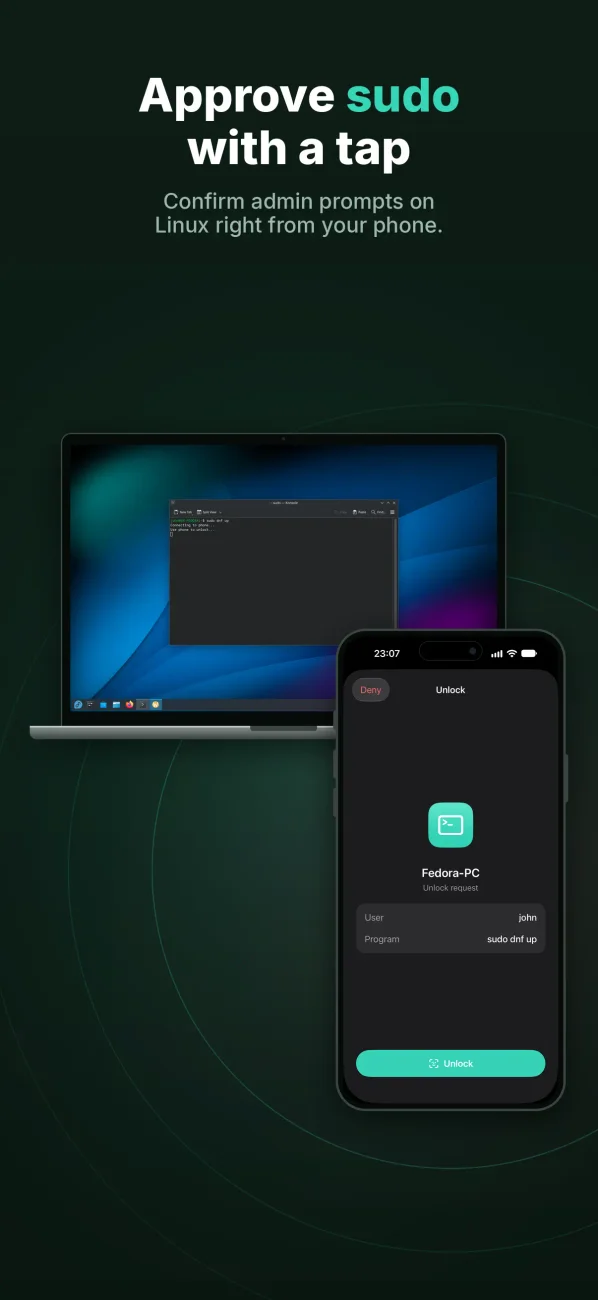
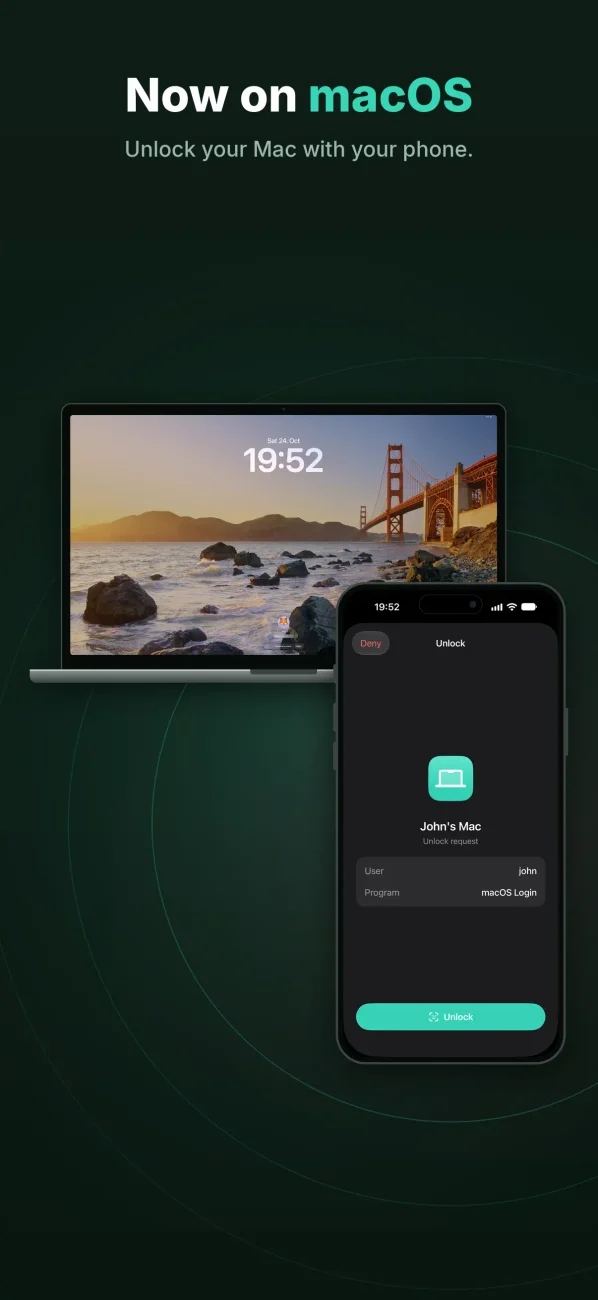
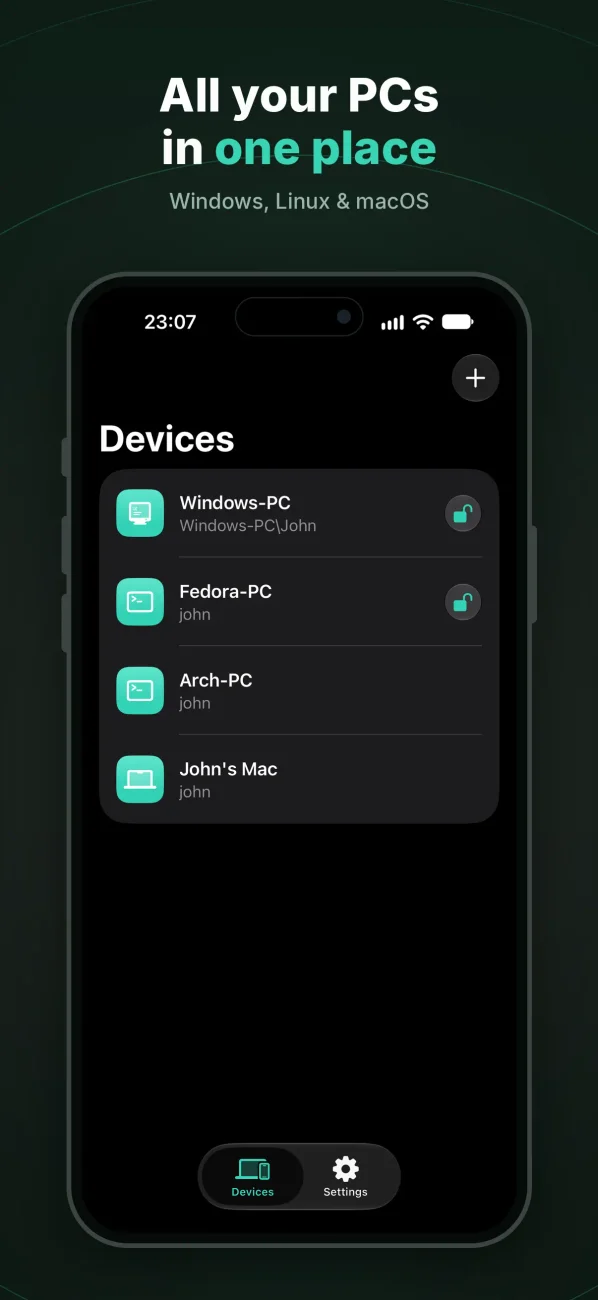
PulseUnlock (formerly PC Bio Unlock) lets you unlock your PC or Mac with Face ID or Touch ID on your iPhone.
Supports Windows, Linux and macOS.
Get the desktop application: https://meis-apps.com/pcbu
Check out our GitHub: https://github.com/MeisApps
Windows features:
- Unlock the Windows login and lock screen
- Unlock UAC prompts
Linux features:
- Unlock the login and lock screen (GNOME, GDM, KDE, SDDM, LightDM, Cinnamon, Hyprlock)
- Unlock sudo and polkit (pkexec)
- Unlock SSH logins for configured hosts
macOS features:
- Unlock the login and lock screen
- Unlock sudo and system permission prompts
- Unlock SSH logins for configured hosts
Connection methods:
- Cloud: Unlock from anywhere over the internet. Unlock requests arrive automatically as a notification, so there's no need to open the app first.
- Wi-Fi: Works locally without internet. When your computer asks to unlock, open PulseUnlock or tap its widget.
More features:
- Direct unlocking (shows the Face ID or Touch ID prompt immediately)
- Wake on LAN (turn on your PC from your iPhone)
- Widgets to unlock or wake a device with a single tap (iOS 18 or later)
- Control Center controls (iOS 18 or later)
- Siri and Shortcuts support
Subscription:
A subscription is required to use PulseUnlock. It's available monthly or yearly and starts with a free trial of 1 week. It includes all features, including Cloud unlocking.
Security:
Your password never leaves your computer. It is stored encrypted on the computer; the phone holds the key and never sees the password.
Traffic between your devices is encrypted with a key created during pairing. Cloud traffic is end-to-end encrypted, so the servers cannot read it.
For more detailed information, please visit https://github.com/MeisApps/pcbu-desktop/blob/main/README.md
Additional notes:
To pair locally, both devices must be on the same network or Wi-Fi.
The unlock process can be cancelled at any time by pressing Ctrl+Alt on the computer.
Support:
Having issues? Please visit https://meis-apps.com/pulse-unlock/troubleshooting
License Agreement (Apple Standard EULA): https://www.apple.com/legal/internet-services/itunes/dev/stdeula/
Terms of Use: https://meis-apps.com/terms-of-service
Privacy Policy: https://meis-apps.com/privacy-policy
Yang baru
Versi 1.1.0 · 29/10/2026
- Optimized for iPhone Duo
- Extra large widgets on iPhone Duo
- Bug fixes and improvements
Privasi aplikasi
Yang dinyatakan Fabian Matthias Meidt di App Store tentang cara aplikasi ini menangani data.
-
Data yang tidak ditautkan dengan Anda
Dapat dikumpulkan, tetapi tidak ditautkan dengan identitas Anda.
- Pembelian
- Pengenal
- Diagnostik
Praktik privasi dapat bervariasi, misalnya berdasarkan fitur yang Anda gunakan atau usia Anda.
Informasi
- Penjual
- Fabian Matthias Meidt
- Kategori
- Kegunaan
- Versi
- 1.1.0
- Diperbarui
- 29/10/2026
- Dirilis
- 24/10/2026
- Ukuran
- 8,1 MB
- Memerlukan
- iOS 16.0 atau yang lebih baru
- Batasan usia
- 4+
- Harga
- Gratis
- Pembelian dalam aplikasi
- Ya
- Bahasa
- Inggris, Jerman
- Hak cipta
- © 2026 Fabian Matthias Meidt