Richdown
Markdown editor · GitHub-ready
Dirancang untuk iPhone, iPad, iPod touch
Gratis
- Batasan usia17+
- KategoriProduktivitas
- PengembangYo Suzuki
- BahasaInggris
- Ukuran8,9 MB
Tertaut ke halaman resmi App Store
Download.org tidak menyimpan file Richdown apa pun. Tombol ini membuka halaman aplikasi di App Store, tempat Yo Suzuki menerbitkannya. Halaman terakhir diperiksa pada 20/11/2026.
Tangkapan layar
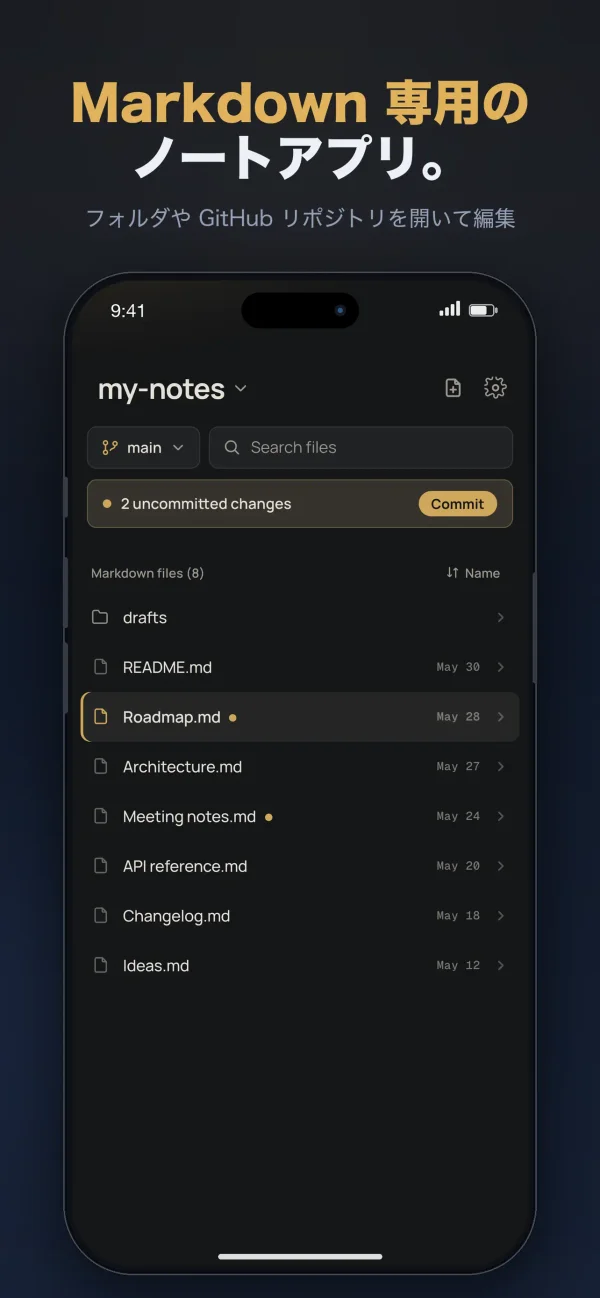
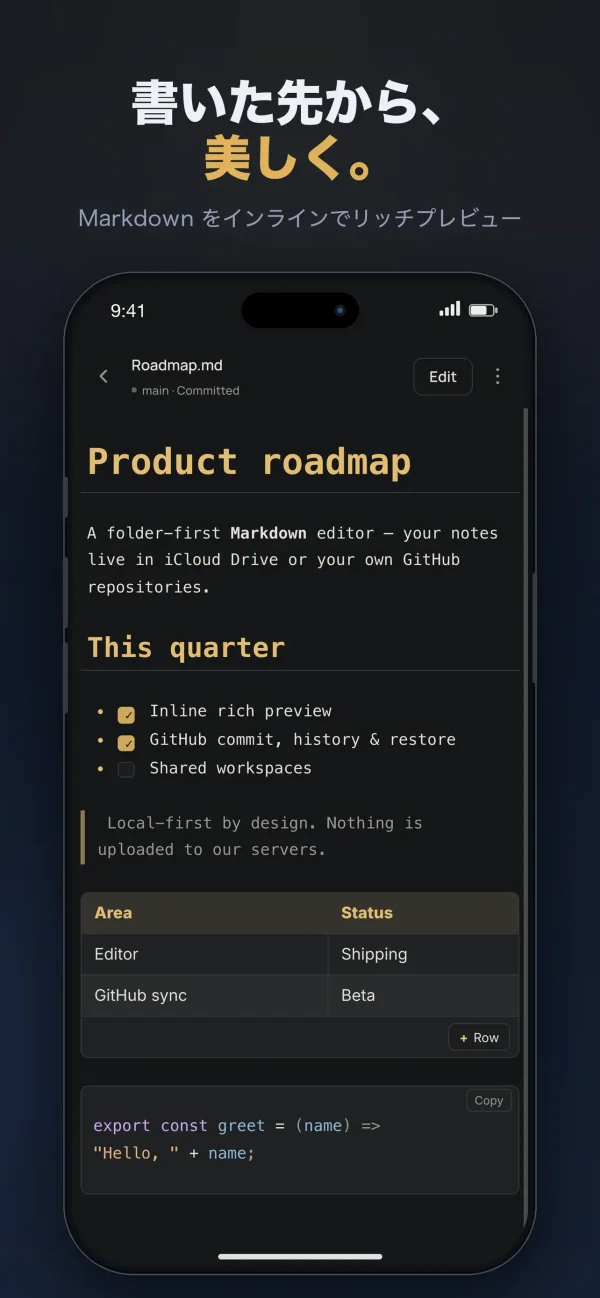
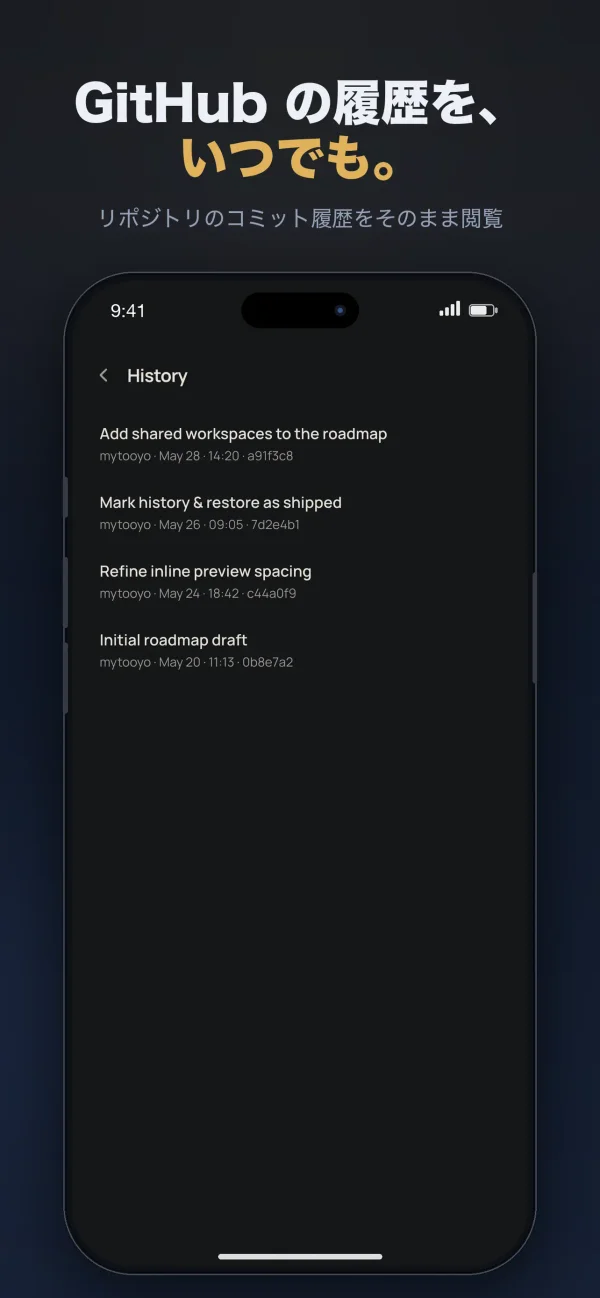
Tentang
Pengembang belum menyediakan teks ini dalam bahasa Anda.
Plain Markdown, beautiful the moment you type it.
Richdown is a focused Markdown editor that never makes you switch between "writing" and "reading." Headings, tables, code, quotes, task lists, even Mermaid diagrams render inline as you go — so you stay in the flow and watch the finished page take shape.
And Richdown doesn't lock your files inside someone else's cloud. Open folders in iCloud Drive or on your device — or work straight in your own GitHub repositories.
— Write —
• Inline rich preview that keeps up with your typing
• Tables, code blocks, quotes, task lists, Mermaid diagrams and images
• Outline view and in-file search to navigate long documents
• A Markdown toolbar above the keyboard for quick formatting
— Keep —
• Open iCloud Drive or on-device folders and edit in place
• Browse subfolders; create, rename and delete files; sort by name or date
• Pull to refresh. Files are stored on your device (iCloud / local) — nothing is uploaded to our servers
— Connect (GitHub, optional) —
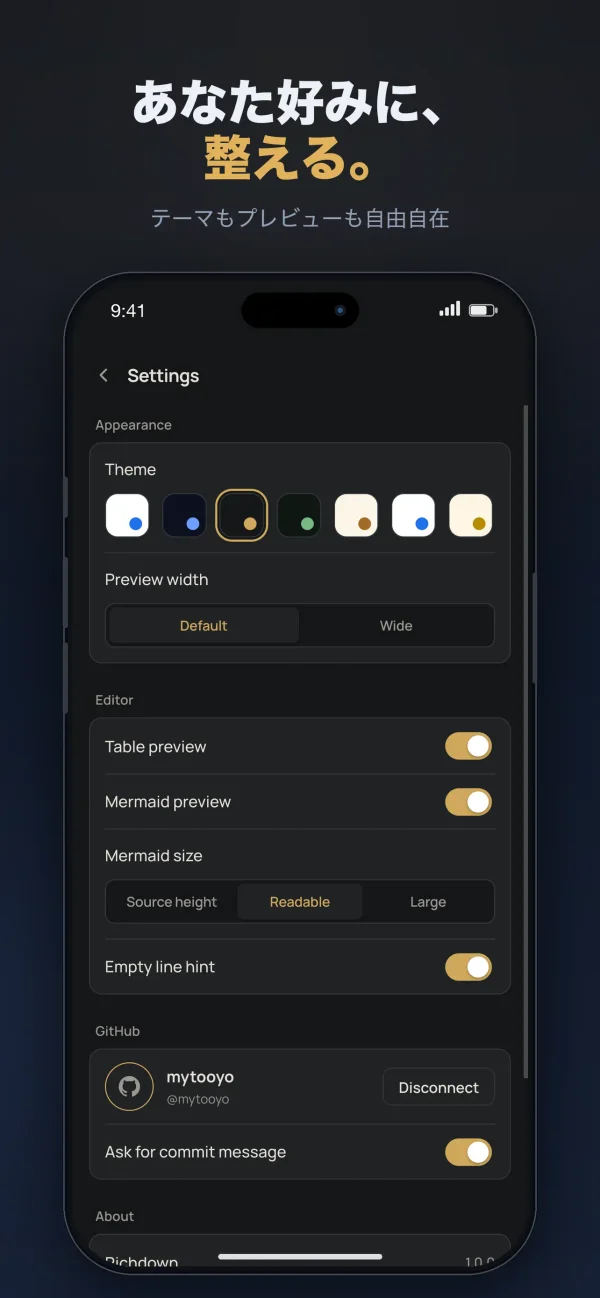
• Open your own GitHub repositories, edit, and commit in one go
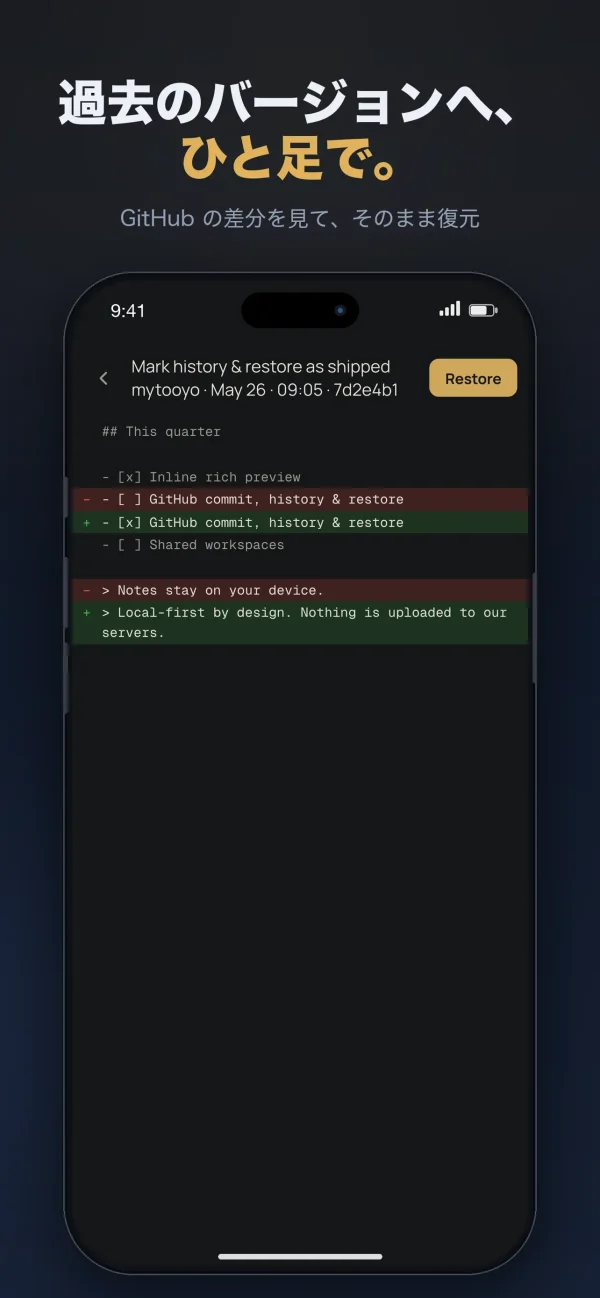
• Browse commit history, diff a past version, and restore it
• Switch and create branches; open pull requests
• Traffic goes straight from your device to GitHub; your access token is kept only in the iOS Keychain
Note: commit, history, diff and restore are GitHub-repository features (plain folders support editing and saving).
— iPad —
• A true two-pane layout: file list on the left, preview on the right
Fast, private, and honest about your files.
Distributed by StructWorks · Contact: support@structworks.dev
Yang baru
Versi 2.0.1 · 6/11/2026
Fixes
• On iPad, confirming Japanese live conversion with Enter could delete the text, or leave it selected so the next key replaced it.
• On iPad, tapping Done or another button at the top right could scroll the document back to the top.
Privasi aplikasi
Yang dinyatakan Yo Suzuki di App Store tentang cara aplikasi ini menangani data.
-
Data yang tidak ditautkan dengan Anda
Dapat dikumpulkan, tetapi tidak ditautkan dengan identitas Anda.
- Diagnostik
Praktik privasi dapat bervariasi, misalnya berdasarkan fitur yang Anda gunakan atau usia Anda.
Informasi
- Penjual
- Yo Suzuki
- Kategori
- Produktivitas
- Versi
- 2.0.1
- Diperbarui
- 6/11/2026
- Dirilis
- 3/6/2026
- Ukuran
- 8,9 MB
- Memerlukan
- iOS 15.0 atau yang lebih baru
- Batasan usia
- 17+
- Harga
- Gratis
- Bahasa
- Inggris
- Hak cipta
- © 2026 StructWorks.
Mungkin Anda juga suka
-
 mdTodoProduktivitas
-
 Purnote — Plain Markdown NotesProduktivitas
-
 Nocturnum: Markdown NotesProduktivitas
-
 NoterivProduktivitas
-
 Text EditorProduktivitas
-
 Stickier MobileProduktivitas
-
 NoteList: Todo and MarkdownProduktivitas
-
 Klad: Git & Markdown NotesProduktivitas
-
 MathBlocker: Stop ScrollingProduktivitas
-
 Penampil & Editor Markdownpembaca md. konversi ke pdf.