
Scrapaper
Tear Photos. Build Stories.
Dirancang untuk iPhone, iPad
Gratis · Pembelian dalam aplikasi
- Batasan usia4+
- KategoriFoto & Video
- PengembangKyung Hyun Park
- BahasaInggris+ 1 lainnya
- Ukuran71,8 MB
Tertaut ke halaman resmi App Store
Download.org tidak menyimpan file Scrapaper apa pun. Tombol ini membuka halaman aplikasi di App Store, tempat Kyung Hyun Park menerbitkannya. Halaman terakhir diperiksa pada 20/11/2026.
Tangkapan layar


Tentang
Pengembang belum menyediakan teks ini dalam bahasa Anda.
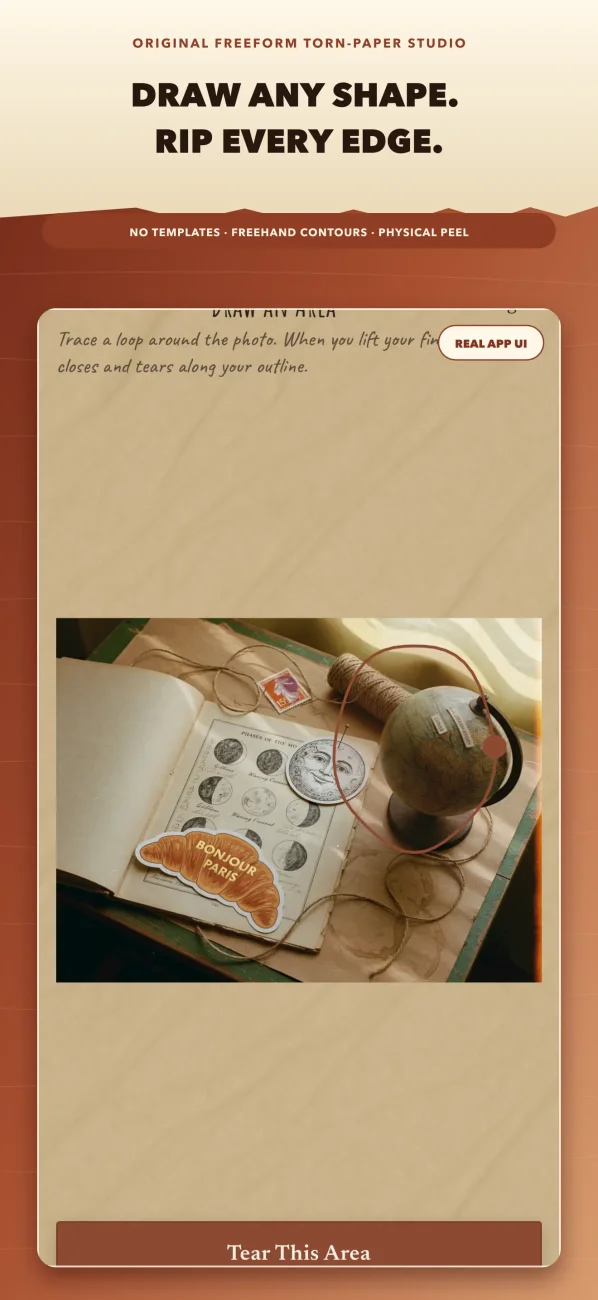
SCRAPAPER IS A FREEFORM TORN-PAPER CREATION STUDIO—not a template collage or a reskinned photo-frame app.
Every piece begins with your own gesture. Draw any closed contour over a photo, tune the paper’s roughness, fiber width, crumple, and grain, then pull to peel the piece away. Each re-tear creates a newly randomized edge, so the result is not a fixed mask or a recycled template.
WHAT MAKES SCRAPAPER DISTINCT
• Freehand contour tearing: trace any shape instead of choosing a preset frame.
• Tactile peel interaction: pull the selected area away with curl and rip motion.
• Material-level controls: adjust torn fibers, wrinkles, paper grain, and edge roughness.
• On-device text awareness: Apple Vision can suggest text-edge regions while keeping central text intact.
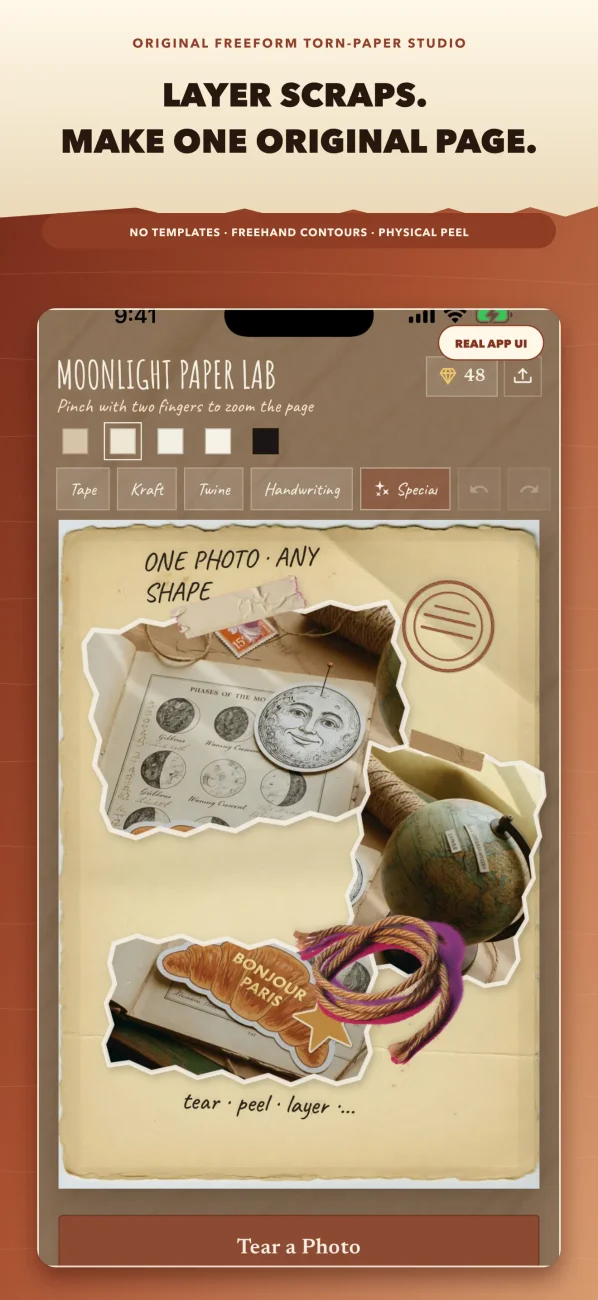
• Editable paper composition: overlap, rotate, scale, move, and reorder every scrap and decoration.
• Handmade tools: masking tape, kraft tape, twine, handwriting, paper styles, and procedural stickers.
• Two original outputs: a 4:5 feed image and a 9:16 animated MP4 reel in which pieces arrive one by one.
MAKE IT YOURS
Choose a photo from your library, take one with the camera, or practice with the included sample. Build one shareable artwork per scrapbook, keep reusable pieces in the scrap tray, and revise your composition with undo and redo.
GEMS, ADS, AND PURCHASES
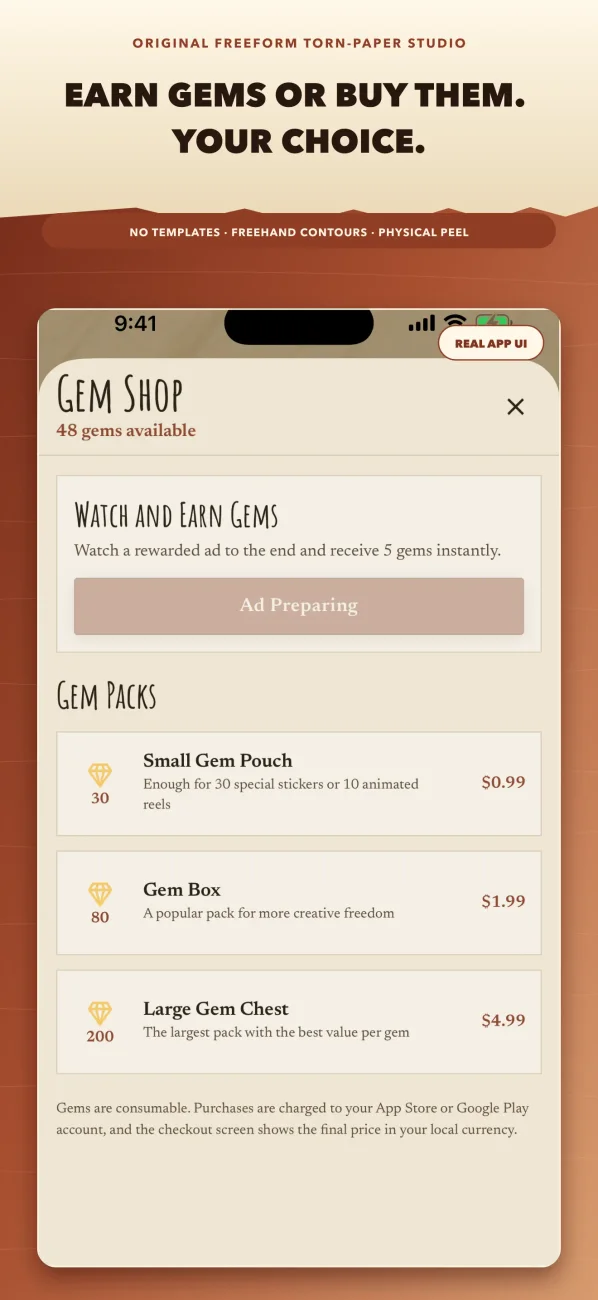
Scrapaper starts with 10 gems. Optional rewarded ads grant 5 gems. Special stickers cost 1 gem and animated-reel exports cost 3 gems. Optional consumable gem packs are also available as one-time in-app purchases. There is no subscription, and the core freehand tearing and scrapbook editor remain available without a purchase.
PRIVACY-FIRST CREATION
Your photo cutting, page composition, text recognition, and export rendering happen on the device. Camera and photo access are requested only when you choose the related action. Scrapaper has no account, social feed, public upload, or cloud workspace.
Privacy Policy: https://devkhpark.tistory.com/453
Terms of Use: https://ikhpark.com/blog/with-theapp-terms-of-use-2026-08-20
Yang baru
Versi 1.0.1 · 15/9/2026
Create tactile torn-paper scrapbook pages from your own photos, with freehand tearing, material controls, layered decorations, and image or animated-reel export.
Privasi aplikasi
Yang dinyatakan Kyung Hyun Park di App Store tentang cara aplikasi ini menangani data.
-
Data yang digunakan untuk melacak Anda
Dapat digunakan untuk melacak Anda di aplikasi dan situs web milik perusahaan lain.
- Pengenal
-
Data yang ditautkan dengan Anda
Dapat dikumpulkan dan ditautkan dengan identitas Anda.
- Pengenal
Praktik privasi dapat bervariasi, misalnya berdasarkan fitur yang Anda gunakan atau usia Anda.
Informasi
- Penjual
- Kyung Hyun Park
- Kategori
- Foto & Video
- Versi
- 1.0.1
- Diperbarui
- 15/9/2026
- Dirilis
- 11/9/2026
- Ukuran
- 71,8 MB
- Memerlukan
- iOS 16.4 atau yang lebih baru
- Batasan usia
- 4+
- Harga
- Gratis
- Pembelian dalam aplikasi
- Ya
- Bahasa
- Inggris, Korea
- Hak cipta
- © 2026 Kyunghyun Park
Mungkin Anda juga suka
-
 CollageThing: Collage MakerFoto & Video
-
 deorbit: earth zoom inFoto & Video
-
 ALIGNED — Carousel LayoutFoto & Video
-
 Face Filter - Tantangan LucuEfek Video Prank Lucu
-
 Mosaic: Carousel & CollageFoto & Video
-
 Poof Auto Blur Faces in VideoSensor wajah di foto & video
-
 ShableFoto & Video
-
 iSketch - Pencil Sketch EffectFoto & Video
-
 Swatch This: Tangkap WarnaKeluar. Potret duniamu.
-
 Albums: Buku & Kolase FotoPembuat Album Foto Digital