
- 対象年齢4+
- カテゴリ写真/ビデオ
- 開発元Kyung Hyun Park
- 言語英語ほか1言語
- サイズ71.8 MB
App Storeの公式ページにリンクしています
Download.orgはScrapaperのファイルを一切ホストしていません。ボタンを押すと、Kyung Hyun Parkが公開しているApp Storeのアプリページが開きます。ページの最終確認:2026/11/20。
スクリーンショット


概要
開発元はこのテキストをお使いの言語で提供していません。
SCRAPAPER IS A FREEFORM TORN-PAPER CREATION STUDIO—not a template collage or a reskinned photo-frame app.
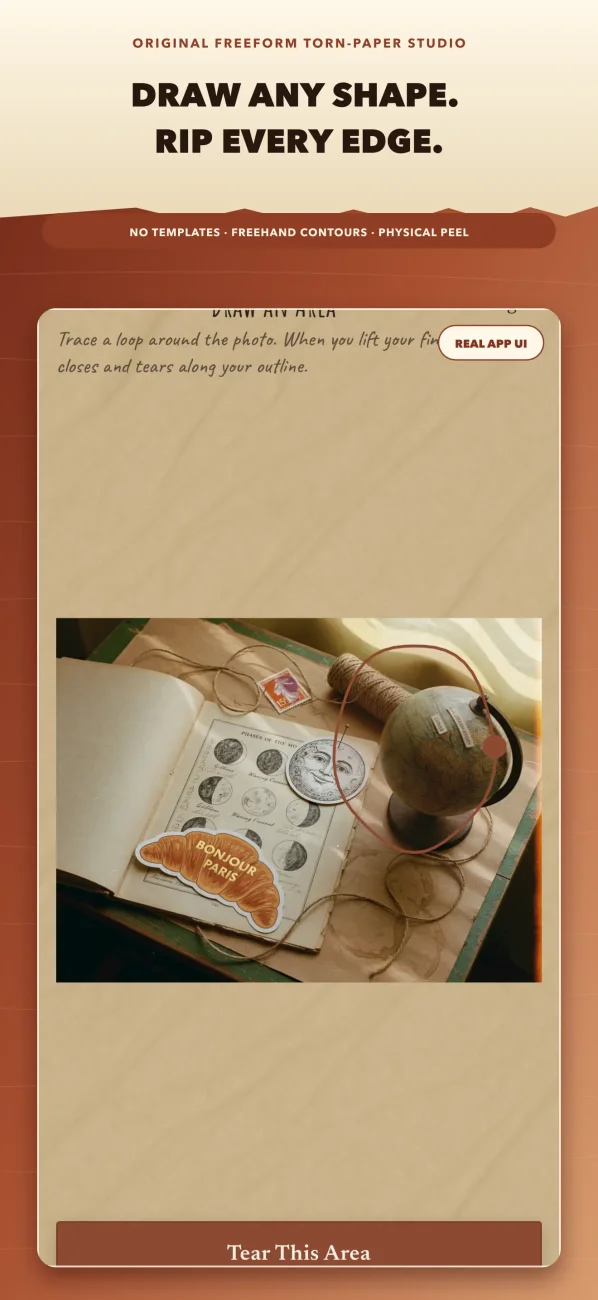
Every piece begins with your own gesture. Draw any closed contour over a photo, tune the paper’s roughness, fiber width, crumple, and grain, then pull to peel the piece away. Each re-tear creates a newly randomized edge, so the result is not a fixed mask or a recycled template.
WHAT MAKES SCRAPAPER DISTINCT
• Freehand contour tearing: trace any shape instead of choosing a preset frame.
• Tactile peel interaction: pull the selected area away with curl and rip motion.
• Material-level controls: adjust torn fibers, wrinkles, paper grain, and edge roughness.
• On-device text awareness: Apple Vision can suggest text-edge regions while keeping central text intact.
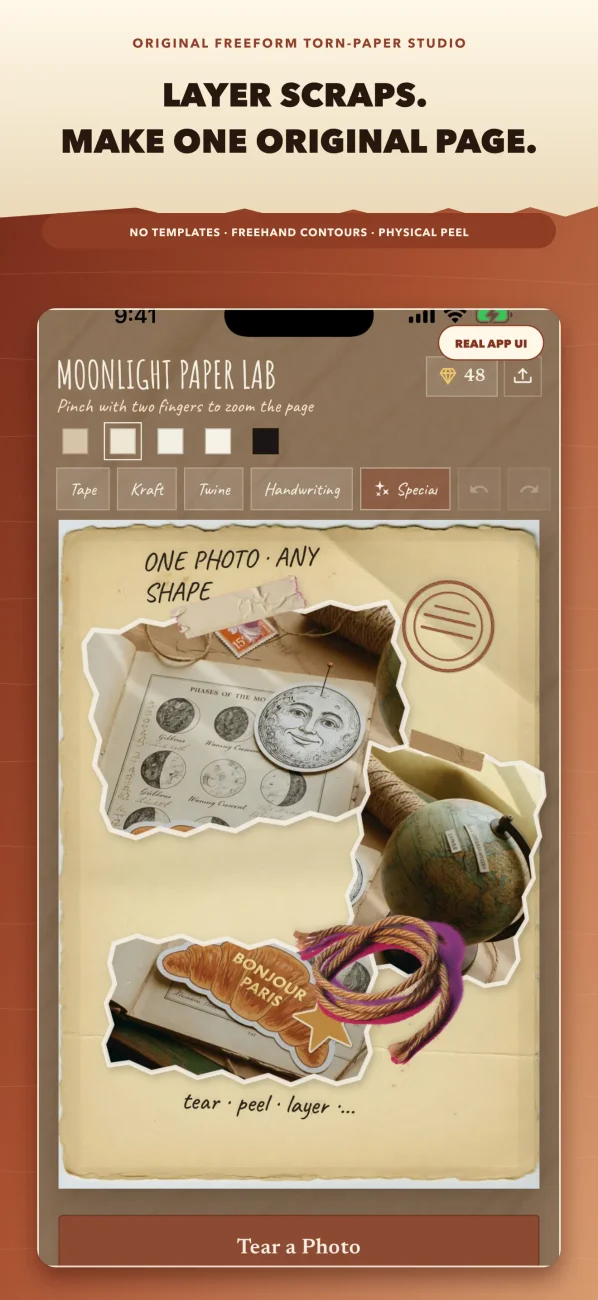
• Editable paper composition: overlap, rotate, scale, move, and reorder every scrap and decoration.
• Handmade tools: masking tape, kraft tape, twine, handwriting, paper styles, and procedural stickers.
• Two original outputs: a 4:5 feed image and a 9:16 animated MP4 reel in which pieces arrive one by one.
MAKE IT YOURS
Choose a photo from your library, take one with the camera, or practice with the included sample. Build one shareable artwork per scrapbook, keep reusable pieces in the scrap tray, and revise your composition with undo and redo.
GEMS, ADS, AND PURCHASES
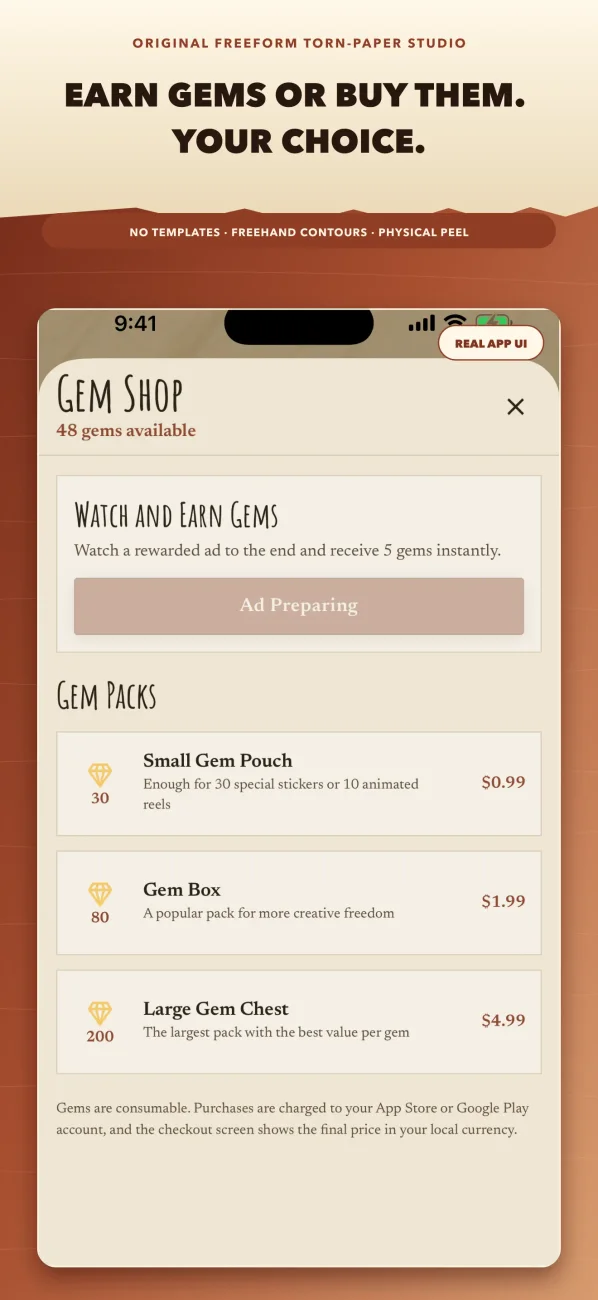
Scrapaper starts with 10 gems. Optional rewarded ads grant 5 gems. Special stickers cost 1 gem and animated-reel exports cost 3 gems. Optional consumable gem packs are also available as one-time in-app purchases. There is no subscription, and the core freehand tearing and scrapbook editor remain available without a purchase.
PRIVACY-FIRST CREATION
Your photo cutting, page composition, text recognition, and export rendering happen on the device. Camera and photo access are requested only when you choose the related action. Scrapaper has no account, social feed, public upload, or cloud workspace.
Privacy Policy: https://devkhpark.tistory.com/453
Terms of Use: https://ikhpark.com/blog/with-theapp-terms-of-use-2026-08-20
新機能
バージョン 1.0.1 · 2026/9/15
Create tactile torn-paper scrapbook pages from your own photos, with freehand tearing, material controls, layered decorations, and image or animated-reel export.
アプリのプライバシー
このアプリのデータの取り扱いについて、Kyung Hyun ParkがApp Storeで申告している内容です。
-
ユーザーのトラッキングに使用されるデータ
他社のアプリやウェブサイトを横断してユーザーをトラッキングする目的で使用される場合があります。
- ID
-
ユーザーに関連付けられたデータ
収集され、ユーザーの識別情報に関連付けられる場合があります。
- ID
プライバシーの取り扱いは、ご利用の機能やお客様の年齢などに応じて異なる場合があります。
情報
- 販売元
- Kyung Hyun Park
- カテゴリ
- 写真/ビデオ
- バージョン
- 1.0.1
- 更新日
- 2026/9/15
- リリース
- 2026/9/11
- サイズ
- 71.8 MB
- 必要条件
- iOS 16.4以降
- 対象年齢
- 4+
- 価格
- 無料
- アプリ内課金
- あり
- 言語
- 英語, 韓国語
- 著作権
- © 2026 Kyunghyun Park
こちらもおすすめ
-
 CollageThing: Collage Maker写真/ビデオ
-
 deorbit: earth zoom in写真/ビデオ
-
 ALIGNED カルーセルレイアウト縦書き対応・きれいに整列・写真と動画
-
 Face Filter - 爆笑チャレンジいたずら動画エフェクト
-
 Mosaic: Carousel & Collage写真/ビデオ
-
 Poof Auto Blur Faces in Video写真も動画も顔をワンタップで隠す
-
 Shable写真/ビデオ
-
 iSketch - Pencil Sketch Effect写真/ビデオ
-
 Swatch This:色をつかまえる外へ出て、自分の世界を撮ろう。
-
 Albums: フォトブック&写真コラージュデジタル写真アルバム作成アプリ