
Scrapaper
Tear Photos. Build Stories.
Designed for iPhone, iPad
Free · In-app purchases
- Age rating4+
- CategoryPhoto & Video
- DeveloperKyung Hyun Park
- LanguagesEnglish+ 1 more
- Size71.8 MB
Links to the official App Store page
Download.org hosts no file of Scrapaper. The button opens its official App Store page, published by Kyung Hyun Park. Listing last checked on Nov 20, 2026.
Screenshots


About
SCRAPAPER IS A FREEFORM TORN-PAPER CREATION STUDIO—not a template collage or a reskinned photo-frame app.
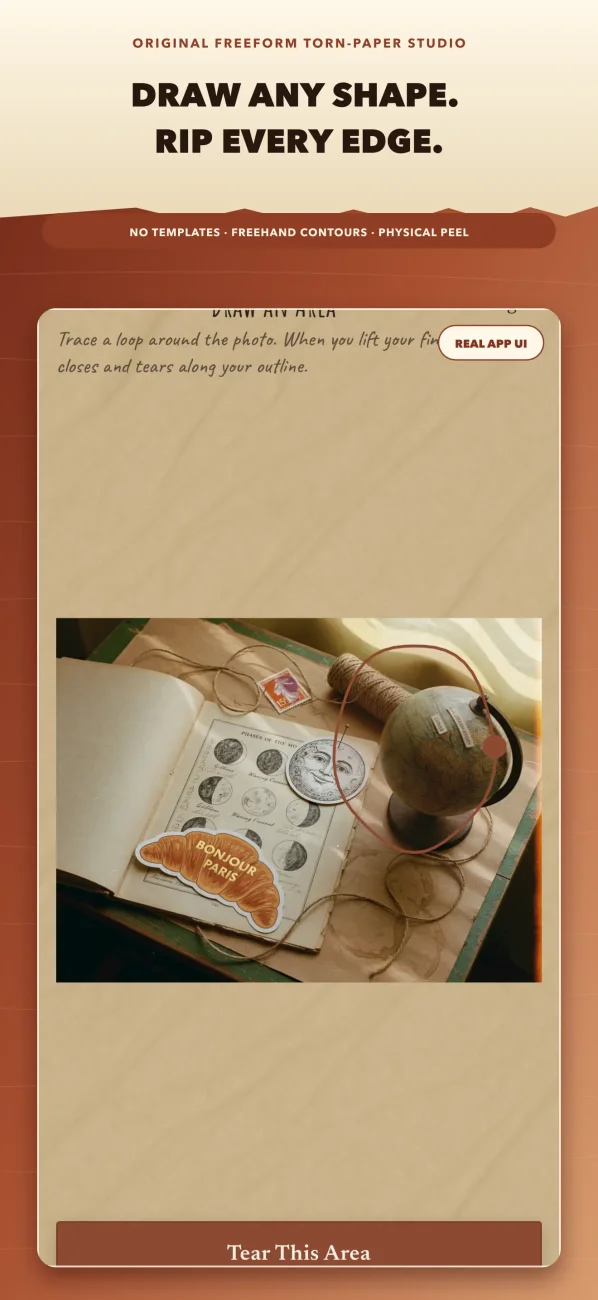
Every piece begins with your own gesture. Draw any closed contour over a photo, tune the paper’s roughness, fiber width, crumple, and grain, then pull to peel the piece away. Each re-tear creates a newly randomized edge, so the result is not a fixed mask or a recycled template.
WHAT MAKES SCRAPAPER DISTINCT
• Freehand contour tearing: trace any shape instead of choosing a preset frame.
• Tactile peel interaction: pull the selected area away with curl and rip motion.
• Material-level controls: adjust torn fibers, wrinkles, paper grain, and edge roughness.
• On-device text awareness: Apple Vision can suggest text-edge regions while keeping central text intact.
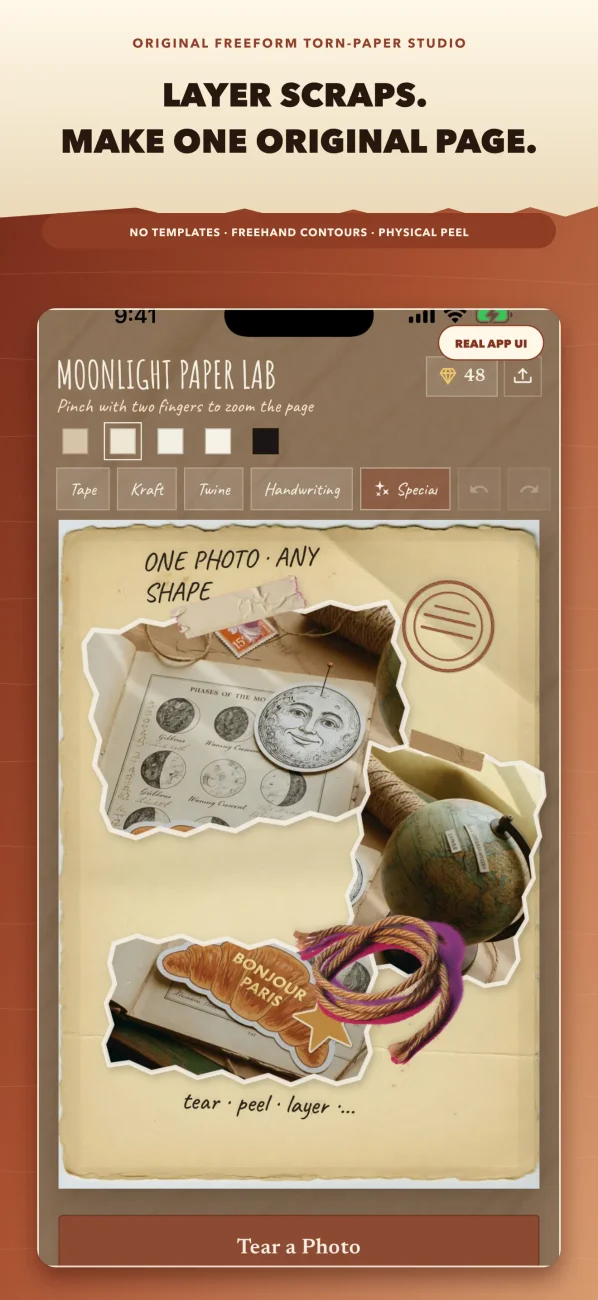
• Editable paper composition: overlap, rotate, scale, move, and reorder every scrap and decoration.
• Handmade tools: masking tape, kraft tape, twine, handwriting, paper styles, and procedural stickers.
• Two original outputs: a 4:5 feed image and a 9:16 animated MP4 reel in which pieces arrive one by one.
MAKE IT YOURS
Choose a photo from your library, take one with the camera, or practice with the included sample. Build one shareable artwork per scrapbook, keep reusable pieces in the scrap tray, and revise your composition with undo and redo.
GEMS, ADS, AND PURCHASES
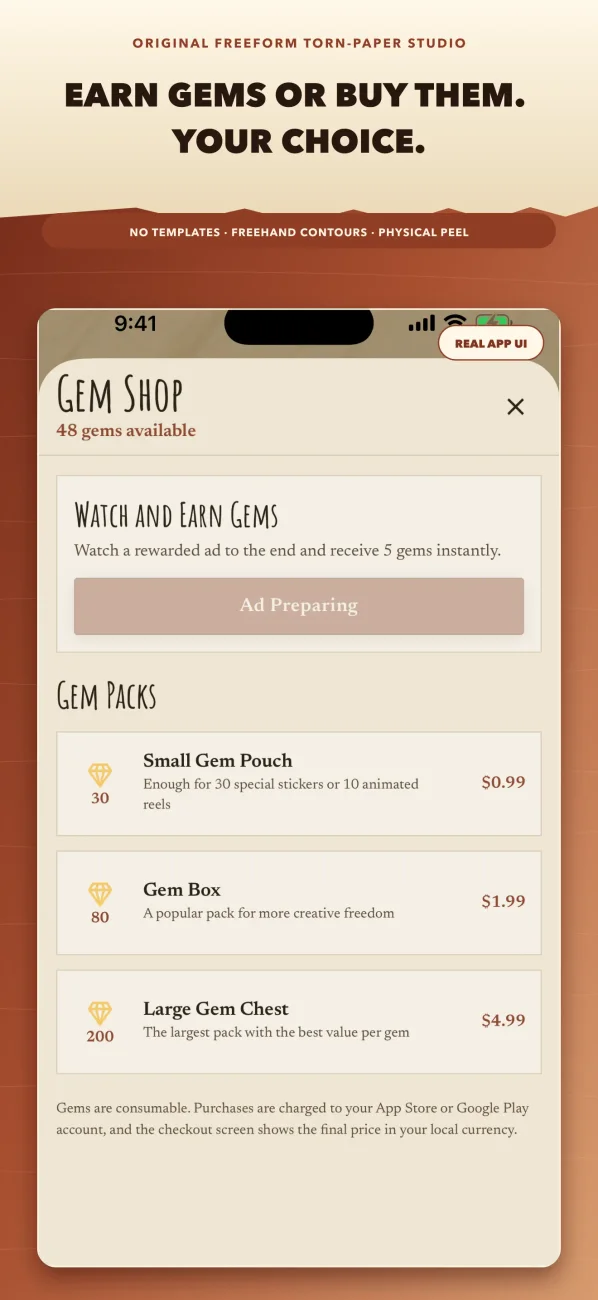
Scrapaper starts with 10 gems. Optional rewarded ads grant 5 gems. Special stickers cost 1 gem and animated-reel exports cost 3 gems. Optional consumable gem packs are also available as one-time in-app purchases. There is no subscription, and the core freehand tearing and scrapbook editor remain available without a purchase.
PRIVACY-FIRST CREATION
Your photo cutting, page composition, text recognition, and export rendering happen on the device. Camera and photo access are requested only when you choose the related action. Scrapaper has no account, social feed, public upload, or cloud workspace.
Privacy Policy: https://devkhpark.tistory.com/453
Terms of Use: https://ikhpark.com/blog/with-theapp-terms-of-use-2026-08-20
What’s new
Version 1.0.1 · Sep 15, 2026
Create tactile torn-paper scrapbook pages from your own photos, with freehand tearing, material controls, layered decorations, and image or animated-reel export.
App privacy
What Kyung Hyun Park declares on the App Store about how this app handles data.
-
Data used to track you
May be used to track you across apps and websites owned by other companies.
- Identifiers
-
Data linked to you
May be collected and linked to your identity.
- Identifiers
Privacy practices may vary, for example with the features you use or your age.
Information
- Seller
- Kyung Hyun Park
- Category
- Photo & Video
- Version
- 1.0.1
- Updated
- Sep 15, 2026
- Released
- Sep 11, 2026
- Size
- 71.8 MB
- Requires
- iOS 16.4 or later
- Age rating
- 4+
- Price
- Free
- In-app purchases
- Yes
- Languages
- English, Korean
- Copyright
- © 2026 Kyunghyun Park
You might also like
-
 CollageThing: Collage MakerScrapbook wallpapers & stories
-
 deorbit: earth zoom inSatellite intro to real video
-
 ALIGNED — Carousel LayoutLayout · align · photo & video
-
 Face Filter - Funny ChallengeSilly Prank Video Effect
-
 Mosaic: Carousel & CollagePhoto carousel & grid maker
-
 Poof Auto Blur Faces in VideoHide faces in photos & video
-
 ShableCrop image to various shape
-
 iSketch - Pencil Sketch EffectArtistic Sketch Drawing Effect
-
 Swatch This: Capture ColorsGo out. Photograph your world.
-
 Albums: Photo Book & CollageDigital Photo Album Maker, PDF