
ShellPhone - SSH client
Terminal, SFTP, Docker & AI
Dirancang untuk iPhone, iPad, Mac, iPod touch
Gratis · Pembelian dalam aplikasi
- Batasan usia4+
- KategoriAlat Pengembang
- PengembangAntonio Martinez Gimeno
- BahasaInggris+ 8 lainnya
- Ukuran80,5 MB
Tertaut ke halaman resmi App Store
Download.org tidak menyimpan file ShellPhone - SSH client apa pun. Tombol ini membuka halaman aplikasi di App Store, tempat Antonio Martinez Gimeno menerbitkannya. Halaman terakhir diperiksa pada 23/11/2026.
Tangkapan layar
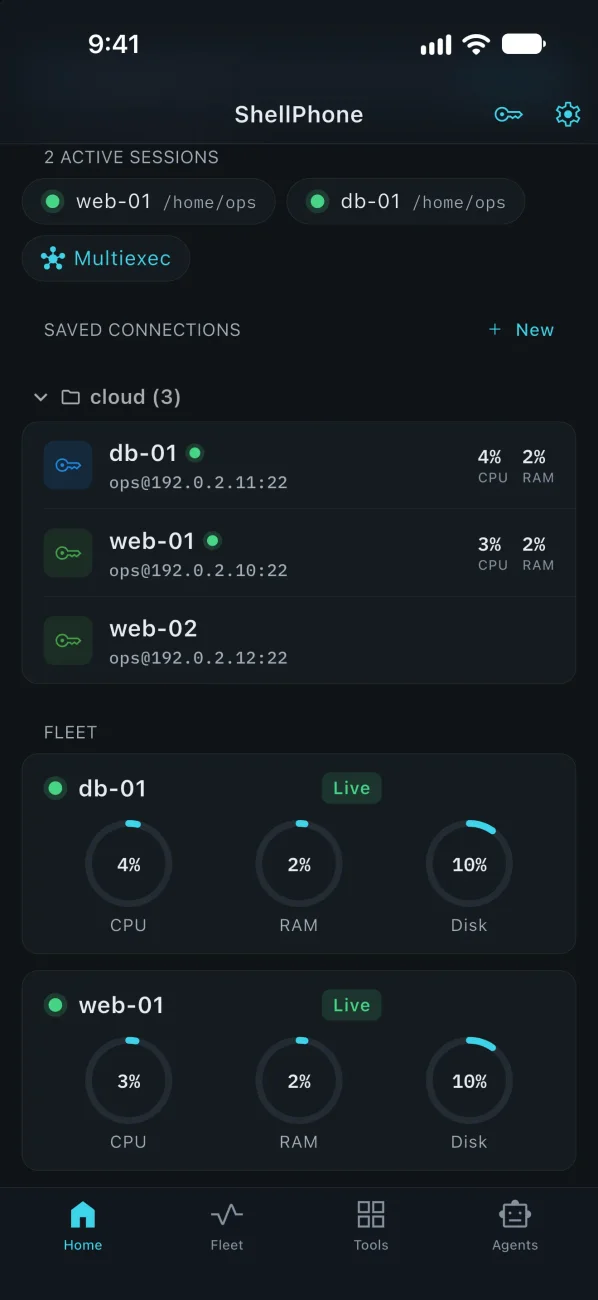
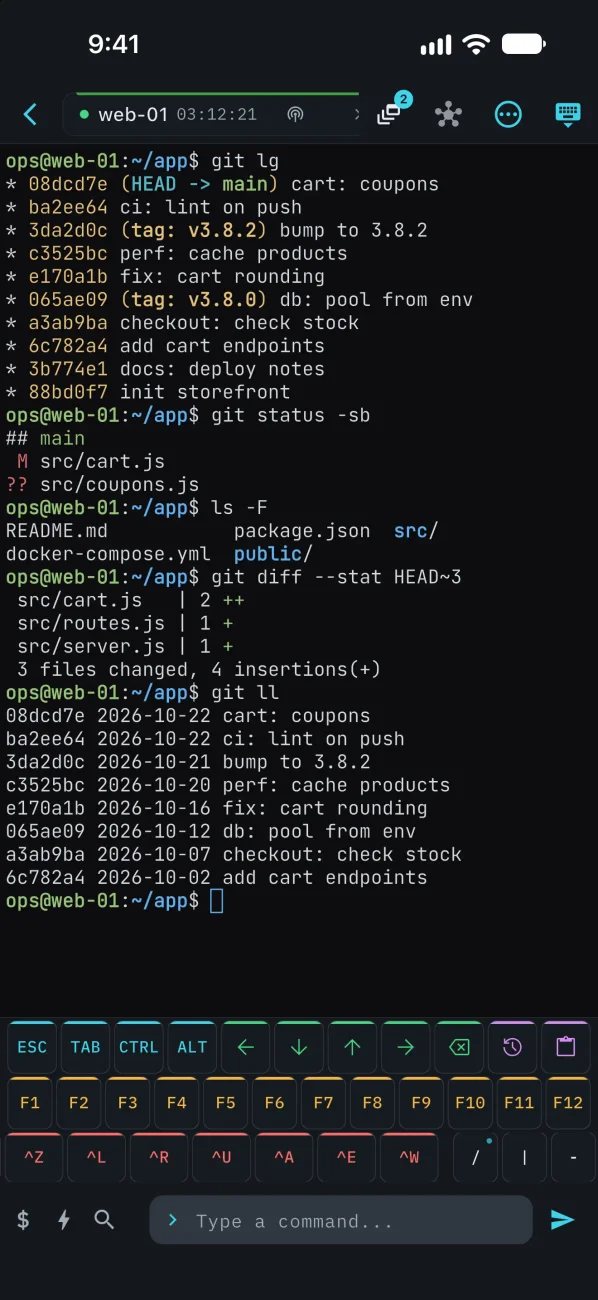
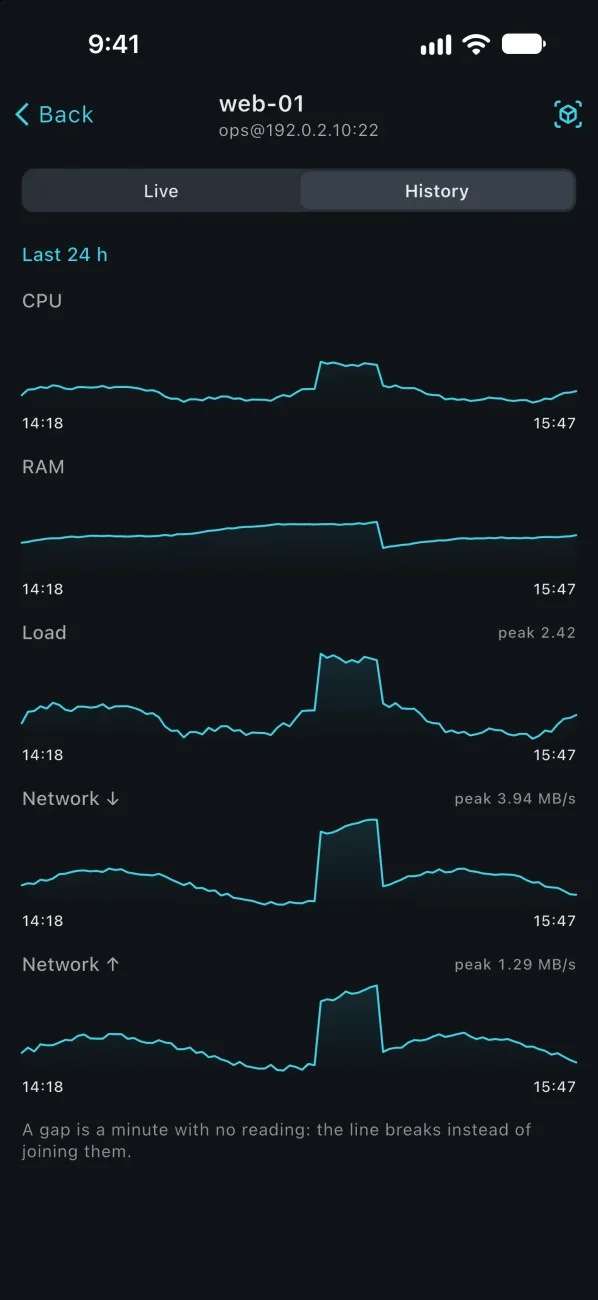
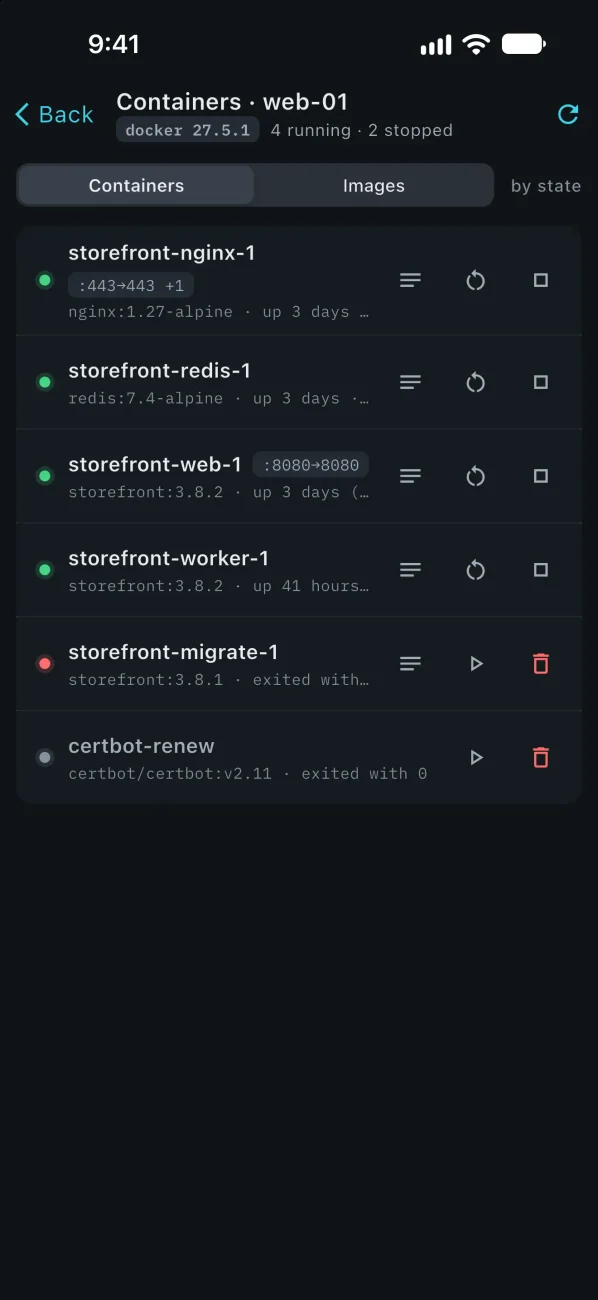


Tentang
Pengembang belum menyediakan teks ini dalam bahasa Anda.
ShellPhone 3.1: your servers, closer.
A complete, native SSH client for iPhone, iPad and Mac: a real xterm terminal, SFTP, tunnels and, since 3.0, containers, widgets, push notices, an AI assistant with your own key and coding agents. No account and no tracking.
TRY THE WHOLE APP FOR 30 DAYS
When you install, you get a 30-day trial of the whole app without paying anything. While it lasts, every paid feature shows its bundle's label, and 3 days and 1 day before the end the app reminds you.
NEW IN 3.1
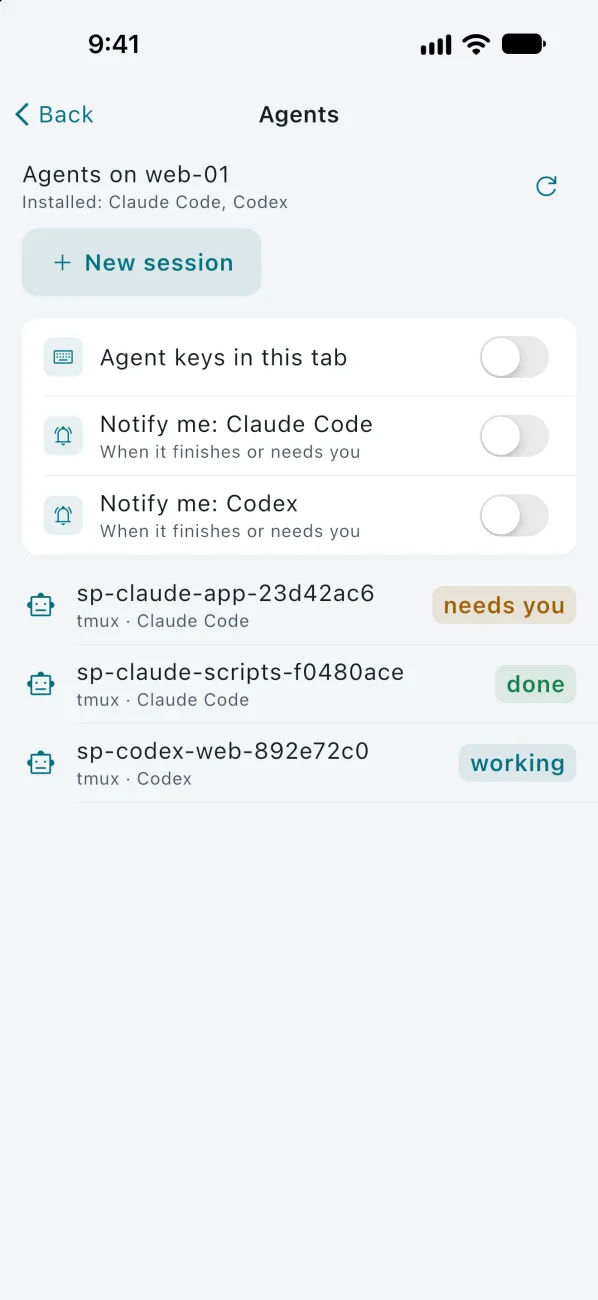
• Claude Code and Codex in the tab: see whether they're working, have finished or need you, and get notified even when you're not looking
• Live Activity on iPhone (iOS 18 or later): your agents' status on the Lock Screen and in the Dynamic Island
• Native tmux: each tmux window and pane as an app tab
• Images in the terminal: Sixel and the most widely used graphics protocols
• File preview: hover over or tap a path to see it, and open links from the terminal
• Command marks: jump from one command to the next and copy just its output
• On the Mac, full mouse and keyboard for Claude Code and other full-screen apps
• Widgets and the Live Activity, in the language you choose in the app
• Agent notifications your way: choose for each server whether every session on it notifies you or only the ones you open from ShellPhone
ALSO INCLUDED
• Docker and Podman containers: live logs, start, stop, restart or open a shell inside, without an agent
• Widgets on the Home Screen and the Mac desktop with CPU, memory, disk and network (iOS 17 and macOS 14 or later)
• Push notices from your servers with notify, even with the app closed, and CPU, memory, disk and temperature alerts, no root needed
• Extended monitor: NVIDIA GPU, temperature, 24 hours of history in charts and ending processes after you confirm
• AI assistant with your own key: it starts in plan mode and every command is confirmed
• zellij sessions · ZMODEM (rz/sz) · two-factor login · agent forwarding · fallback server · startup script
USE CASES
The in-app glossary explains everything you can do, each with an example. Some use cases:
• The nightly backup finishes and a notice reaches your phone
• A container goes down: read its logs and restart it from your iPhone
• Leave Claude Code working on the server and come back when it tells you
• Reach your private database through a tunnel or a bastion
• Type once and the command reaches several servers with Multiexec
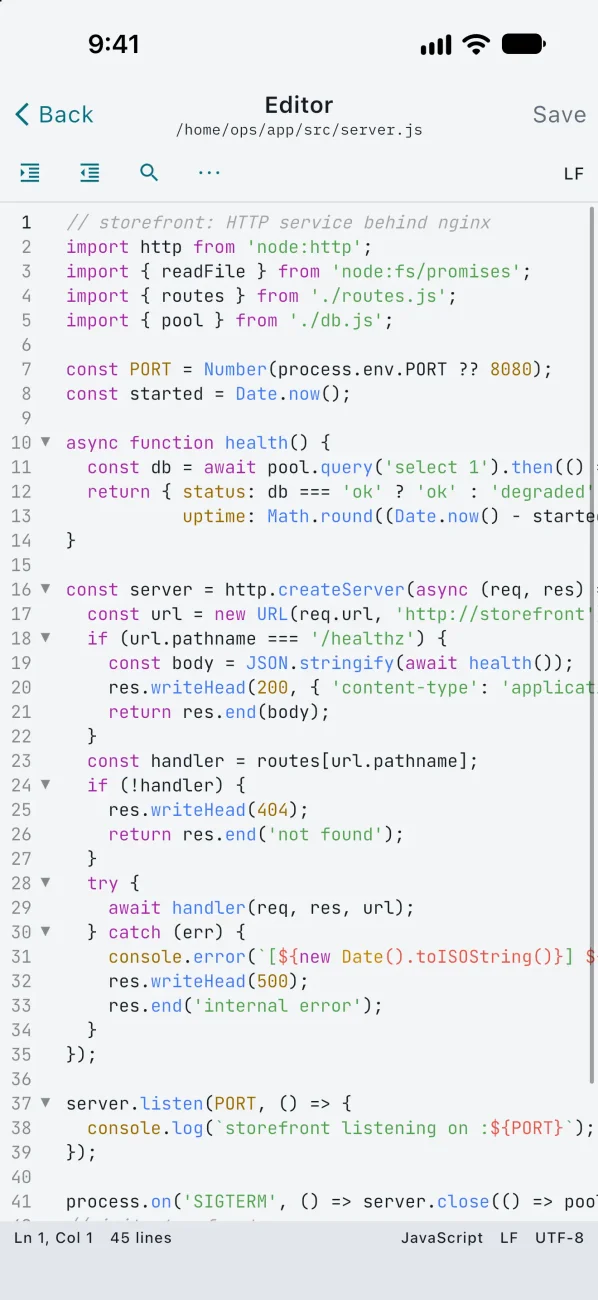
• Edit a server file in the built-in code editor
FREE AND PAID
When the trial ends, without any bundle you still have: quick connect, using and editing your saved connections, one terminal at a time (remote, or local on the Mac) with 15-minute connections you reconnect straight away, browsing and downloading over SFTP, SSH keys and known hosts, seeing and pasting snippets, the monitor of the connected server, two-factor login, the extra keyboard, command history, themes and fonts. Any bundle removes the one-terminal limit and the 15-minute cut.
• Power user: saved connections, tunnels, ProxyJump, Telnet, WireGuard, snippets and macros, SFTP uploads and file management, code editor, fleet, Cloud Sync and encrypted backup, containers, widgets, push notices, AI assistant, agents, tmux and zellij, ZMODEM and the local tools
• Network tools: subnet and port scanners, ping, DNS, Whois, TLS, HTTP, iperf3, Wake on LAN, HTTP proxy, remote tunnel (-R) and startup script
• Remote desktop: VNC viewer
• All-in-one: the whole app
Auto-renewable yearly subscriptions; cancel anytime. No data is collected: no analytics or tracking, and your keys stay in the device keychain.
Terms of Use (EULA): https://shellphone.sggyamg.com/terms/
Privacy Policy: https://shellphone.sggyamg.com/privacy/
Yang baru
Versi 3.1.2 · 21/11/2026
• Scrolling the terminal with your finger no longer opens the keyboard: it only appears when you tap.
• If a connection has no saved password, or the server rejects it, ShellPhone asks for it when you connect, like ssh.
• With your phone in landscape and the keyboard open, the screen no longer gets cut off and the ⌨ button is always within reach.
• If you close the keyboard from the system, ⌨ opens it again with a single tap.
Privasi aplikasi
Yang dinyatakan Antonio Martinez Gimeno di App Store tentang cara aplikasi ini menangani data.
-
Data tidak dikumpulkan
Pengembang tidak mengumpulkan data apa pun dari aplikasi ini.
Praktik privasi dapat bervariasi, misalnya berdasarkan fitur yang Anda gunakan atau usia Anda.
Informasi
- Penjual
- Antonio Martinez Gimeno
- Kategori
- Alat Pengembang
- Versi
- 3.1.2
- Diperbarui
- 21/11/2026
- Dirilis
- 19/7/2026
- Ukuran
- 80,5 MB
- Memerlukan
- iOS 15.0 atau yang lebih baru
- Batasan usia
- 4+
- Harga
- Gratis
- Pembelian dalam aplikasi
- Ya
- Bahasa
- Inggris, Prancis, Jerman, Italia, Jepang, Korea, Portugis, Tionghoa Sederhana, Spanyol
- Hak cipta
- © 2026 SGGyAMG
Mungkin Anda juga suka
-
 RSSHAlat Pengembang
-
 Shelify SSH Remote ConnectAlat Pengembang
-
 ChibyooShellAlat Pengembang
-
 ChatSSH - Terminal & Local LLMAI lokal privat untuk host SSH
-
 PanelicaAlat Pengembang
-
 PocketSSHAlat Pengembang
-
 SofaCode - VS Code Vibe CodingAlat Pengembang
-
 SSH SpeedTerminal SSH & Klien SFTP
-
 Hop — SSH ClientAlat Pengembang
-
 Termalin: SSH & SFTP ClientAlat Pengembang