SpaceCast Display
Mac & PC Screen on iPhone/iPad
Dirancang untuk iPhone, iPad
Gratis · Pembelian dalam aplikasi
- Batasan usia4+
- KategoriKegunaan
- PengembangTakahiro Endo
- BahasaInggris+ 9 lainnya
- Ukuran4,0 MB
Tertaut ke halaman resmi App Store
Download.org tidak menyimpan file SpaceCast Display apa pun. Tombol ini membuka halaman aplikasi di App Store, tempat Takahiro Endo menerbitkannya. Halaman terakhir diperiksa pada 17/11/2026.
Tangkapan layar
Tentang
Pengembang belum menyediakan teks ini dalam bahasa Anda.
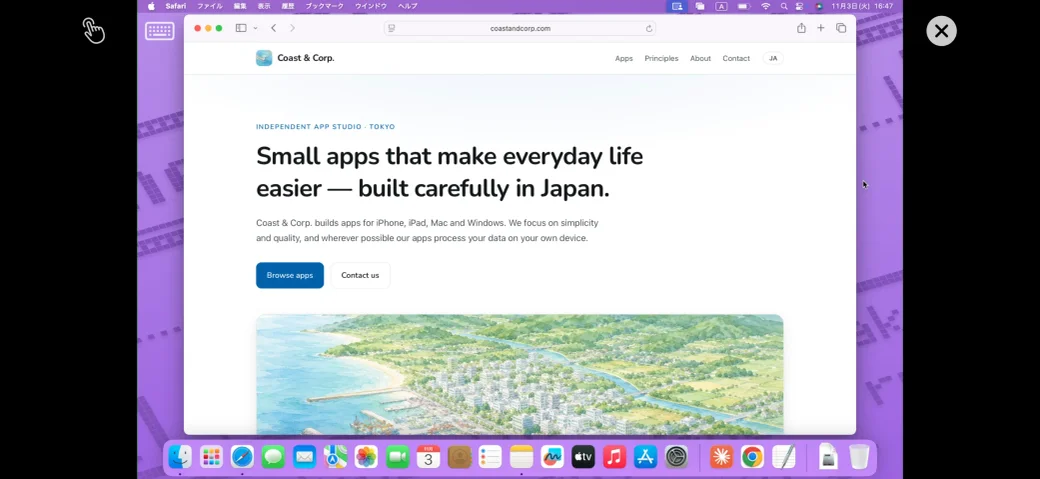
The simplest way to use your iPhone or iPad as a secondary display for your Mac/PC.
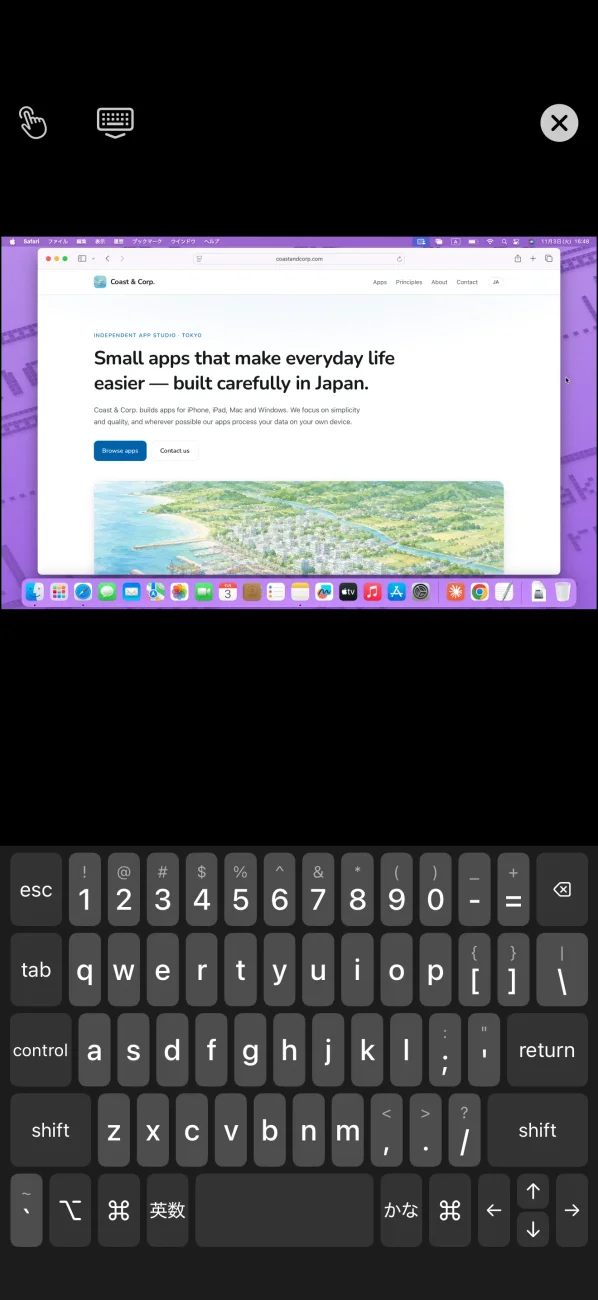
SpaceCast Display streams your Mac/PC screen to your iPhone or iPad via Wi-Fi or USB cable. Unlike Sidecar, it can connect devices with different Apple accounts, allowing for various combinations such as your own Mac/PC with a company-issued iPad or a family member's iPhone.
On a foldable iPhone (iPhone Duo), just fold it halfway: the upper screen shows your Mac/PC and the lower screen becomes a keyboard and trackpad, like a tiny laptop.
----------------------------------
■ Main Features
----------------------------------
【Features Available for Free】
・Real-time display of your Mac/PC screen on iPhone or iPad (first 10 minutes)
・Connection via Wi-Fi (Mac App Store version and official website version) or USB cable (official website version only for Mac)
・Automatic detection of nearby Macs/PCs and one-tap connection
・Secure pairing with a 6-digit PIN
・Automatic reconnection to previously paired Macs/PCs
・Adapts automatically when you fold or unfold a foldable iPhone
【SpaceCast Pro (One-time Purchase)】
・Direct control of your Mac/PC with touch
— Tap: Left click
— Two-finger tap: Right click
— Long press: Right click
— Two-finger scroll
— Pinch: Zoom in/out
— Three-finger swipe: Mission Control / Space switching
・Laptop mode (foldable iPhone): fold it halfway to show your Mac/PC on top and a keyboard and trackpad below
・On-screen Mac keyboard: show it on any iPhone or iPad with one button. Shortcuts with command, option and control work as on a real Mac keyboard, and the Eisu/Kana keys support Japanese input
・Trackpad: move the pointer, tap to click, drag, two-finger scroll, two-finger tap to right-click
・Unlimited connection time
・Transfer hardware keyboard (Magic Keyboard, etc.) input directly to your Mac/PC
・Connect devices with different Apple accounts (no Sidecar restrictions)
----------------------------------
■ How to Use
----------------------------------
1. Install and launch SpaceCast Unlimited (official website version) / SpaceCast Desktop (Mac App Store version) / SpaceCast Desktop for PC (official website version). The Mac/PC app is free.
2. Connect your iPhone or iPad and your Mac/PC to the same Wi-Fi network, or connect them with a USB cable (SpaceCast Unlimited only).
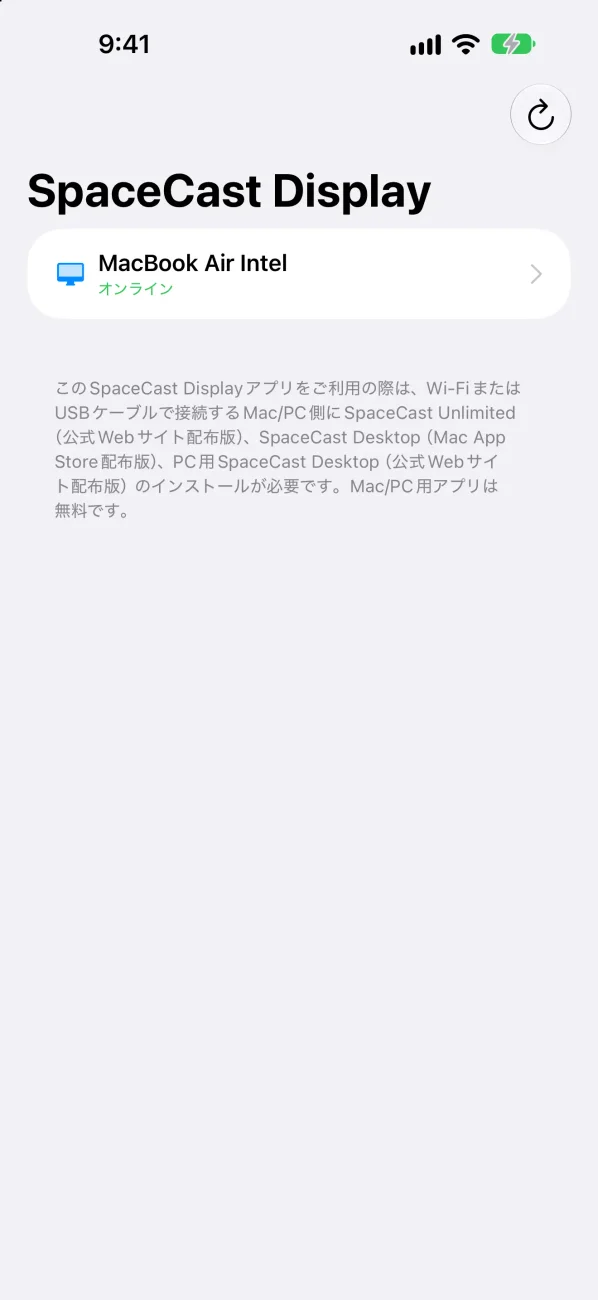
3. Open SpaceCast Display, and nearby Macs/PCs will automatically appear.
4. Tap the Mac/PC name, enter the displayed 6-digit PIN, and complete pairing.
5. Your Mac/PC screen will immediately appear on your iPhone or iPad.
----------------------------------
■ Notes
----------------------------------
• To use this app, you need to install "SpaceCast Unlimited" (official website version) or similar on the Mac connected via Wi-Fi or USB cable. Both Mac and PC apps are free to use.
• "SpaceCast Desktop" from the Mac App Store is view-only. To control your computer with touch, keyboard or trackpad, use "SpaceCast Unlimited" (official website version) on a Mac or "SpaceCast Desktop for PC" on a PC.
• To control a Mac, you need to grant accessibility permissions on the Mac side.
* Uses only local network communication. Video and input data are never sent to external servers.
* "SpaceCast Unlimited" (official website version) allows for Mac screen mirroring and extended desktop display. Please check the official website for details: https://coastandcorp.com/spacecast/mac/
* "SpaceCast Desktop for PC" (official website version) allows for PC screen mirroring. Please check the official website for details: https://coastandcorp.com/spacecast/pc/
* Compatible with iPhone running iOS 17.0 or later and iPad running iPadOS 17.0 or later. Laptop mode requires a foldable iPhone with iOS 27.1 or later.
Yang baru
Versi 1.1.0 · 3/11/2026
- Now available on iPhone.
- Laptop mode (Pro): fold a foldable iPhone (iPhone Duo) halfway to show your Mac/PC on top and a keyboard and trackpad below.
- On-screen Mac keyboard (Pro) with shortcuts and Japanese Eisu/Kana keys. Show it on any device with the keyboard button.
- When connected to the view-only Mac App Store version of SpaceCast Desktop, control buttons are hidden and a short notice explains why.
- Fixed the app sometimes staying on "Connecting" when a Mac/PC could not be reached.
- The local network permission prompt is now localized.
Privasi aplikasi
Yang dinyatakan Takahiro Endo di App Store tentang cara aplikasi ini menangani data.
-
Data tidak dikumpulkan
Pengembang tidak mengumpulkan data apa pun dari aplikasi ini.
Praktik privasi dapat bervariasi, misalnya berdasarkan fitur yang Anda gunakan atau usia Anda.
Informasi
- Penjual
- Takahiro Endo
- Kategori
- Kegunaan
- Versi
- 1.1.0
- Diperbarui
- 3/11/2026
- Dirilis
- 14/5/2026
- Ukuran
- 4,0 MB
- Memerlukan
- iOS 17.0 atau yang lebih baru
- Batasan usia
- 4+
- Harga
- Gratis
- Pembelian dalam aplikasi
- Ya
- Bahasa
- Inggris, Prancis, Jerman, Italia, Jepang, Korea, Portugis, Tionghoa Sederhana, Spanyol, Tionghoa Tradisional
- Hak cipta
- ©️ 2026 Coast&Corp.