SpaceCast Display
Mac & PC Screen on iPhone/iPad
iPhone, iPad için tasarlandı
Ücretsiz · Uygulama içi satın alma
- Yaş sınırı4+
- KategoriYardımcılar
- GeliştiriciTakahiro Endo
- Dillerİngilizce+ 9 dil daha
- Boyut4,0 MB
Resmi App Store sayfasına bağlanır
Download.org, SpaceCast Display için hiçbir dosya barındırmaz. Düğme, uygulamanın App Store üzerindeki sayfasını açar; uygulamayı orada Takahiro Endo yayınlar. Sayfanın son kontrolü: 17.11.2026.
Ekran görüntüleri
Hakkında
Geliştirici bu metni dilinizde sunmamış.
The simplest way to use your iPhone or iPad as a secondary display for your Mac/PC.
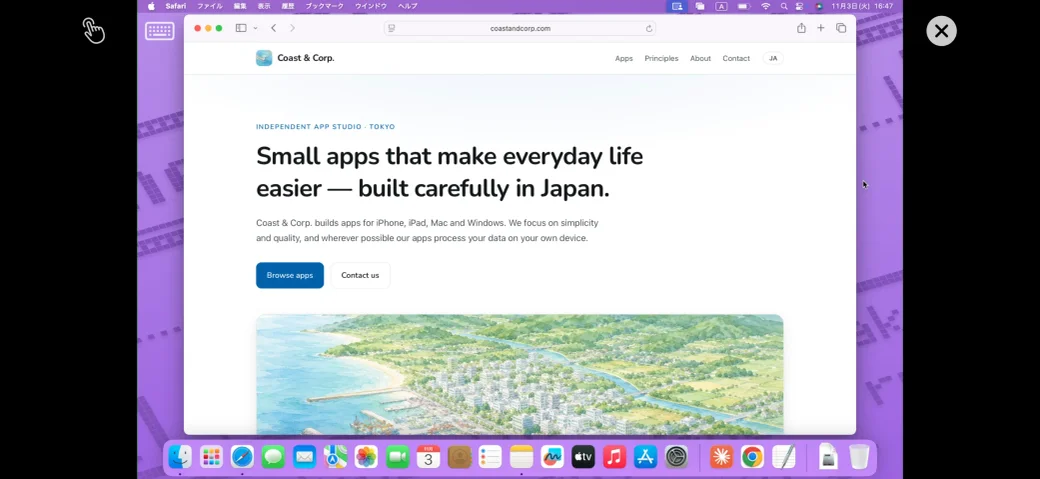
SpaceCast Display streams your Mac/PC screen to your iPhone or iPad via Wi-Fi or USB cable. Unlike Sidecar, it can connect devices with different Apple accounts, allowing for various combinations such as your own Mac/PC with a company-issued iPad or a family member's iPhone.
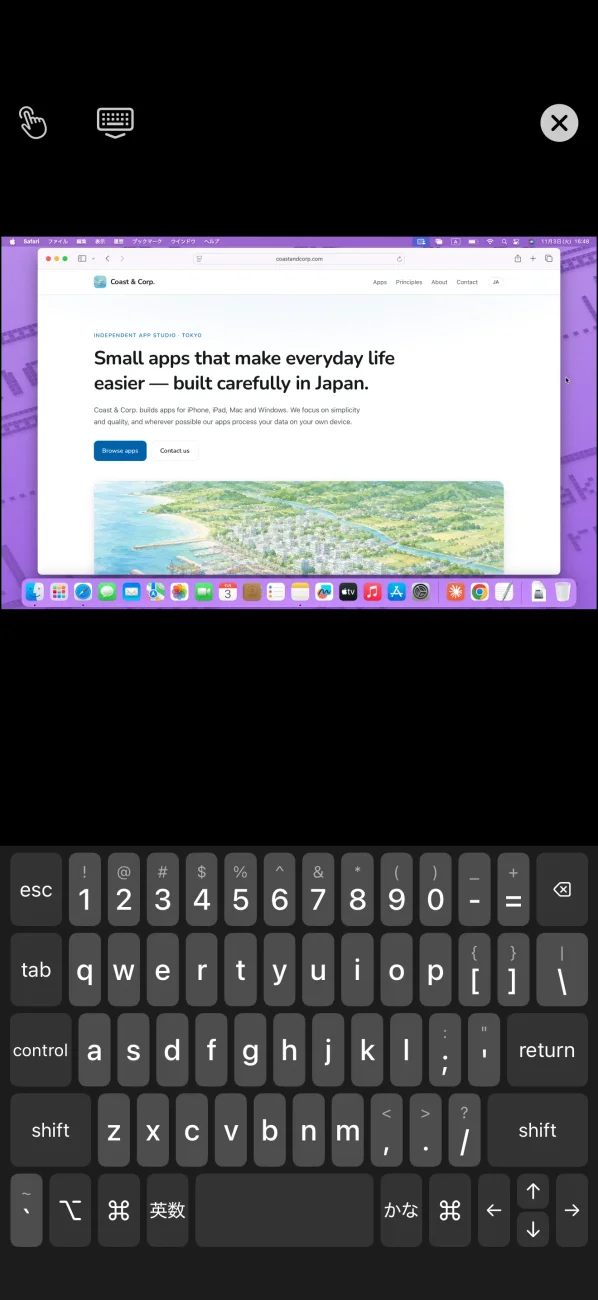
On a foldable iPhone (iPhone Duo), just fold it halfway: the upper screen shows your Mac/PC and the lower screen becomes a keyboard and trackpad, like a tiny laptop.
----------------------------------
■ Main Features
----------------------------------
【Features Available for Free】
・Real-time display of your Mac/PC screen on iPhone or iPad (first 10 minutes)
・Connection via Wi-Fi (Mac App Store version and official website version) or USB cable (official website version only for Mac)
・Automatic detection of nearby Macs/PCs and one-tap connection
・Secure pairing with a 6-digit PIN
・Automatic reconnection to previously paired Macs/PCs
・Adapts automatically when you fold or unfold a foldable iPhone
【SpaceCast Pro (One-time Purchase)】
・Direct control of your Mac/PC with touch
— Tap: Left click
— Two-finger tap: Right click
— Long press: Right click
— Two-finger scroll
— Pinch: Zoom in/out
— Three-finger swipe: Mission Control / Space switching
・Laptop mode (foldable iPhone): fold it halfway to show your Mac/PC on top and a keyboard and trackpad below
・On-screen Mac keyboard: show it on any iPhone or iPad with one button. Shortcuts with command, option and control work as on a real Mac keyboard, and the Eisu/Kana keys support Japanese input
・Trackpad: move the pointer, tap to click, drag, two-finger scroll, two-finger tap to right-click
・Unlimited connection time
・Transfer hardware keyboard (Magic Keyboard, etc.) input directly to your Mac/PC
・Connect devices with different Apple accounts (no Sidecar restrictions)
----------------------------------
■ How to Use
----------------------------------
1. Install and launch SpaceCast Unlimited (official website version) / SpaceCast Desktop (Mac App Store version) / SpaceCast Desktop for PC (official website version). The Mac/PC app is free.
2. Connect your iPhone or iPad and your Mac/PC to the same Wi-Fi network, or connect them with a USB cable (SpaceCast Unlimited only).
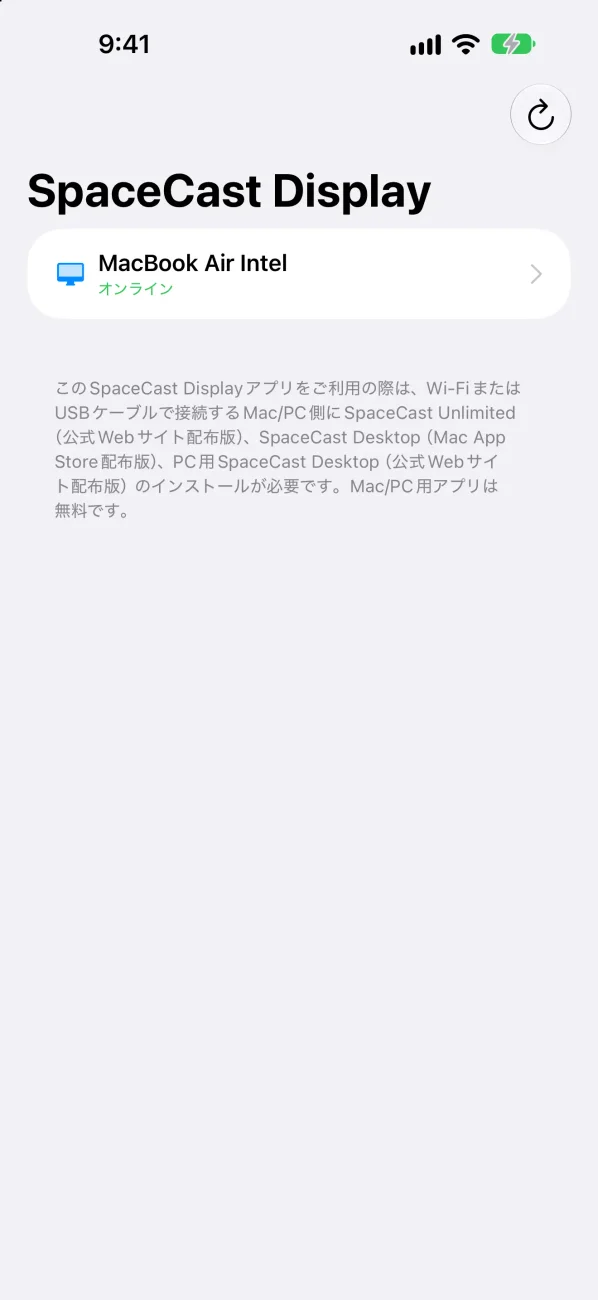
3. Open SpaceCast Display, and nearby Macs/PCs will automatically appear.
4. Tap the Mac/PC name, enter the displayed 6-digit PIN, and complete pairing.
5. Your Mac/PC screen will immediately appear on your iPhone or iPad.
----------------------------------
■ Notes
----------------------------------
• To use this app, you need to install "SpaceCast Unlimited" (official website version) or similar on the Mac connected via Wi-Fi or USB cable. Both Mac and PC apps are free to use.
• "SpaceCast Desktop" from the Mac App Store is view-only. To control your computer with touch, keyboard or trackpad, use "SpaceCast Unlimited" (official website version) on a Mac or "SpaceCast Desktop for PC" on a PC.
• To control a Mac, you need to grant accessibility permissions on the Mac side.
* Uses only local network communication. Video and input data are never sent to external servers.
* "SpaceCast Unlimited" (official website version) allows for Mac screen mirroring and extended desktop display. Please check the official website for details: https://coastandcorp.com/spacecast/mac/
* "SpaceCast Desktop for PC" (official website version) allows for PC screen mirroring. Please check the official website for details: https://coastandcorp.com/spacecast/pc/
* Compatible with iPhone running iOS 17.0 or later and iPad running iPadOS 17.0 or later. Laptop mode requires a foldable iPhone with iOS 27.1 or later.
Yenilikler
Sürüm 1.1.0 · 03.11.2026
- Now available on iPhone.
- Laptop mode (Pro): fold a foldable iPhone (iPhone Duo) halfway to show your Mac/PC on top and a keyboard and trackpad below.
- On-screen Mac keyboard (Pro) with shortcuts and Japanese Eisu/Kana keys. Show it on any device with the keyboard button.
- When connected to the view-only Mac App Store version of SpaceCast Desktop, control buttons are hidden and a short notice explains why.
- Fixed the app sometimes staying on "Connecting" when a Mac/PC could not be reached.
- The local network permission prompt is now localized.
Uygulama gizliliği
Bu uygulamanın verileri nasıl işlediği hakkında Takahiro Endo tarafından App Store üzerinde yapılan beyan.
-
Veri toplanmıyor
Geliştirici bu uygulamadan hiçbir veri toplamıyor.
Gizlilik uygulamaları, örneğin kullandığınız özelliklere veya yaşınıza göre değişiklik gösterebilir.
Bilgiler
- Satıcı
- Takahiro Endo
- Kategori
- Yardımcılar
- Sürüm
- 1.1.0
- Güncellendi
- 03.11.2026
- Yayın tarihi
- 14.05.2026
- Boyut
- 4,0 MB
- Gereksinim
- iOS 17.0 veya sonrası
- Yaş sınırı
- 4+
- Fiyat
- Ücretsiz
- Uygulama içi satın alma
- Evet
- Diller
- İngilizce, Fransızca, Almanca, İtalyanca, Japonca, Korece, Portekizce, Basitleştirilmiş Çince, İspanyolca, Geleneksel Çince
- Telif hakkı
- ©️ 2026 Coast&Corp.
Bunları da beğenebilirsiniz
-
 GNSS ControlYardımcılar
-
 Pi BlockYardımcılar
-
 Mouse & Keyboard Remote: MacBluetooth Fare ve Klavye
-
 SidecarBridgeYardımcılar
-
 Komado2 LiteYardımcılar
-
 NFC Forge: Tag ToolkitYardımcılar
-
 Bahr's Propane GasYardımcılar
-
 RPad: Uzaktan Trackpad & FareSunum Kumandası & Lazer
-
 Dnipro EnergoYardımcılar
-
 Text Snippet Keyboard - SnipItYardımcılar