- Batasan usia4+
- KategoriKegunaan
- PengembangMARCO NUNNARI
- BahasaInggris+ 5 lainnya
- Ukuran20,5 MB
Tertaut ke halaman resmi App Store
Download.org tidak menyimpan file Split Keyboard apa pun. Tombol ini membuka halaman aplikasi di App Store, tempat MARCO NUNNARI menerbitkannya. Halaman terakhir diperiksa pada 13/11/2026.
Tangkapan layar

Tentang
Pengembang belum menyediakan teks ini dalam bahasa Anda.
Type comfortably while holding your iPad. Split Keyboard brings the keys within reach of your thumbs, with helpful word suggestions and autocorrection. Your words stay on your iPad.
KEYS WITHIN REACH
Two keyboard halves bring the keys closer to your thumbs, so you can type with both hands while holding your iPad. The open center gives your thumbs space between the two sides.
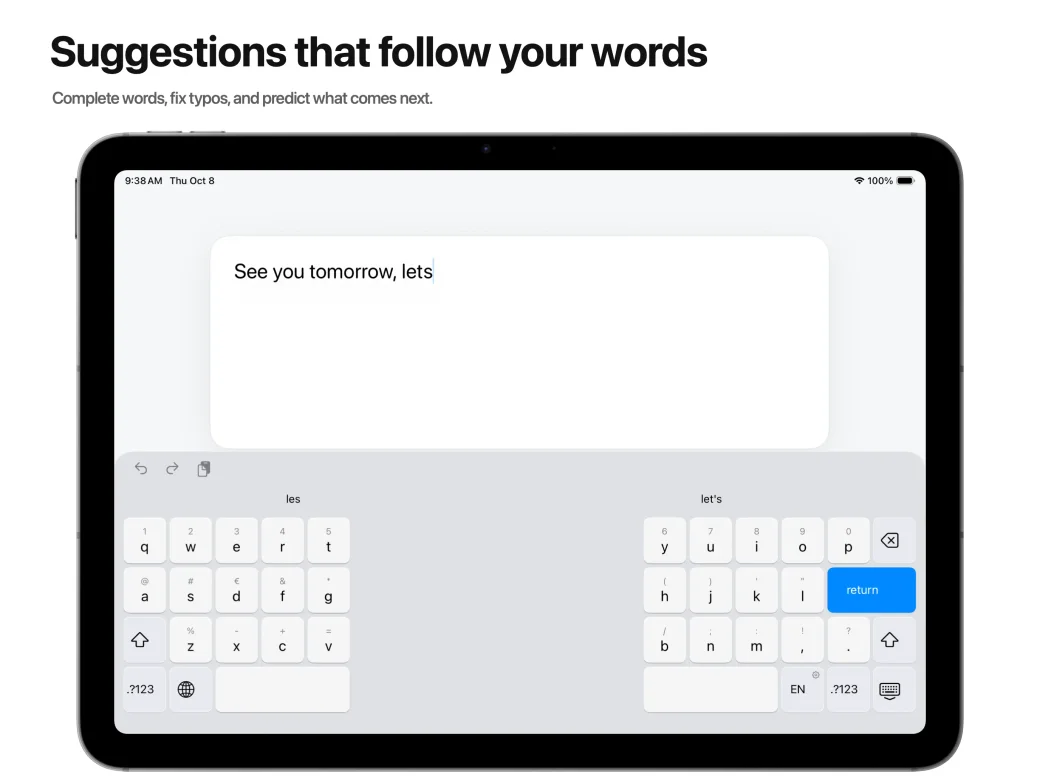
SUGGESTIONS THAT FOLLOW YOUR WORDS
Complete words, correct spelling, and get suggestions for what comes next. Undo an automatic correction with Delete. Let the keyboard learn words you use, with the option to forget them whenever you choose.
USEFUL SHORTCUTS, WITHIN REACH
Pull letter keys down for numbers and symbols. Hold a letter for accented characters. Move the cursor by holding Space or dragging with two fingers.
WRITE IN YOUR LANGUAGES
Switch between English, Italian, German, French, Spanish, and Portuguese for Portugal and Brazil. Choose familiar layouts, including German QWERTZ and French AZERTY or QWERTY.
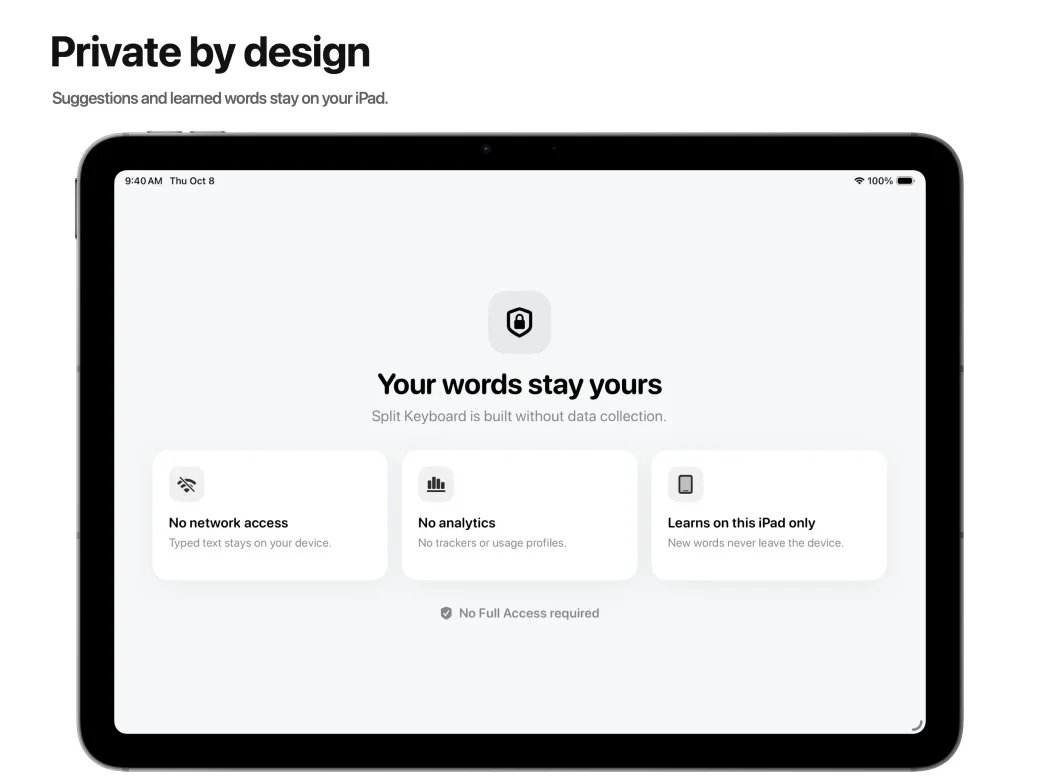
YOUR WORDS STAY ON YOUR IPAD
Suggestions and word learning work locally. No accounts, tracking, or network access. Full Access is never required. Turn learning off or delete learned words in settings.
For iPad and apps that support custom keyboards. iPadOS may use the system keyboard in secure and phone-number fields.
Yang baru
Versi 1.3 · 8/10/2026
• Word suggestions, next-word predictions, and automatic spelling corrections across all supported typing languages.
• Undo an auto-correction with Delete, or keep and learn your original word.
• Pull letter keys down for quick access to numbers and symbols.
• Hold Space or use two fingers to move the cursor.
• Redesigned keyboard settings with easier language and layout selection.
• Improved capitalization after punctuation and word replacement.
Suggestions and learned words stay on your iPad. No Full Access required.
Privasi aplikasi
Yang dinyatakan MARCO NUNNARI di App Store tentang cara aplikasi ini menangani data.
-
Data tidak dikumpulkan
Pengembang tidak mengumpulkan data apa pun dari aplikasi ini.
Praktik privasi dapat bervariasi, misalnya berdasarkan fitur yang Anda gunakan atau usia Anda.
Informasi
- Penjual
- MARCO NUNNARI
- Kategori
- Kegunaan
- Versi
- 1.3
- Diperbarui
- 8/10/2026
- Dirilis
- 10/9/2026
- Ukuran
- 20,5 MB
- Memerlukan
- iOS 18.0 atau yang lebih baru
- Batasan usia
- 4+
- Harga
- Rp 79ribu
- Bahasa
- Inggris, Prancis, Jerman, Italia, Portugis, Spanyol
- Hak cipta
- © 2026 Marco Nunnari