
Studuck - Class schedule
Schedule, tasks, groups
Dirancang untuk iPhone, iPad, iPod touch
Gratis · Pembelian dalam aplikasi
- Batasan usia4+
- KategoriPendidikan
- PengembangVictor Shamruk
- BahasaInggris+ 1 lainnya
- Ukuran156,5 MB
Tertaut ke halaman resmi App Store
Download.org tidak menyimpan file Studuck - Class schedule apa pun. Tombol ini membuka halaman aplikasi di App Store, tempat Victor Shamruk menerbitkannya. Halaman terakhir diperiksa pada 14/11/2026.
Tangkapan layar


Tentang
Pengembang belum menyediakan teks ini dalam bahasa Anda.
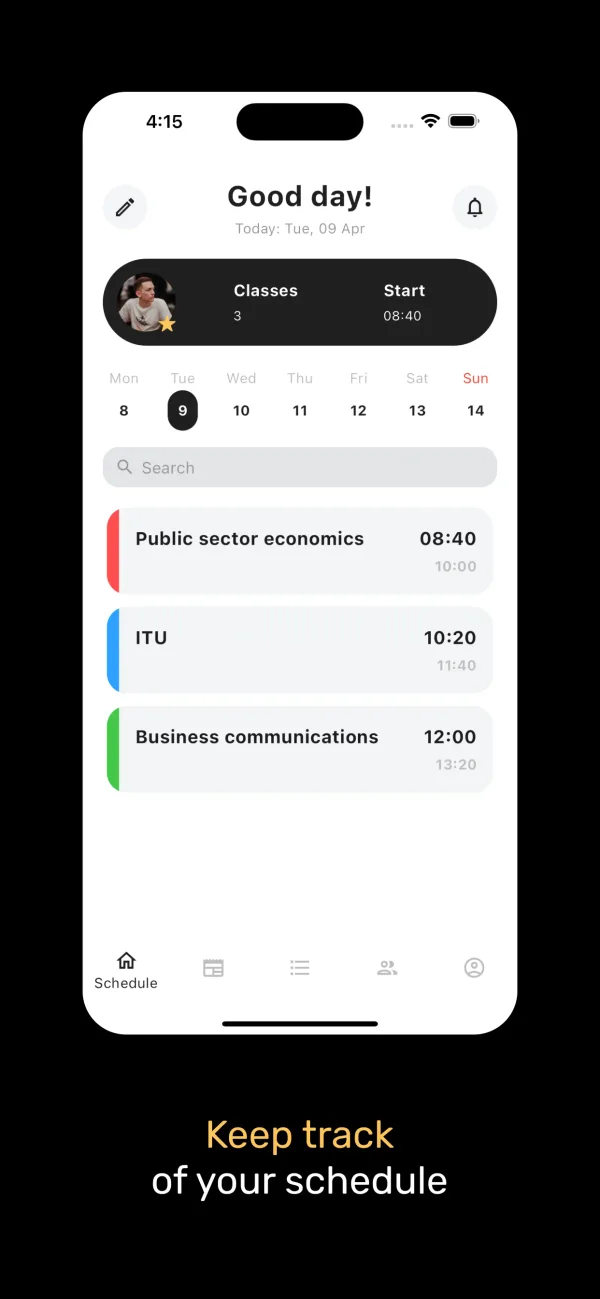
1. Add a class schedule. Flexible functionality will allow you to easily set up alternating weeks.
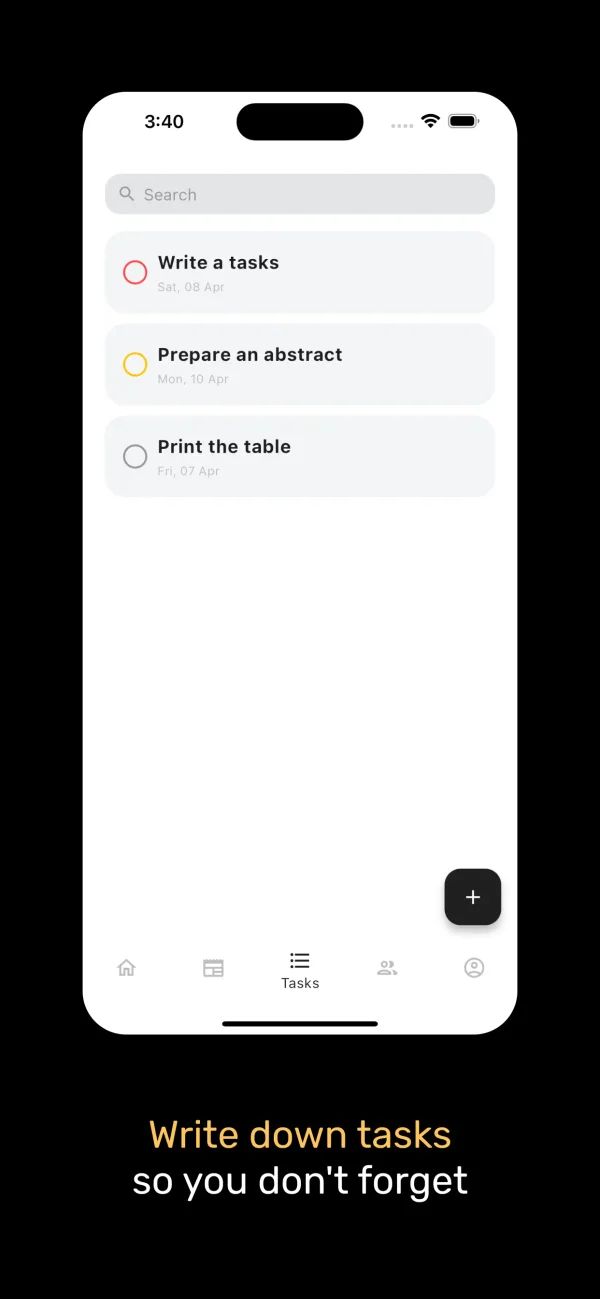
2. Write down tasks and specify a deadline for them and priority over other tasks. Now you won't forget to do anything!
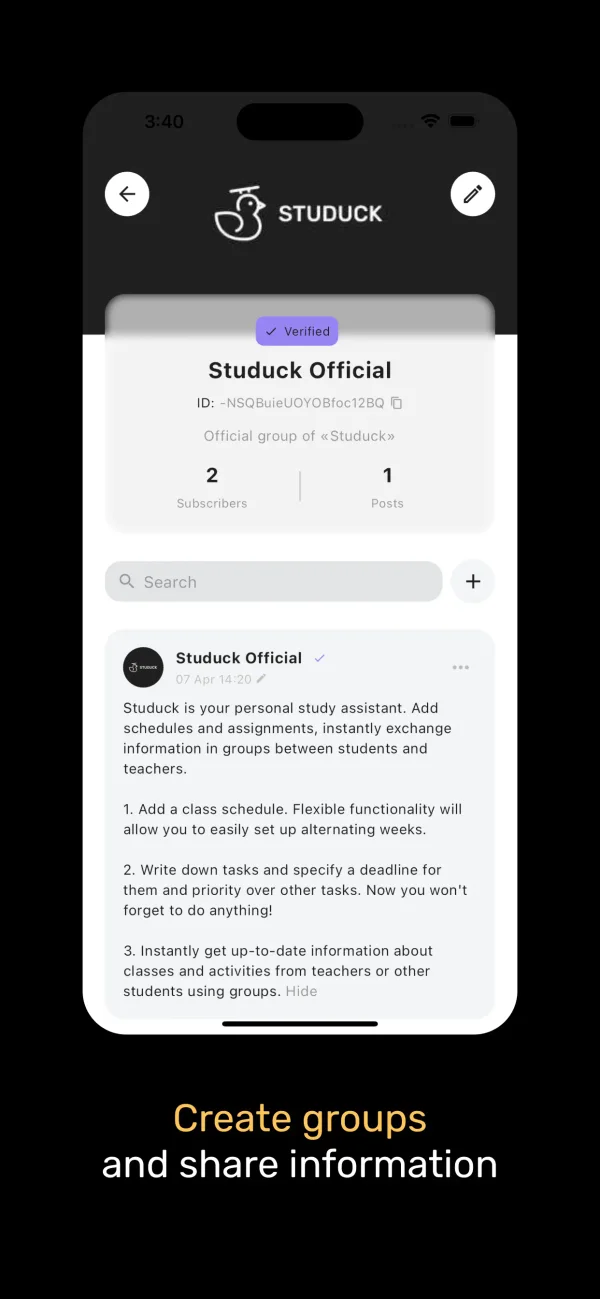
3. Instantly get up-to-date information about classes and activities from teachers or other students using groups.
SCHEDULES. You can create several schedule templates at once and switch between them. Alternating weeks work automatically. If the schedule has several weeks, they will switch one after the other. If one week - it will just repeat. For each lesson, you can specify the building and the audience, as well as the teacher. For convenience, you can specify a color to quickly find the right activity in the list.
TASKS. For each task, you can specify the priority: normal, medium and high - just click on the exclamation mark icon when creating the task. You can also specify the deadline for completing the task so that everything is done on time. For convenience, you can add to the task the subject with which it is associated.
GROUPS. You can use groups to interact with teachers and other students. For example, if a class has been canceled or a new assignment has been added, the teacher can create a post and notify all participants about it. You can add photo materials to each post.
The application also includes subscriptions with several tariff plans.
What does a SUBSCRIPTION give?
1. Auto-sync - to automatically save your data to the cloud.
2. Creating schedules - no restrictions! Without Premium, you can create only 1 schedule.
3. Creating groups - no restrictions! Without Premium, you can create only 1 group.
4. Creating tasks - without restrictions! Without Premium, you can create only 100 tasks.
5. The ability to add up to 10 photos to the post! Without Premium, you can only add up to 5 photos.
6. Premium subscriber icon. Stand out in the list of group members!
7. Project support.
You can ask us a question, report a problem with the app, or share ideas by email: toprograms.it@gmail.com.
Privacy policy: https://stu-duck.ru/about/privacy
Terms of use: https://www.apple.com/legal/internet-services/itunes/dev/stdeula/
Yang baru
Versi 1.0.26 · 6/7/2026
A few important fixes
Privasi aplikasi
Yang dinyatakan Victor Shamruk di App Store tentang cara aplikasi ini menangani data.
-
Data yang ditautkan dengan Anda
Dapat dikumpulkan dan ditautkan dengan identitas Anda.
- Info kontak
-
Data yang tidak ditautkan dengan Anda
Dapat dikumpulkan, tetapi tidak ditautkan dengan identitas Anda.
- Konten pengguna
- Pengenal
- Data penggunaan
- Diagnostik
Praktik privasi dapat bervariasi, misalnya berdasarkan fitur yang Anda gunakan atau usia Anda.
Informasi
- Penjual
- Victor Shamruk
- Kategori
- Pendidikan
- Versi
- 1.0.26
- Diperbarui
- 6/7/2026
- Dirilis
- 9/4/2023
- Ukuran
- 156,5 MB
- Memerlukan
- iOS 13.0 atau yang lebih baru
- Batasan usia
- 4+
- Harga
- Gratis
- Pembelian dalam aplikasi
- Ya
- Bahasa
- Inggris, Rusia
- Hak cipta
- © 2023, Viktor Shamruk
Mungkin Anda juga suka
-
 TSU.InTime – schedulePendidikan
-
 Jadwal Sekolah PlannerWidget dan pengingat kelas
-
 Дневач - Расписание занятийPendidikan
-
 Кампус - Расписание занятийPendidikan
-
 ClassTime: School & CollegePendidikan
-
 Jadwal: Catatan kelasKalender Pendidikan, PR saya
-
 Weeklie: Jadwal KelasAgenda sekolah dan tugas
-
 Zachet: AI Study AssistantPendidikan
-
 EZsheet — Jawaban UjianCatatan di jam tangan pintar
-
 ЕГЭ Русский язык 2026Pendidikan