
Studuck - Class schedule
Schedule, tasks, groups
Designed for iPhone, iPad, iPod touch
Free · In-app purchases
- Age rating4+
- CategoryEducation
- DeveloperVictor Shamruk
- LanguagesEnglish+ 1 more
- Size156.5 MB
Links to the official App Store page
Download.org hosts no file of Studuck - Class schedule. The button opens its official App Store page, published by Victor Shamruk. Listing last checked on Nov 14, 2026.
Screenshots

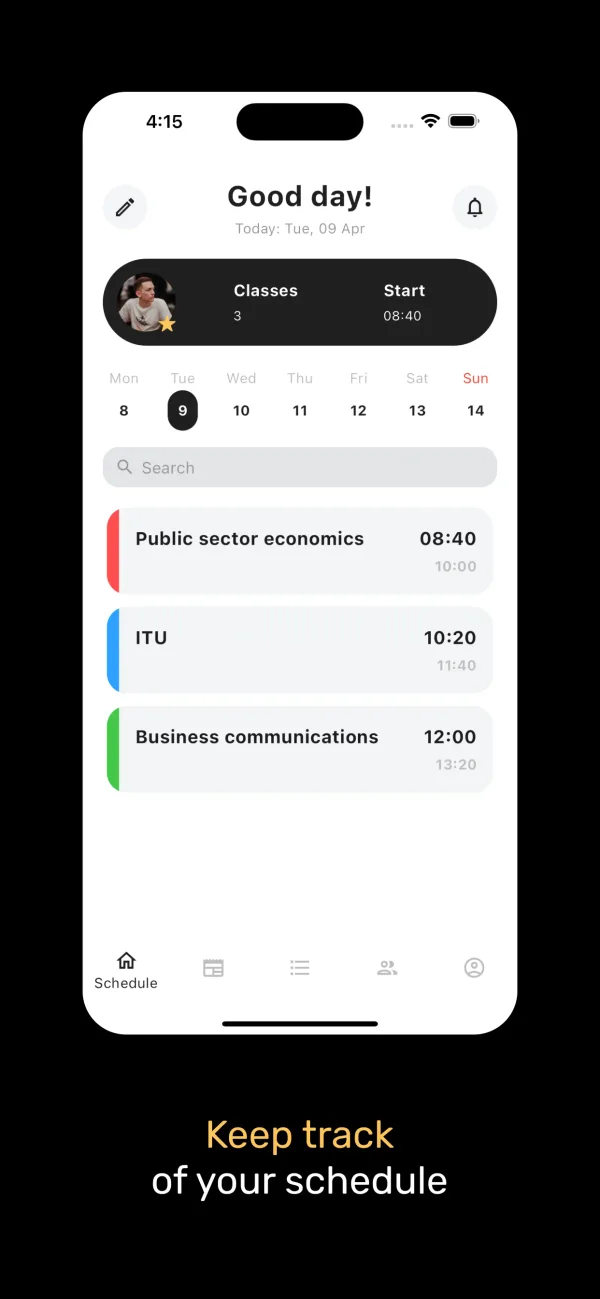

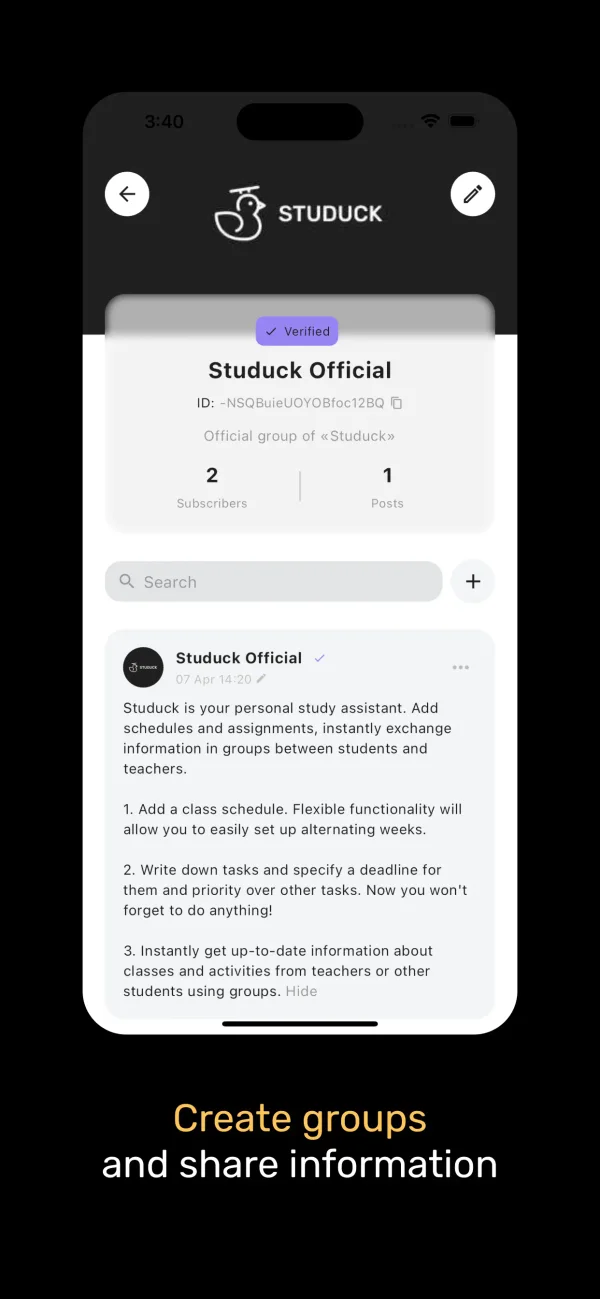
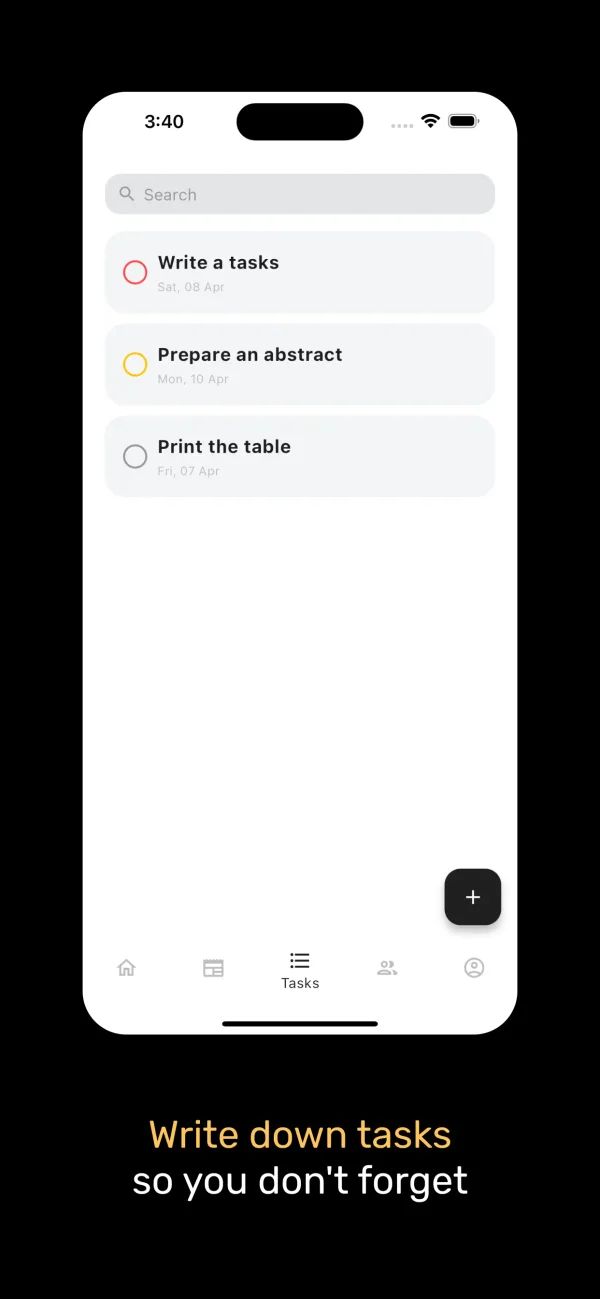
About
1. Add a class schedule. Flexible functionality will allow you to easily set up alternating weeks.
2. Write down tasks and specify a deadline for them and priority over other tasks. Now you won't forget to do anything!
3. Instantly get up-to-date information about classes and activities from teachers or other students using groups.
SCHEDULES. You can create several schedule templates at once and switch between them. Alternating weeks work automatically. If the schedule has several weeks, they will switch one after the other. If one week - it will just repeat. For each lesson, you can specify the building and the audience, as well as the teacher. For convenience, you can specify a color to quickly find the right activity in the list.
TASKS. For each task, you can specify the priority: normal, medium and high - just click on the exclamation mark icon when creating the task. You can also specify the deadline for completing the task so that everything is done on time. For convenience, you can add to the task the subject with which it is associated.
GROUPS. You can use groups to interact with teachers and other students. For example, if a class has been canceled or a new assignment has been added, the teacher can create a post and notify all participants about it. You can add photo materials to each post.
The application also includes subscriptions with several tariff plans.
What does a SUBSCRIPTION give?
1. Auto-sync - to automatically save your data to the cloud.
2. Creating schedules - no restrictions! Without Premium, you can create only 1 schedule.
3. Creating groups - no restrictions! Without Premium, you can create only 1 group.
4. Creating tasks - without restrictions! Without Premium, you can create only 100 tasks.
5. The ability to add up to 10 photos to the post! Without Premium, you can only add up to 5 photos.
6. Premium subscriber icon. Stand out in the list of group members!
7. Project support.
You can ask us a question, report a problem with the app, or share ideas by email: toprograms.it@gmail.com.
Privacy policy: https://stu-duck.ru/about/privacy
Terms of use: https://www.apple.com/legal/internet-services/itunes/dev/stdeula/
What’s new
Version 1.0.26 · Jul 6, 2026
A few important fixes
App privacy
What Victor Shamruk declares on the App Store about how this app handles data.
-
Data linked to you
May be collected and linked to your identity.
- Contact info
-
Data not linked to you
May be collected but is not linked to your identity.
- User content
- Identifiers
- Usage data
- Diagnostics
Privacy practices may vary, for example with the features you use or your age.
Information
- Seller
- Victor Shamruk
- Category
- Education
- Version
- 1.0.26
- Updated
- Jul 6, 2026
- Released
- Apr 9, 2023
- Size
- 156.5 MB
- Requires
- iOS 13.0 or later
- Age rating
- 4+
- Price
- Free
- In-app purchases
- Yes
- Languages
- English, Russian
- Copyright
- © 2023, Viktor Shamruk
You might also like
-
 TSU.InTime – scheduleSchedule of your classes
-
 School Timetable PlannerClass schedule widgets
-
 Дневач - Расписание занятийEducation
-
 Кампус - Расписание занятийEducation
-
 ClassTime: School & CollegeClasses, Tasks & Files - 1 app
-
 Class Schedule Planner: TiblySchool timetable & homework
-
 Weeklie: Class TimetableSchool planner & schedule
-
 Zachet: AI Study AssistantNotes, flashcards, AI tutor
-
 EZsheet — Exam AnswersNotes in your smart watch
-
 ЕГЭ Русский язык 2026Education