TezBlock: Screen Time Control
Block Apps with NFC & QR
Dirancang untuk iPhone
Gratis · Pembelian dalam aplikasi
- Batasan usia12+
- KategoriProduktivitas
- PengembangGandzhiya Edaliva
- BahasaInggris+ 1 lainnya
- Ukuran84,2 MB
Tertaut ke halaman resmi App Store
Download.org tidak menyimpan file TezBlock: Screen Time Control apa pun. Tombol ini membuka halaman aplikasi di App Store, tempat Gandzhiya Edaliva menerbitkannya. Halaman terakhir diperiksa pada 12/11/2026.
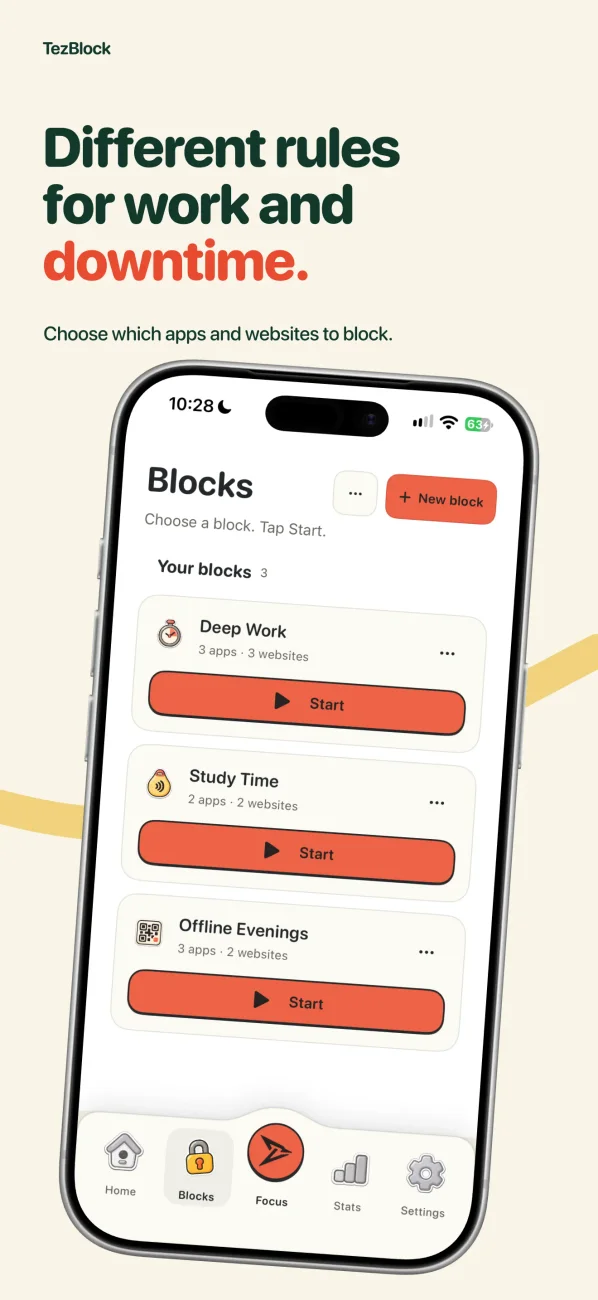
Tangkapan layar

Tentang
Pengembang belum menyediakan teks ini dalam bahasa Anda.
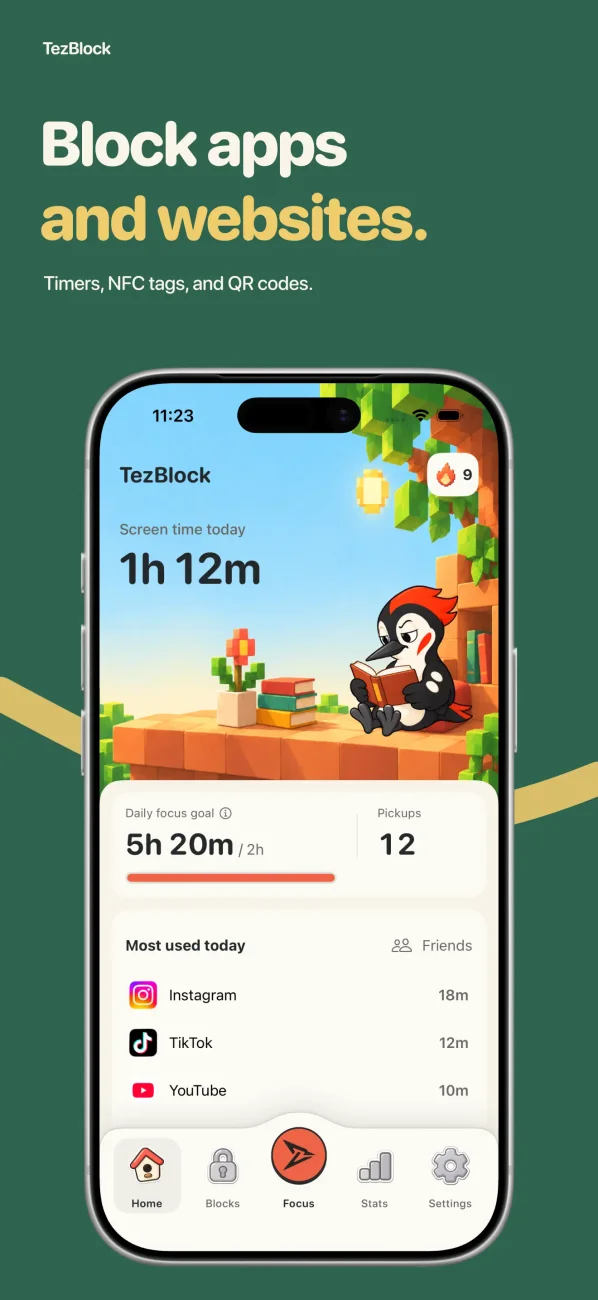
Block distracting apps and websites with TezBlock.
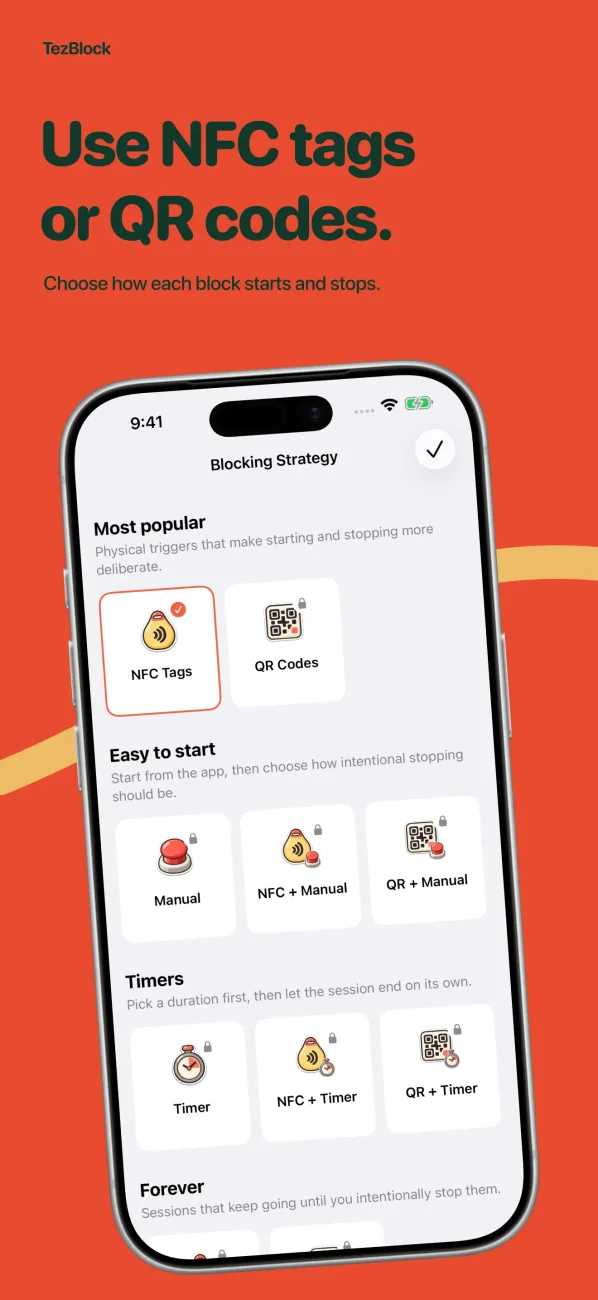
Choose the apps you want to block, create a profile, and pick how to start and end your session. Use a timer, set a schedule, or scan an NFC tag or QR code.
BLOCKING
• Create profiles for work, study, and evenings.
• Block selected apps and websites, or allow only the ones you choose.
• Schedule recurring sessions.
• Set a minimum lock time with Hard Mode.
• Take timed breaks, then return to your session.
PROGRESS
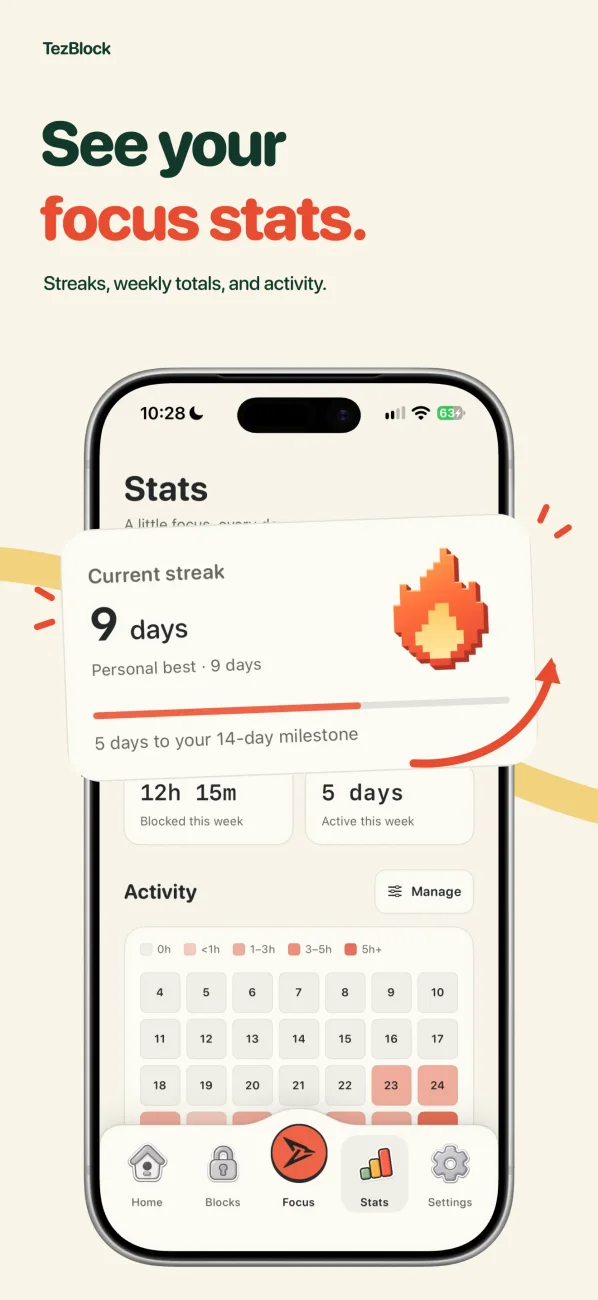
• Track focus time, completed sessions, and streaks.
• See device usage on Home after granting Screen Time access.
• Use widgets, Live Activities, and Siri shortcuts.
OPTIONAL CONNECTIONS
Sign in to use Friends and synced session history. An account is not required for local blocking and stats. You can also sync explicit website blocklists to the separate TezBlock for Mac companion on the same iCloud account.
NFC methods require a compatible iPhone and an NFC tag. QR methods require a code to scan. NFC tags are optional and sold separately. Timer and manual methods work without tags.
MEMBERSHIP
TezBlock is free to download. An active membership unlocks all blocking methods, unlimited profiles, schedules, breaks, and insights. Monthly and yearly plans are available. Prices and any eligible free trial are shown before purchase.
Subscriptions renew automatically unless canceled at least 24 hours before the current trial or billing period ends. Manage or cancel in your App Store account settings. Use Restore Purchases to recover an active subscription or an existing lifetime purchase. An optional developer tip does not unlock features.
Privacy: https://tezblock.app/privacy.html
Terms: https://www.apple.com/legal/internet-services/itunes/dev/stdeula/
Yang baru
Versi 1.0.11 · 8/11/2026
• Start one of your first four blocks by pressing and holding the TezBlock icon.
• See a simpler focus timer in StandBy, with countdown rings for breaks and pauses on the Lock Screen widget and Dynamic Island.
• Protect a block with a password to prevent changes, duplication, or deletion.
• Fixed an issue where one scheduled block could interrupt the next.
• New blocks now show a name hint so you can enter your own.
Privasi aplikasi
Yang dinyatakan Gandzhiya Edaliva di App Store tentang cara aplikasi ini menangani data.
-
Data yang ditautkan dengan Anda
Dapat dikumpulkan dan ditautkan dengan identitas Anda.
- Pembelian
- Info kontak
- Kontak
- Konten pengguna
- Pengenal
- Data penggunaan
-
Data yang tidak ditautkan dengan Anda
Dapat dikumpulkan, tetapi tidak ditautkan dengan identitas Anda.
- Pengenal
- Data penggunaan
Praktik privasi dapat bervariasi, misalnya berdasarkan fitur yang Anda gunakan atau usia Anda.
Informasi
- Penjual
- Gandzhiya Edaliva
- Kategori
- Produktivitas
- Versi
- 1.0.11
- Diperbarui
- 8/11/2026
- Dirilis
- 14/5/2026
- Ukuran
- 84,2 MB
- Memerlukan
- iOS 17.6 atau yang lebih baru
- Batasan usia
- 12+
- Harga
- Gratis
- Pembelian dalam aplikasi
- Ya
- Bahasa
- Inggris, Rusia
- Hak cipta
- © 2026 TezGroup
Mungkin Anda juga suka
-
 Peace: App Blocker & FocusProduktivitas
-
 Tether: Perencana ADHD & FokusDaftar tugas AI & timer harian
-
 Cowie.Time BankProduktivitas
-
 TapLock cardProduktivitas
-
 Descreened: App BlockerProduktivitas
-
 TimePilot 24hProduktivitas
-
 5001 TomatTimer Pomodoro & interval
-
 chapter lock - screen timeProduktivitas
-
 HoldOn: Screen Time NudgeProduktivitas
-
 StudyMode: Remove distractionsProduktivitas