TezBlock: Screen Time Control
Block Apps with NFC & QR
Designed for iPhone
Free · In-app purchases
- Age rating12+
- CategoryProductivity
- DeveloperGandzhiya Edaliva
- LanguagesEnglish+ 1 more
- Size84.2 MB
Links to the official App Store page
Download.org hosts no file of TezBlock: Screen Time Control. The button opens its official App Store page, published by Gandzhiya Edaliva. Listing last checked on Nov 12, 2026.
Screenshots
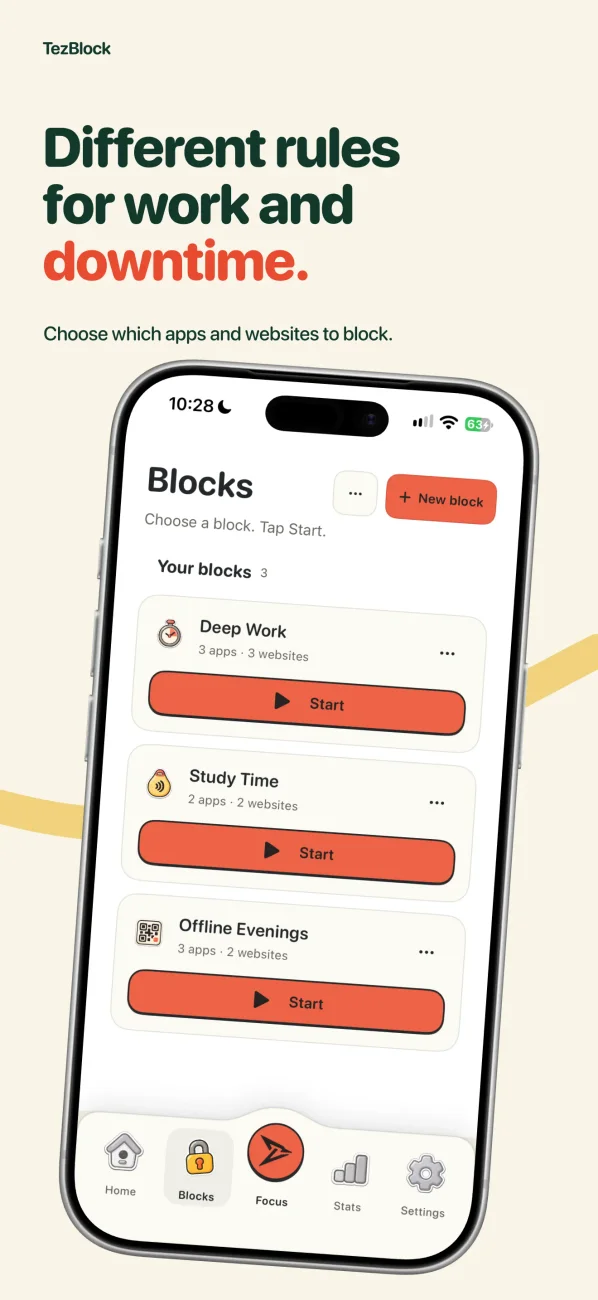

About
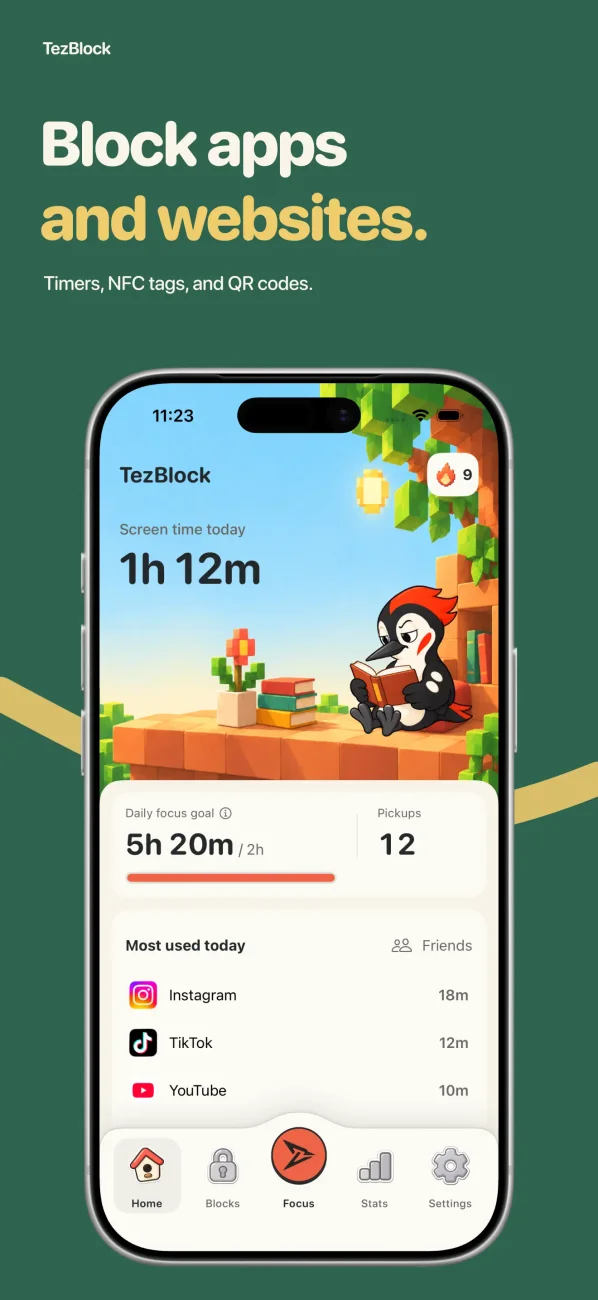
Block distracting apps and websites with TezBlock.
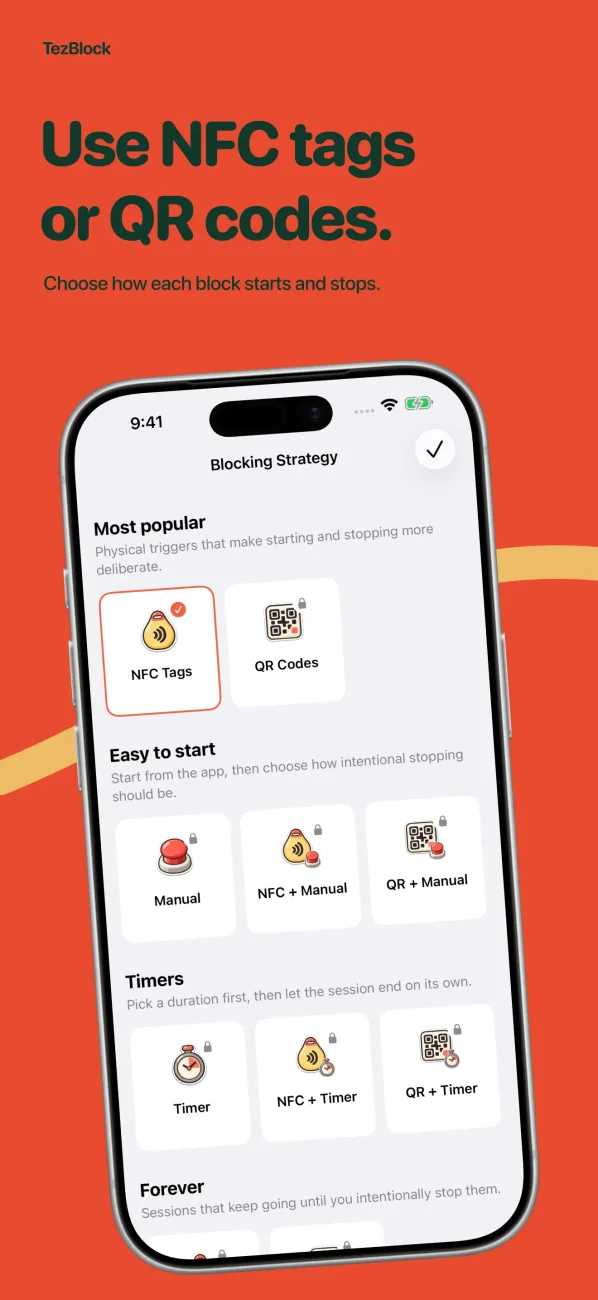
Choose the apps you want to block, create a profile, and pick how to start and end your session. Use a timer, set a schedule, or scan an NFC tag or QR code.
BLOCKING
• Create profiles for work, study, and evenings.
• Block selected apps and websites, or allow only the ones you choose.
• Schedule recurring sessions.
• Set a minimum lock time with Hard Mode.
• Take timed breaks, then return to your session.
PROGRESS
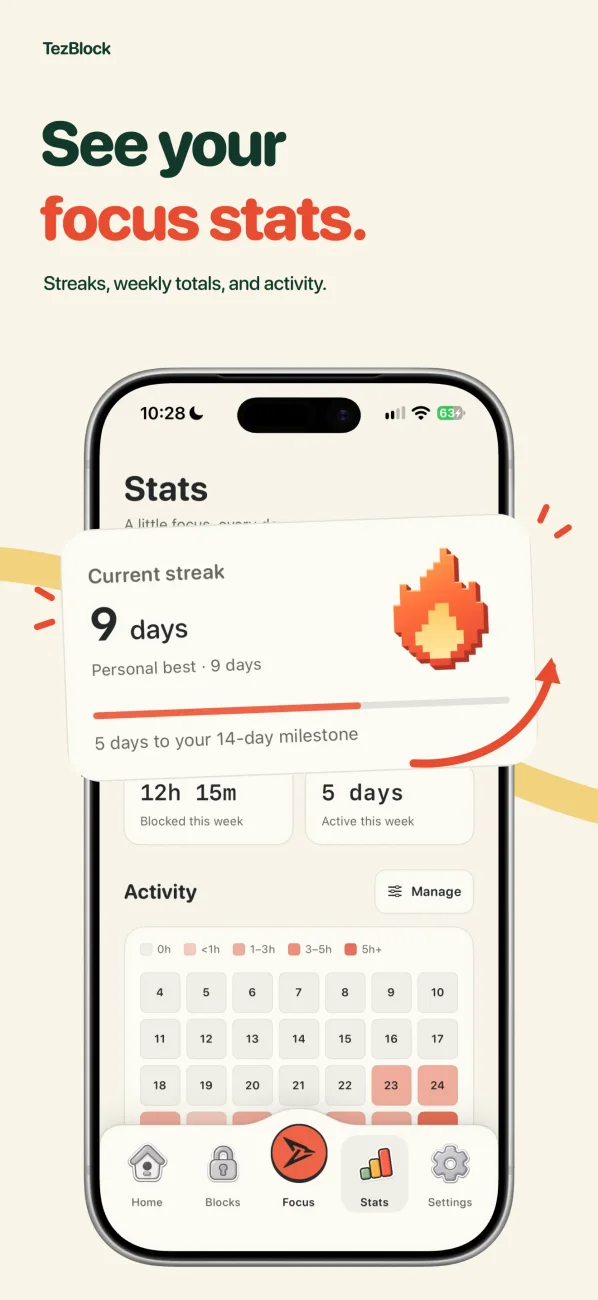
• Track focus time, completed sessions, and streaks.
• See device usage on Home after granting Screen Time access.
• Use widgets, Live Activities, and Siri shortcuts.
OPTIONAL CONNECTIONS
Sign in to use Friends and synced session history. An account is not required for local blocking and stats. You can also sync explicit website blocklists to the separate TezBlock for Mac companion on the same iCloud account.
NFC methods require a compatible iPhone and an NFC tag. QR methods require a code to scan. NFC tags are optional and sold separately. Timer and manual methods work without tags.
MEMBERSHIP
TezBlock is free to download. An active membership unlocks all blocking methods, unlimited profiles, schedules, breaks, and insights. Monthly and yearly plans are available. Prices and any eligible free trial are shown before purchase.
Subscriptions renew automatically unless canceled at least 24 hours before the current trial or billing period ends. Manage or cancel in your App Store account settings. Use Restore Purchases to recover an active subscription or an existing lifetime purchase. An optional developer tip does not unlock features.
Privacy: https://tezblock.app/privacy.html
Terms: https://www.apple.com/legal/internet-services/itunes/dev/stdeula/
What’s new
Version 1.0.11 · Nov 8, 2026
• Start one of your first four blocks by pressing and holding the TezBlock icon.
• See a simpler focus timer in StandBy, with countdown rings for breaks and pauses on the Lock Screen widget and Dynamic Island.
• Protect a block with a password to prevent changes, duplication, or deletion.
• Fixed an issue where one scheduled block could interrupt the next.
• New blocks now show a name hint so you can enter your own.
App privacy
What Gandzhiya Edaliva declares on the App Store about how this app handles data.
-
Data linked to you
May be collected and linked to your identity.
- Purchases
- Contact info
- Contacts
- User content
- Identifiers
- Usage data
-
Data not linked to you
May be collected but is not linked to your identity.
- Identifiers
- Usage data
Privacy practices may vary, for example with the features you use or your age.
Information
- Seller
- Gandzhiya Edaliva
- Category
- Productivity
- Version
- 1.0.11
- Updated
- Nov 8, 2026
- Released
- May 14, 2026
- Size
- 84.2 MB
- Requires
- iOS 17.6 or later
- Age rating
- 12+
- Price
- Free
- In-app purchases
- Yes
- Languages
- English, Russian
- Copyright
- © 2026 TezGroup
You might also like
-
 Peace: App Blocker & FocusTap an NFC tag to block apps
-
 Tether: ADHD Planner & FocusAI todo list & daily timer
-
 Cowie.Time BankYour Time Bank for Deep Focus
-
 TapLock cardLock your screen time with NFC
-
 Descreened: App BlockerBlock apps. Stay focused.
-
 TimePilot 24hDesign your day
-
 5001 TomatoesInterval & Pomodoro Timer
-
 chapter lock - screen timeblock your apps until you read
-
 HoldOn: Screen Time NudgeDopamine detox, Stop scrolling
-
 StudyMode: Remove distractionsStudy first. Unlock your apps.