
Tim Scanner
Scan docs, extract text, sign
Dirancang untuk iPhone, iPod touch
Gratis · Pembelian dalam aplikasi
- Batasan usia4+
- KategoriProduktivitas
- PengembangMete Oguzhan
- BahasaInggris
- Ukuran126,3 MB
Tertaut ke halaman resmi App Store
Download.org tidak menyimpan file Tim Scanner apa pun. Tombol ini membuka halaman aplikasi di App Store, tempat Mete Oguzhan menerbitkannya. Halaman terakhir diperiksa pada 18/11/2026.
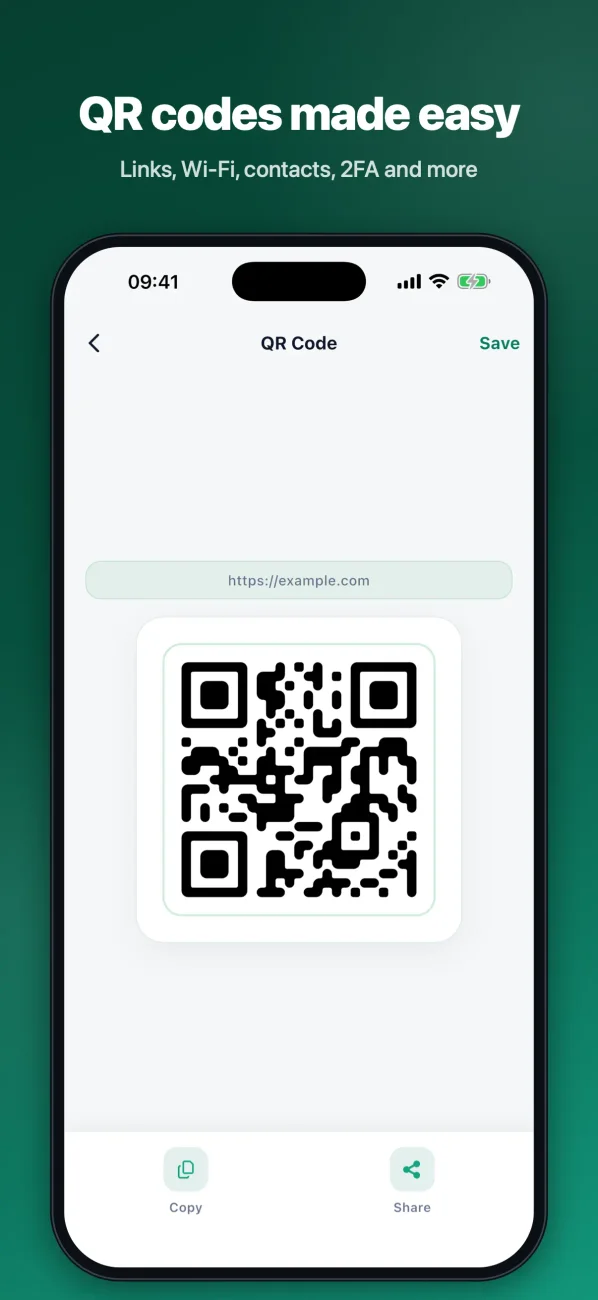
Tangkapan layar



Tentang
Pengembang belum menyediakan teks ini dalam bahasa Anda.
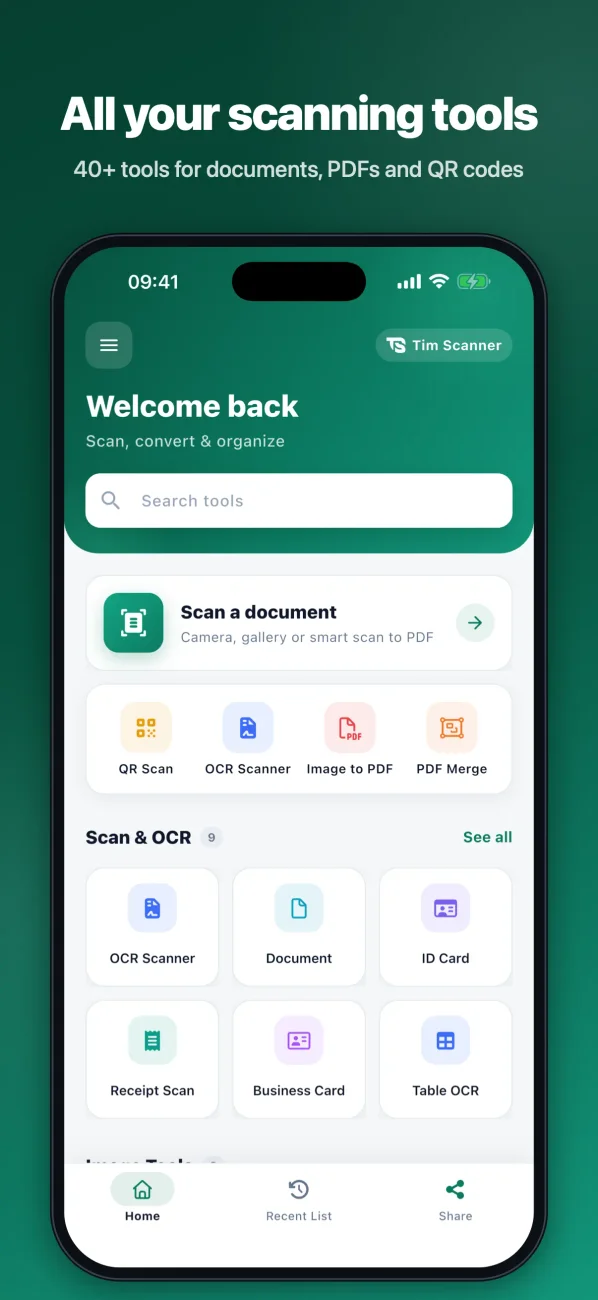
Tim Scanner turns your iPhone into a complete document studio. Scan paper, extract text, edit PDFs, sign contracts and create QR codes, all in one fast, clean app.
SCAN DOCUMENTS
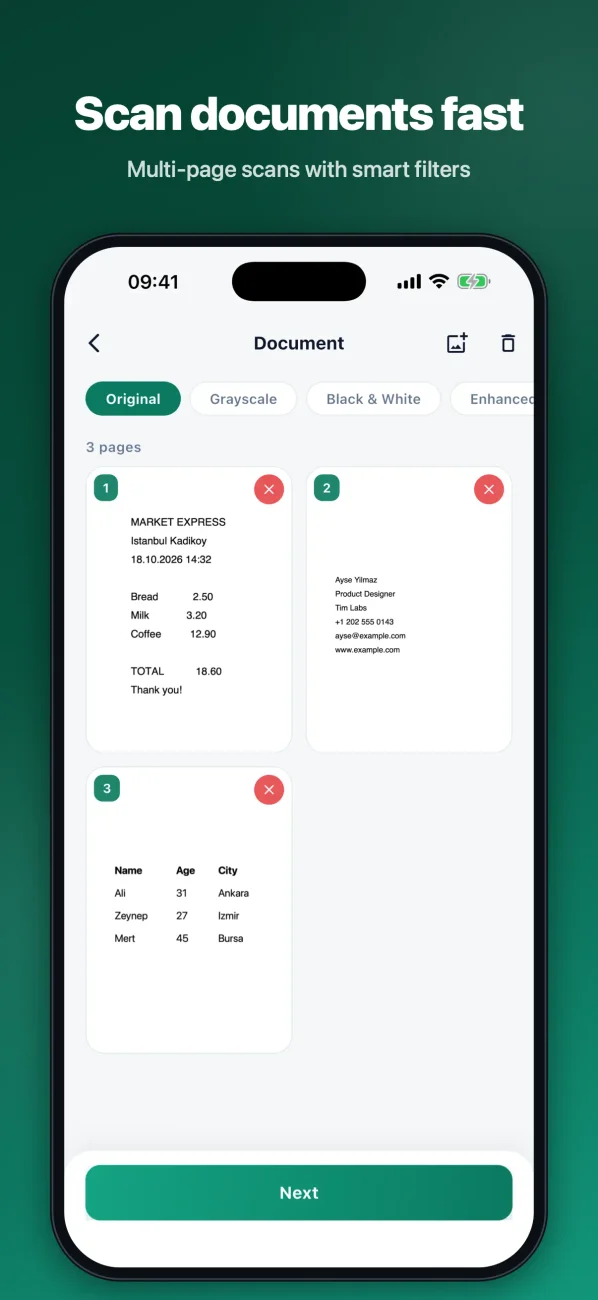
• Multi-page scanning with automatic edge detection and smart filters
• Rotate, reorder, duplicate or delete pages before saving
• Save as PDF or images and share in one tap
• Scan ID cards, business cards and receipts with dedicated modes
EXTRACT TEXT (OCR)
• Fast on-device text recognition, with no upload needed to read your documents
• Supports Latin, Chinese, Japanese, Korean, Hindi, Russian and Arabic text
• Turn scanned pages into searchable PDFs
• Scan and translate text into other languages
• Listen to recognized text read aloud
SMART DATA CAPTURE
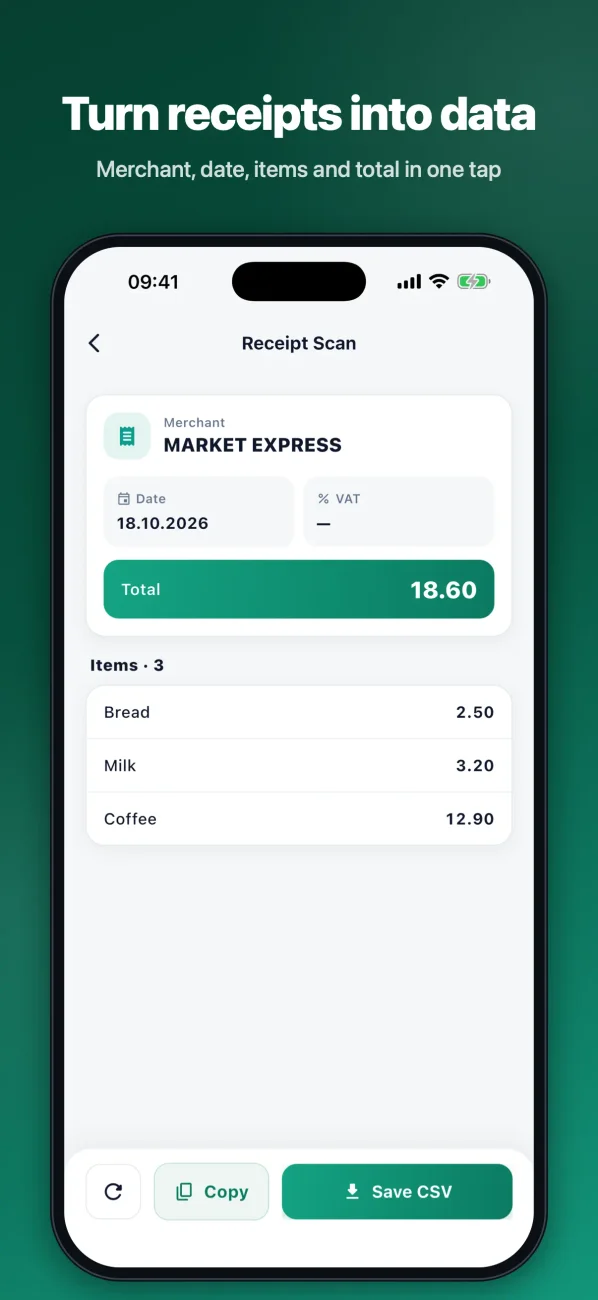
• Receipt Scan: merchant, date, items and total pulled out automatically, export to CSV
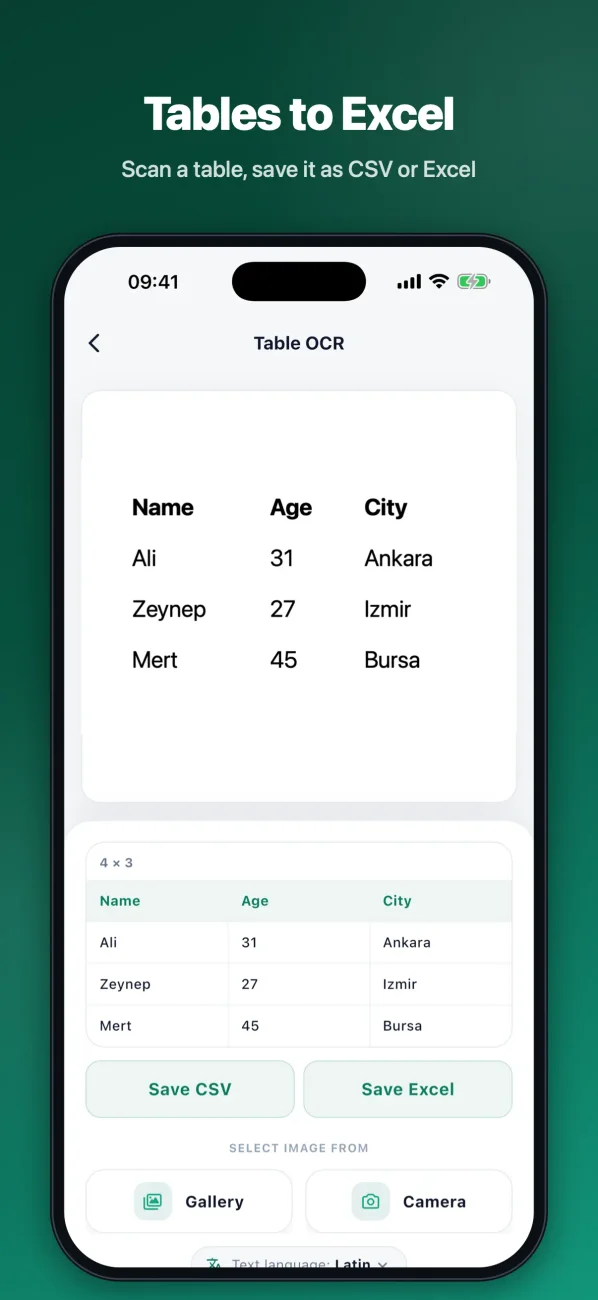
• Table OCR: photograph a table and save it as Excel or CSV
• Business Card: save contact details straight to your contacts
40+ PDF TOOLS
• Merge, split, extract page ranges and remove blank pages
• Compress, crop, flatten and add page numbers
• Add watermarks, text notes and annotations
• Black out sensitive text with redaction
• Password-protect and unlock PDFs
• Edit title and author metadata
• Compare two PDFs side by side
• Convert PDF to images, images to PDF, text to PDF and speech to PDF
• Batch-process multiple PDFs at once
SIGN ANYWHERE
• Draw your signature once, save it and reuse it on any PDF
• Place, resize and position signatures precisely
QR & BARCODES
• Scan any QR code or barcode
• Create QR codes for links, Wi-Fi, contacts, SMS, WhatsApp, Telegram, locations, calendar events, 2FA setup codes and crypto wallets
• Generate barcodes and track inventory counts
MORE USEFUL TOOLS
• Image tools: compress, resize, convert and remove backgrounds
• Document reminders for passports, IDs and other expiry dates
• Workflow templates that chain tools together
• App lock with PIN or Face ID to keep your files private
• Home screen shortcuts and widgets for one-tap access
• Share photos and PDFs from any app straight into Tim Scanner
Tim Scanner is available in 11 languages and works without an account.
Terms of Use (EULA): https://www.apple.com/legal/internet-services/itunes/dev/stdeula/
Privacy Policy: https://sites.google.com/view/tim-scanner-privacy-policy
Yang baru
Versi 1.3.7 · 12/11/2026
* Bug fixes and performance improvements.
Privasi aplikasi
Yang dinyatakan Mete Oguzhan di App Store tentang cara aplikasi ini menangani data.
-
Data yang digunakan untuk melacak Anda
Dapat digunakan untuk melacak Anda di aplikasi dan situs web milik perusahaan lain.
- Pembelian
- Lokasi
- Pengenal
- Data penggunaan
-
Data yang ditautkan dengan Anda
Dapat dikumpulkan dan ditautkan dengan identitas Anda.
- Pembelian
- Pengenal
- Data penggunaan
- Diagnostik
- Data lainnya
-
Data yang tidak ditautkan dengan Anda
Dapat dikumpulkan, tetapi tidak ditautkan dengan identitas Anda.
- Lokasi
- Konten pengguna
- Data penggunaan
- Diagnostik
- Data lainnya
Praktik privasi dapat bervariasi, misalnya berdasarkan fitur yang Anda gunakan atau usia Anda.
Informasi
- Penjual
- Mete Oguzhan
- Kategori
- Produktivitas
- Versi
- 1.3.7
- Diperbarui
- 12/11/2026
- Dirilis
- 6/7/2023
- Ukuran
- 126,3 MB
- Memerlukan
- iOS 15.5 atau yang lebih baru
- Batasan usia
- 4+
- Harga
- Gratis
- Pembelian dalam aplikasi
- Ya
- Bahasa
- Inggris
- Hak cipta
- © 2026 Mete Oguzhan
Mungkin Anda juga suka
-
 PDF Scan - Doc ScannerProduktivitas
-
 Finger3DProduktivitas
-
 Scan & PDF by PaperlyProduktivitas
-
 PDF Scanner for Docs & PhotosProduktivitas
-
 OCR TableProduktivitas
-
 Pemindai Dokumen PDF +Pemindai dokumen PDF cepat
-
 AnyMarkdown - PDF ke MarkdownKonverter: Word, EPUB, situs
-
 Scanner App: PDF Reader ProProduktivitas
-
 Docu Scan ItProduktivitas
-
 Paperlogix - Document ScannerProduktivitas