
Tomaco: Remote Desktop
Silky remote desktop · 120Hz
Dirancang untuk iPhone, iPad
Gratis · Pembelian dalam aplikasi
- Batasan usia4+
- KategoriKegunaan
- Pengembang磊 崔
- BahasaInggris+ 7 lainnya
- Ukuran23,1 MB
Tertaut ke halaman resmi App Store
Download.org tidak menyimpan file Tomaco: Remote Desktop apa pun. Tombol ini membuka halaman aplikasi di App Store, tempat 磊 崔 menerbitkannya. Halaman terakhir diperiksa pada 25/11/2026.
Tangkapan layar

Tentang
Pengembang belum menyediakan teks ini dalam bahasa Anda.
Tomaco does one thing: turn your iPhone or iPad into the best remote control for your Mac.
Built exclusively for the Apple ecosystem — and because of that focus, every millisecond of latency and every frame of quality gets the attention it deserves.
WHY TOMACO
■ Best-in-class picture
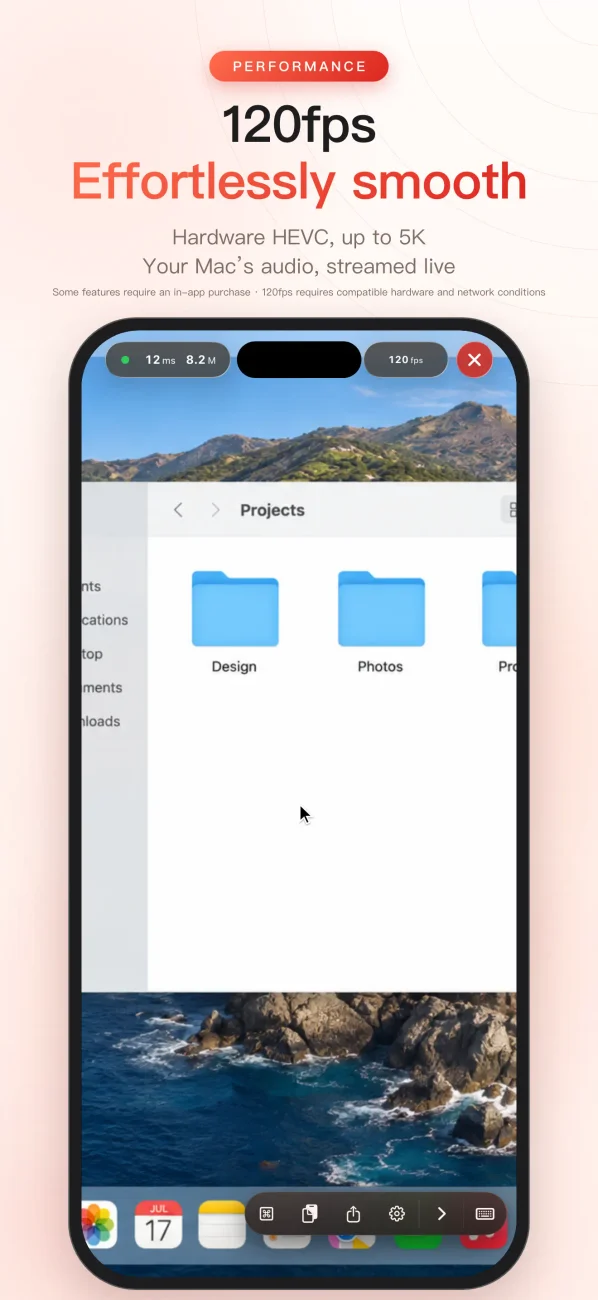
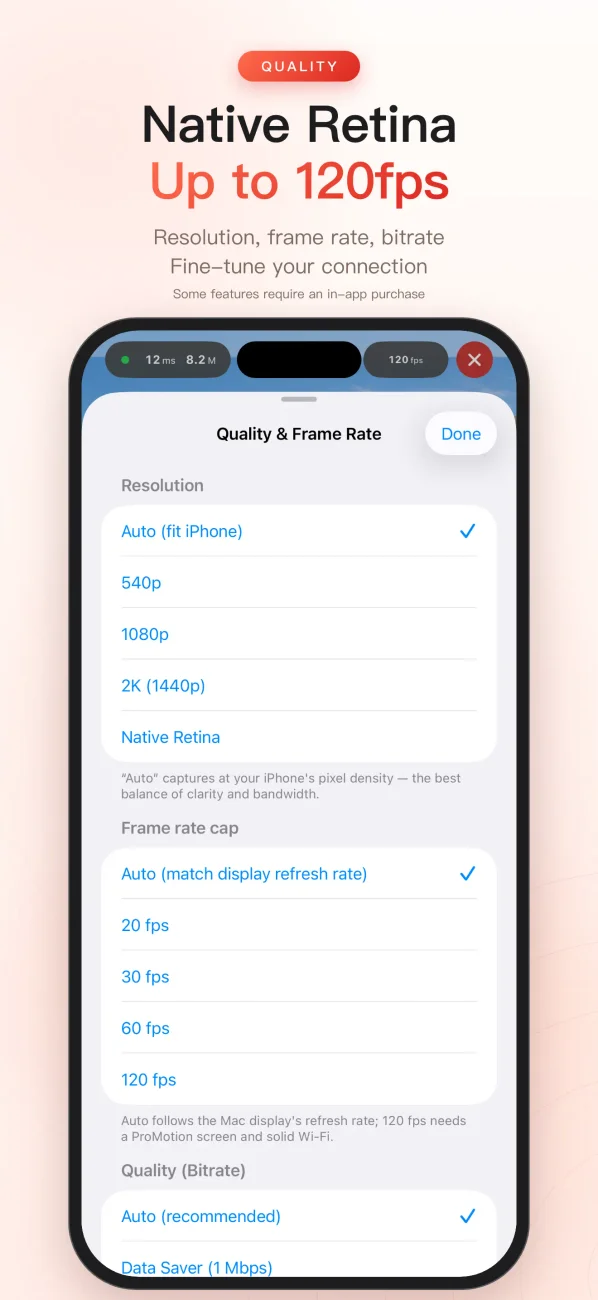
A straight HEVC hardware encode/decode pipeline with up to 5K resolution and 120Hz ProMotion. Code and documents stay razor sharp. When the screen goes still, Tomaco automatically refines the frame to full clarity.
■ It feels right
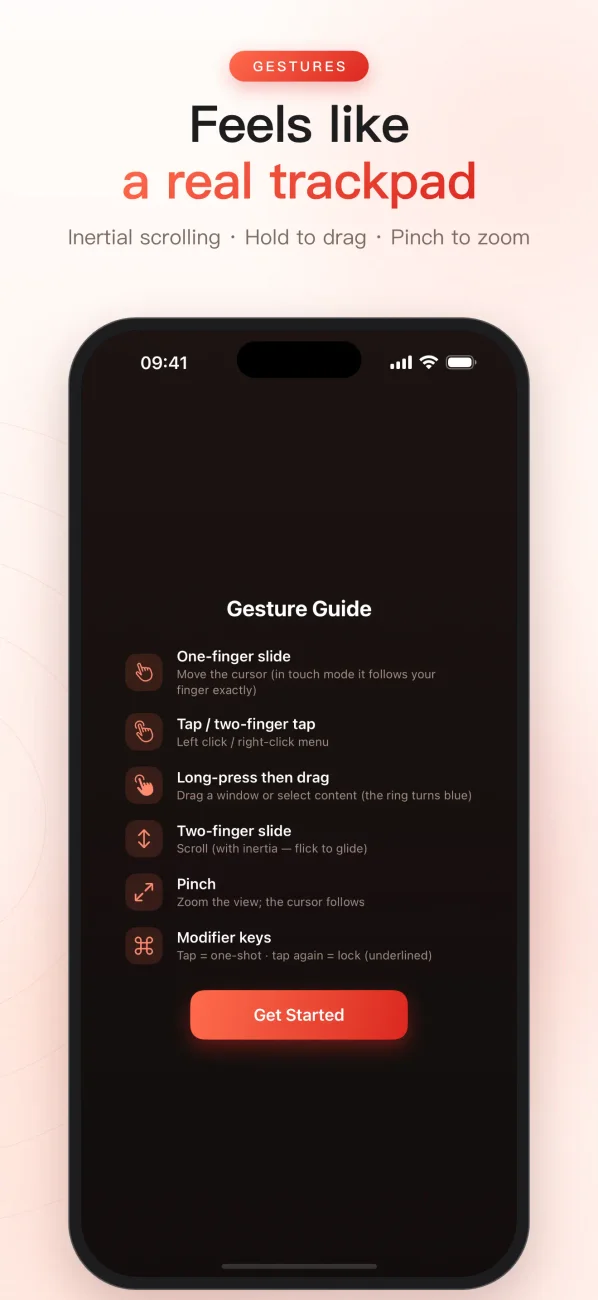
The pointer is rendered locally — it follows your finger instantly, fully decoupled from network latency. Two-finger scrolling has real inertia and rubber-banding. The cursor changes shape with content (I-beam over text, hand over links), just like a real trackpad.
■ Sound, zero setup
Your Mac's system audio plays right on your iPhone/iPad. No virtual audio driver, no kernel extension, no reboot — connect and it just works.
■ Private by design
Peer-to-peer on your local network: your screen and input never touch a third-party server. Secure Enclave hardware device keys, manual approval on first pairing, end-to-end encryption.
■ Remote made simple
Away from home? Pair Tomaco with the free Tailscale app to reach your Mac securely from anywhere — a full guide is built in. Wake-on-LAN wakes a sleeping Mac remotely.
FEATURES
• Virtual Display: use a headless Mac with a dedicated 5K/120Hz screen (Pro)
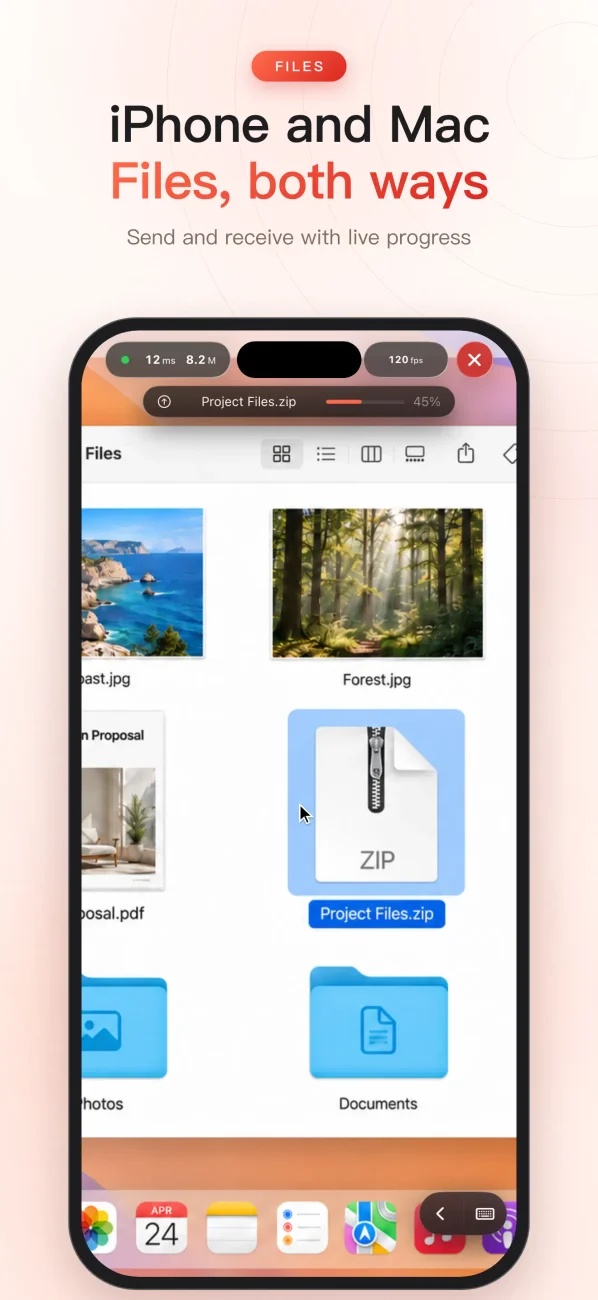
• Two-way clipboard sync and multi-file transfer
• Smart shortcut bar that adapts to the frontmost Mac app (Pro)
• Modifier keys bar: ⌘⌥⌃⇧ combos, Esc/Tab/arrows
• Multi-display switching, auto-reconnect, adaptive quality on weak networks
• Siri & Shortcuts: "Connect my Mac"
• Trackpad mode (relative) and Touch mode (tap where you look)
FREE & ONE-TIME PURCHASE
The free tier is fully usable: no time limits, no ads.
Tomaco Pro is a one-time purchase that unlocks 5K, 120Hz, the smart shortcut bar, Virtual Display and multiple Macs. No subscription. Ever.
WHAT YOU NEED
• A Mac (Apple Silicon or Intel, macOS 14+) running the free, notarized Tomaco Helper (download from our site)
• iPhone/iPad on the same Wi-Fi, or a Tailscale connection for remote access
Yang baru
Versi 2.1.5 · 24/11/2026
Improved Tailscale reconnection when switching between cellular and Wi-Fi.
Fixed transfers of files with the same name and audio recovery after interruptions.
A new guide helps with first-time pairing. You’ll also see a reminder when the Mac app needs an update.
Privasi aplikasi
Yang dinyatakan 磊 崔 di App Store tentang cara aplikasi ini menangani data.
-
Data yang ditautkan dengan Anda
Dapat dikumpulkan dan ditautkan dengan identitas Anda.
- Diagnostik
Praktik privasi dapat bervariasi, misalnya berdasarkan fitur yang Anda gunakan atau usia Anda.
Informasi
- Penjual
- 磊 崔
- Kategori
- Kegunaan
- Versi
- 2.1.5
- Diperbarui
- 24/11/2026
- Dirilis
- 13/7/2026
- Ukuran
- 23,1 MB
- Memerlukan
- iOS 16.0 atau yang lebih baru
- Batasan usia
- 4+
- Harga
- Gratis
- Pembelian dalam aplikasi
- Ya
- Bahasa
- Inggris, Prancis, Jerman, Jepang, Korea, Tionghoa Sederhana, Spanyol, Tionghoa Tradisional
- Hak cipta
- © 2026 LEI CUI
Mungkin Anda juga suka
-
 Remote Pane: RDP & VNCKegunaan
-
 Conduit: SSH, RDP, VNC & WebKegunaan
-
 Scry: Remote Desktop for PCKegunaan
-
 Remio Remote DesktopKendali PC & Laptop Jarak Jauh
-
 QuickRemote - Desktop ManagerVNC, RDP & Berbagi Layar Cepat
-
 Mirage – Remote DisplayKegunaan
-
 Sill – Mac StreamingKegunaan
-
 Screens 5: VNC Remote DesktopKegunaan
-
 Remote Desktop ManagerKegunaan
-
 StarDesk - Remote DesktopKegunaan