
Tomaco: Remote Desktop
Silky remote desktop · 120Hz
Được thiết kế cho iPhone, iPad
Miễn phí · Mua hàng trong ứng dụng
- Độ tuổi4+
- Danh mụcTiện Ích
- Nhà phát triển磊 崔
- Ngôn ngữTiếng Anh+ 7 ngôn ngữ khác
- Kích thước23,1 MB
Liên kết đến trang App Store chính thức
Download.org không lưu trữ tệp nào của Tomaco: Remote Desktop. Nút này mở trang ứng dụng trên App Store, nơi 磊 崔 phát hành ứng dụng. Trang được kiểm tra lần cuối: 25/11/2026.
Ảnh chụp màn hình

Giới thiệu
Nhà phát triển chưa cung cấp nội dung này bằng ngôn ngữ của bạn.
Tomaco does one thing: turn your iPhone or iPad into the best remote control for your Mac.
Built exclusively for the Apple ecosystem — and because of that focus, every millisecond of latency and every frame of quality gets the attention it deserves.
WHY TOMACO
■ Best-in-class picture
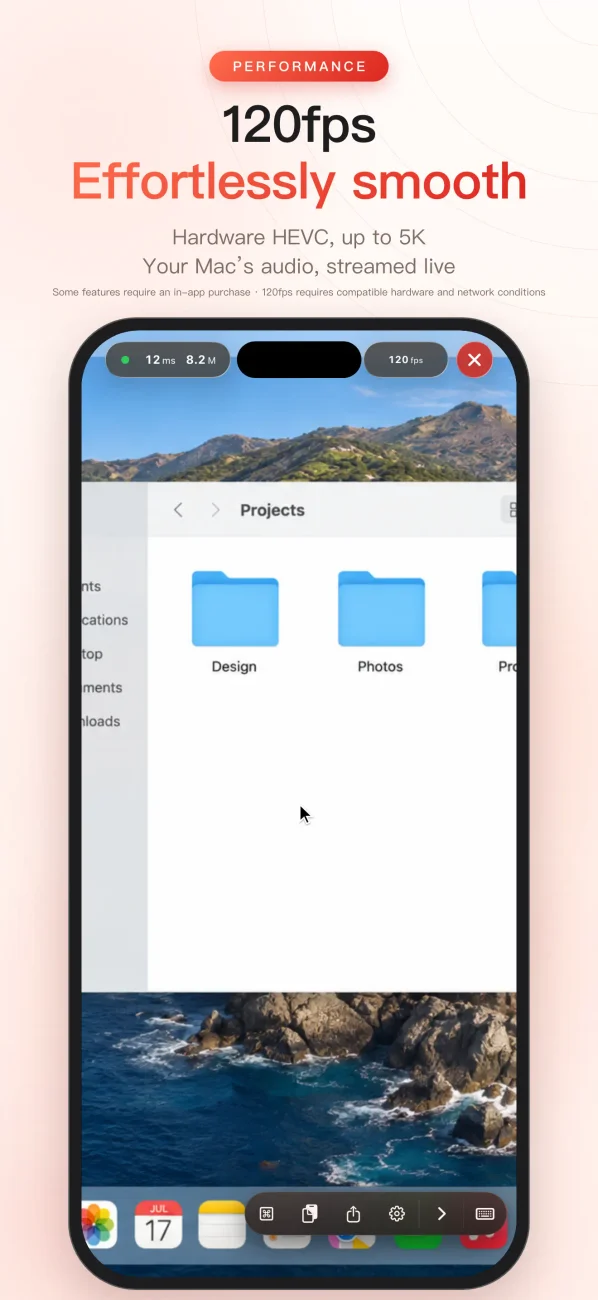
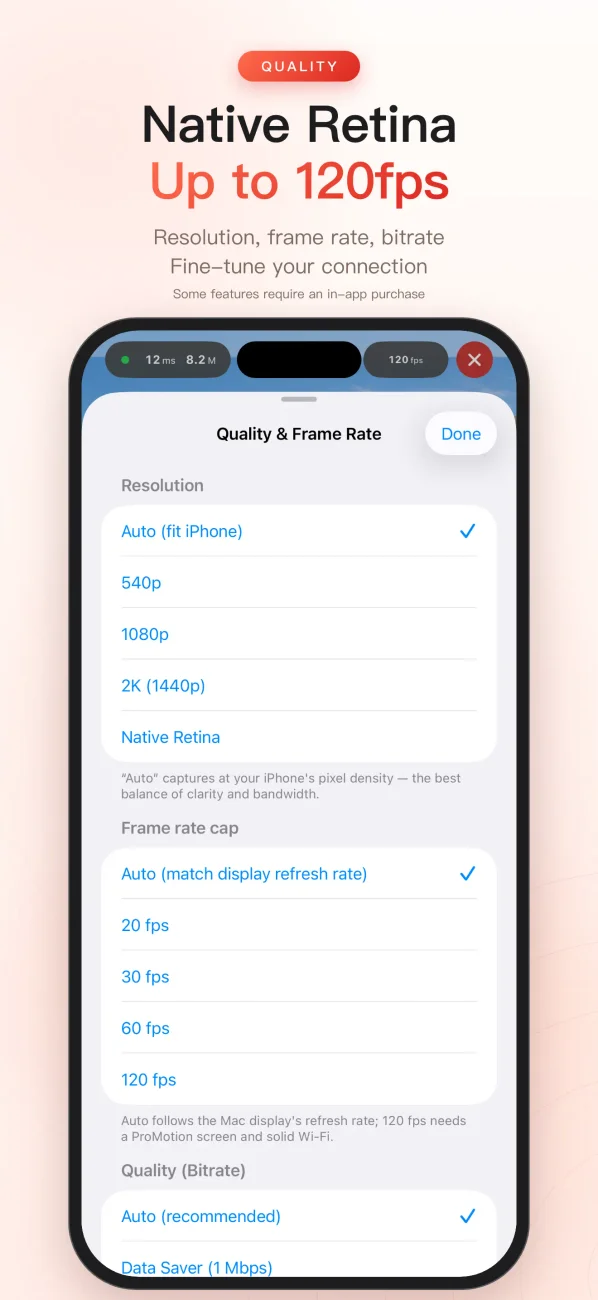
A straight HEVC hardware encode/decode pipeline with up to 5K resolution and 120Hz ProMotion. Code and documents stay razor sharp. When the screen goes still, Tomaco automatically refines the frame to full clarity.
■ It feels right
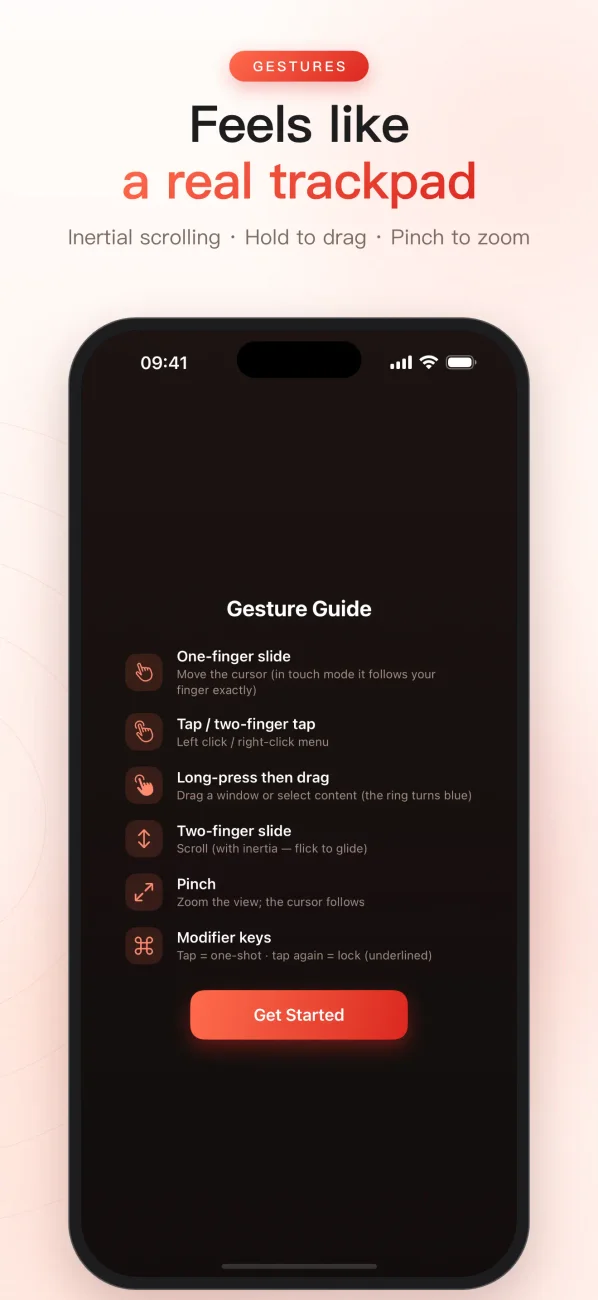
The pointer is rendered locally — it follows your finger instantly, fully decoupled from network latency. Two-finger scrolling has real inertia and rubber-banding. The cursor changes shape with content (I-beam over text, hand over links), just like a real trackpad.
■ Sound, zero setup
Your Mac's system audio plays right on your iPhone/iPad. No virtual audio driver, no kernel extension, no reboot — connect and it just works.
■ Private by design
Peer-to-peer on your local network: your screen and input never touch a third-party server. Secure Enclave hardware device keys, manual approval on first pairing, end-to-end encryption.
■ Remote made simple
Away from home? Pair Tomaco with the free Tailscale app to reach your Mac securely from anywhere — a full guide is built in. Wake-on-LAN wakes a sleeping Mac remotely.
FEATURES
• Virtual Display: use a headless Mac with a dedicated 5K/120Hz screen (Pro)
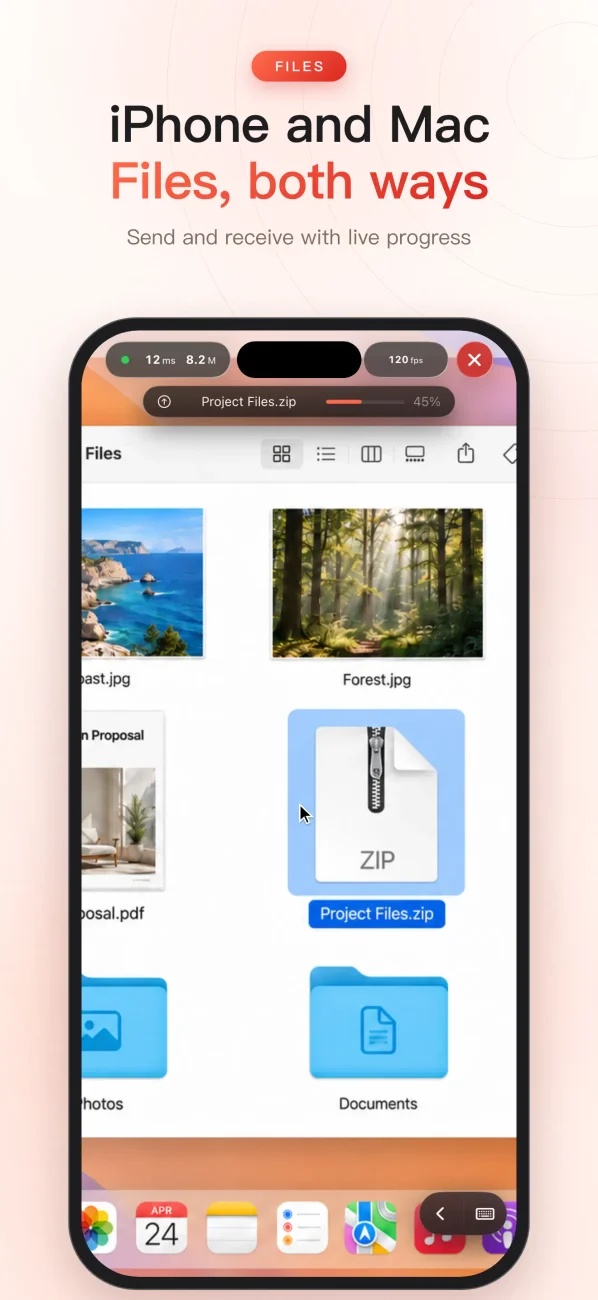
• Two-way clipboard sync and multi-file transfer
• Smart shortcut bar that adapts to the frontmost Mac app (Pro)
• Modifier keys bar: ⌘⌥⌃⇧ combos, Esc/Tab/arrows
• Multi-display switching, auto-reconnect, adaptive quality on weak networks
• Siri & Shortcuts: "Connect my Mac"
• Trackpad mode (relative) and Touch mode (tap where you look)
FREE & ONE-TIME PURCHASE
The free tier is fully usable: no time limits, no ads.
Tomaco Pro is a one-time purchase that unlocks 5K, 120Hz, the smart shortcut bar, Virtual Display and multiple Macs. No subscription. Ever.
WHAT YOU NEED
• A Mac (Apple Silicon or Intel, macOS 14+) running the free, notarized Tomaco Helper (download from our site)
• iPhone/iPad on the same Wi-Fi, or a Tailscale connection for remote access
Có gì mới
Phiên bản 2.1.5 · 24/11/2026
Improved Tailscale reconnection when switching between cellular and Wi-Fi.
Fixed transfers of files with the same name and audio recovery after interruptions.
A new guide helps with first-time pairing. You’ll also see a reminder when the Mac app needs an update.
Quyền riêng tư của ứng dụng
Những gì 磊 崔 khai báo trên App Store về cách ứng dụng này xử lý dữ liệu.
-
Dữ liệu liên kết với bạn
Có thể được thu thập và liên kết với danh tính của bạn.
- Chẩn đoán
Phương thức đảm bảo quyền riêng tư có thể khác nhau, chẳng hạn như tuỳ theo các tính năng bạn sử dụng hoặc độ tuổi của bạn.
Thông tin
- Người bán
- 磊 崔
- Danh mục
- Tiện Ích
- Phiên bản
- 2.1.5
- Cập nhật
- 24/11/2026
- Phát hành
- 13/07/2026
- Kích thước
- 23,1 MB
- Yêu cầu
- iOS 16.0 trở lên
- Độ tuổi
- 4+
- Giá
- Miễn phí
- Mua hàng trong ứng dụng
- Có
- Ngôn ngữ
- Tiếng Anh, Tiếng Pháp, Tiếng Đức, Tiếng Nhật, Tiếng Hàn, Tiếng Trung Giản thể, Tiếng Tây Ban Nha, Tiếng Trung Phồn thể
- Bản quyền
- © 2026 LEI CUI
Có thể bạn cũng thích
-
 Remote Pane: RDP & VNCTiện Ích
-
 Conduit: SSH, RDP, VNC & WebTiện Ích
-
 Scry: Remote Desktop for PCTiện Ích
-
 Remio Remote DesktopĐiều khiển máy tính từ xa
-
 QuickRemote - Desktop ManagerVNC, RDP & Chia sẻ màn hình
-
 Mirage – Remote DisplayTiện Ích
-
 Sill – Mac StreamingTiện Ích
-
 Screens 5: VNC Remote DesktopTiện Ích
-
 Remote Desktop ManagerTiện Ích
-
 StarDesk - Điều khiển PC từ xaTruy cập xa: game & công việc