VoiceToMD
Capture, transcribe, route
Dirancang untuk iPhone
Gratis · Pembelian dalam aplikasi
- Batasan usia4+
- KategoriProduktivitas
- PengembangChris Whitling
- BahasaInggris
- Ukuran35,9 MB
Tertaut ke halaman resmi App Store
Download.org tidak menyimpan file VoiceToMD apa pun. Tombol ini membuka halaman aplikasi di App Store, tempat Chris Whitling menerbitkannya. Halaman terakhir diperiksa pada 18/11/2026.
Tangkapan layar

Tentang
Pengembang belum menyediakan teks ini dalam bahasa Anda.
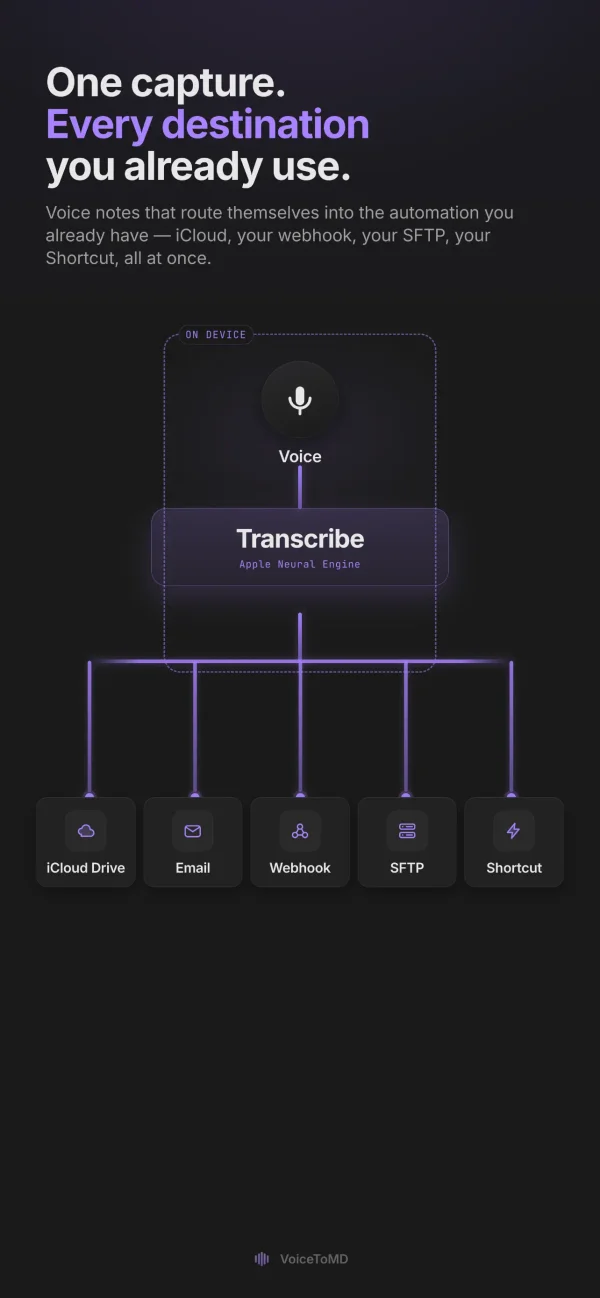
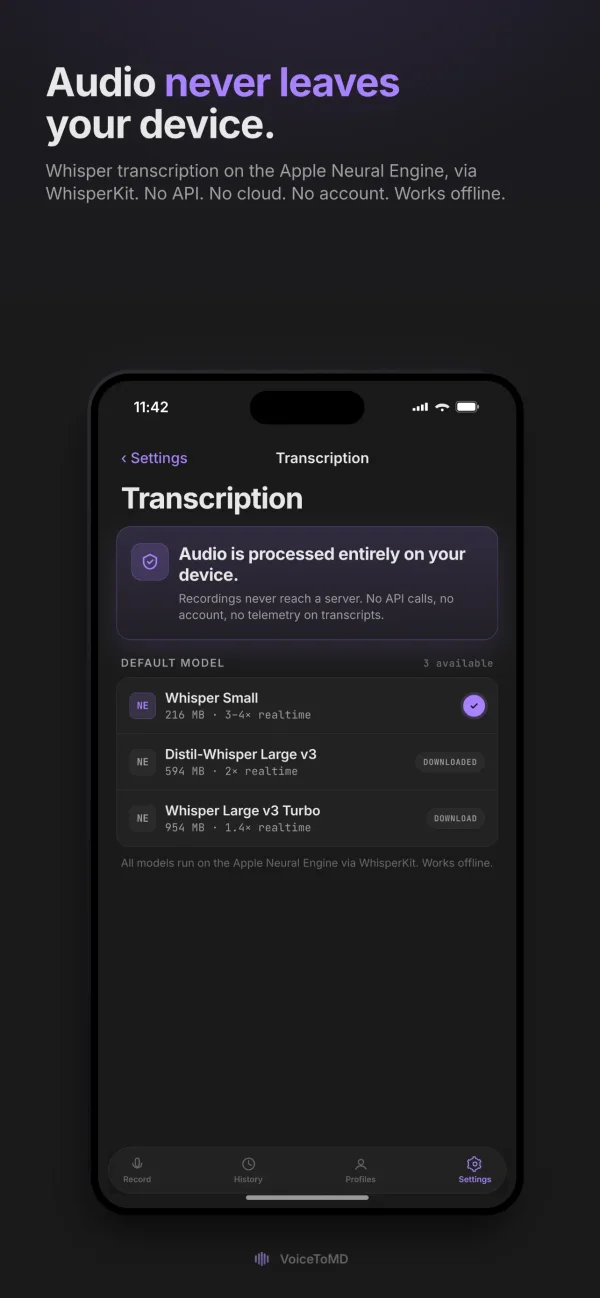
VoiceToMD is a voice note transcription app that bridges the gap between taking the note and your agents. Capture on iPhone, transcribe on-device, ship as markdown. The resulting markdown lands in iCloud, your email, your favorite notes app, your webhook, your SFTP server, or any iOS Shortcut—and you can send it to all of them at once.
VoiceToMD isn't where your notes live. It's how they get there.
— ON-DEVICE TRANSCRIPTION —
Your iPhone does the work. Every transcription runs locally on the device in your hand—no servers, no API calls, no internet required once the app is set up. Audio stays where it was captured.
Three transcription qualities to pick from, scaled to your iPhone. The app recommends the right one during setup; you can switch any time.
— EVERY LANGUAGE YOU SPEAK —
Speak any language. The app recognizes it automatically—Spanish, Mandarin, Japanese, Arabic, Hindi, and dozens more. All processed on your iPhone, never sent anywhere.
— PRESS ONCE. DONE. —
Bind the Action Button on iPhone 15 Pro or later. Press it on a locked phone. FaceID authenticates and recording starts before you finish raising the phone. The lock-screen Live Activity carries you through Pause, Stop, Send, and Hold—without ever opening the app.
Also: Control Center widget, and iOS Shortcuts. All quick-capture surfaces deliver directly to your default profile's destinations.
— YOUR DESTINATIONS —
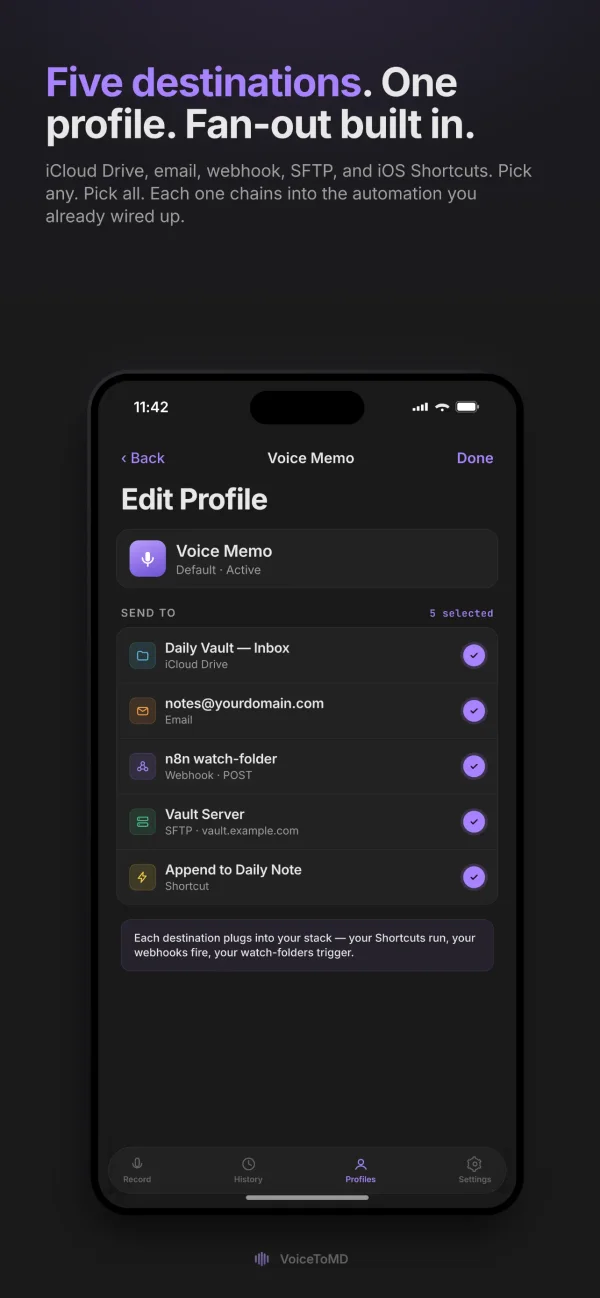
Five destination types:
- iCloud Drive folder—markdown files land in any folder you pick
- Email—your default mail client, transcript and attachment pre-populated
- Webhook—HTTPS POST with bearer-token auth and a configurable body
- SFTP—host, port, key or password authentication, base path you control
- iOS Shortcut—pass the markdown to any Shortcut you've built
Configure multiple destinations per profile. One capture fans out to all of them—your notes app and your automation pipeline, your inbox and your shortcuts—simultaneously, in one tap.
— MARKDOWN ANY APP CAN READ —
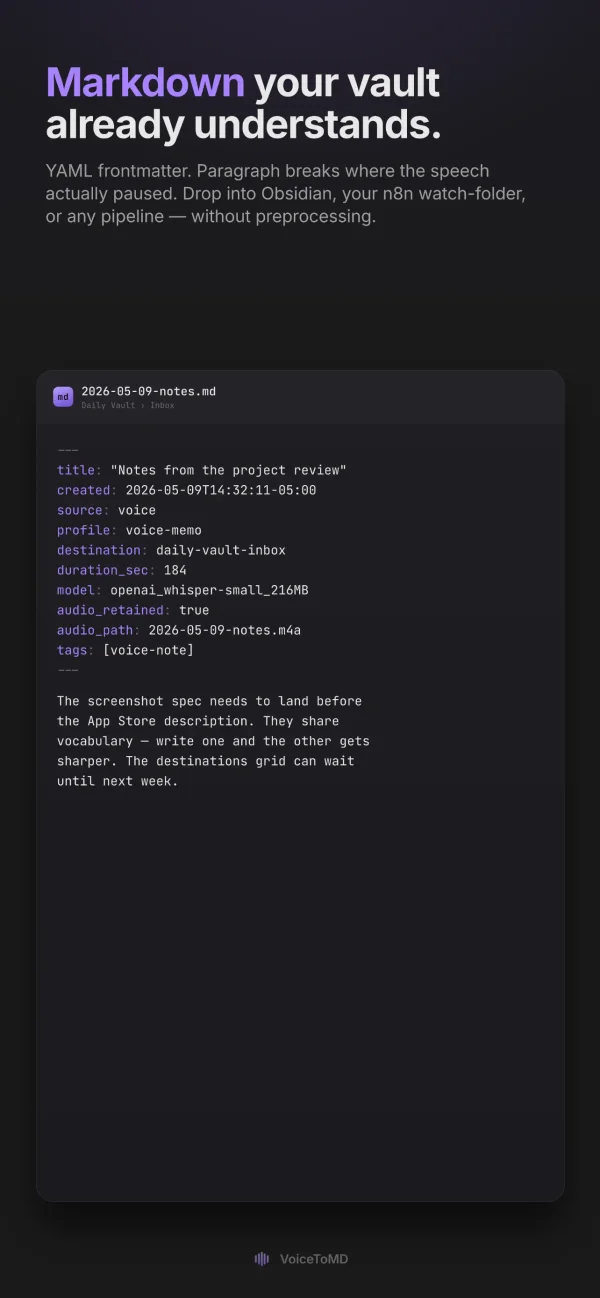
Every note ships with YAML frontmatter—title, created timestamp, profile, destination, duration, audio path. Paragraph breaks fall where the speech actually paused. Speaker labels appear when more than one voice is in the room. Drop into Apple Notes, Obsidian, Notion, or any other app or pipeline without preprocessing.
— PROFILES —
Configure multiple profiles, each with its own destinations, audio settings, transcription quality, vocabulary priming, and formatting rules. Quick-capture surfaces use your default profile; switch the active profile in one tap.
Yang baru
Versi 1.5 · 16/7/2026
Fixed bugs and improved performance.
Privasi aplikasi
Yang dinyatakan Chris Whitling di App Store tentang cara aplikasi ini menangani data.
-
Data yang tidak ditautkan dengan Anda
Dapat dikumpulkan, tetapi tidak ditautkan dengan identitas Anda.
- Data penggunaan
Praktik privasi dapat bervariasi, misalnya berdasarkan fitur yang Anda gunakan atau usia Anda.
Informasi
- Penjual
- Chris Whitling
- Kategori
- Produktivitas
- Versi
- 1.5
- Diperbarui
- 16/7/2026
- Dirilis
- 31/5/2026
- Ukuran
- 35,9 MB
- Memerlukan
- iOS 26.0 atau yang lebih baru
- Batasan usia
- 4+
- Harga
- Gratis
- Pembelian dalam aplikasi
- Ya
- Bahasa
- Inggris
- Hak cipta
- © 2026 Anzel Strategy
Mungkin Anda juga suka
-
 Last Focus: Pomodoro TimerProduktivitas
-
 ClipperHubProduktivitas
-
 LLT MobileProduktivitas
-
 Context: Memory for Your AIProduktivitas
-
 Levely: Focused PracticeProduktivitas
-
 NextThing: GTD To-Do ListProduktivitas
-
 Vox.mdTangkap apa pun ke Markdown
-
 Phonic DictationProduktivitas
-
 DarkPaper: Dark Mode PDFProduktivitas
-
 AnyGraphProduktivitas