VoiceToMD
Capture, transcribe, route
Được thiết kế cho iPhone
Miễn phí · Mua hàng trong ứng dụng
- Độ tuổi4+
- Danh mụcHiệu Suất
- Nhà phát triểnChris Whitling
- Ngôn ngữTiếng Anh
- Kích thước35,9 MB
Liên kết đến trang App Store chính thức
Download.org không lưu trữ tệp nào của VoiceToMD. Nút này mở trang ứng dụng trên App Store, nơi Chris Whitling phát hành ứng dụng. Trang được kiểm tra lần cuối: 18/11/2026.
Ảnh chụp màn hình

Giới thiệu
Nhà phát triển chưa cung cấp nội dung này bằng ngôn ngữ của bạn.
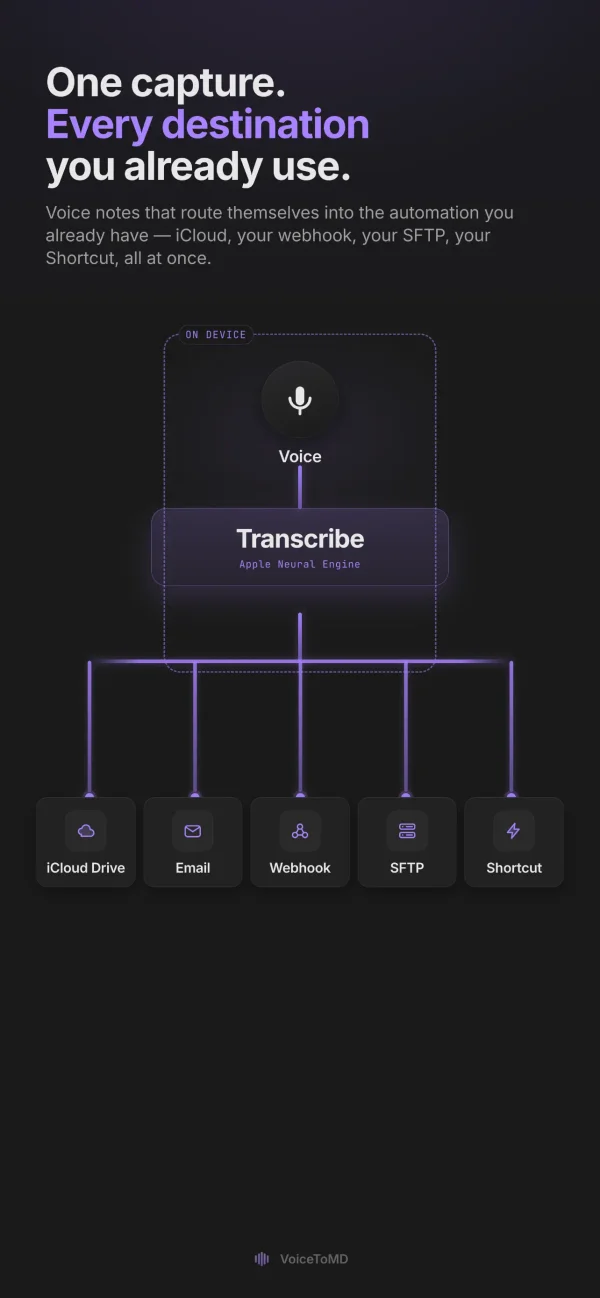
VoiceToMD is a voice note transcription app that bridges the gap between taking the note and your agents. Capture on iPhone, transcribe on-device, ship as markdown. The resulting markdown lands in iCloud, your email, your favorite notes app, your webhook, your SFTP server, or any iOS Shortcut—and you can send it to all of them at once.
VoiceToMD isn't where your notes live. It's how they get there.
— ON-DEVICE TRANSCRIPTION —
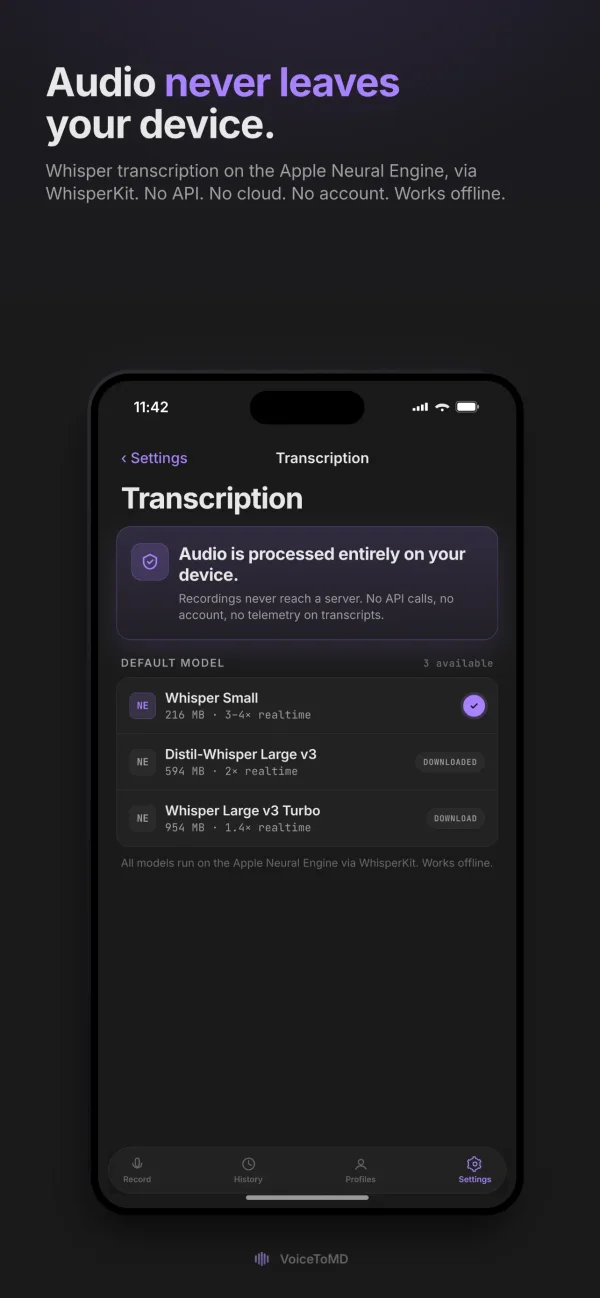
Your iPhone does the work. Every transcription runs locally on the device in your hand—no servers, no API calls, no internet required once the app is set up. Audio stays where it was captured.
Three transcription qualities to pick from, scaled to your iPhone. The app recommends the right one during setup; you can switch any time.
— EVERY LANGUAGE YOU SPEAK —
Speak any language. The app recognizes it automatically—Spanish, Mandarin, Japanese, Arabic, Hindi, and dozens more. All processed on your iPhone, never sent anywhere.
— PRESS ONCE. DONE. —
Bind the Action Button on iPhone 15 Pro or later. Press it on a locked phone. FaceID authenticates and recording starts before you finish raising the phone. The lock-screen Live Activity carries you through Pause, Stop, Send, and Hold—without ever opening the app.
Also: Control Center widget, and iOS Shortcuts. All quick-capture surfaces deliver directly to your default profile's destinations.
— YOUR DESTINATIONS —
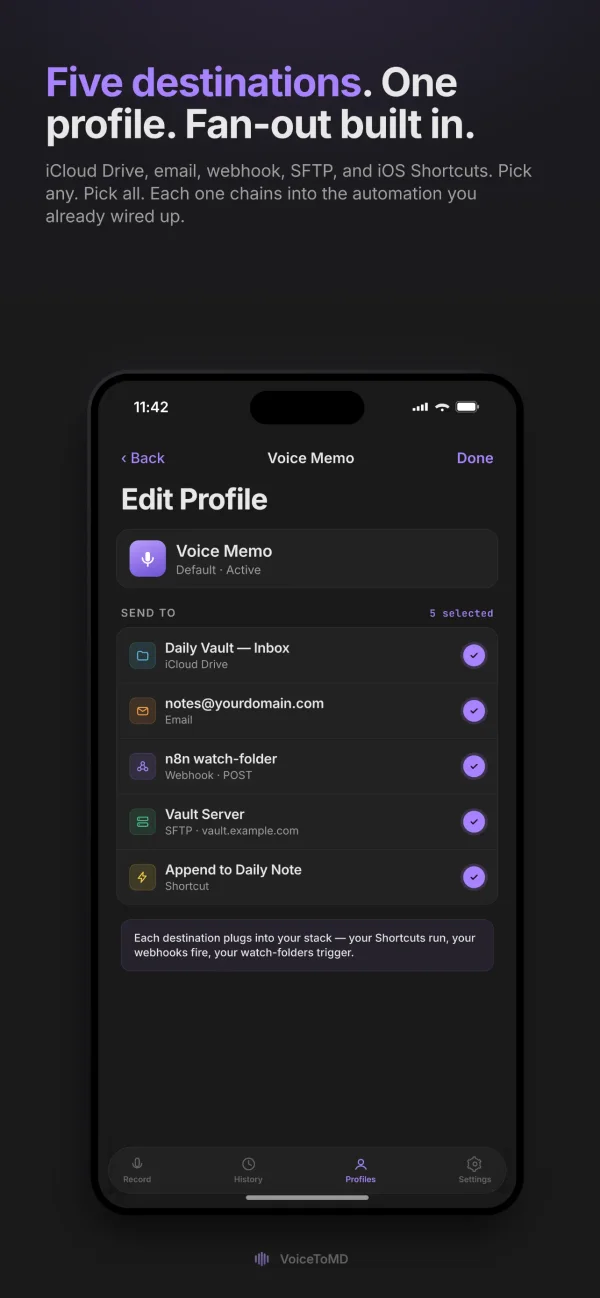
Five destination types:
- iCloud Drive folder—markdown files land in any folder you pick
- Email—your default mail client, transcript and attachment pre-populated
- Webhook—HTTPS POST with bearer-token auth and a configurable body
- SFTP—host, port, key or password authentication, base path you control
- iOS Shortcut—pass the markdown to any Shortcut you've built
Configure multiple destinations per profile. One capture fans out to all of them—your notes app and your automation pipeline, your inbox and your shortcuts—simultaneously, in one tap.
— MARKDOWN ANY APP CAN READ —
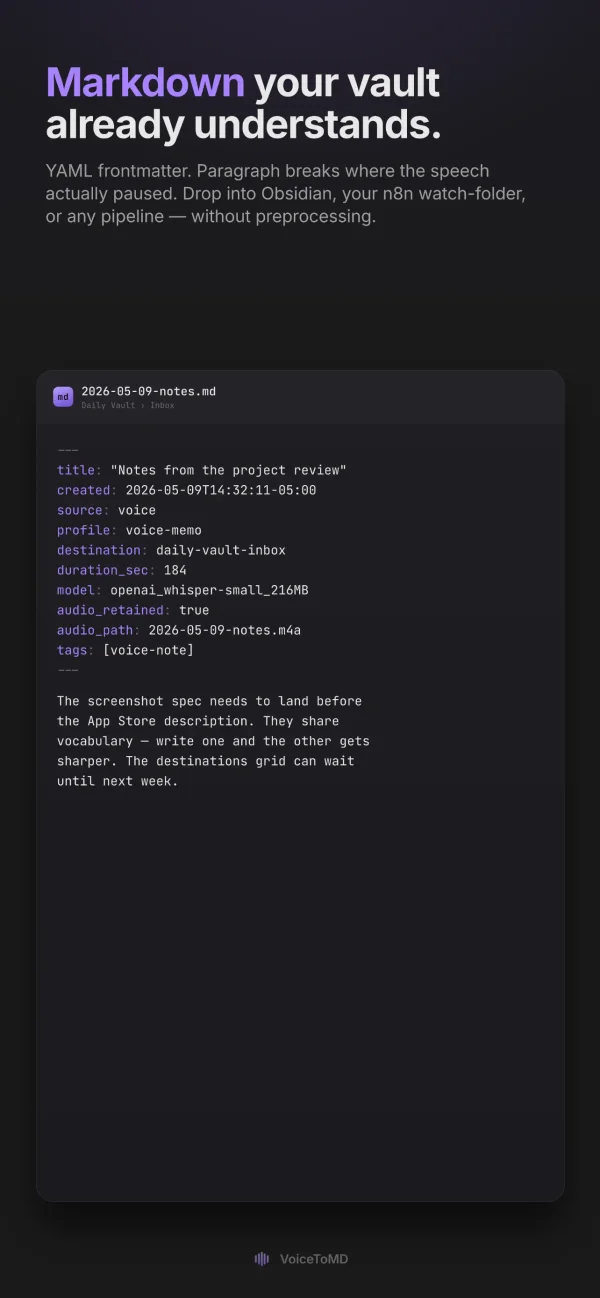
Every note ships with YAML frontmatter—title, created timestamp, profile, destination, duration, audio path. Paragraph breaks fall where the speech actually paused. Speaker labels appear when more than one voice is in the room. Drop into Apple Notes, Obsidian, Notion, or any other app or pipeline without preprocessing.
— PROFILES —
Configure multiple profiles, each with its own destinations, audio settings, transcription quality, vocabulary priming, and formatting rules. Quick-capture surfaces use your default profile; switch the active profile in one tap.
Có gì mới
Phiên bản 1.5 · 16/07/2026
Fixed bugs and improved performance.
Quyền riêng tư của ứng dụng
Những gì Chris Whitling khai báo trên App Store về cách ứng dụng này xử lý dữ liệu.
-
Dữ liệu không liên kết với bạn
Có thể được thu thập nhưng không liên kết với danh tính của bạn.
- Dữ liệu sử dụng
Phương thức đảm bảo quyền riêng tư có thể khác nhau, chẳng hạn như tuỳ theo các tính năng bạn sử dụng hoặc độ tuổi của bạn.
Thông tin
- Người bán
- Chris Whitling
- Danh mục
- Hiệu Suất
- Phiên bản
- 1.5
- Cập nhật
- 16/07/2026
- Phát hành
- 31/05/2026
- Kích thước
- 35,9 MB
- Yêu cầu
- iOS 26.0 trở lên
- Độ tuổi
- 4+
- Giá
- Miễn phí
- Mua hàng trong ứng dụng
- Có
- Ngôn ngữ
- Tiếng Anh
- Bản quyền
- © 2026 Anzel Strategy