- 対象年齢4+
- カテゴリ仕事効率化
- 開発元Chris Whitling
- 言語英語
- サイズ35.9 MB
App Storeの公式ページにリンクしています
Download.orgはVoiceToMDのファイルを一切ホストしていません。ボタンを押すと、Chris Whitlingが公開しているApp Storeのアプリページが開きます。ページの最終確認:2026/11/18。
スクリーンショット

概要
開発元はこのテキストをお使いの言語で提供していません。
VoiceToMD is a voice note transcription app that bridges the gap between taking the note and your agents. Capture on iPhone, transcribe on-device, ship as markdown. The resulting markdown lands in iCloud, your email, your favorite notes app, your webhook, your SFTP server, or any iOS Shortcut—and you can send it to all of them at once.
VoiceToMD isn't where your notes live. It's how they get there.
— ON-DEVICE TRANSCRIPTION —
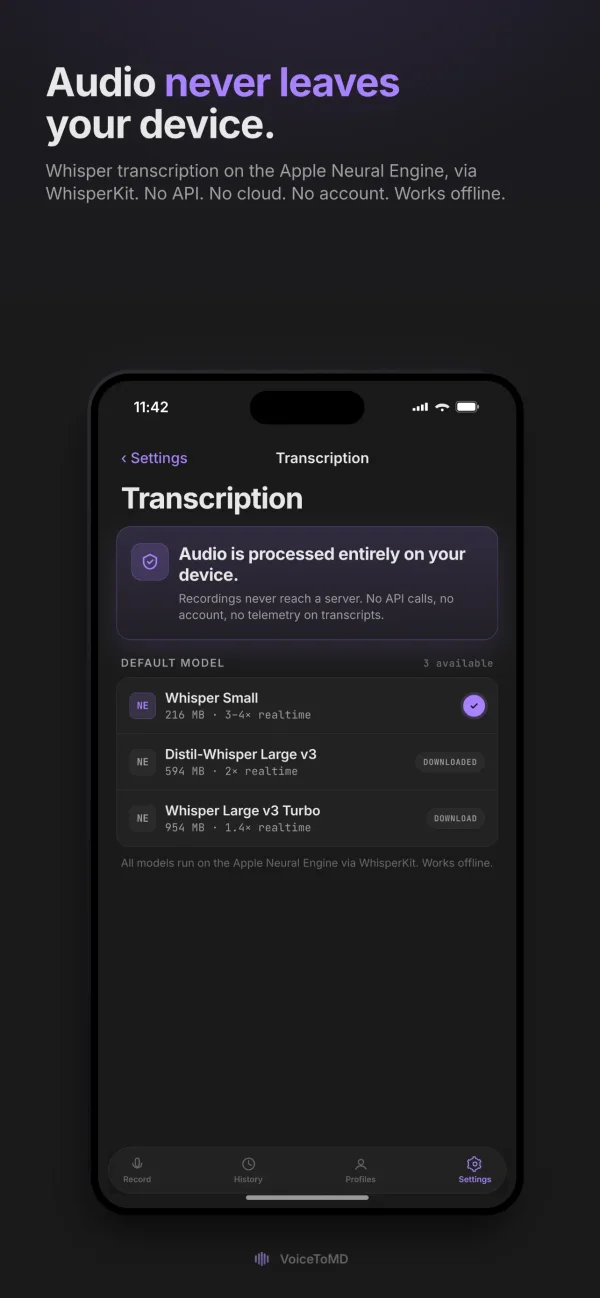
Your iPhone does the work. Every transcription runs locally on the device in your hand—no servers, no API calls, no internet required once the app is set up. Audio stays where it was captured.
Three transcription qualities to pick from, scaled to your iPhone. The app recommends the right one during setup; you can switch any time.
— EVERY LANGUAGE YOU SPEAK —
Speak any language. The app recognizes it automatically—Spanish, Mandarin, Japanese, Arabic, Hindi, and dozens more. All processed on your iPhone, never sent anywhere.
— PRESS ONCE. DONE. —
Bind the Action Button on iPhone 15 Pro or later. Press it on a locked phone. FaceID authenticates and recording starts before you finish raising the phone. The lock-screen Live Activity carries you through Pause, Stop, Send, and Hold—without ever opening the app.
Also: Control Center widget, and iOS Shortcuts. All quick-capture surfaces deliver directly to your default profile's destinations.
— YOUR DESTINATIONS —
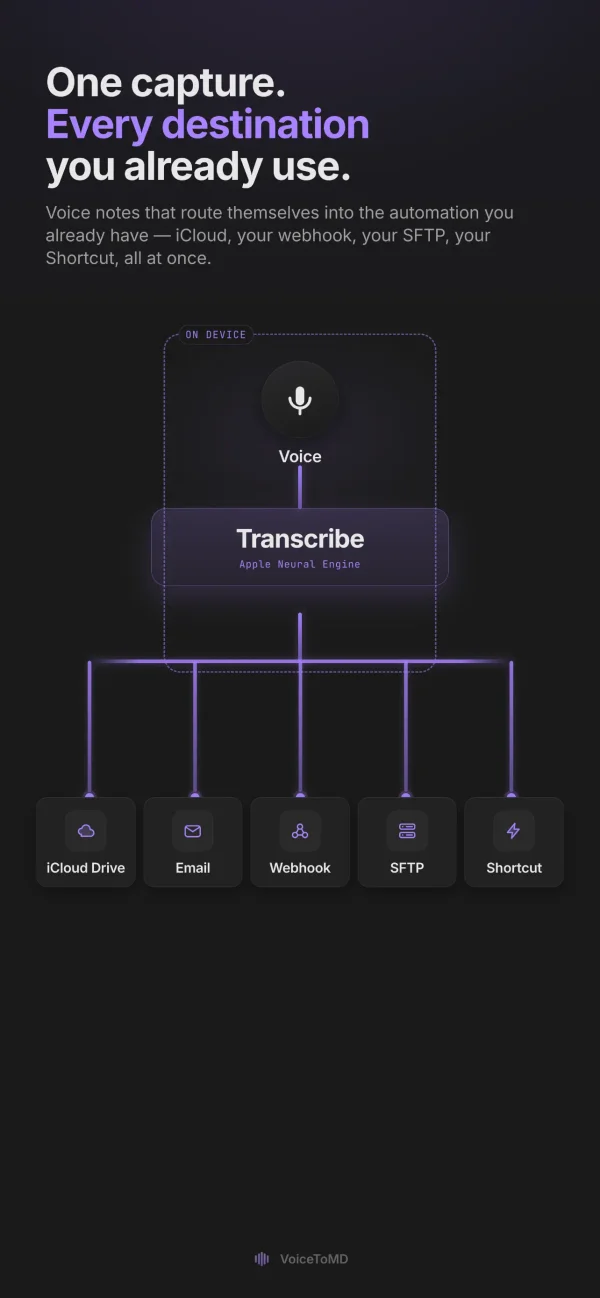
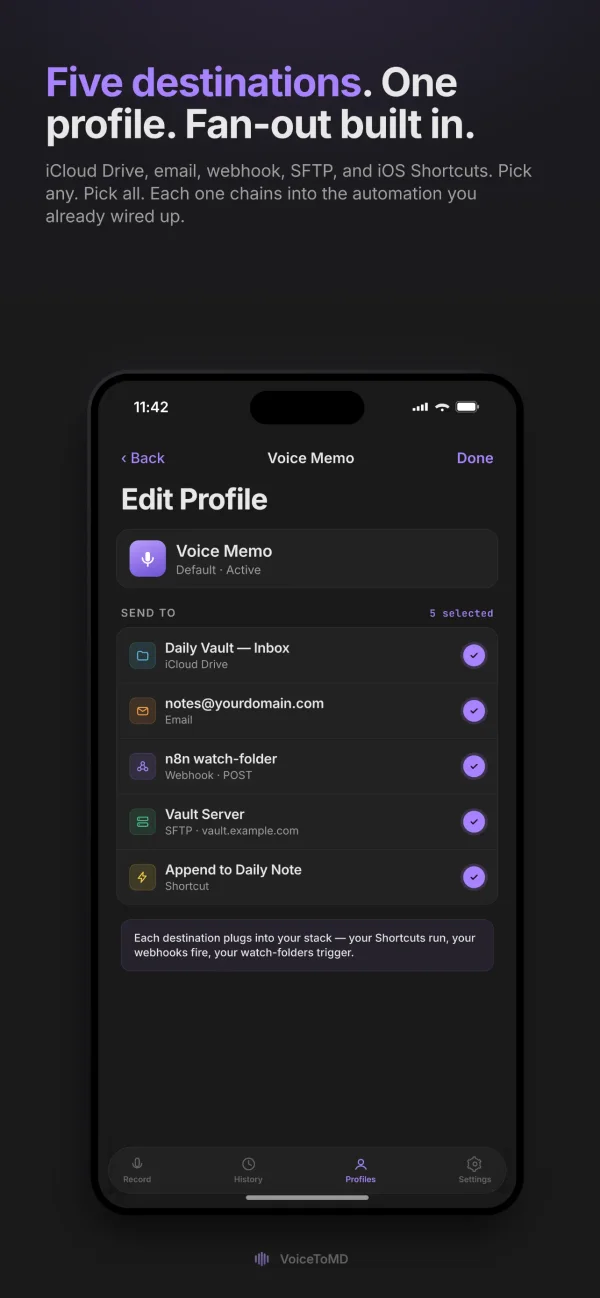
Five destination types:
- iCloud Drive folder—markdown files land in any folder you pick
- Email—your default mail client, transcript and attachment pre-populated
- Webhook—HTTPS POST with bearer-token auth and a configurable body
- SFTP—host, port, key or password authentication, base path you control
- iOS Shortcut—pass the markdown to any Shortcut you've built
Configure multiple destinations per profile. One capture fans out to all of them—your notes app and your automation pipeline, your inbox and your shortcuts—simultaneously, in one tap.
— MARKDOWN ANY APP CAN READ —
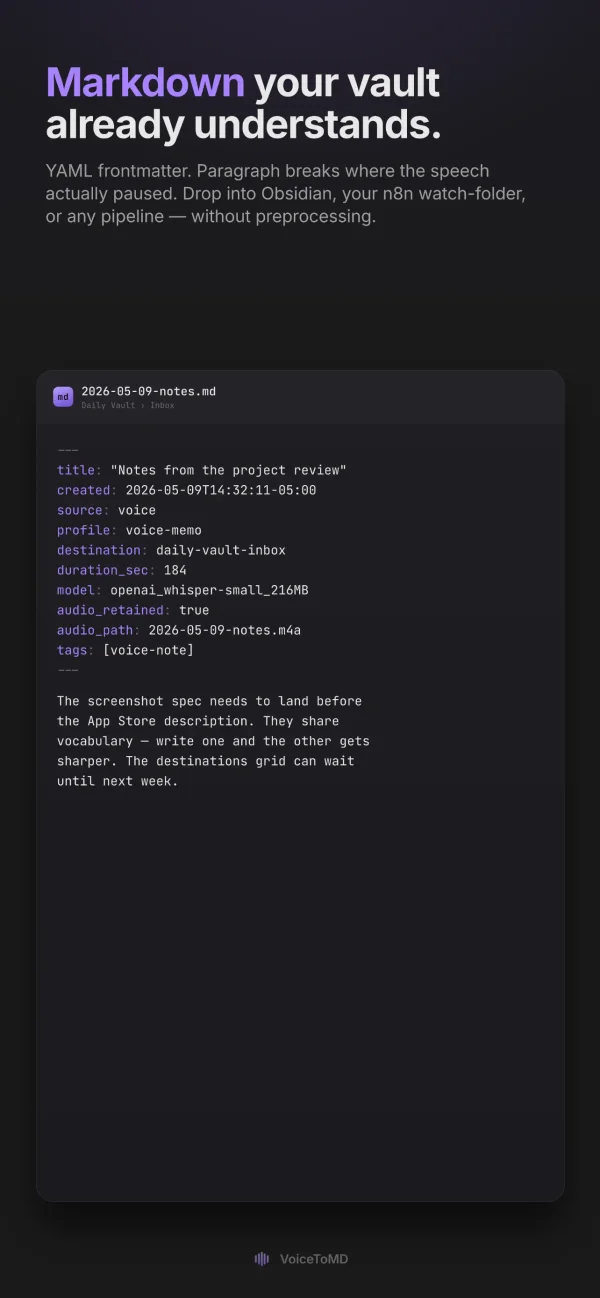
Every note ships with YAML frontmatter—title, created timestamp, profile, destination, duration, audio path. Paragraph breaks fall where the speech actually paused. Speaker labels appear when more than one voice is in the room. Drop into Apple Notes, Obsidian, Notion, or any other app or pipeline without preprocessing.
— PROFILES —
Configure multiple profiles, each with its own destinations, audio settings, transcription quality, vocabulary priming, and formatting rules. Quick-capture surfaces use your default profile; switch the active profile in one tap.
新機能
バージョン 1.5 · 2026/7/16
Fixed bugs and improved performance.
アプリのプライバシー
このアプリのデータの取り扱いについて、Chris WhitlingがApp Storeで申告している内容です。
-
ユーザーに関連付けられないデータ
収集される場合がありますが、ユーザーの識別情報には関連付けられません。
- 使用状況データ
プライバシーの取り扱いは、ご利用の機能やお客様の年齢などに応じて異なる場合があります。
情報
- 販売元
- Chris Whitling
- カテゴリ
- 仕事効率化
- バージョン
- 1.5
- 更新日
- 2026/7/16
- リリース
- 2026/5/31
- サイズ
- 35.9 MB
- 必要条件
- iOS 26.0以降
- 対象年齢
- 4+
- 価格
- 無料
- アプリ内課金
- あり
- 言語
- 英語
- 著作権
- © 2026 Anzel Strategy