
Week Plan Calendar
Keep track of events & todos!
Được thiết kế cho iPhone, iPad
Miễn phí · Mua hàng trong ứng dụng
- Độ tuổi4+
- Danh mụcHiệu Suất
- Nhà phát triểnMichael Hoereth
- Ngôn ngữTiếng Anh+ 5 ngôn ngữ khác
- Kích thước11,9 MB
Liên kết đến trang App Store chính thức
Download.org không lưu trữ tệp nào của Week Plan Calendar. Nút này mở trang ứng dụng trên App Store, nơi Michael Hoereth phát hành ứng dụng. Trang được kiểm tra lần cuối: 24/11/2026.
Ảnh chụp màn hình
Giới thiệu
Nhà phát triển chưa cung cấp nội dung này bằng ngôn ngữ của bạn.
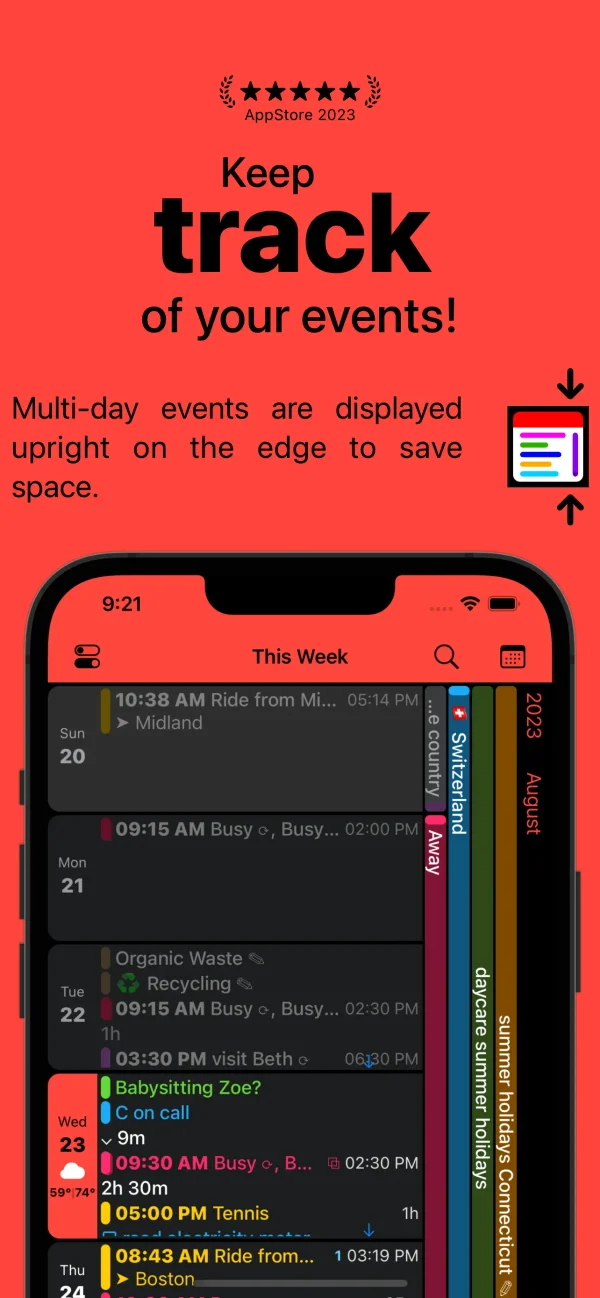
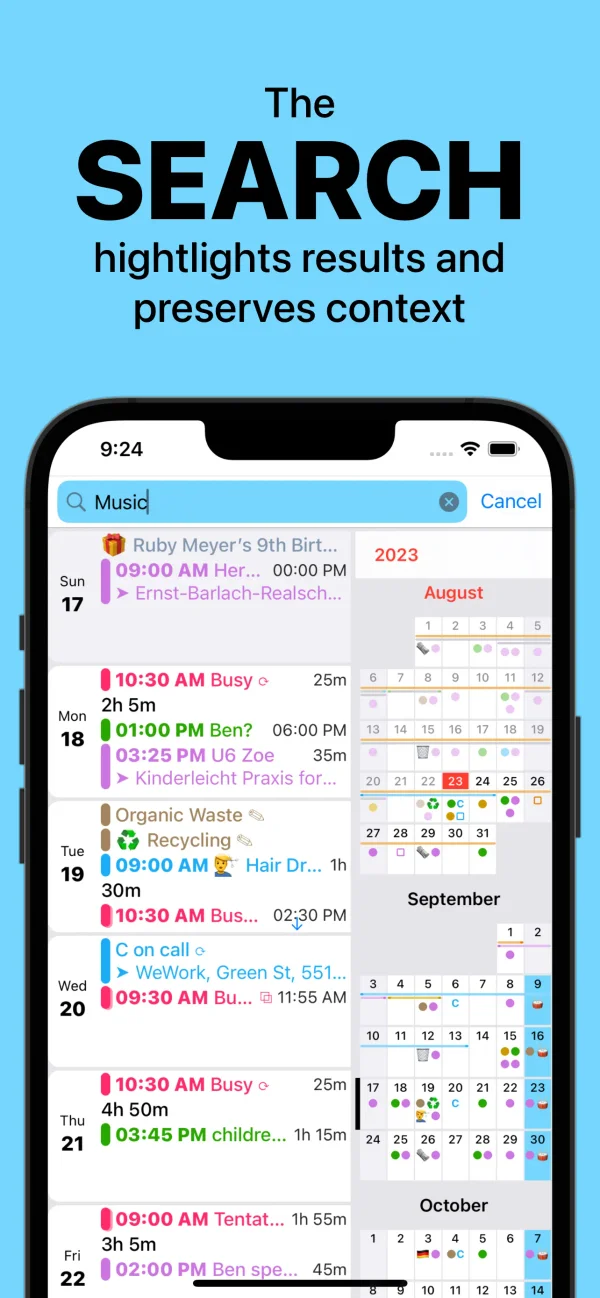
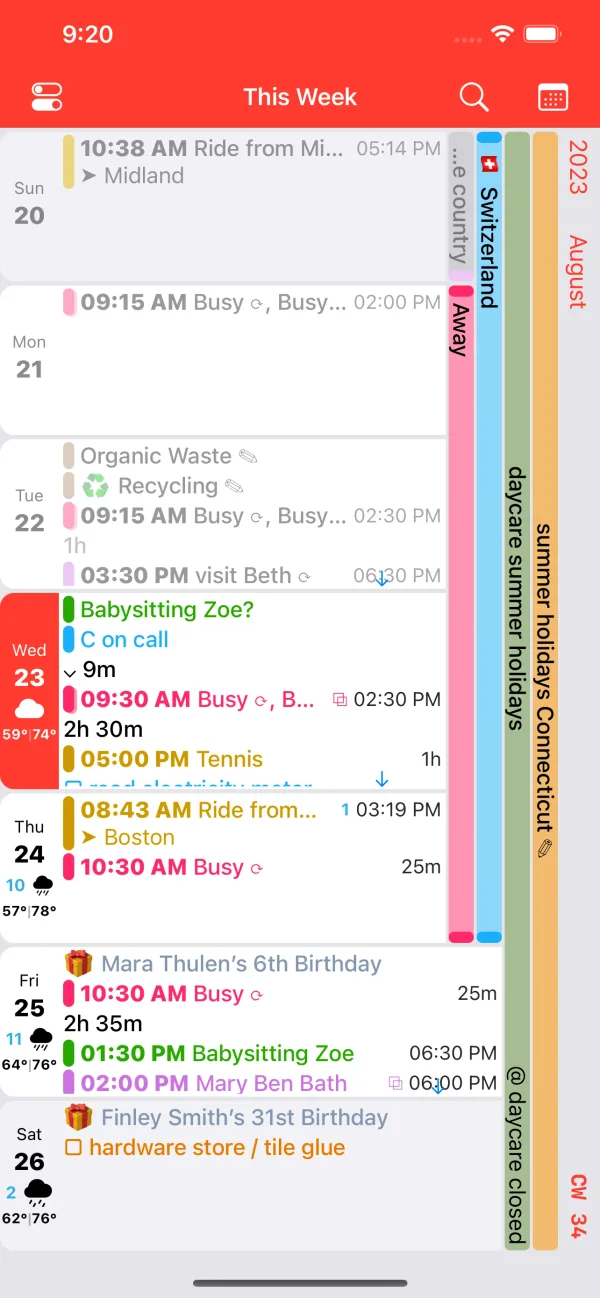
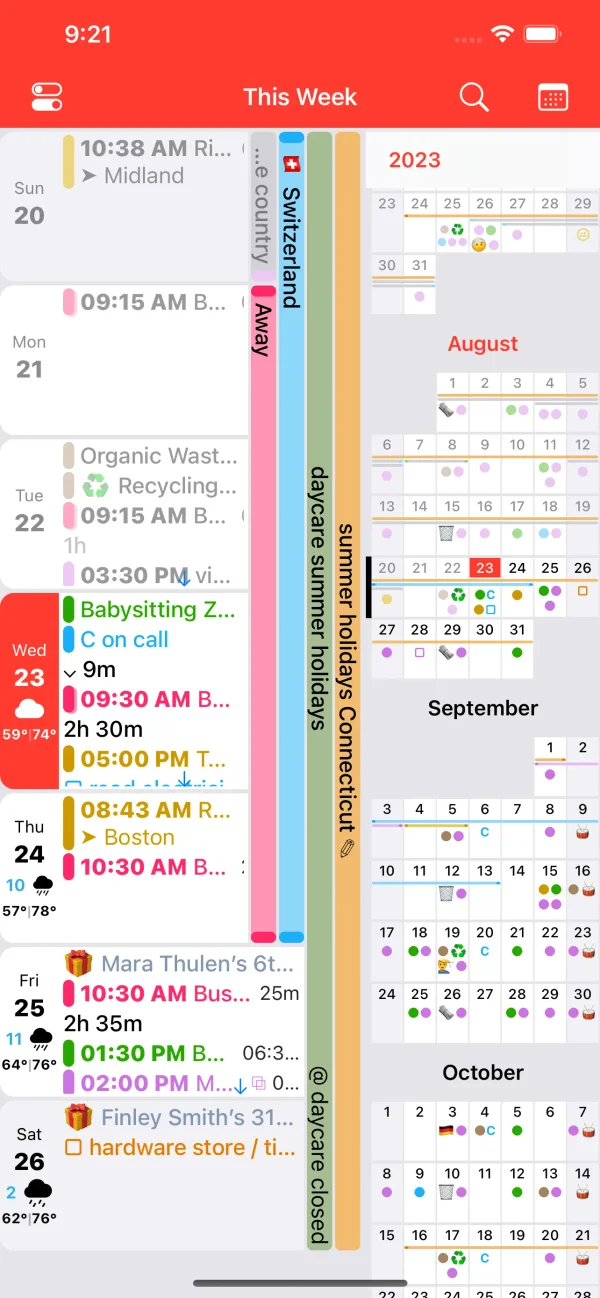
A clearly designed calendar based on the classic weekly overview. No login required because the app works on the calendar/reminder data of the operating system.
FEATURES
- Multi-day events are shown upright on the right hand side, contributing to extraordinary high clarity.
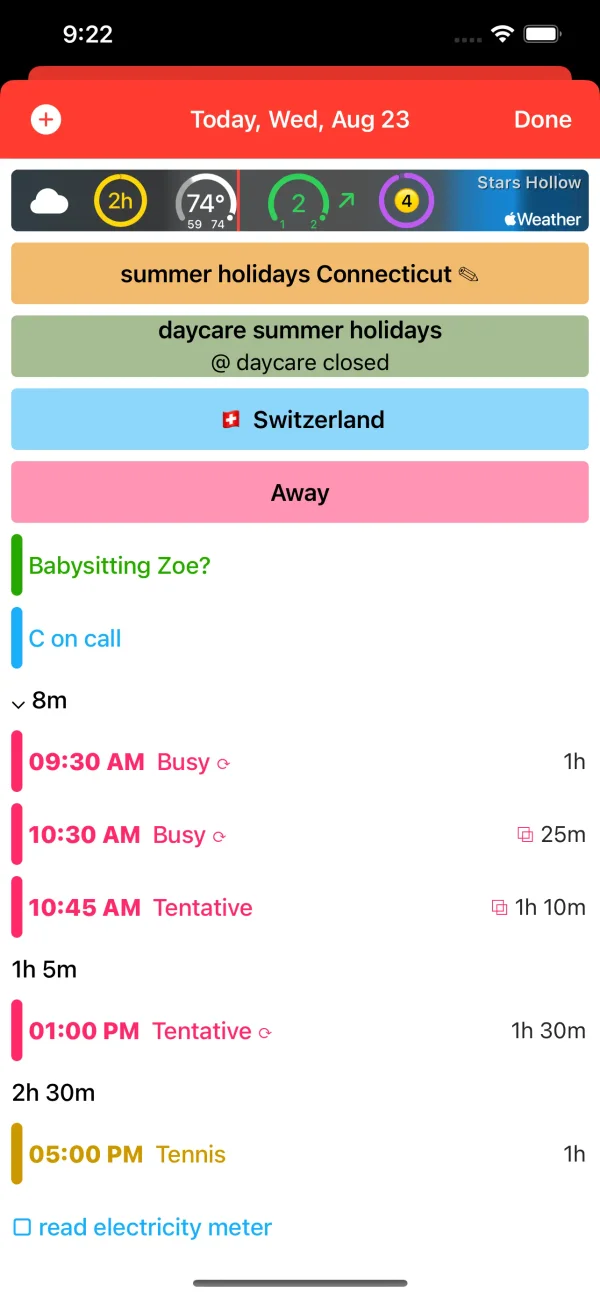
- Works with both calendar events and (checkable) reminders.
- 4 for 1: iOS, watchOS, iPadOS and macOS App (Ventura + M1 required) can be used in parallel after download.
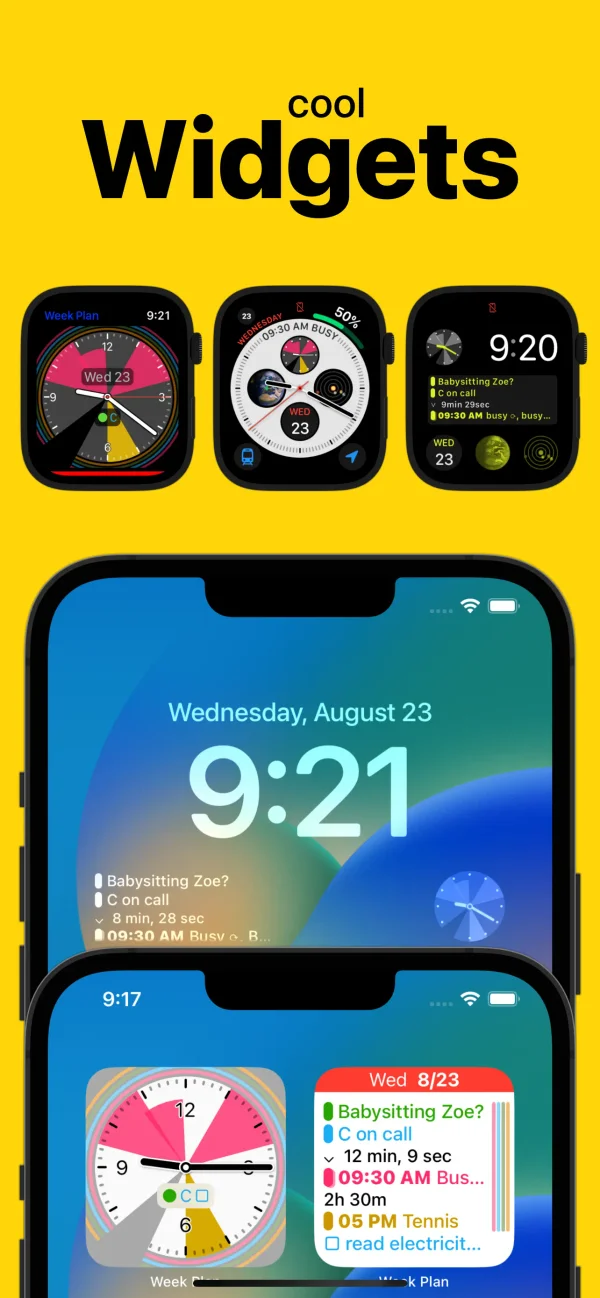
- The "Today" widget shows upcoming entries (live countdown included)
- The "Clockface" widget visualizes the events of the next 10 hours on an analogue dial.
- All widgets also available on the lock screen.
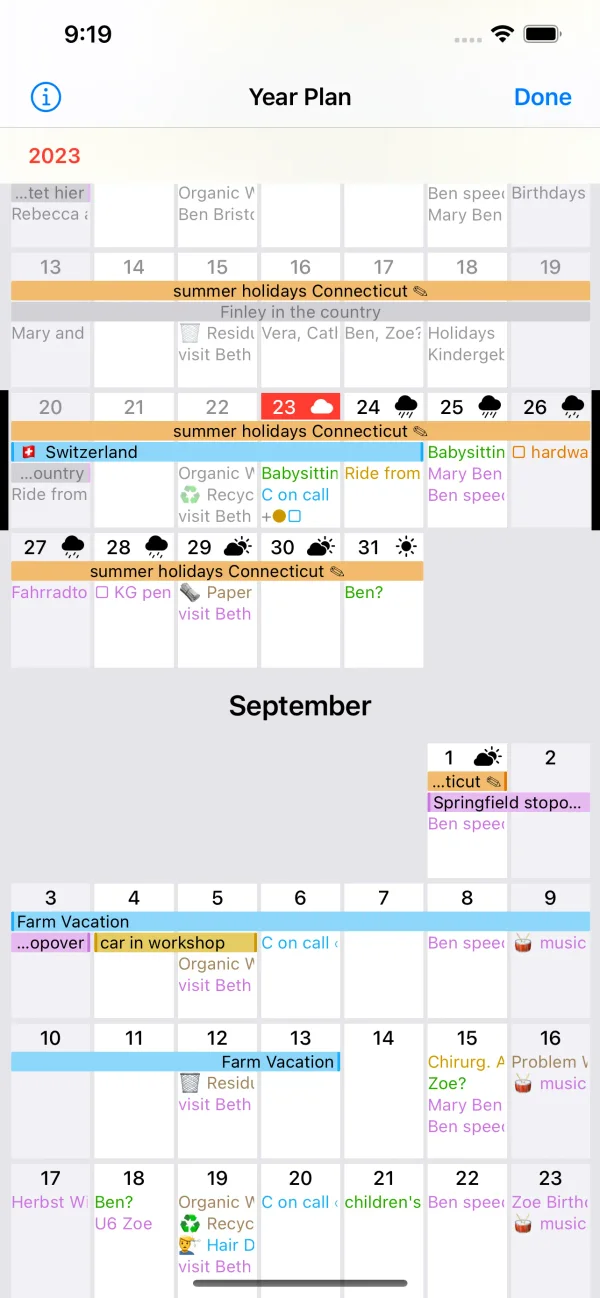
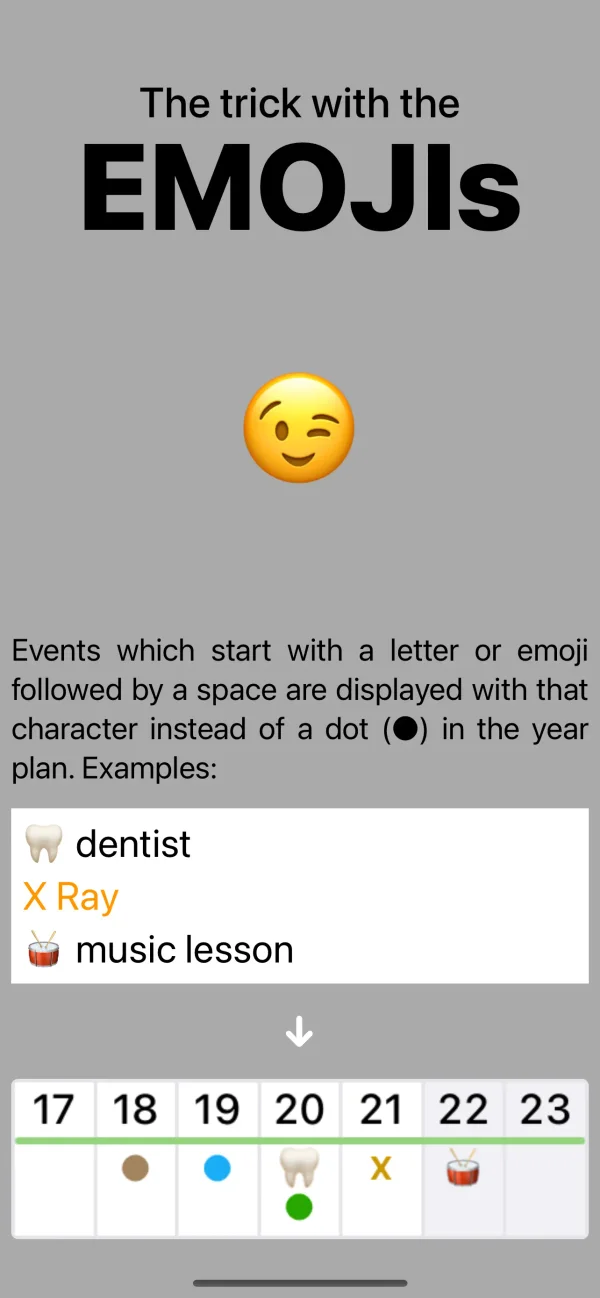
- Optional year plan view (incl. calendar weeks).
- Event Templates + Shift Planner Mode
- Integration of Apple Health menstruation cycle data.
- Calculation of break times.
- Alerts scheduling conflicts during creation of new events.
- Watch app including complications "Today" & "Clockface".
- Overview of all overdue reminders.
- "holiday calendar": its entries make the days look like weekends
- calendar day can be shown on app icon
- combined view of event duplicates
- (iOS, iPadOS): Speech entry of new events (iPhone needs to be hold to the ear)
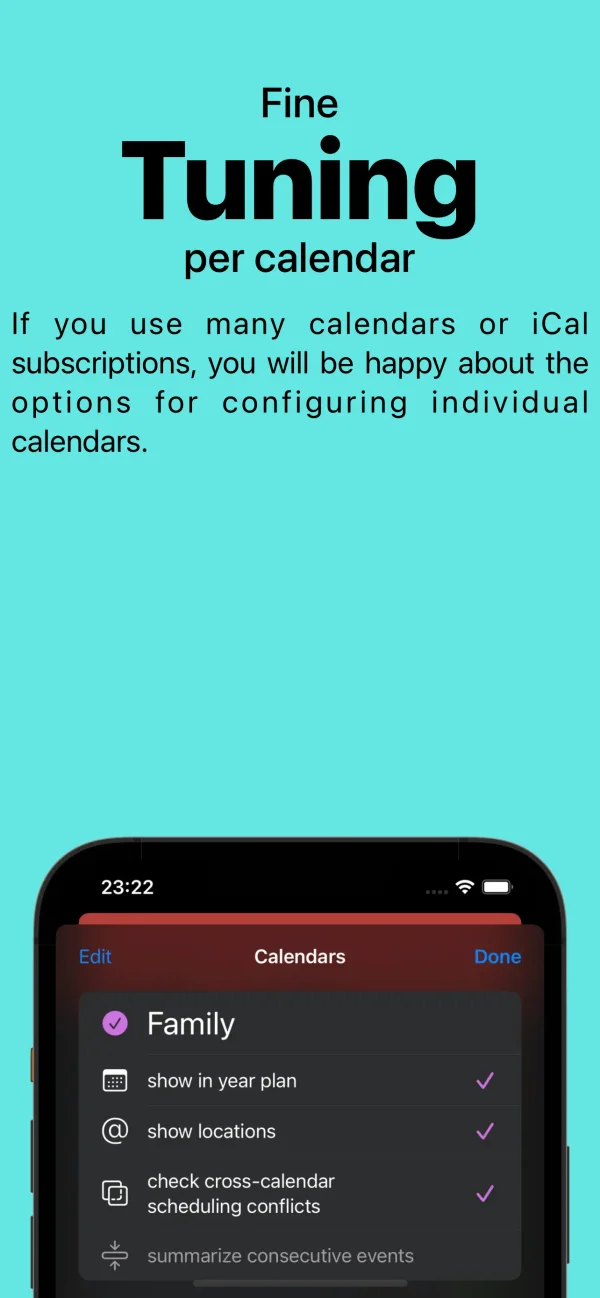
CONFIGURATION PER CALENDAR
- Show in year plan
- Show event locations
- Cross-calendar appointment overlaps
- Summary of consecutive events
- Timeline in weekly and day views
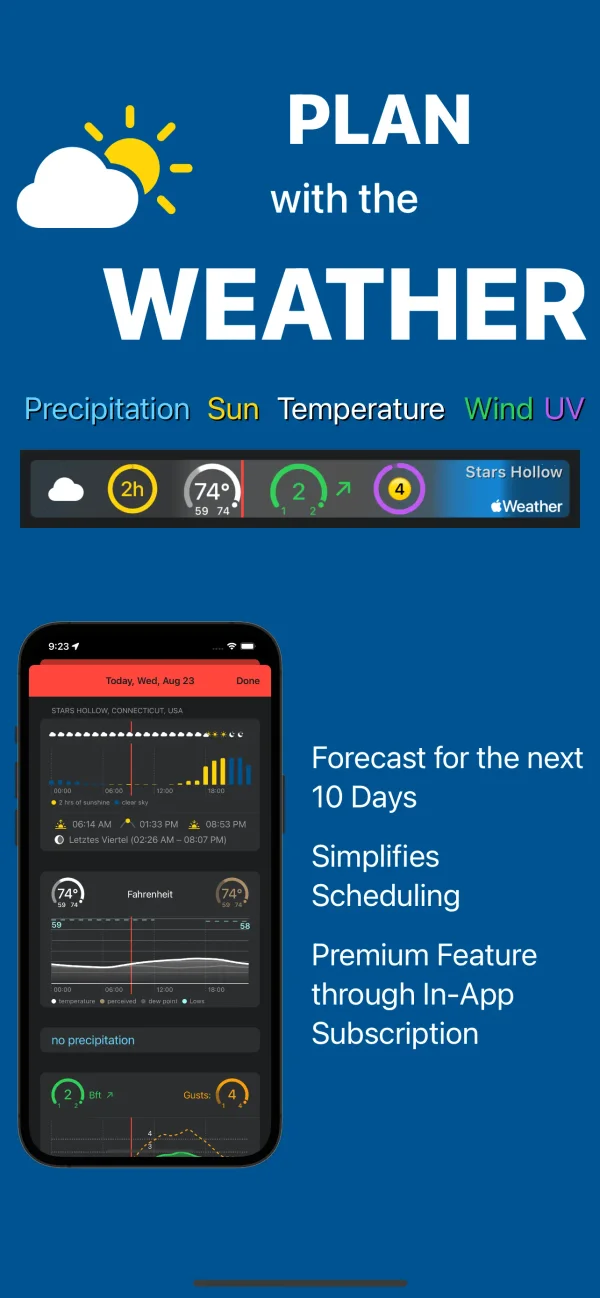
10-DAY WEATHER FORECAST (premium feature)
- available as yearly in-app subscription with auto-renewal
- see privacy: https://www.pentabyte.de/applications/iOS/Wochenplan/
- see terms of use / EULA: https://www.apple.com/legal/internet-services/itunes/dev/stdeula/
DISCLAIMER
- No notifications. Recommendation: continue to use the iOS calendar for reminders. This is generally the best way to do it because it also notifies you about changes to shared calendars in real-time.
Có gì mới
Phiên bản 3.0.4 · 19/09/2026
This update brings you some major features:
- Event templates: simplify the entry of frequently recurring events. Custom rotations allow you to enter, for example, an entire shift schedule with just a few clicks.
- Day colors: important events can color-code an entire day using custom keywords. Examples: "Day shift," "Night shift," "Work from home." These day colors are also displayed in the new monthly widgets.
- (iOS, iPadOS): Voice input: With the app running, hold your iPhone to your ear and speak the new appointment or reminder.
- Upcoming Birthdays widget
Quyền riêng tư của ứng dụng
Những gì Michael Hoereth khai báo trên App Store về cách ứng dụng này xử lý dữ liệu.
-
Dữ liệu không được thu thập
Nhà phát triển không thu thập bất kỳ dữ liệu nào từ ứng dụng này.
Phương thức đảm bảo quyền riêng tư có thể khác nhau, chẳng hạn như tuỳ theo các tính năng bạn sử dụng hoặc độ tuổi của bạn.
Thông tin
- Người bán
- Michael Hoereth
- Danh mục
- Hiệu Suất
- Phiên bản
- 3.0.4
- Cập nhật
- 19/09/2026
- Phát hành
- 04/01/2023
- Kích thước
- 11,9 MB
- Yêu cầu
- iOS 17.6 trở lên
- Độ tuổi
- 4+
- Giá
- Miễn phí
- Mua hàng trong ứng dụng
- Có
- Ngôn ngữ
- Tiếng Anh, Tiếng Hà Lan, Tiếng Pháp, Tiếng Đức, Tiếng Ý, Tiếng Tây Ban Nha
- Bản quyền
- © 2023 Michael Höreth
Có thể bạn cũng thích
-
 149 Live Calendar & ToDo listHiệu Suất
-
 Page CalendarHiệu Suất
-
 miCal - The missing CalendarHiệu Suất
-
 Supercal CalendarHiệu Suất
-
 Vertical Planner:Calendar,TodoHiệu Suất
-
 Calendar ZHiệu Suất
-
 Thrivo - Daily PlannerHiệu Suất
-
 Griday Calendar & ReminderHiệu Suất
-
 Lịch Tuần ProLịch cá nhân và gia đình
-
 Pencil Planner - StiftHiệu Suất