
- 対象年齢4+
- カテゴリ仕事効率化
- 開発元Michael Hoereth
- 言語英語ほか5言語
- サイズ11.9 MB
App Storeの公式ページにリンクしています
Download.orgはWeek Plan Calendarのファイルを一切ホストしていません。ボタンを押すと、Michael Hoerethが公開しているApp Storeのアプリページが開きます。ページの最終確認:2026/11/24。
スクリーンショット
概要
開発元はこのテキストをお使いの言語で提供していません。
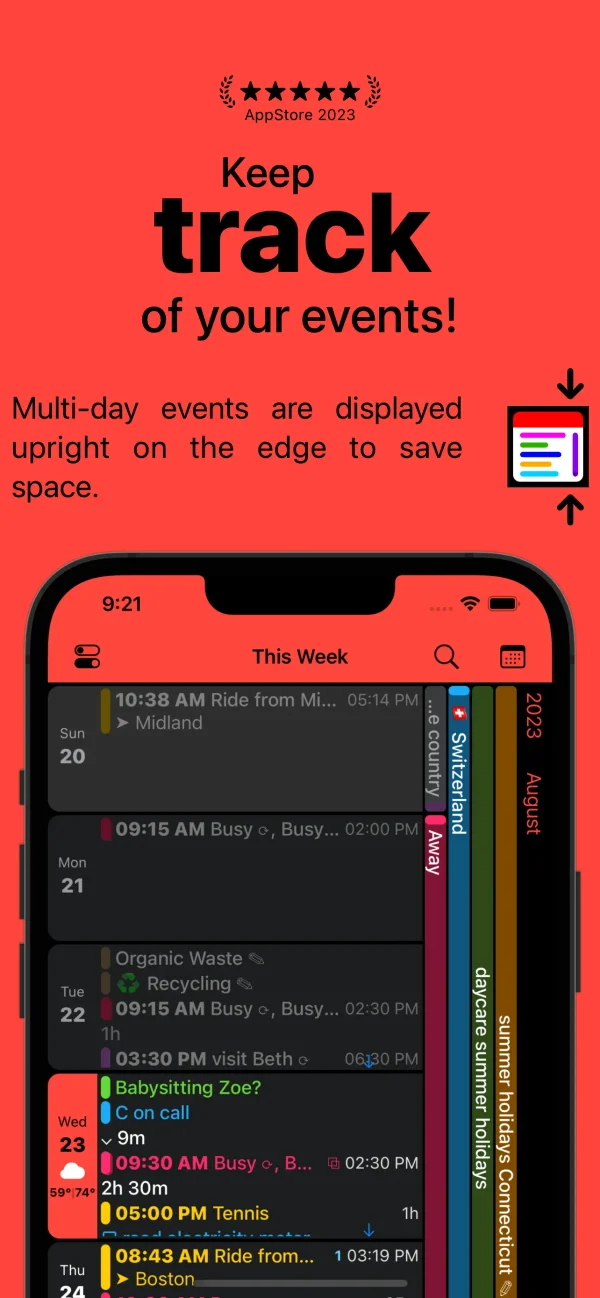
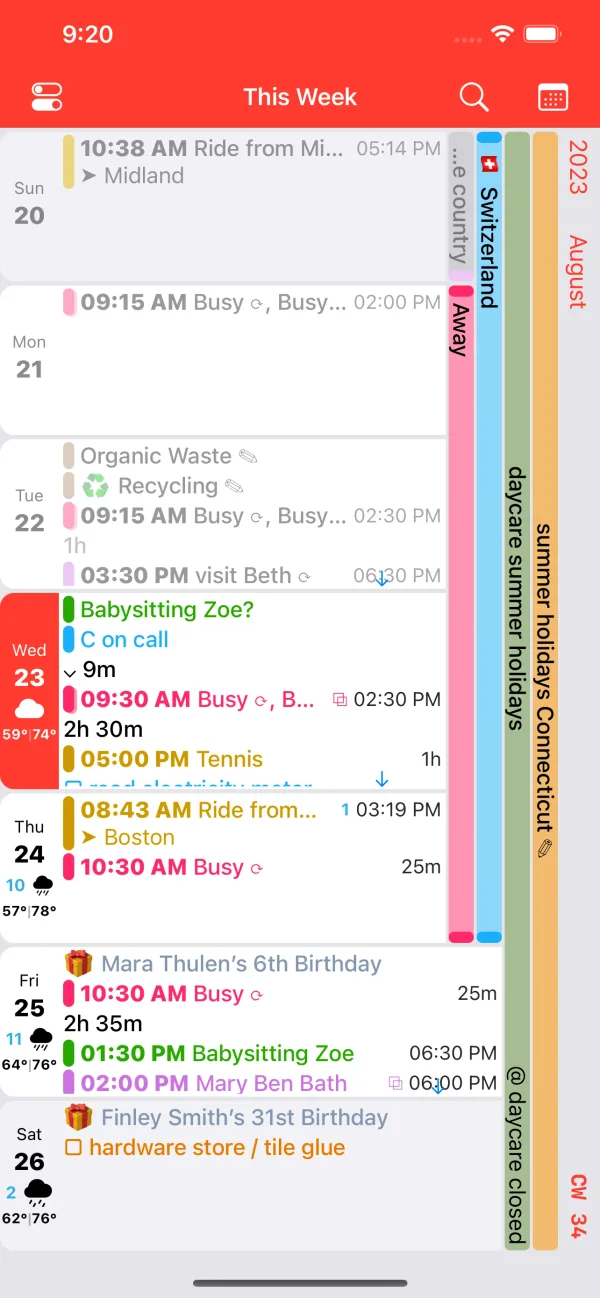
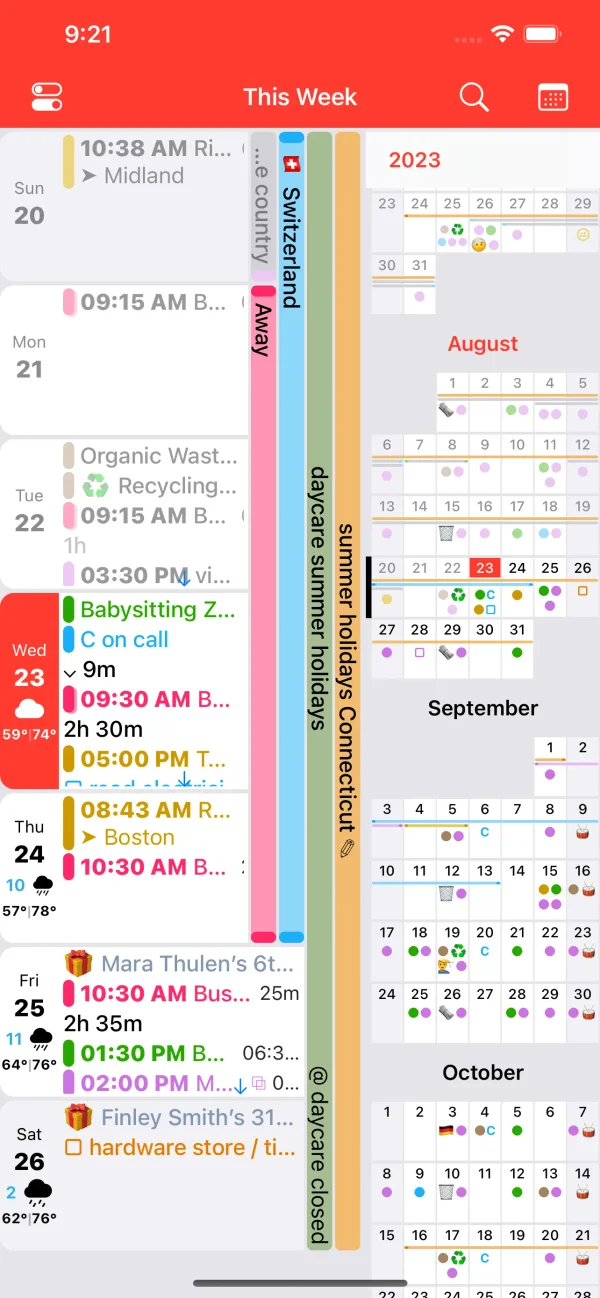
A clearly designed calendar based on the classic weekly overview. No login required because the app works on the calendar/reminder data of the operating system.
FEATURES
- Multi-day events are shown upright on the right hand side, contributing to extraordinary high clarity.
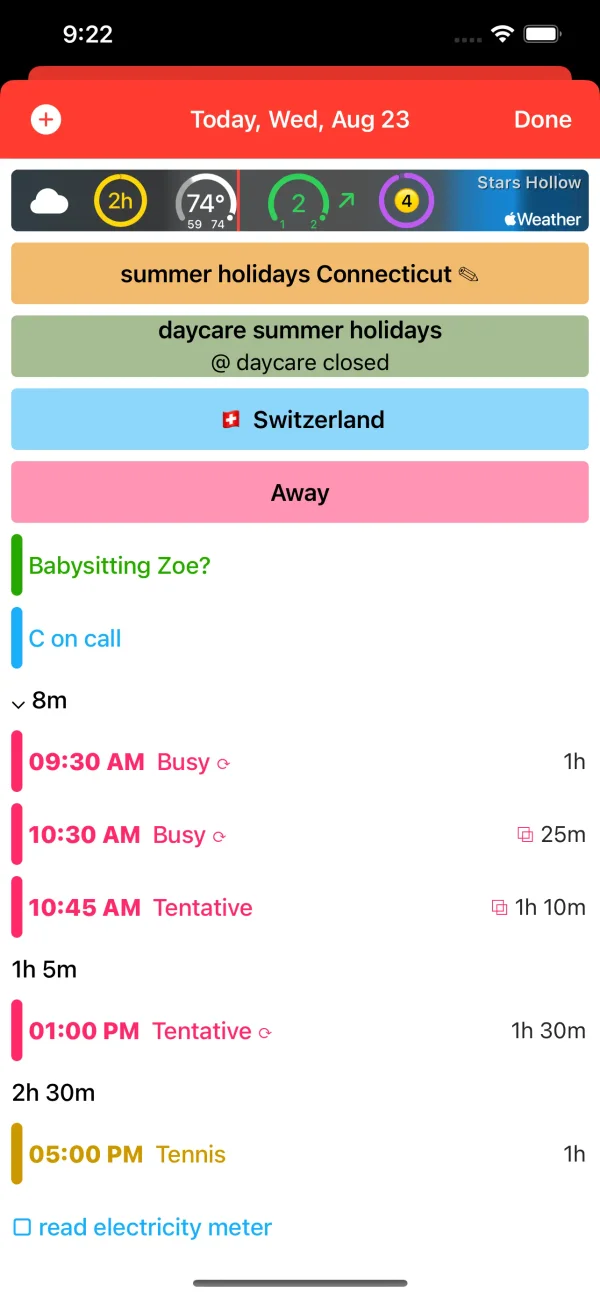
- Works with both calendar events and (checkable) reminders.
- 4 for 1: iOS, watchOS, iPadOS and macOS App (Ventura + M1 required) can be used in parallel after download.
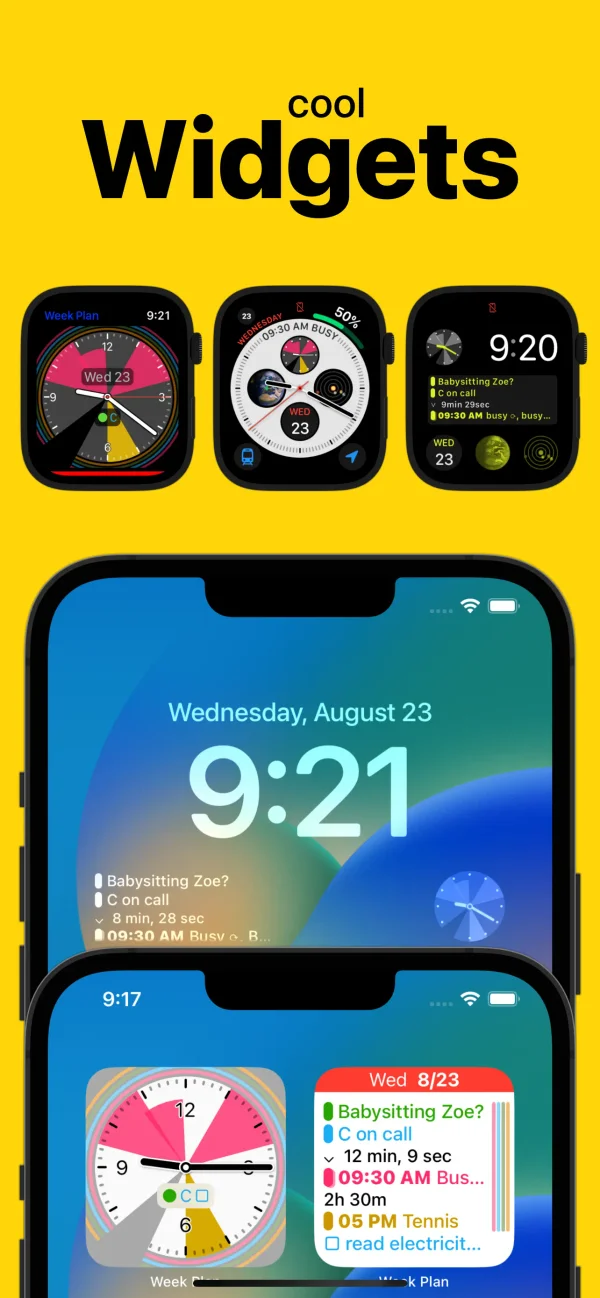
- The "Today" widget shows upcoming entries (live countdown included)
- The "Clockface" widget visualizes the events of the next 10 hours on an analogue dial.
- All widgets also available on the lock screen.
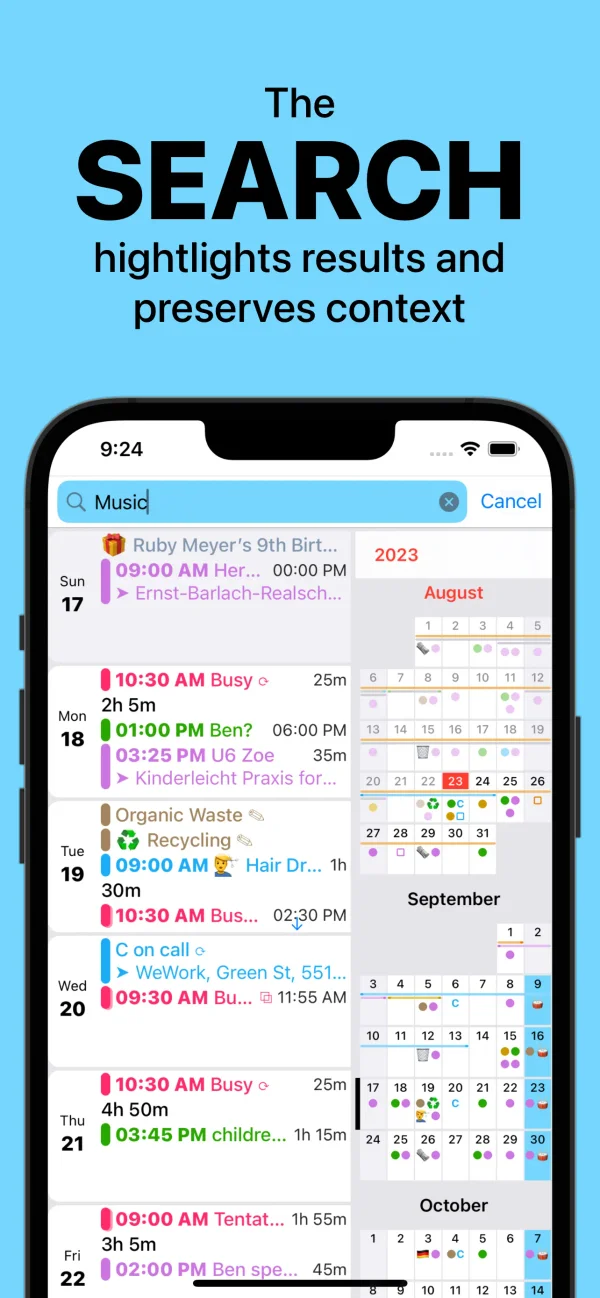
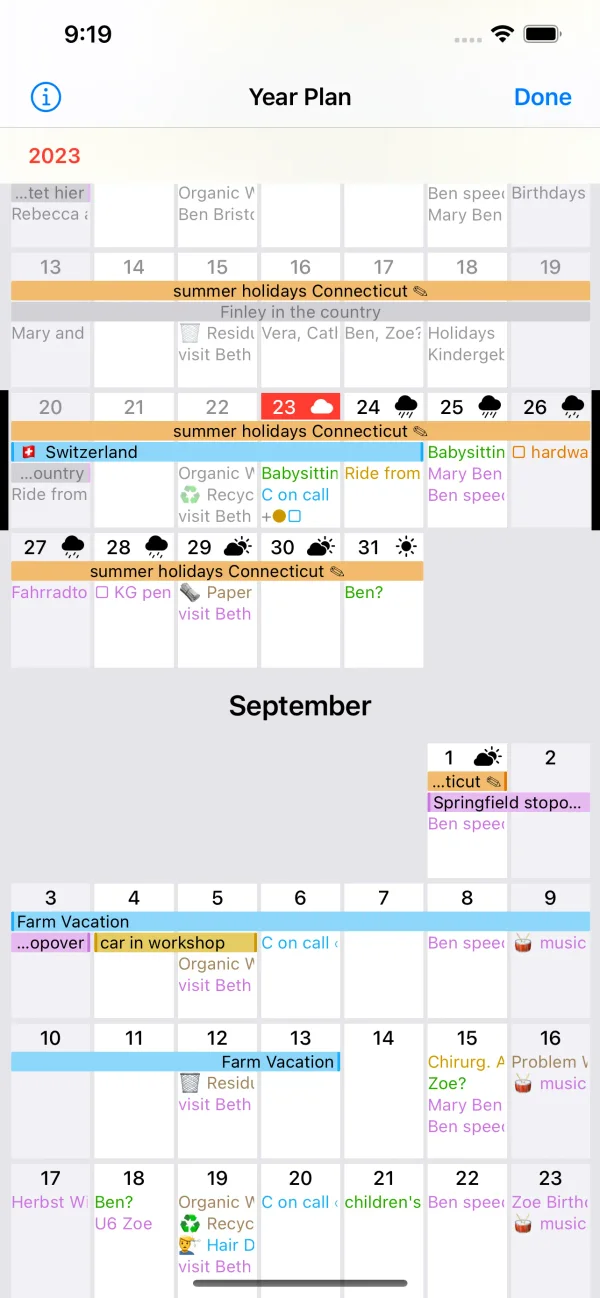
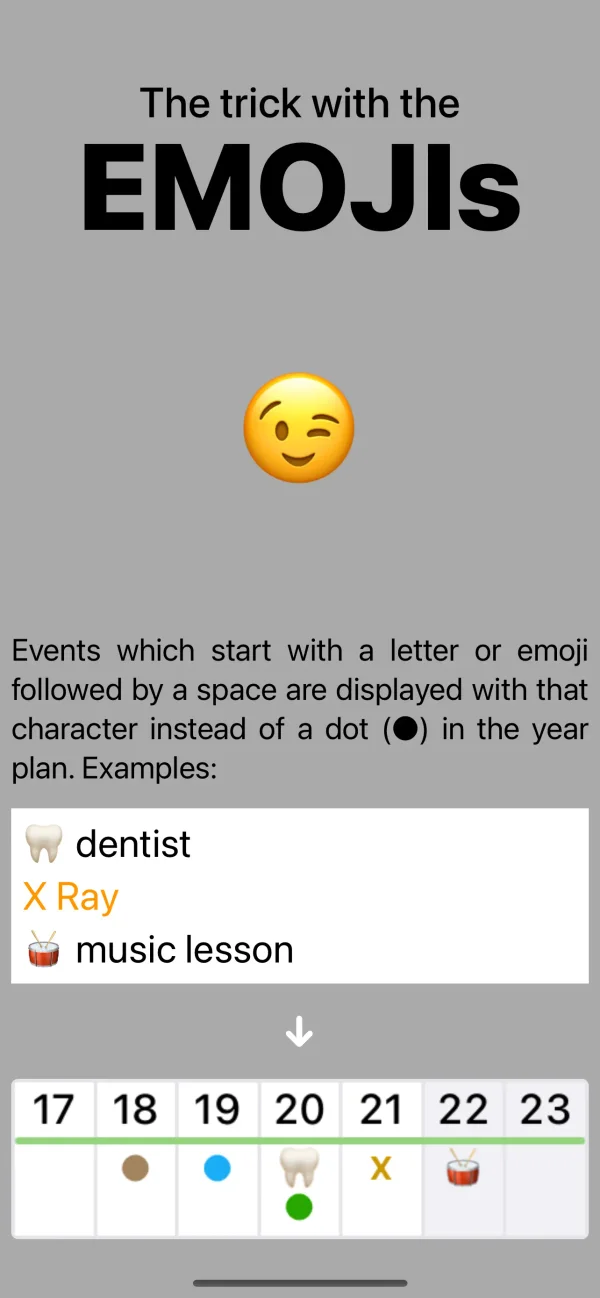
- Optional year plan view (incl. calendar weeks).
- Event Templates + Shift Planner Mode
- Integration of Apple Health menstruation cycle data.
- Calculation of break times.
- Alerts scheduling conflicts during creation of new events.
- Watch app including complications "Today" & "Clockface".
- Overview of all overdue reminders.
- "holiday calendar": its entries make the days look like weekends
- calendar day can be shown on app icon
- combined view of event duplicates
- (iOS, iPadOS): Speech entry of new events (iPhone needs to be hold to the ear)
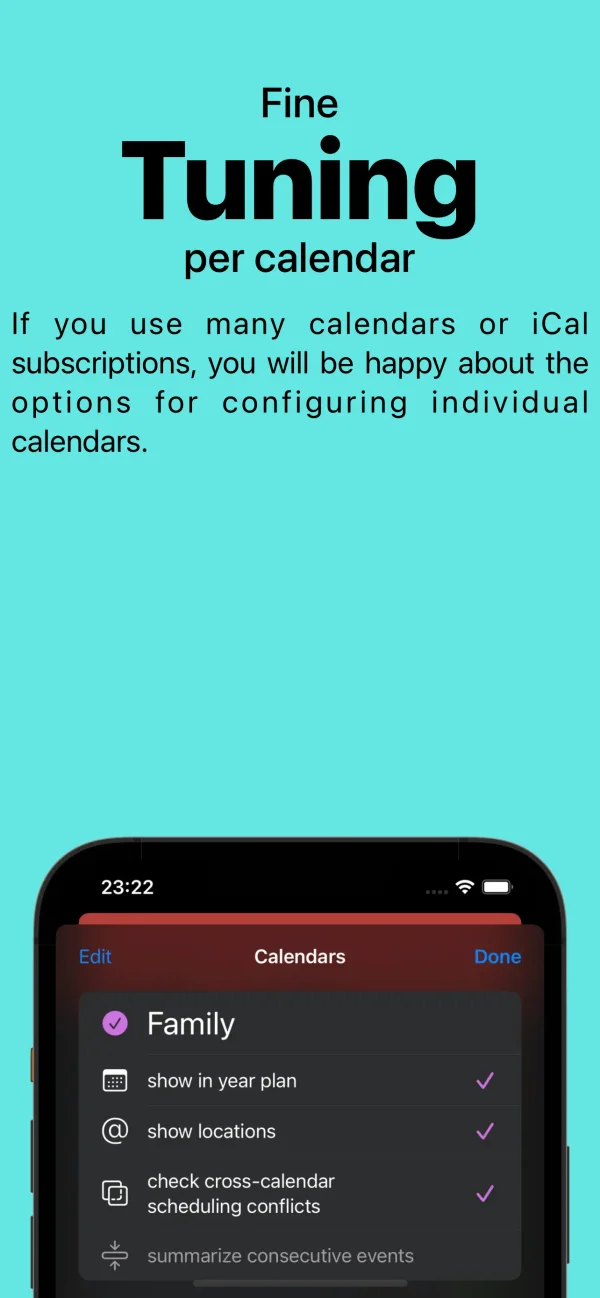
CONFIGURATION PER CALENDAR
- Show in year plan
- Show event locations
- Cross-calendar appointment overlaps
- Summary of consecutive events
- Timeline in weekly and day views
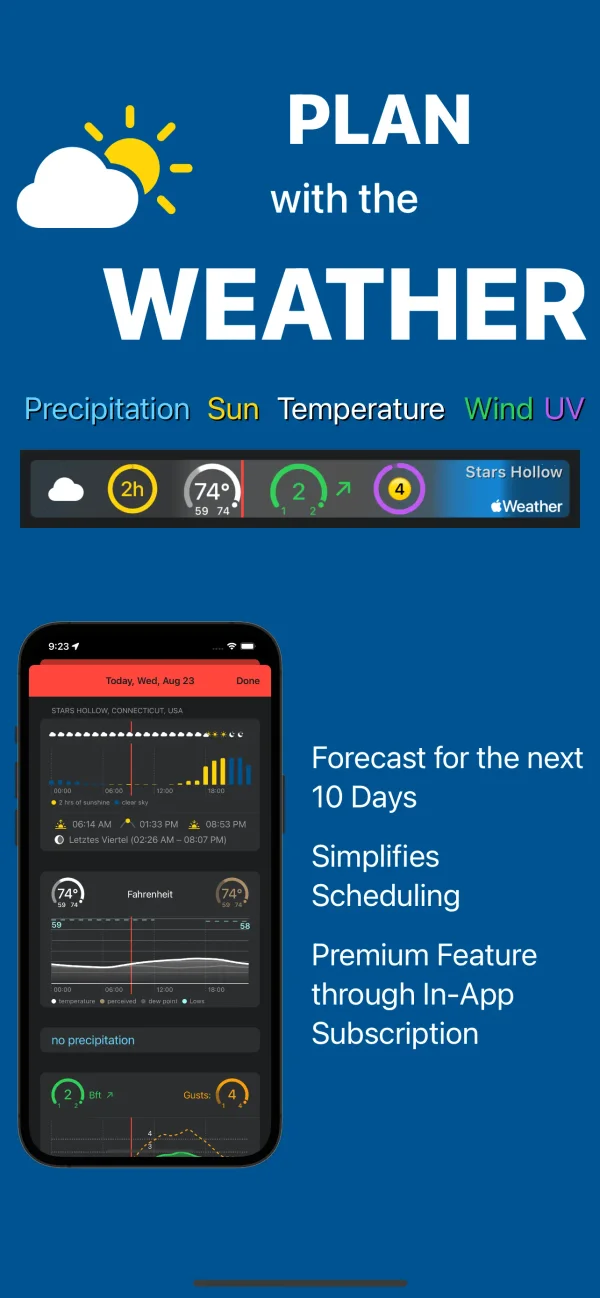
10-DAY WEATHER FORECAST (premium feature)
- available as yearly in-app subscription with auto-renewal
- see privacy: https://www.pentabyte.de/applications/iOS/Wochenplan/
- see terms of use / EULA: https://www.apple.com/legal/internet-services/itunes/dev/stdeula/
DISCLAIMER
- No notifications. Recommendation: continue to use the iOS calendar for reminders. This is generally the best way to do it because it also notifies you about changes to shared calendars in real-time.
新機能
バージョン 3.0.4 · 2026/9/19
This update brings you some major features:
- Event templates: simplify the entry of frequently recurring events. Custom rotations allow you to enter, for example, an entire shift schedule with just a few clicks.
- Day colors: important events can color-code an entire day using custom keywords. Examples: "Day shift," "Night shift," "Work from home." These day colors are also displayed in the new monthly widgets.
- (iOS, iPadOS): Voice input: With the app running, hold your iPhone to your ear and speak the new appointment or reminder.
- Upcoming Birthdays widget
アプリのプライバシー
このアプリのデータの取り扱いについて、Michael HoerethがApp Storeで申告している内容です。
-
データの収集なし
開発元はこのアプリからデータを収集しません。
プライバシーの取り扱いは、ご利用の機能やお客様の年齢などに応じて異なる場合があります。
情報
- 販売元
- Michael Hoereth
- カテゴリ
- 仕事効率化
- バージョン
- 3.0.4
- 更新日
- 2026/9/19
- リリース
- 2023/1/4
- サイズ
- 11.9 MB
- 必要条件
- iOS 17.6以降
- 対象年齢
- 4+
- 価格
- 無料
- アプリ内課金
- あり
- 言語
- 英語, オランダ語, フランス語, ドイツ語, イタリア語, スペイン語
- 著作権
- © 2023 Michael Höreth
こちらもおすすめ
-
 149 Live Calendar & ToDo list仕事効率化
-
 ページ・カレンダーめくって見るカレンダー
-
 miCal - The missing Calendar仕事効率化
-
 Supercal Calendar仕事効率化
-
 縦型手帳:予定表アプリ&システム手帳・日記アプリ・日程表使いやすい手帳アプリとシンプルな縦型カレンダー。六曜・手帳
-
 カレンダーZToDoメモやタスク管理つきスケジュール手帳アプリ
-
 Thrivo - Daily Planner仕事効率化
-
 Griday Calendar & Reminder毎日の予定を簡単に管理して通知で確認
-
 週間カレンダー(予定表)家族のスケジュールも、手帳感覚で簡単入力
-
 Pencil Planner - Stift仕事効率化