
WhereFi
Is it your Wi-Fi or your ISP?
Dirancang untuk iPhone, iPad
Gratis · Pembelian dalam aplikasi
- Batasan usia4+
- KategoriKegunaan
- PengembangTechnesium Solutions Pvt Ltd
- BahasaInggris
- Ukuran5,1 MB
Tertaut ke halaman resmi App Store
Download.org tidak menyimpan file WhereFi apa pun. Tombol ini membuka halaman aplikasi di App Store, tempat Technesium Solutions Pvt Ltd menerbitkannya. Halaman terakhir diperiksa pada 21/11/2026.
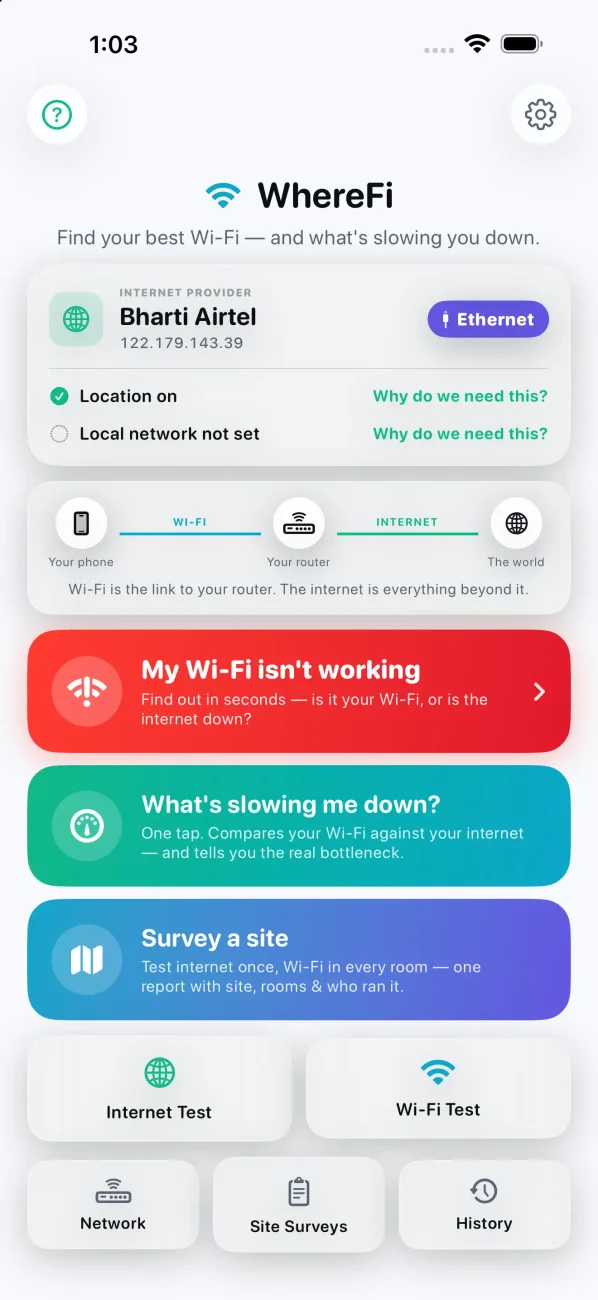
Tangkapan layar

Tentang
Pengembang belum menyediakan teks ini dalam bahasa Anda.
Your Wi-Fi is not your internet. WhereFi tells you which one is actually the problem — in about ten seconds.
WHEN SOMETHING ISN'T WORKING
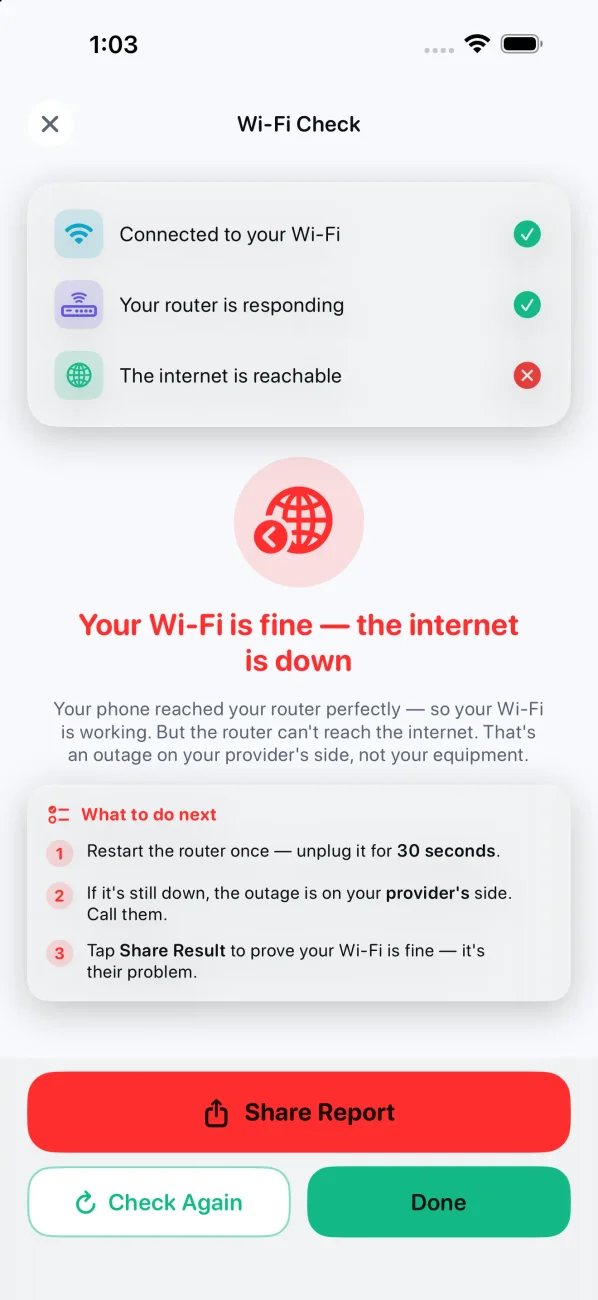
Tap "My Wi-Fi isn't working". WhereFi checks three things in order — are you on Wi-Fi, is your router answering, is the internet reachable — and gives you a plain-English verdict with numbered steps for what to do next. It will tell you honestly when your Wi-Fi is fine and the outage is your provider's, so you call the right people.
WHEN SOMETHING IS SLOW
Tap "What's slowing me down?". WhereFi measures your Wi-Fi link and your internet side by side, compares both against the plan you actually pay for, and names the real bottleneck: your Wi-Fi, your internet, or your plan.
THE TWO TESTS, ON THEIR OWN
- Internet Speed - real download and upload against Cloudflare's global network.
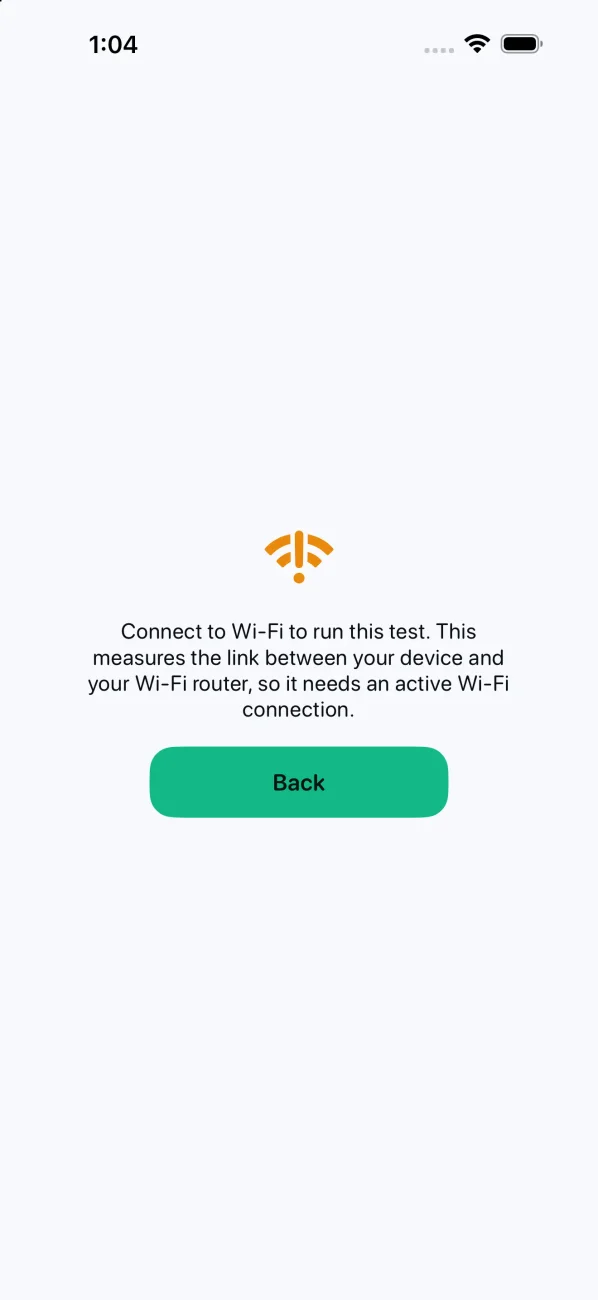
- Wi-Fi Speed - the link between your device and your router, measured offline with latency, jitter and packet loss, rated Excellent to Poor. No internet needed.
SURVEY A WHOLE BUILDING
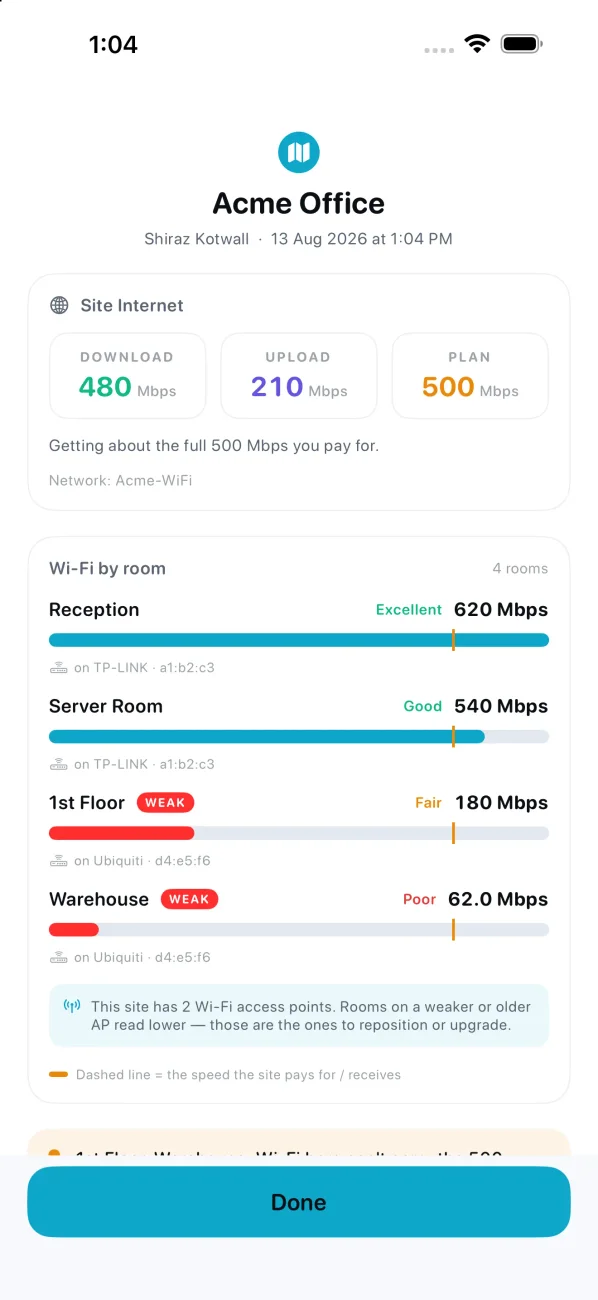
Test the internet once, then walk room to room testing Wi-Fi. WhereFi builds one report showing every room, which access point served it, and where the weak spots are — ideal if you have mesh points or extenders and need to know which one is underperforming.
EVERY TEST IS SAVED
Every check you run is recorded automatically — no save buttons. Open History and re-read any report, or share it as a clean image.
KNOW YOUR NETWORK
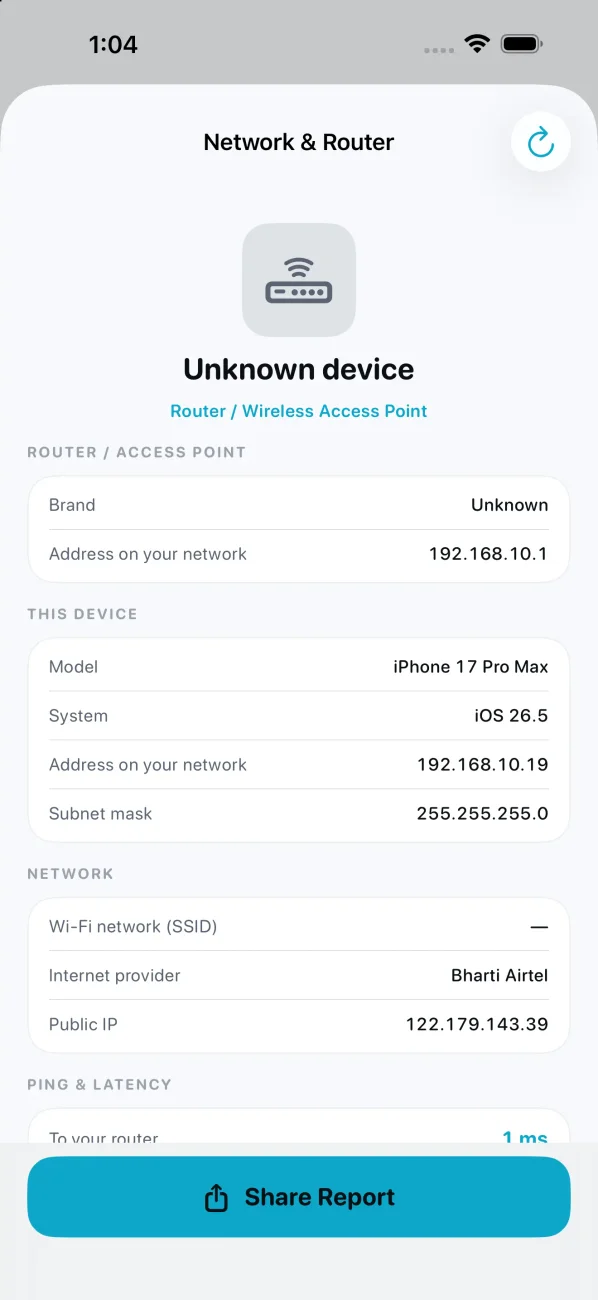
Your provider, your router's brand, its MAC/BSSID and address, your device details, and live ping to both your router and the internet.
PRIVATE BY DESIGN
No ads. No account. No analytics. Nothing is uploaded. Location is used only to read your Wi-Fi network name — your position is never recorded or stored. Local Network access is used only to talk to your own router. Everything stays on your device unless you tap Share.
HONEST BY DESIGN
iOS doesn't let apps read raw signal strength (dBm), Wi-Fi band, or channel — so we don't pretend to. We measure what can genuinely be measured: real throughput and real link quality.
Works on iPhone, iPad and Mac, with an Apple Watch app for internet speed tests from your wrist.
Note: the Wi-Fi Speed test measures your local wireless link, not your internet plan — it can legitimately read faster than your broadband. That's your Wi-Fi doing its job.
Yang baru
Versi 1.0.2 · 16/9/2026
WhereFi Pro is here.
• Unlimited site surveys and rooms, and your whole test history — a one-time purchase, no subscription.
• Your public IP on the home screen.
• Working out what's wrong stays free: both speed tests, "What's slowing me down?", the Wi-Fi check and Network & Router details.
• Turned on Pro in an earlier version? You keep it.
Privasi aplikasi
Yang dinyatakan Technesium Solutions Pvt Ltd di App Store tentang cara aplikasi ini menangani data.
-
Data tidak dikumpulkan
Pengembang tidak mengumpulkan data apa pun dari aplikasi ini.
Praktik privasi dapat bervariasi, misalnya berdasarkan fitur yang Anda gunakan atau usia Anda.
Informasi
- Penjual
- TECHNESIUM SOLUTIONS PRIVATE LIMITED
- Kategori
- Kegunaan
- Versi
- 1.0.2
- Diperbarui
- 16/9/2026
- Dirilis
- 9/9/2026
- Ukuran
- 5,1 MB
- Memerlukan
- iOS 17.0 atau yang lebih baru
- Batasan usia
- 4+
- Harga
- Gratis
- Pembelian dalam aplikasi
- Ya
- Bahasa
- Inggris
- Hak cipta
- © 2026 Technesium Solutions Pvt Ltd