
WhereFi
Is it your Wi-Fi or your ISP?
Được thiết kế cho iPhone, iPad
Miễn phí · Mua hàng trong ứng dụng
- Độ tuổi4+
- Danh mụcTiện Ích
- Nhà phát triểnTechnesium Solutions Pvt Ltd
- Ngôn ngữTiếng Anh
- Kích thước5,1 MB
Liên kết đến trang App Store chính thức
Download.org không lưu trữ tệp nào của WhereFi. Nút này mở trang ứng dụng trên App Store, nơi Technesium Solutions Pvt Ltd phát hành ứng dụng. Trang được kiểm tra lần cuối: 21/11/2026.
Ảnh chụp màn hình

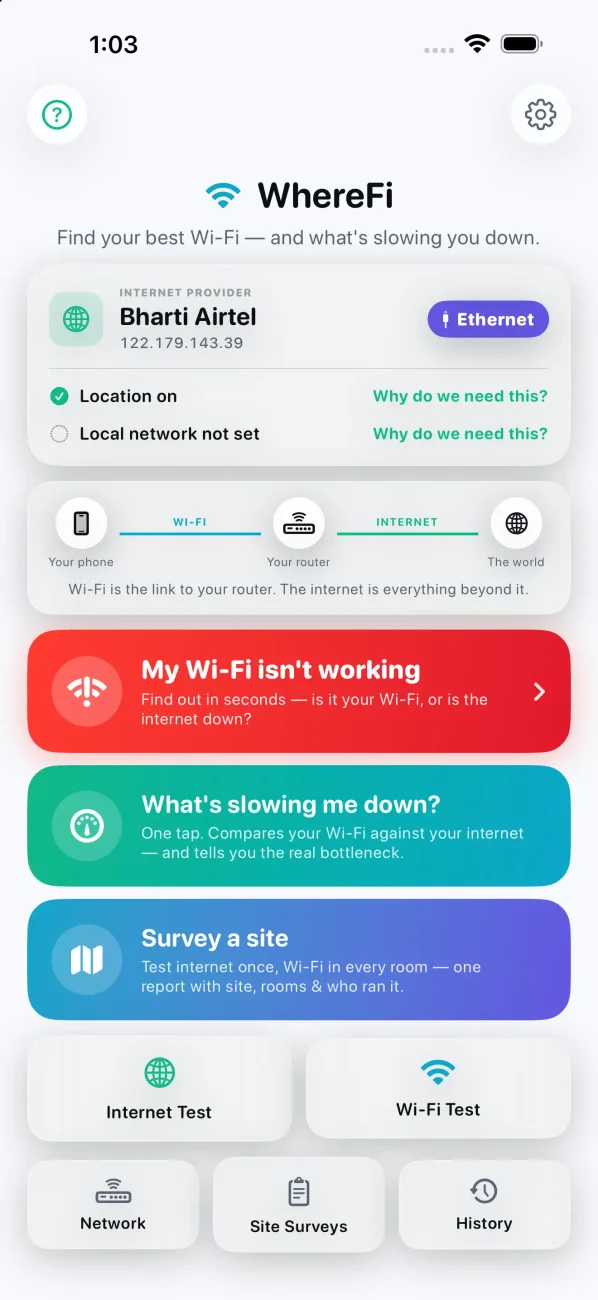
Giới thiệu
Nhà phát triển chưa cung cấp nội dung này bằng ngôn ngữ của bạn.
Your Wi-Fi is not your internet. WhereFi tells you which one is actually the problem — in about ten seconds.
WHEN SOMETHING ISN'T WORKING
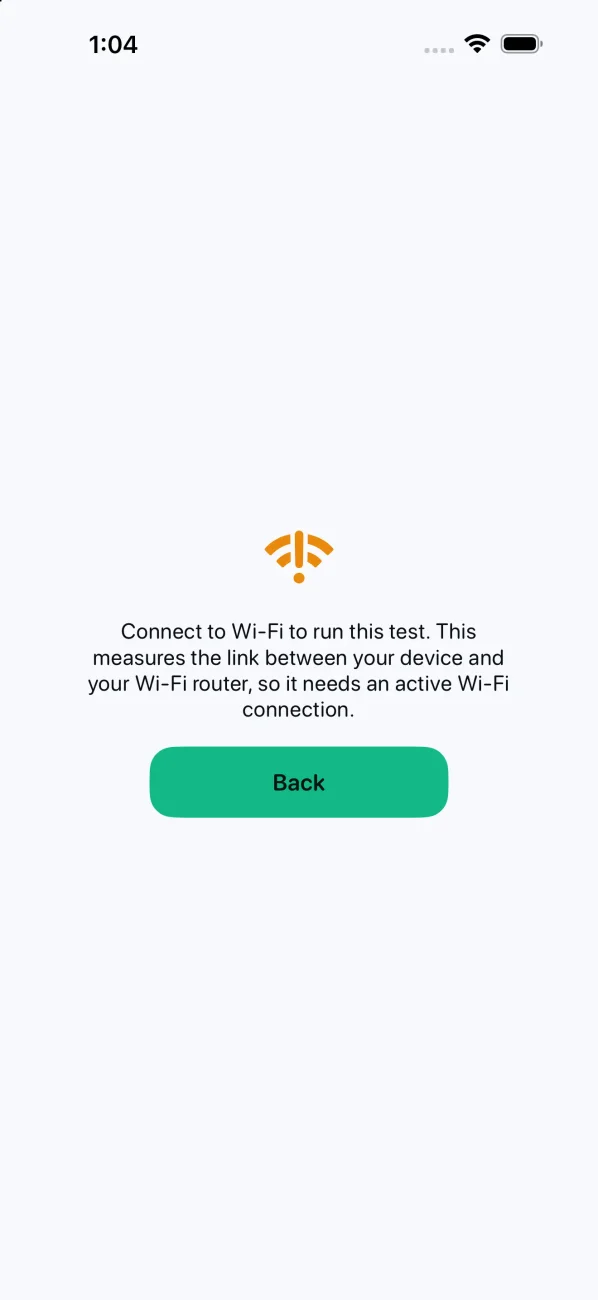
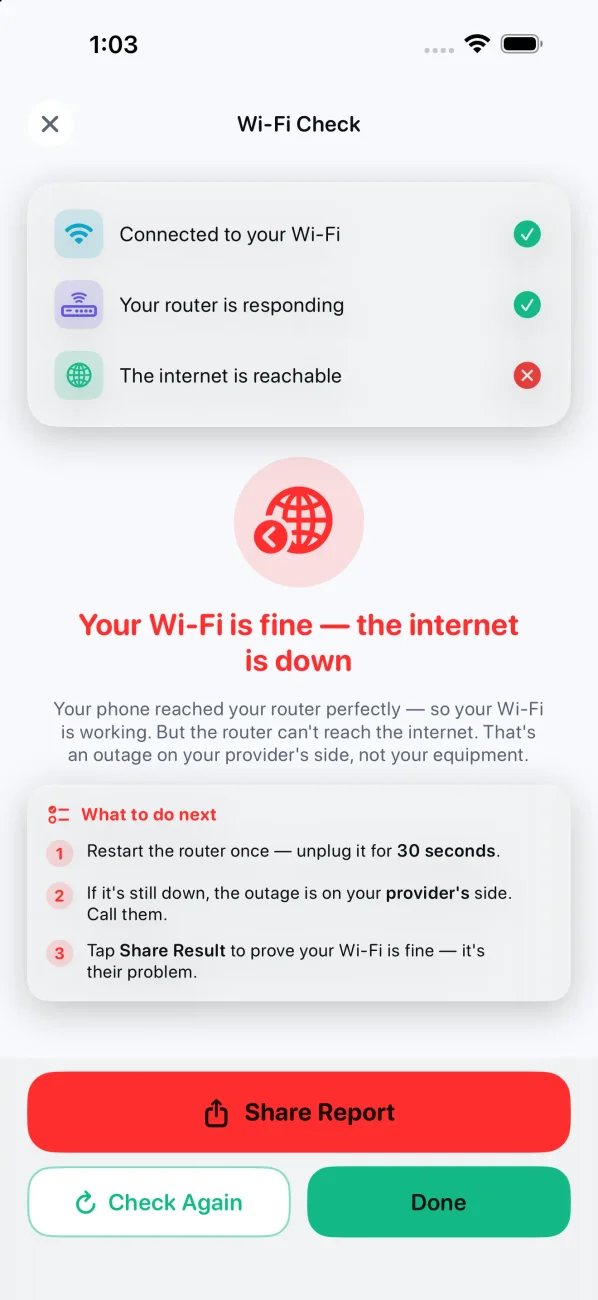
Tap "My Wi-Fi isn't working". WhereFi checks three things in order — are you on Wi-Fi, is your router answering, is the internet reachable — and gives you a plain-English verdict with numbered steps for what to do next. It will tell you honestly when your Wi-Fi is fine and the outage is your provider's, so you call the right people.
WHEN SOMETHING IS SLOW
Tap "What's slowing me down?". WhereFi measures your Wi-Fi link and your internet side by side, compares both against the plan you actually pay for, and names the real bottleneck: your Wi-Fi, your internet, or your plan.
THE TWO TESTS, ON THEIR OWN
- Internet Speed - real download and upload against Cloudflare's global network.
- Wi-Fi Speed - the link between your device and your router, measured offline with latency, jitter and packet loss, rated Excellent to Poor. No internet needed.
SURVEY A WHOLE BUILDING
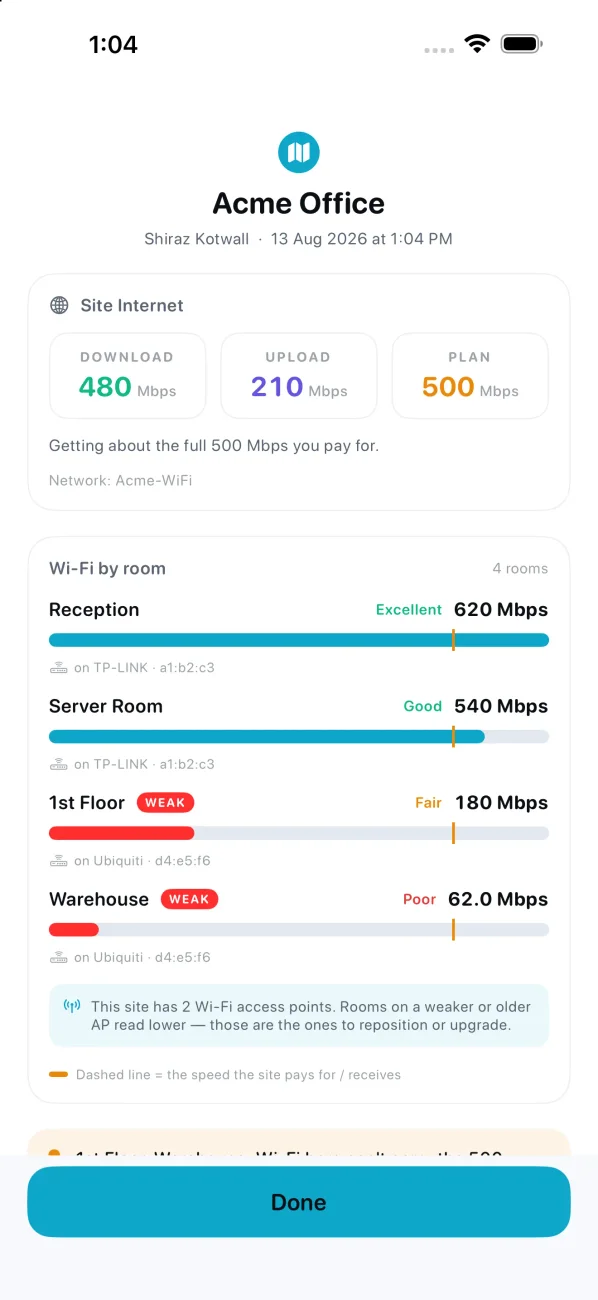
Test the internet once, then walk room to room testing Wi-Fi. WhereFi builds one report showing every room, which access point served it, and where the weak spots are — ideal if you have mesh points or extenders and need to know which one is underperforming.
EVERY TEST IS SAVED
Every check you run is recorded automatically — no save buttons. Open History and re-read any report, or share it as a clean image.
KNOW YOUR NETWORK
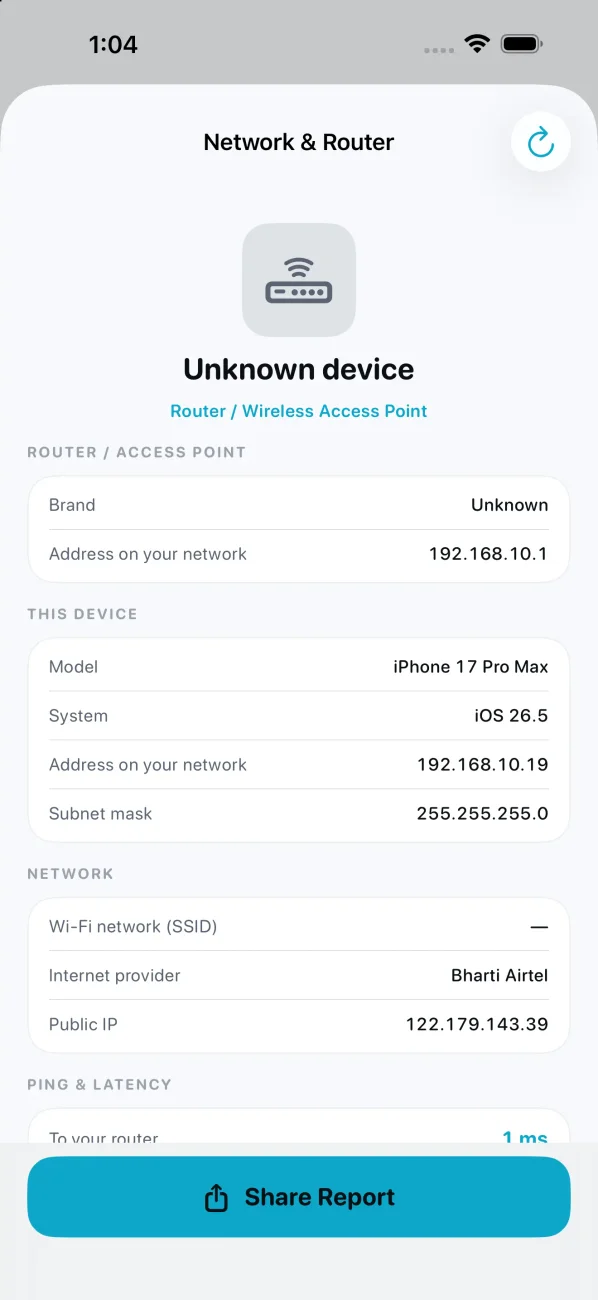
Your provider, your router's brand, its MAC/BSSID and address, your device details, and live ping to both your router and the internet.
PRIVATE BY DESIGN
No ads. No account. No analytics. Nothing is uploaded. Location is used only to read your Wi-Fi network name — your position is never recorded or stored. Local Network access is used only to talk to your own router. Everything stays on your device unless you tap Share.
HONEST BY DESIGN
iOS doesn't let apps read raw signal strength (dBm), Wi-Fi band, or channel — so we don't pretend to. We measure what can genuinely be measured: real throughput and real link quality.
Works on iPhone, iPad and Mac, with an Apple Watch app for internet speed tests from your wrist.
Note: the Wi-Fi Speed test measures your local wireless link, not your internet plan — it can legitimately read faster than your broadband. That's your Wi-Fi doing its job.
Có gì mới
Phiên bản 1.0.2 · 16/09/2026
WhereFi Pro is here.
• Unlimited site surveys and rooms, and your whole test history — a one-time purchase, no subscription.
• Your public IP on the home screen.
• Working out what's wrong stays free: both speed tests, "What's slowing me down?", the Wi-Fi check and Network & Router details.
• Turned on Pro in an earlier version? You keep it.
Quyền riêng tư của ứng dụng
Những gì Technesium Solutions Pvt Ltd khai báo trên App Store về cách ứng dụng này xử lý dữ liệu.
-
Dữ liệu không được thu thập
Nhà phát triển không thu thập bất kỳ dữ liệu nào từ ứng dụng này.
Phương thức đảm bảo quyền riêng tư có thể khác nhau, chẳng hạn như tuỳ theo các tính năng bạn sử dụng hoặc độ tuổi của bạn.
Thông tin
- Người bán
- TECHNESIUM SOLUTIONS PRIVATE LIMITED
- Danh mục
- Tiện Ích
- Phiên bản
- 1.0.2
- Cập nhật
- 16/09/2026
- Phát hành
- 09/09/2026
- Kích thước
- 5,1 MB
- Yêu cầu
- iOS 17.0 trở lên
- Độ tuổi
- 4+
- Giá
- Miễn phí
- Mua hàng trong ứng dụng
- Có
- Ngôn ngữ
- Tiếng Anh
- Bản quyền
- © 2026 Technesium Solutions Pvt Ltd