
- Age rating4+
- CategoryUtilities
- Developer0101 Inc
- LanguagesEnglish
- Size1.0 MB
Links to the official App Store page
Download.org hosts no file of 1Stage Live. The button opens its official App Store page, published by 0101 Inc. Listing last checked on Nov 18, 2026.
Screenshots

About
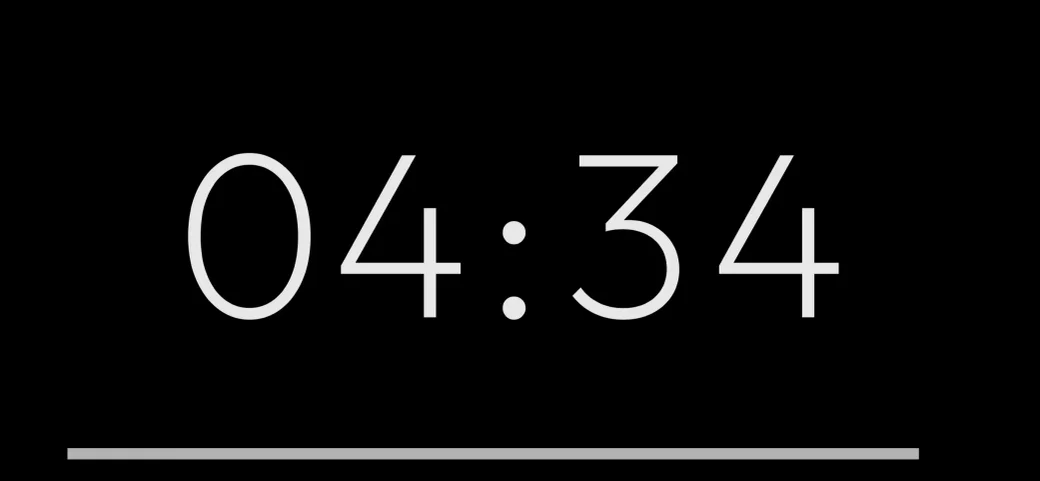
1Stage turns any iPhone or iPad into a live display for your 1Stage stage system.
Open the app and it automatically finds your 1Stage computer on the local Wi-Fi network — no IP typing, no login. The full stage display mirrors instantly and stays awake: clock, countdown timers, and messages, full screen in landscape.
FEATURES
• Automatic discovery of the 1Stage computer on your network
• Remembers your server for instant reconnect the next time you open the app
• Scan a QR code or enter the IP address manually as a backup
• Full-screen, always-awake landscape display
• Clean, distraction-free stage view
1Stage is a companion viewer for the 1Stage stage-display system. A 1Stage computer running on the same local network is required.
What’s new
Version 1.3 · Nov 10, 2026
Picture-in-Picture is more reliable: the floating video no longer freezes after switching between the app and other apps, and meeting audio stays in step with the room when headphones or Bluetooth connect or disconnect.
App privacy
What 0101 Inc declares on the App Store about how this app handles data.
-
Data not collected
The developer does not collect any data from this app.
Privacy practices may vary, for example with the features you use or your age.
Information
- Seller
- 0101 Inc
- Category
- Utilities
- Version
- 1.3
- Updated
- Nov 10, 2026
- Released
- Jul 19, 2026
- Size
- 1.0 MB
- Requires
- iOS 16.0 or later
- Age rating
- 4+
- Price
- Free
- Languages
- English
- Copyright
- © 2026 0101 Inc
You might also like
-
 CommandGOPro Cues, Zero Code, On Time
-
 CuePilot: Remote Stage TimerSpeaker Timer & Cue Display
-
 Pulpit TimerStage Timer & Remote Control
-
 Simple OneTap TimerUtilities
-
 CueSheet TimerFor stage, broadcast & events
-
 Not Another Stage TimerSimple countdown for speakers
-
 Flick: 2-Tap TimerType time. Tap Start.
-
 HOLD: Timer & CountdownAdd time from the Lock Screen
-
 Live Timekeeper|Visual TimerSync Timers Across Devices
-
 OnStage Timer ProCountdown for stage speakers