
CuePilot: Remote Stage Timer
Speaker Timer & Cue Display
Designed for iPhone, iPad
Free · In-app purchases
- Age rating4+
- CategoryUtilities
- Developer惟越 张
- LanguagesEnglish
- Size8.7 MB
Links to the official App Store page
Download.org hosts no file of CuePilot: Remote Stage Timer. The button opens its official App Store page, published by 惟越 张. Listing last checked on Nov 15, 2026.
Screenshots


About
Run every presentation from one device.
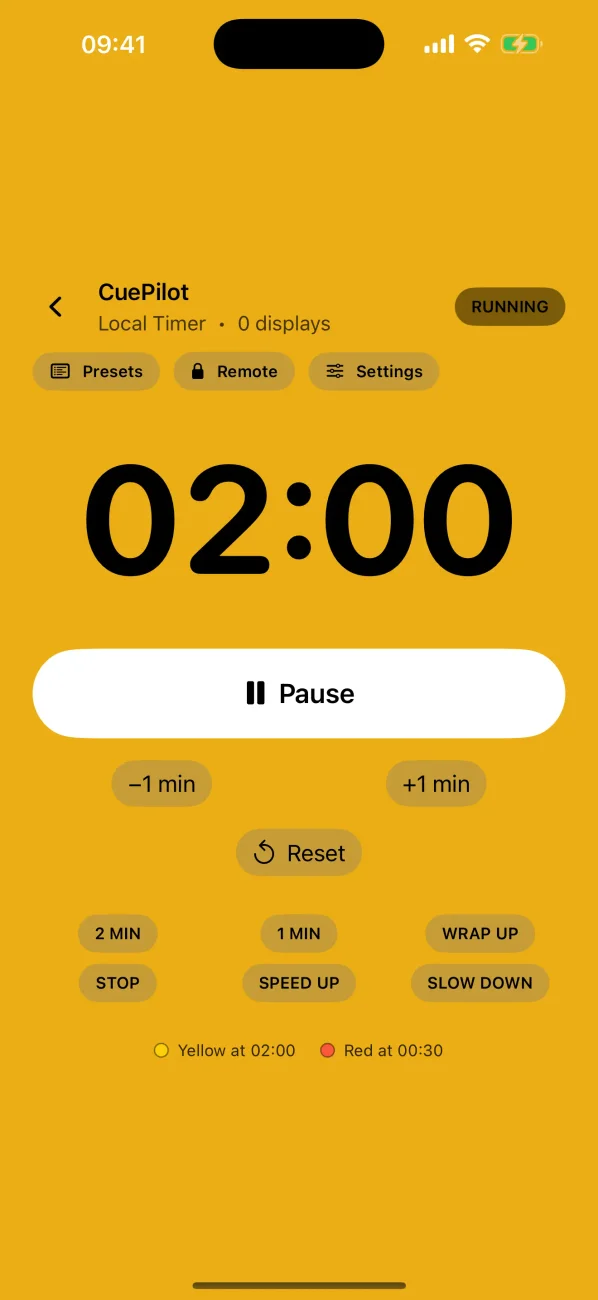
CuePilot turns nearby iPhones and iPads into a dependable stage timer system. Start a session on the controller, connect up to four display devices, and keep speakers on time without accounts, cloud services, or internet access.
BUILT FOR LIVE ROOMS
• Start, pause, resume, and reset the timer remotely
• Add or remove one minute with a tap
• Send large cues such as WRAP UP, STOP, or SLOW DOWN
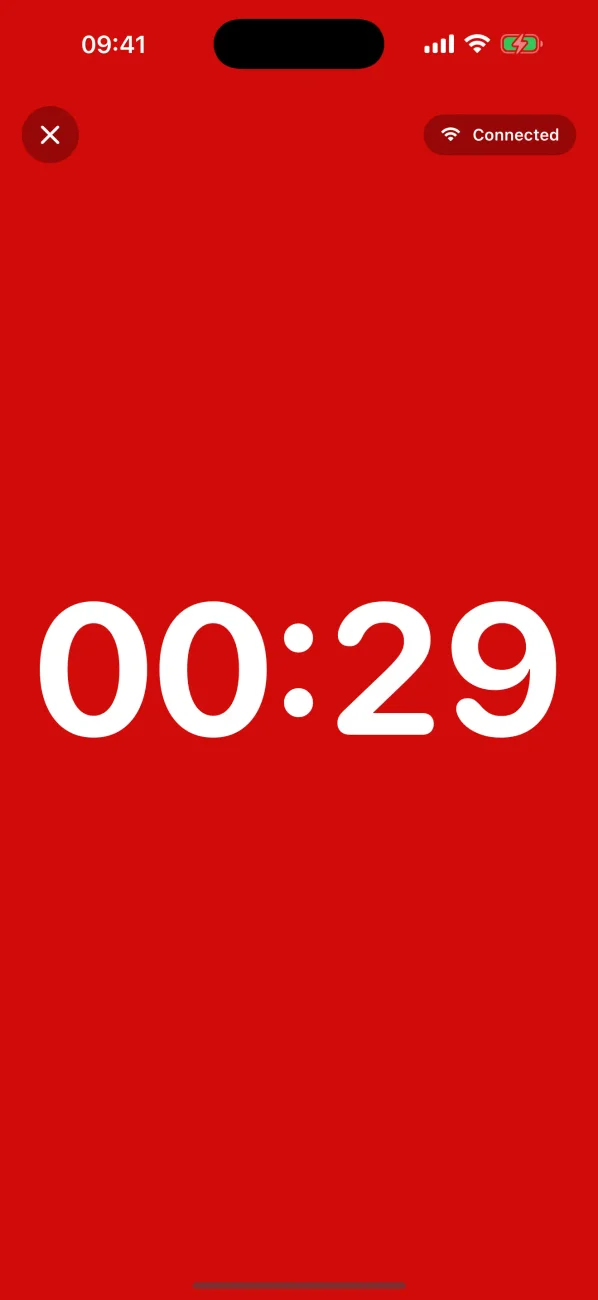
• Set yellow and red warning thresholds
• Continue counting upward after time expires
• Keep the display awake in a clean, full-screen view
NEARBY, PRIVATE, AND RESILIENT
CuePilot discovers devices over the local network. Displays continue from their latest timer state if the connection is interrupted and automatically synchronize after reconnecting. Session data stays between your nearby devices.
FREE FOR EVERY DISPLAY
Local timers, full-screen display mode, and joining a nearby session are free. Speakers and venues can install CuePilot on every display device without an additional purchase.
CUEPILOT PRO — ONE-TIME PURCHASE
Unlock remote controller sessions, connect up to four displays, customize cue buttons, and save your own presets. Pay once with no subscription. Family Sharing is supported.
CuePilot requires iOS or iPadOS 17 or later. Nearby devices should have Wi-Fi enabled. Internet access is not required for timer sessions.
Terms of Use (EULA): https://www.apple.com/legal/internet-services/itunes/dev/stdeula/
What’s new
Version 1.0.1 · Sep 11, 2026
This update makes live timer controls easier and safer to use.
• Changing warnings or cue settings now preserves your running or paused timer.
• Enter minutes and seconds directly, or choose a common duration with one tap.
• Confirm before resetting a timer, replacing its duration, loading a preset, or leaving an active session.
• Improved reconnection when a controller's code changes, with smoother clock synchronization after reconnecting.
• Added a controller keep-awake option, a three-step connection guide, and easier access to support.
• Clarified that only the controller needs CuePilot Pro; display devices can join for free.
App privacy
What 惟越 张 declares on the App Store about how this app handles data.
-
Data not linked to you
May be collected but is not linked to your identity.
- Purchases
Privacy practices may vary, for example with the features you use or your age.
Information
- Seller
- 惟越 张
- Category
- Utilities
- Version
- 1.0.1
- Updated
- Sep 11, 2026
- Released
- Jul 22, 2026
- Size
- 8.7 MB
- Requires
- iOS 17.0 or later
- Age rating
- 4+
- Price
- Free
- In-app purchases
- Yes
- Languages
- English
- Copyright
- © 2026 WeiYue Zhang
You might also like
-
 1Stage LiveLive stage display viewer
-
 Pulpit TimerStage Timer & Remote Control
-
 UnramblerRemote Timer & Display
-
 RemoteTimer: Remote StopwatchControl timers from your Watch
-
 CommandGOPro Cues, Zero Code, On Time
-
 Remote Stage TimerTo keep your meetings on time.
-
 Soundra dB MeterUtilities
-
 Live Timekeeper|Visual TimerSync Timers Across Devices
-
 OnStage Timer ProCountdown for stage speakers
-
 Not Another Stage TimerSimple countdown for speakers