
360 Editor
Editing, Speed Ramps, Track
Designed for iPhone, iPad
Free · In-app purchases
- Age rating4+
- CategoryPhoto & Video
- DeveloperVitalii Vashchuk
- LanguagesEnglish+ 35 more
- Size123.7 MB
Links to the official App Store page
Download.org hosts no file of 360 Editor. The button opens its official App Store page, published by Vitalii Vashchuk. Listing last checked on Nov 24, 2026.
Screenshots



About
Speed ramps that feel right, on your phone.
360 Editor is a video editor made for cinematic edits. Draw a speed ramp on a real graph, stabilize a shaky shot, track an object through the clip and export it clean. No templates and no watermark.
SPEED RAMPS
• Time remap with keyframes and Bezier curves, on a value graph or a speed graph
• Curve presets, and room to save your own
• Frame blending for slow motion that runs out of frames: Frame Mix or Pixel Motion
• Force Motion Blur for fast moves
• Freeze frames and reverse
STABILIZATION AND TRACKING
• Stabilize with point, planar or warp tracking
• Cut an object out of the shot and track it through the clip
• Shape masks with a soft edge
TIMELINE
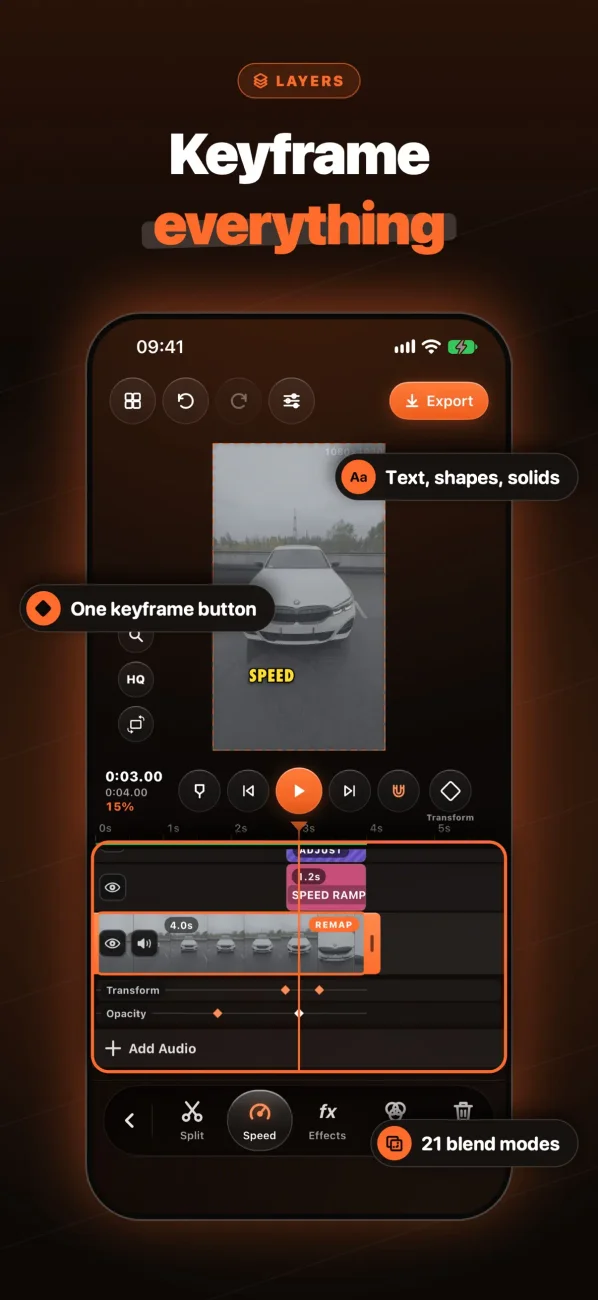
• Video, photos, text, shapes, solids and adjustment layers on as many tracks as you need
• Photos and PNGs with transparency as layers, with cut out, masks and effects
• Precomps with their own speed and settings
• Reorder scenes by holding and dragging them
• Transform and opacity with keyframes and curves
• Blend modes and Alpha / Luma track mattes
• One keyframe button that keys whatever you are working on
• Snapping, markers and undo
EFFECTS AND COLOR
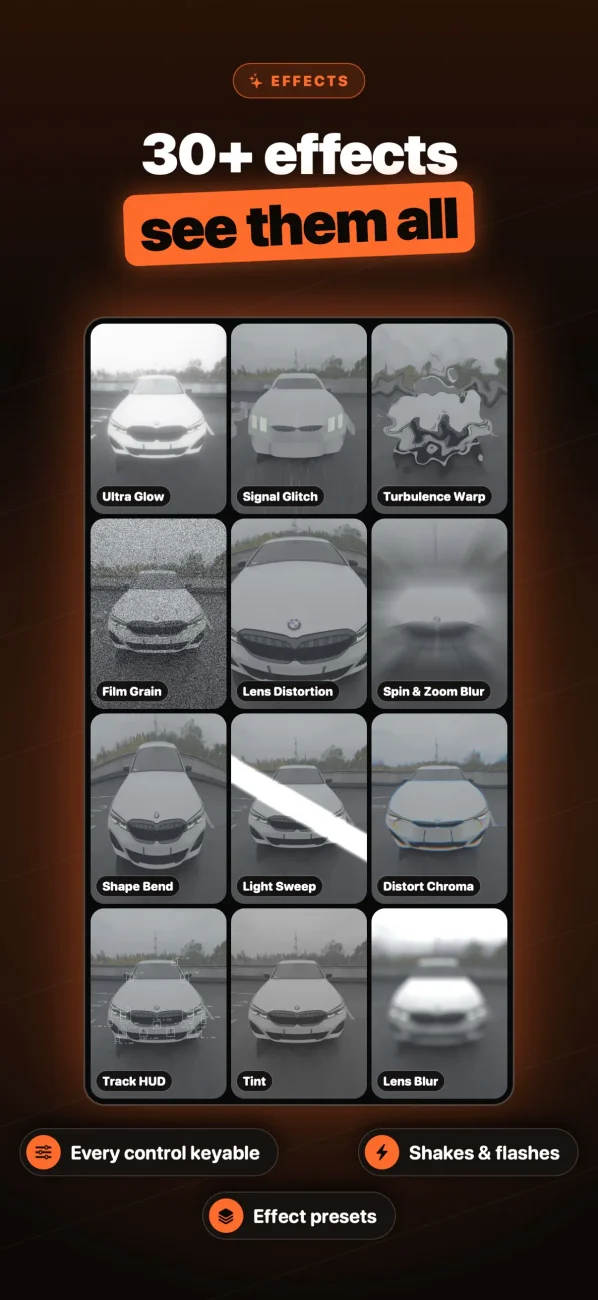
• Glow, Ultra Glow, Glitch, Signal Glitch, Turbulence Warp, Distort Chroma, Lens Blur, Light Sweep, Ripple, Motion Tiles and more, with every control keyable on a graph
• Depth Map: AI depth to blur the background, add fog or grade by distance
• Effect presets, and save your own stacks
• Camera shakes and flashes
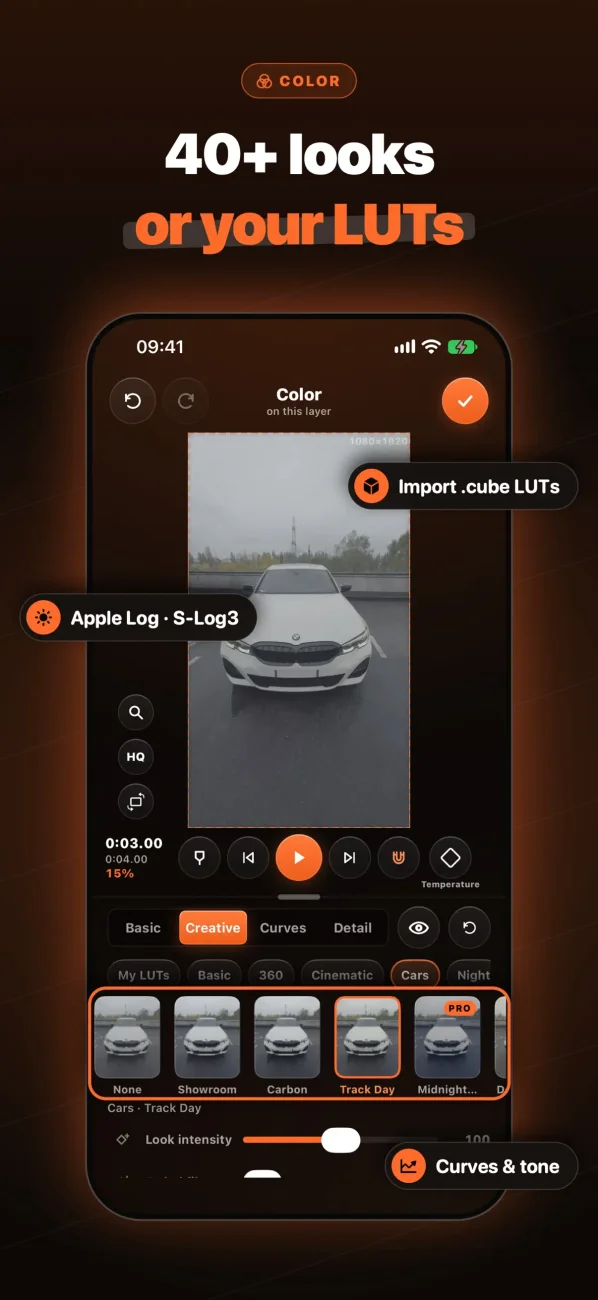
• Color grading: white balance, tone, curves, hue curves, sharpen and vignette
• 40+ built-in looks, or import your own .cube LUTs
• Input LUTs for Apple Log and Sony S-Log3 footage
SOUND AND TEXT
• Videos play their own sound, with a mute button on each track
• Add music or pull the sound out of a video
• Volume keyframes and smooth fades
• Beat markers placed on the music automatically
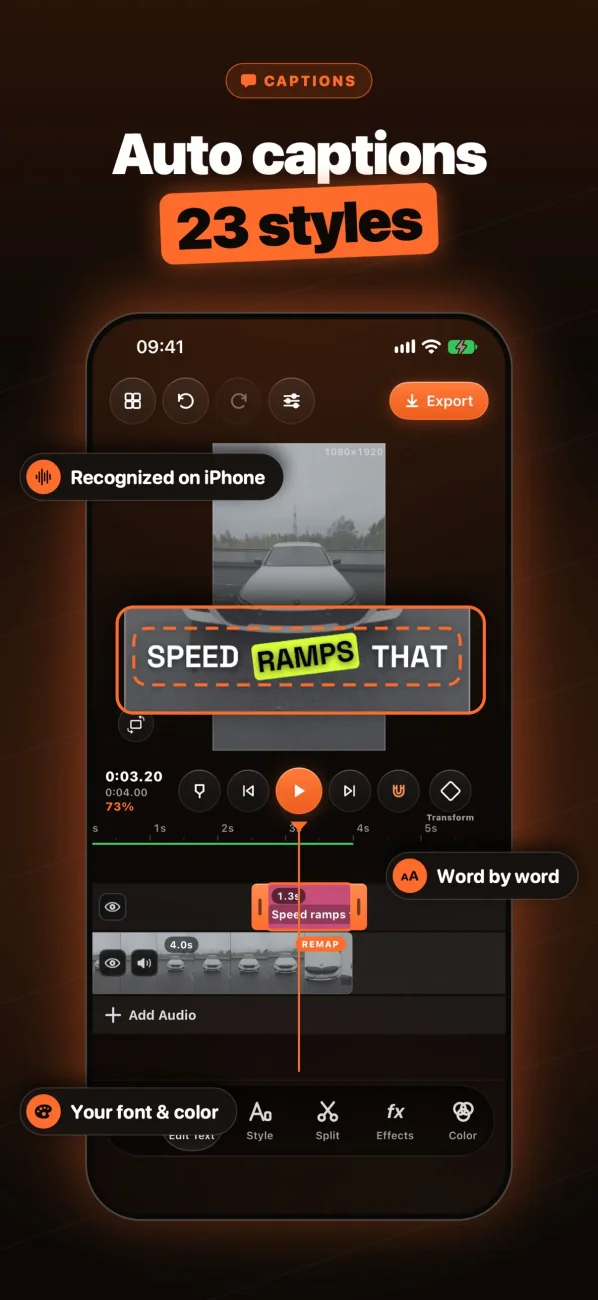
• Auto captions in 12 styles, recognized on your iPhone
• Text layers with your choice of font, color and animation
EXPORT
• H.264 and HEVC up to 1080p for free
• 4K, ProRes and 10-bit HDR with Pro
• Constant frame rate and your choice of bitrate
360 EDITOR PRO
Every tool works for free while you edit. Pro is what you need to export an edit that uses tracking, shakes, premium effects, premium looks and caption styles, or an export above 1080p.
Monthly $9.99 or yearly $49.99, with a 7-day free trial for new subscribers. Payment is charged to your Apple Account when the trial ends. The subscription renews automatically unless you cancel at least 24 hours before the end of the current period. Manage or cancel it in your App Store account settings. Prices may vary by region.
Terms of Use: https://www.apple.com/legal/internet-services/itunes/dev/stdeula/
Privacy Policy: https://360mediaedits.com/editor/privacy
What’s new
Version 1.5 · Nov 23, 2026
• Auto Cut: pick a talking-head clip and the app finds the pauses and retakes, lets you choose what goes, and keeps only the good takes.
• Mask keyframes: animate a mask's position, size, rotation and feather with the same curves as Transform.
• Beat markers rebuilt: they now land exactly on the beat, with a new half-beat option and one-tap tempo halving or doubling.
• Light Rays: a new effect that streams light out of a layer. Try it on a Cut Out.
• Save frame: a new button beside the preview saves the current frame to Photos at full resolution.
• iPad held sideways: the preview on the left, the timeline and tools on the right.
• A smoother, calmer editor: projects open out of their card, panels glide into place and the timeline no longer jumps.
• Fixed a crash when zooming out a timeline with very short clips.
App privacy
What Vitalii Vashchuk declares on the App Store about how this app handles data.
-
Data not collected
The developer does not collect any data from this app.
Privacy practices may vary, for example with the features you use or your age.
Information
- Seller
- Vitalii Vashchuk
- Category
- Photo & Video
- Version
- 1.5
- Updated
- Nov 23, 2026
- Released
- Nov 6, 2026
- Size
- 123.7 MB
- Requires
- iOS 17.0 or later
- Age rating
- 4+
- Price
- Free
- In-app purchases
- Yes
- Languages
- English, Arabic, Bulgarian, Catalan, Croatian, Czech, Danish, Dutch, Finnish, French, German, Greek + 24 more
- Copyright
- © 2026 Vitalii Vashchuk
You might also like
-
 Tracket Motion: Video EditorMotion tracking, stabilization
-
 SACaptions: AI Video CaptionsAuto Subtitles & Transcribe
-
 CapuzPhoto & Video
-
 LogLabLUT & Log Color Grading
-
 Log Cam: RAW 4K Video CameraManual Focus, ProRes, Pro LUTs
-
 GEN Cam & Vintage Film CameraCCD, Y2K & VHS Video
-
 Motion Track: Video StabilizerSlow Mo, Speed Ramp, FX Editor
-
 ToneLab: Video & Photo EditorPhoto & Video
-
 Narrative: AI Video EditorEdit your videos with AI
-
 Promptly - AI Video EditorCaptions, Cuts, Viral Edits