- Age rating4+
- CategoryPhoto & Video
- DeveloperMathis Garcia
- LanguagesEnglish+ 5 more
- Size17.1 MB
Links to the official App Store page
Download.org hosts no file of LogLab. The button opens its official App Store page, published by Mathis Garcia. Listing last checked on Nov 18, 2026.
Screenshots



About
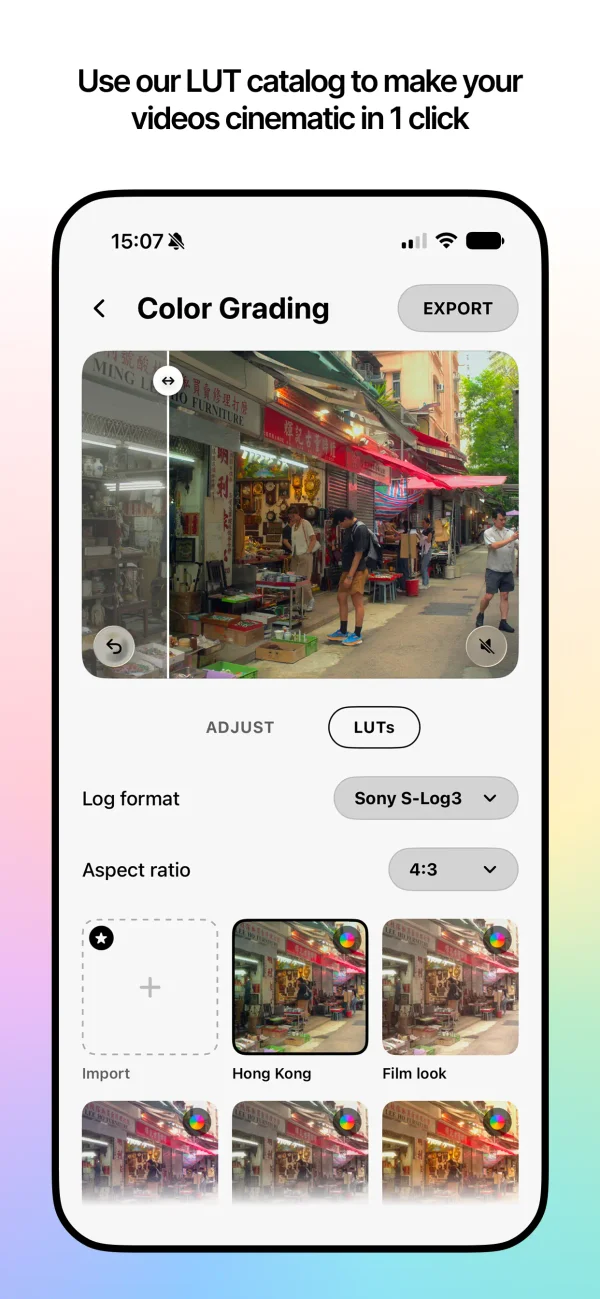
LogLab is a focused, professional color grading tool for iPhone and iPad. Film in Log right in the app, or import footage shot in Apple Log, Apple Log 2, Sony S-Log3, Canon C-Log2/C-Log3, DJI D-Log, Fujifilm F-Log/F-Log2, GoPro GP-Log, Panasonic V-Log, Nikon N-Log or Blackmagic Film, and grade it with accurate, colorimetrically grounded log-to-Rec.709 conversion in a real-time, 10-bit Metal-powered preview.
LOG CAMERA
Capture Log video with any iPhone. Pro iPhones record Apple Log and Apple Log 2 natively; every other iPhone records LogLab Log, an Apple Log–compatible format converted from the camera's 10-bit HDR video. Choose 4K or 1080p, 24 to 120 fps, your aspect ratio, and high-bitrate HEVC or ProRes 422 HQ on iPhones that support it.
MANUAL GRADING
Fine-tune exposure, white balance (temperature & tint), highlights, shadows, saturation, contrast, grain and halation with precise, responsive sliders — and undo any change.
LUTS
Browse a set of built-in creative looks, or import your own: .cube and .3dl LUTs, whole LUT folders, or DaVinci Resolve PowerGrades (.drx). LogLab converts your clip to whatever log format a LUT was made for, and LUT thumbnails preview each look on your own footage.
ASPECT RATIO
Crop to 16:9, 4:3, 1:1, 3:4, 4:5 or 9:16 — centered and distortion-free, ready for any platform.
COMPARE & REVIEW
Drag the before/after handle over your preview to compare your grade with the untouched source.
EXPORT
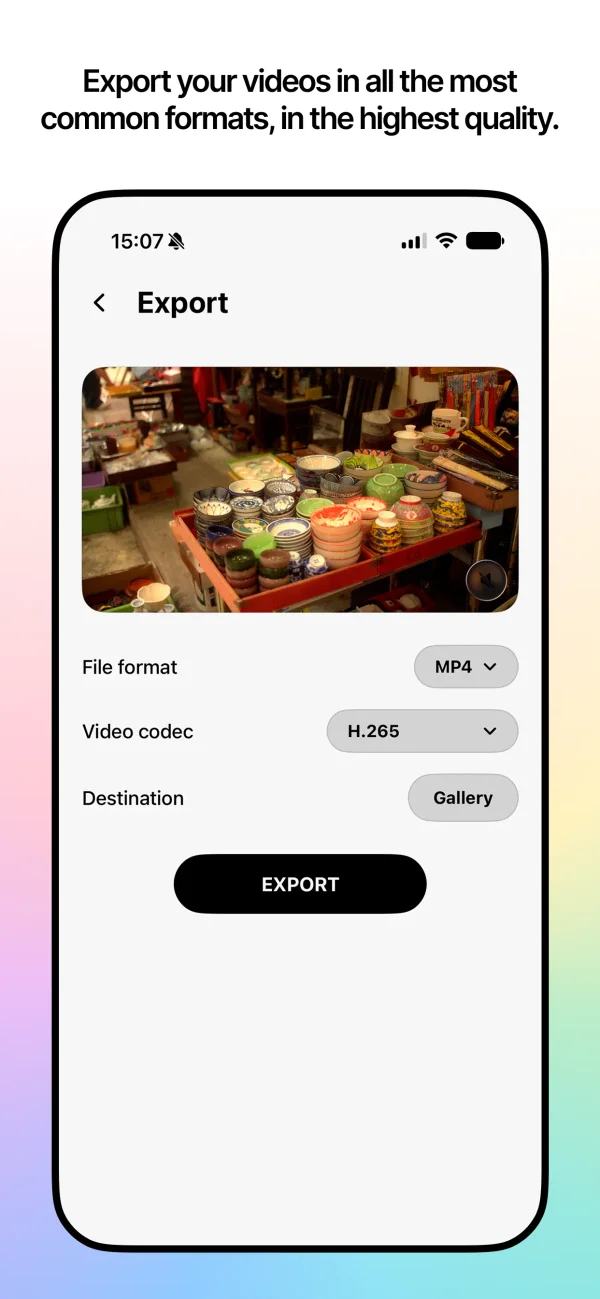
Export to MP4 or MOV in H.264, H.265 or ProRes 422 HQ, straight to Photos or Files, with your original audio. If you leave the app mid-export, it pauses and picks up where it left off when you come back.
Copy a grade from one clip and paste it onto another to keep a consistent look across a whole shoot. Works on iPhone, iPad and iPhone Duo, with layouts made for every screen.
LOGLAB PRO
Unlock the Log camera, the full library of creative LUTs, LUT and PowerGrade import, and ProRes export. Choose a one-time lifetime purchase or a monthly subscription — both work on all your iPhones and iPads signed in with the same Apple Account. Manual grading, log conversion and H.264/H.265 export are free.
The monthly subscription renews automatically unless cancelled at least 24 hours before the end of the current period, and is charged to your Apple Account. Manage or cancel it anytime in Settings → your name → Subscriptions.
Terms of Use (EULA): https://www.apple.com/legal/internet-services/itunes/dev/stdeula/
Privacy Policy: https://www.loglabapp.com/privacy
What’s new
Version 1.5 · Nov 13, 2026
New in LogLab 1.5:
- Grade Fujifilm F-Log, F-Log2 and F-Log2 C, GoPro GP-Log and GP-Log2, Panasonic V-Log, Nikon N-Log and Blackmagic Film footage.
- Leaving the app no longer stops an export: it pauses and picks up where it left off when you come back.
- LogLab is now available in French, German, Spanish, Portuguese and Chinese.
- Finished exports no longer take up space on your device.
App privacy
What Mathis Garcia declares on the App Store about how this app handles data.
-
Data linked to you
May be collected and linked to your identity.
- Contact info
- Identifiers
Privacy practices may vary, for example with the features you use or your age.
Information
- Seller
- Mathis Garcia
- Category
- Photo & Video
- Version
- 1.5
- Updated
- Nov 13, 2026
- Released
- Sep 21, 2026
- Size
- 17.1 MB
- Requires
- iOS 17.0 or later
- Age rating
- 4+
- Price
- Free
- In-app purchases
- Yes
- Languages
- English, French, German, Portuguese, Simplified Chinese, Spanish
- Copyright
- © 2026 Mathis Garcia
You might also like
-
 CDNC — Video CameraPro Capture. Cinematic Color.
-
 Pocket Finish: Color GradingLUTs & Log Video Editor
-
 Log Cam: RAW 4K Video CameraManual Focus, ProRes, Pro LUTs
-
 Lutter: Color Grading & LUTsCinematic Photo & Video Editor
-
 Lumencam | Pocket CameraRetro & Film Filters
-
 Razr - Street CameraStreet and Travel Photography
-
 EmulsifyFilm Emulation for iPhone
-
 LogBloom: LUT Video GradingCinematic LUT color grading
-
 HazeCam: Film CameraFilm chemistry on your screen
-
 zerotakeBeautiful video, less setup