- Age rating4+
- CategoryProductivity
- DeveloperJamir Shaikh
- LanguagesEnglish
- Size7.0 MB
Links to the official App Store page
Download.org hosts no file of ACCESS — Screen Time Locks. The button opens its official App Store page, published by Jamir Shaikh. Listing last checked on Nov 20, 2026.
Screenshots


About
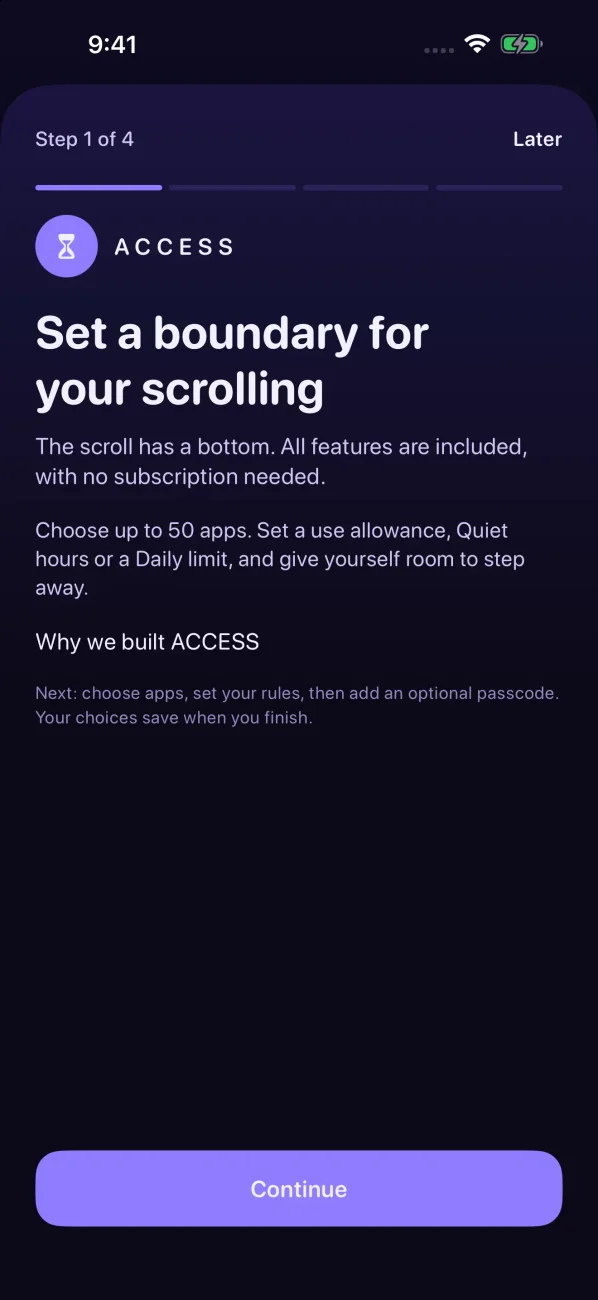
The scroll has a bottom.
ACCESS helps you set boundaries for scrolling on the iPhone where it is installed. Every feature in this version is included without a subscription, with no ACCESS account, ads or analytics SDK.
CHOOSE YOUR APPS
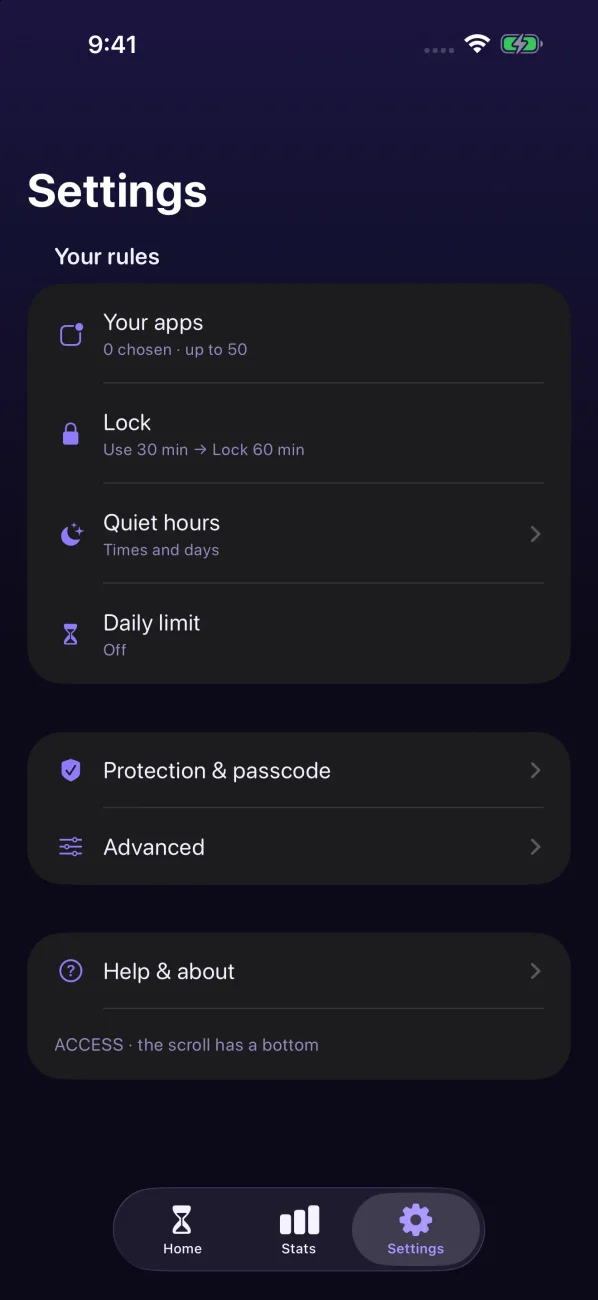
Choose up to 50 individual apps. Their use counts together toward your allowance. Choose deliberately: whole categories and websites are not supported as new selections.
THREE WAYS TO SET A BOUNDARY
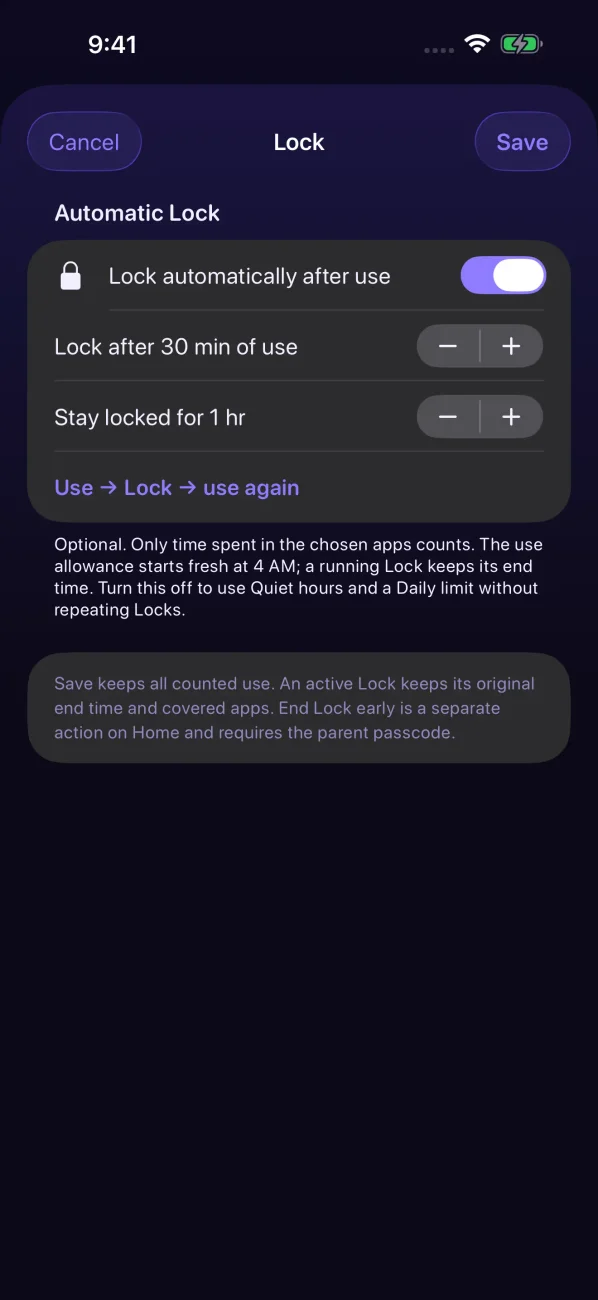
Regular Lock: use your selected apps normally. When their combined allowance is spent, a Lock begins for the duration you chose. Your regular use allowance starts fresh at 4 AM. A running Lock keeps its end time.
Quiet hours: close selected apps at scheduled times, even when use allowance remains.
Daily limit: set a combined daily allowance that resets at 4 AM.
Use these separately or together. One restriction ending does not override another.
LOCAL CONTROLS, OPTIONAL PASSCODE
Set up ACCESS for yourself, or let a parent configure it on the phone being used. An optional six-digit passcode protects settings and early-release actions. Unlock now requires the passcode and, when Temporary unlock is enabled, opens apps for 15 minutes before the rules resume. During Temporary unlock, a running Lock pauses. It resumes with the time it had left. End Lock early is a separate protected action.
ACCESS does not include remote monitoring or remote unlock. Its local passcode cannot prevent deleting the app or revoking Screen Time permission.
STATS, HISTORY AND WIDGETS INCLUDED
Use every Stats range and view the Screen Time data iOS makes available for selected apps. The local Activity log retains the latest 500 ACCESS events; this is separate from Apple's usage-report availability. Widgets show timing and status, and are optional on a visible Home or Lock Screen.
BUILT WITH A COMMUNITY GOAL
Aariz and Ryaz created ACCESS to help people step away from endless scrolling and use their phones with intention. For young people, parents and people of every age, the scroll has a bottom.
EARLIER PURCHASES
This version does not require a subscription. Updating the app does not itself cancel an earlier Apple subscription or confirm its renewal status. In Settings → Help & about → Earlier purchases, find guidance for managing earlier purchases. Apple decides refund eligibility. Shared Family access does not make you the purchaser.
ACCESS uses Apple's Screen Time frameworks. Permission, iOS behavior and device settings can affect counting and restrictions. Check Protection Health if something looks wrong. Your selected apps, rules and local history are not uploaded to an ACCESS server.
Privacy: https://shaikhjamir.github.io/access-legal/privacy.html
Terms: https://shaikhjamir.github.io/access-legal/terms.html
What’s new
Version 1.4.2 · Nov 14, 2026
A calmer Home screen and clearer app-choice recovery.
• Replaced the large protection warning with a compact Review protection link.
• Fixed cases where saved app choices could not be confirmed with Save.
• Improved setup recovery and Protection Health guidance.
• Reduced brief and duplicate counting warnings.
All features remain free, with no subscription required. Your saved choices, counted use and running Lock end times are kept.
App privacy
What Jamir Shaikh declares on the App Store about how this app handles data.
-
Data not collected
The developer does not collect any data from this app.
Privacy practices may vary, for example with the features you use or your age.
Information
- Seller
- Jamir Shaikh
- Category
- Productivity
- Version
- 1.4.2
- Updated
- Nov 14, 2026
- Released
- Aug 6, 2026
- Size
- 7.0 MB
- Requires
- iOS 17.0 or later
- Age rating
- 4+
- Price
- Free
- Languages
- English
- Copyright
- © 2026 Aariz & Ryaz Shaikh
You might also like
-
 Screen Time Log: Usage DiaryDigital Detox, Phone Habits
-
 ToBlock: Time Block PlannerTo-Dos, Calendar & Habits
-
 Tally: Minimal Todo ListThe simple daily to‑do list
-
 Habit Tracker Goal BuilderDaily streaks reminders simple
-
 Smart24x7-UserFor Corporate Employees
-
 Cute PomodoroFocus Every Moment
-
 LockNote: Note on Lock ScreenSticky Notes & Reminder
-
 FeatherNotes: Journal & DiaryProductivity
-
 Announcement Useful TimerVoice alerts, easy countdown
-
 Habit Tracker: Habit ItStreaks, Journal, Routine