
- Age rating4+
- CategoryProductivity
- Developer延昭 刘
- LanguagesEnglish+ 10 more
- Size20.2 MB
Links to the official App Store page
Download.org hosts no file of Actovia. The button opens its official App Store page, published by 延昭 刘. Listing last checked on Nov 23, 2026.
Screenshots


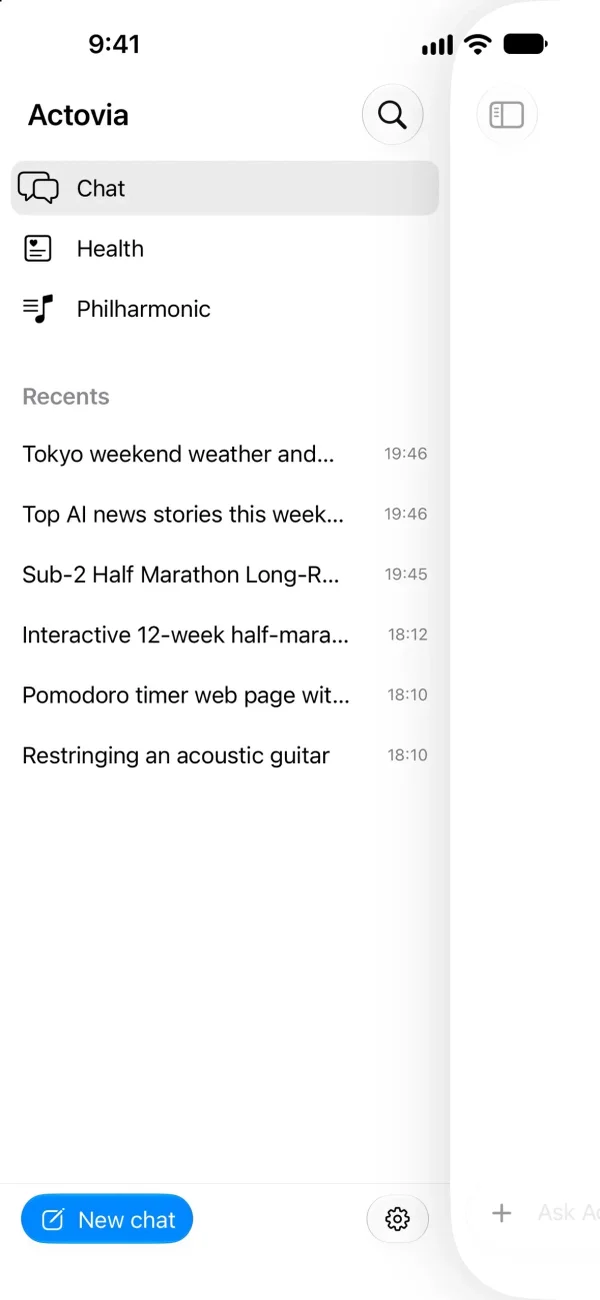
About
Actovia is an AI assistant that runs on your own computer, using your own keys. Actovia for iPhone connects to it, so the same chats, memory, tools and agents are with you wherever you are in the house, or on the road over your own network.
CHAT WITH YOUR OWN MODELS
• Use OpenAI, Anthropic, Google, xAI, Azure OpenAI or a local model, with the keys you already have.
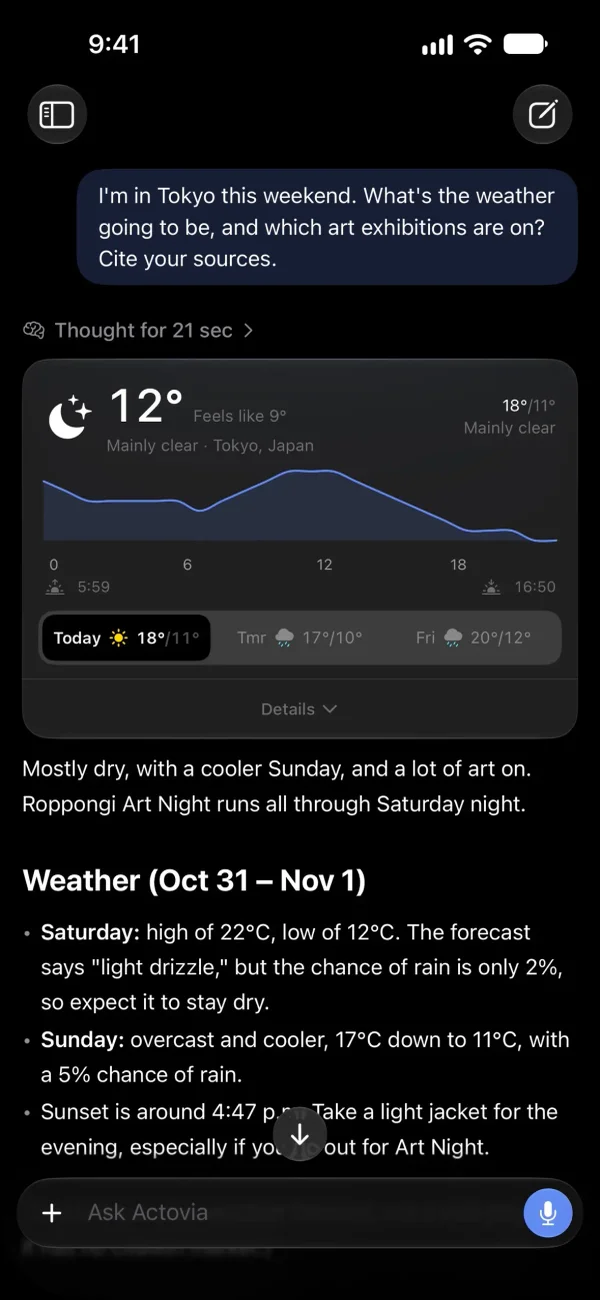
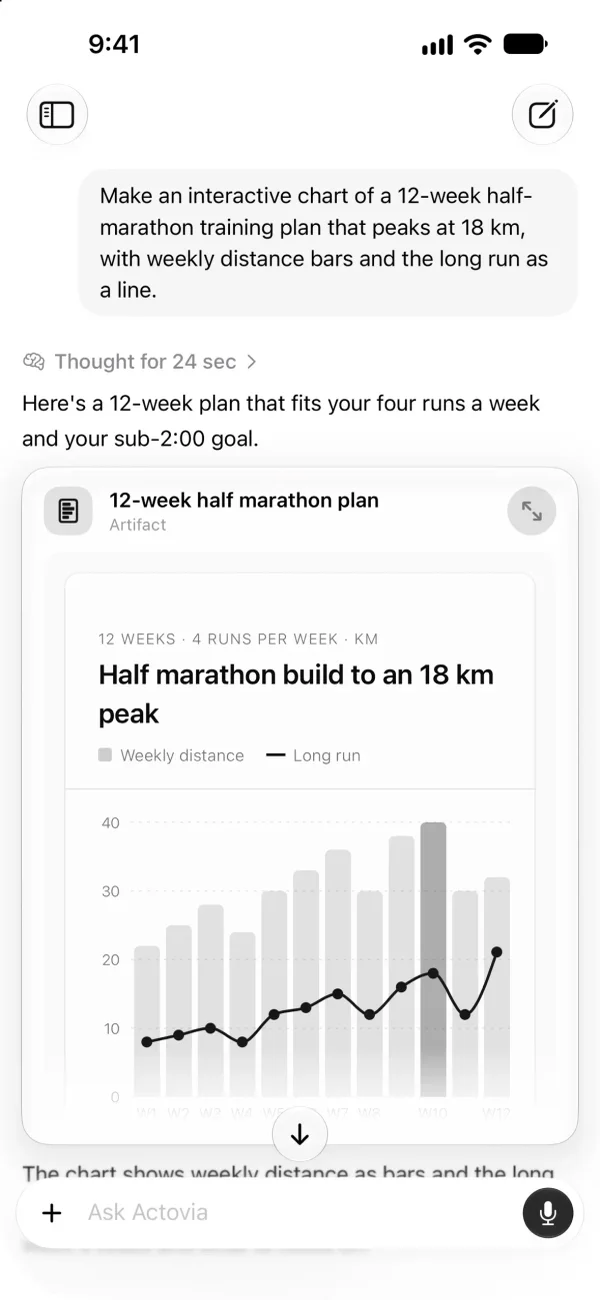
• Answers search the web and cite their sources, draw weather, maps and charts, and make interactive pages.
• Start on the iPhone and carry on at your desk. It's one conversation.
A TEAM THAT WORKS FOR YOU
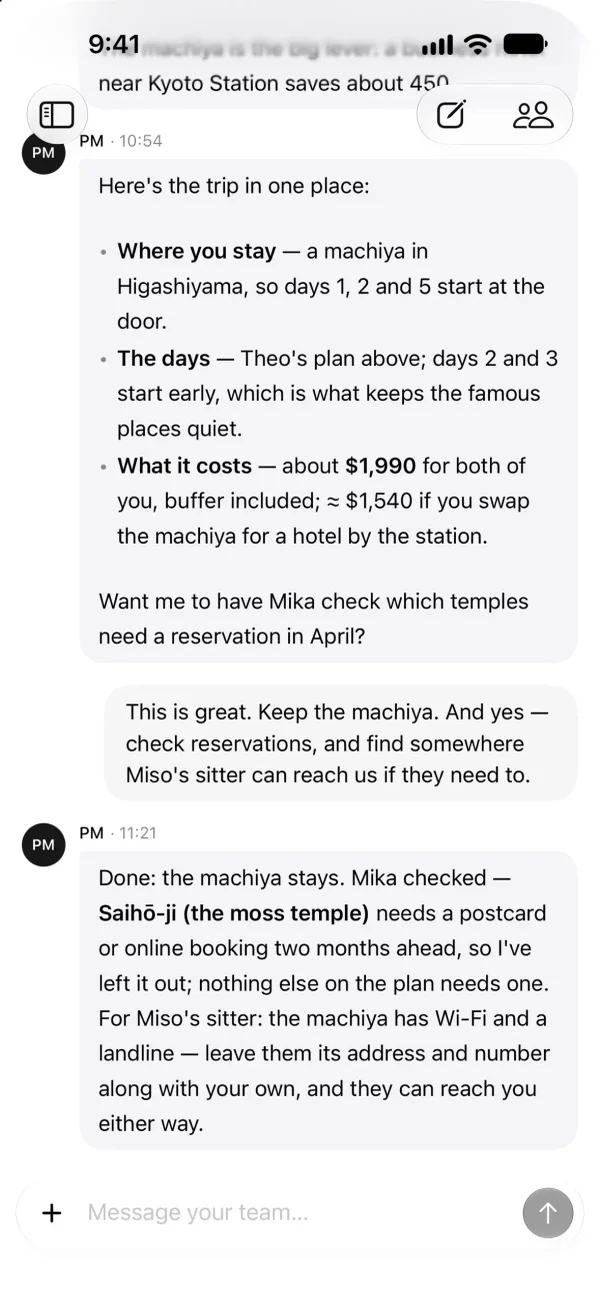
• Philharmonic groups bring together a team of agents with roles: a planner, a researcher, a budget keeper.
• Follow along as they work, then answer their questions from your phone.
HEALTH, EXPLAINED
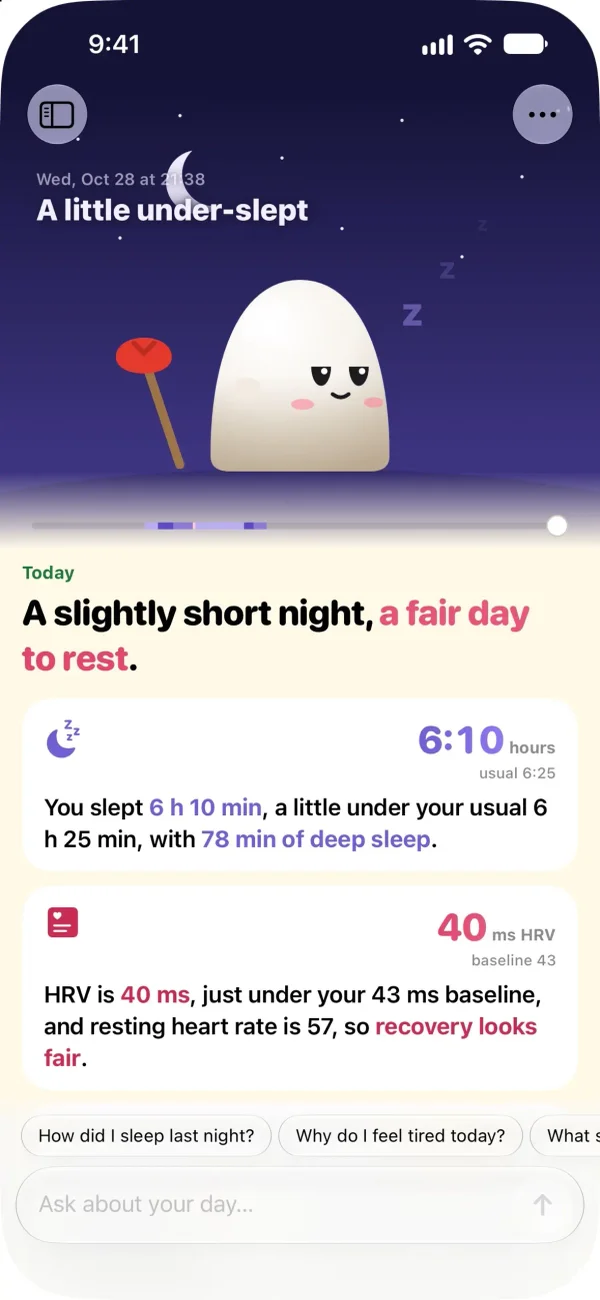
• Ody reads your sleep, heart and activity in Apple Health and writes you a short note each day.
• Ask “How did I sleep last night?” and get an answer that uses your own numbers.
• Your health data stays on this iPhone. Only a short summary is sent, and only if you allow it.
PRIVATE BY DESIGN
• No account and no subscription. There is no Actovia server in the middle.
• Your iPhone pairs with your computer by QR code over an encrypted connection pinned to that computer.
• Free and open source.
Actovia for iPhone needs the Actovia desktop app (macOS, Windows or Linux), free from actovia.yancey.app.
Health features are not medical advice and are not a medical device.
What’s new
Version 1.1.0 · Nov 16, 2026
Actovia 1.1.0 is a big update.
• iPad support: a sidebar that stays docked, reading columns sized for the larger screen, Return to send from a hardware keyboard, and ⌘N for a new chat.
• Philharmonic on mobile: browse your groups, follow group chats live, answer the PM's questions, and check the dashboard and team.
• Offline reading: chats you've opened and your chat list stay readable when your computer is away.
• Multiple computers: pair with more than one computer and switch between them in Settings.
• Richer answers: illustrated steps, stock charts, Wikipedia previews for linked topics, and images and videos shown inline with web search results.
• A voice glow lights up the composer while you dictate.
• New languages: Simplified Chinese and Russian.
• Paste images straight into a message.
• Smoother scrolling in long chats, faster sending, a cleaner drawer, better contrast, and Face ID now covers every screen.
• Lots of smaller fixes and polish.
App privacy
What 延昭 刘 declares on the App Store about how this app handles data.
-
Data not collected
The developer does not collect any data from this app.
Privacy practices may vary, for example with the features you use or your age.
Information
- Seller
- 延昭 刘
- Category
- Productivity
- Version
- 1.1.0
- Updated
- Nov 16, 2026
- Released
- Oct 30, 2026
- Size
- 20.2 MB
- Requires
- iOS 26.0 or later
- Age rating
- 4+
- Price
- Free
- Languages
- English, French, German, Italian, Japanese, Korean, Portuguese, Russian, Simplified Chinese, Spanish, Traditional Chinese
- Copyright
- © 2026 Yancey Liu
You might also like
-
 ZUX APPAI Web Builder
-
 AmbinoteDistraction-Free Writing Tool
-
 chat4000Your agents on the go
-
 PingModelAI Chat with Your Own Keys
-
 Neurobase MCP LM Notebook & AISecond Brain: Local LLM, Notes
-
 Luya AiAI Transcripts & Notes
-
 pclipAI Companies on Paperclip
-
 Aeru: Offline & Private AIPrivate Local Offline AI
-
 Confer Private AIProductivity
-
 NexPaste - Clipboard ManagerEverything you copy, in reach