- Age rating4+
- CategoryUtilities
- DeveloperShivam Raj
- LanguagesEnglish
- Size6.8 MB
Links to the official App Store page
Download.org hosts no file of ADB Remote: TV Touchscreen. The button opens its official App Store page, published by Shivam Raj. Listing last checked on Nov 23, 2026.
Screenshots

About
Lost the remote? Your iPhone is better.
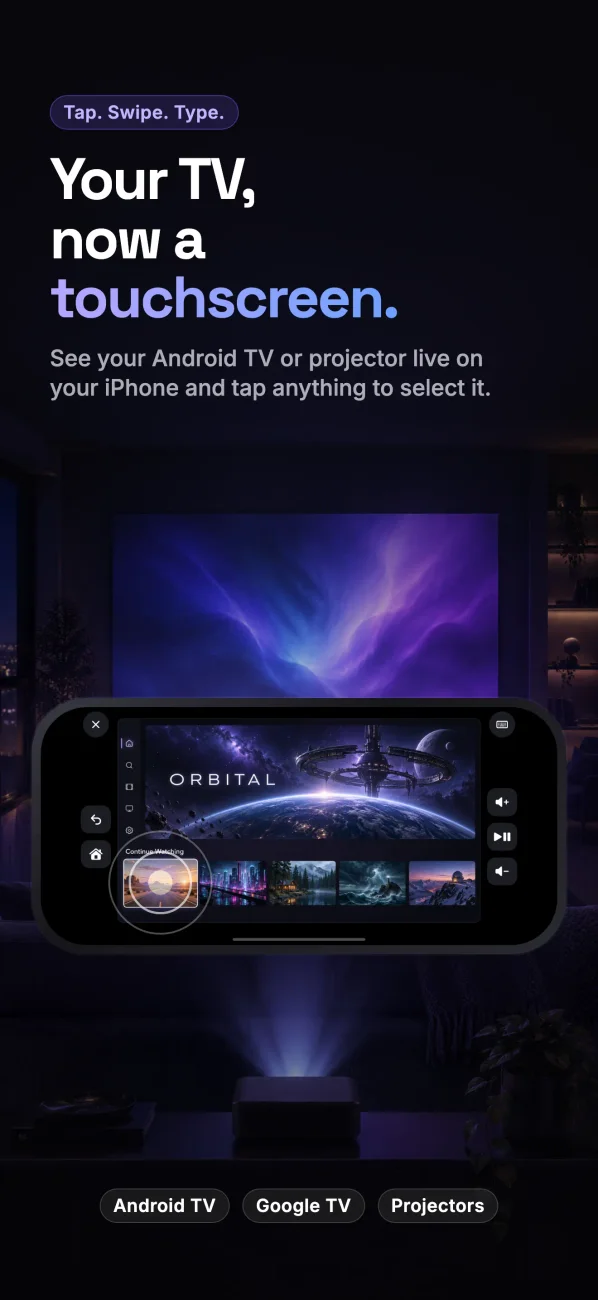
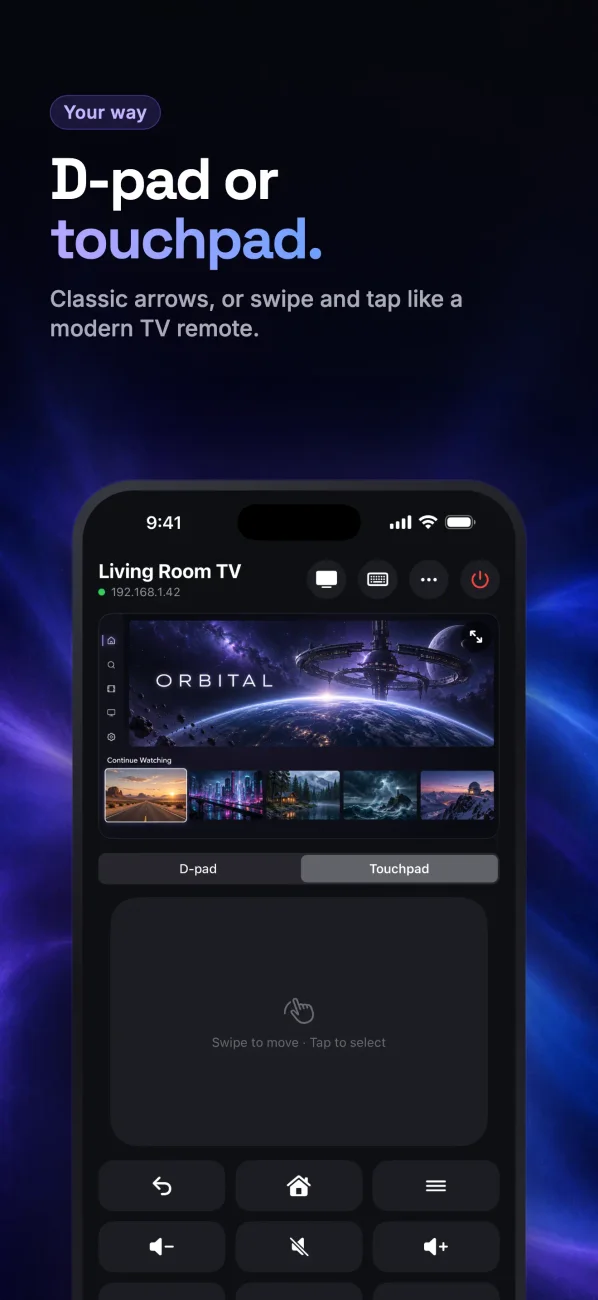
ADB Remote turns your Android TV, Google TV or Android projector into a touchscreen. See the TV's screen live on your iPhone, tap anything to select it, swipe through rows, and type with your iPhone keyboard. A fast, haptic remote is always one tap away.
YOUR TV, NOW A TOUCHSCREEN
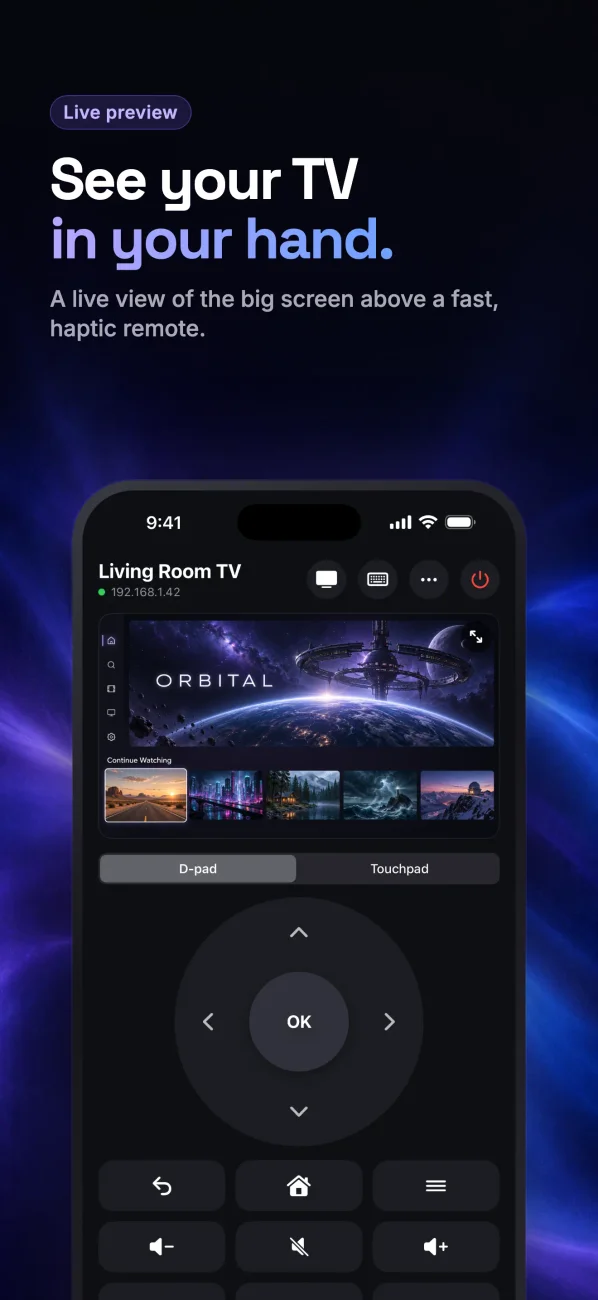
• A live preview of the TV screen, right on your phone
• Tap a poster, button or menu to select it
• Swipe to move through rows; press and hold for more options
• Full-screen mode: turn your phone sideways and the TV fills it
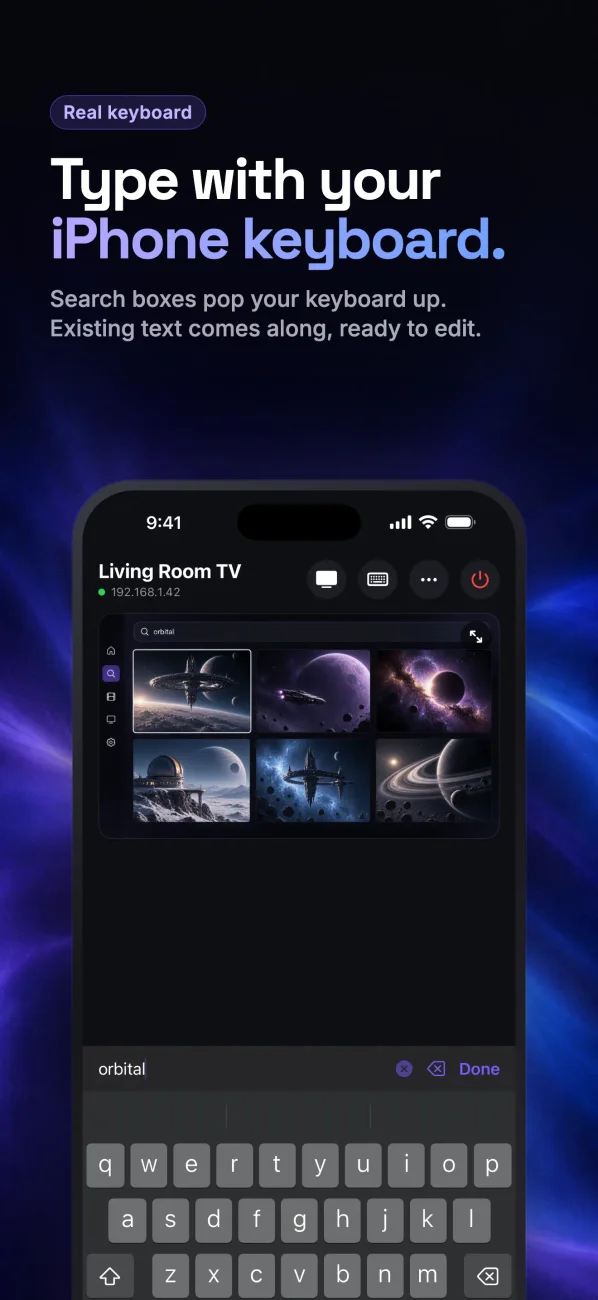
TYPE WITH YOUR IPHONE KEYBOARD
• When a search box opens on the TV, your keyboard pops up automatically
• Text already in the box comes along, so you can edit it instead of starting over
• Clear the TV's text box in one tap
A REMOTE THAT FEELS RIGHT
• D-pad or touchpad: pick classic arrows or swipe and tap like a modern TV remote
• Back, Home, Menu, volume, mute, play/pause, rewind, fast-forward and power
• Hold an arrow or volume button to repeat
• A gentle haptic tap on every press
• Near-instant response on many Android projectors
ALL YOUR TVS
• Save every TV, projector and box in the house
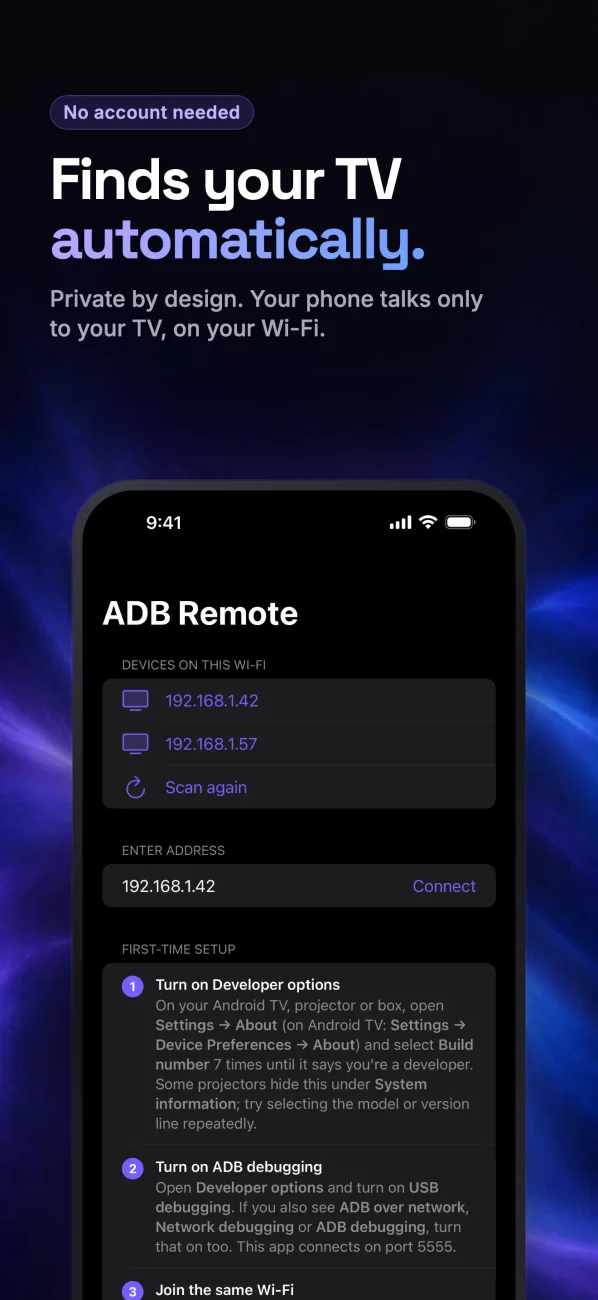
• Connects on its own to whichever one is on your Wi-Fi
ONE-TAP APPS
• Launch any app installed on your TV
• Pin your favorites to the front, in the order you want
HEADPHONES IN TWO TAPS
• Open your TV's Bluetooth settings from your phone and connect your earbuds to the TV, with lip sync handled by the TV
PRIVATE BY DESIGN
• No account, no sign-in, no ads, no analytics
• Your phone talks directly to your TV on your Wi-Fi, and nothing else
• The app collects no data
SETUP (ABOUT TWO MINUTES, ONCE)
ADB Remote uses Android's built-in debugging connection (ADB). The app walks you through it step by step:
1. On the TV, open Settings > About and select the build number 7 times to unlock Developer options.
2. Newer TVs (Android 11 or later, including Chromecast with Google TV): turn on Wireless debugging and pair with the 6-digit code shown on the TV.
3. Older TVs, projectors and boxes: turn on USB debugging (and network debugging, if listed), then choose Allow on the TV's prompt.
4. That's it. ADB Remote remembers your devices and reconnects on its own next time.
Works with Android-based TVs, Google TV and Android TV devices, projectors and streaming boxes that support Wireless debugging or ADB debugging over the network. Some features depend on your device and apps.
Need help? Visit adbremote.xyz/support.
Android, Google TV and Chromecast are trademarks of Google LLC. ADB Remote is not affiliated with or endorsed by Google.
What’s new
Version 1.1 · Nov 17, 2026
ADB Remote now works with many more TVs.
• Wireless debugging: connect to newer Google TV and Android TV devices, including Chromecast with Google TV, by pairing with a 6-digit code
• Guided setup: step-by-step instructions that follow along and tick off each step as you do it on the TV
• Saved devices: keep all your TVs and projectors, and connect automatically to the one on your Wi-Fi
• Faster buttons and real touch on Google TV devices
• A clear notice when a streaming app's video can't be shown in the preview (your controls still work)
App privacy
What Shivam Raj declares on the App Store about how this app handles data.
-
Data not collected
The developer does not collect any data from this app.
Privacy practices may vary, for example with the features you use or your age.
Information
- Seller
- Shivam Raj
- Category
- Utilities
- Version
- 1.1
- Updated
- Nov 17, 2026
- Released
- Sep 29, 2026
- Size
- 6.8 MB
- Requires
- iOS 17.0 or later
- Age rating
- 4+
- Price
- Free
- Languages
- English
- Copyright
- © 2026 Shivam Raj
You might also like
-
 PocketADBTV Remote - ADB、FileTV Remote、File Device Manager
-
 ATV ConnectTV Remote Mirror, Shell, Tools
-
 AirHQRemote Control for Android TV
-
 ADBox TV & Device Debug ViewerADB Wireless Remote Shell
-
 AirAPKAndroid TV Shell & ADB
-
 Clean Your TV (EN)Utilities
-
 Projector Remote .Control Projector with Mobile
-
 Android TV RemoteRemote for Android TV
-
 atvToolsADB for every Android TV user
-
 Zank Remote for Smart TVs, BoxUniversal remote for your TVs