
PocketADBTV Remote - ADB、File
TV Remote、File Device Manager
Designed for iPhone, iPad
Free · In-app purchases
- Age rating4+
- CategoryUtilities
- Developer维平 郭
- LanguagesEnglish+ 2 more
- Size32.1 MB
Links to the official App Store page
Download.org hosts no file of PocketADBTV Remote - ADB、File. The button opens its official App Store page, published by 维平 郭. Listing last checked on Nov 24, 2026.
Screenshots
About
PocketADB connects your iPhone or iPad to a compatible TV or TV box with ADB debugging enabled on your local network. Use it to control your device, manage apps, and browse files in one place.
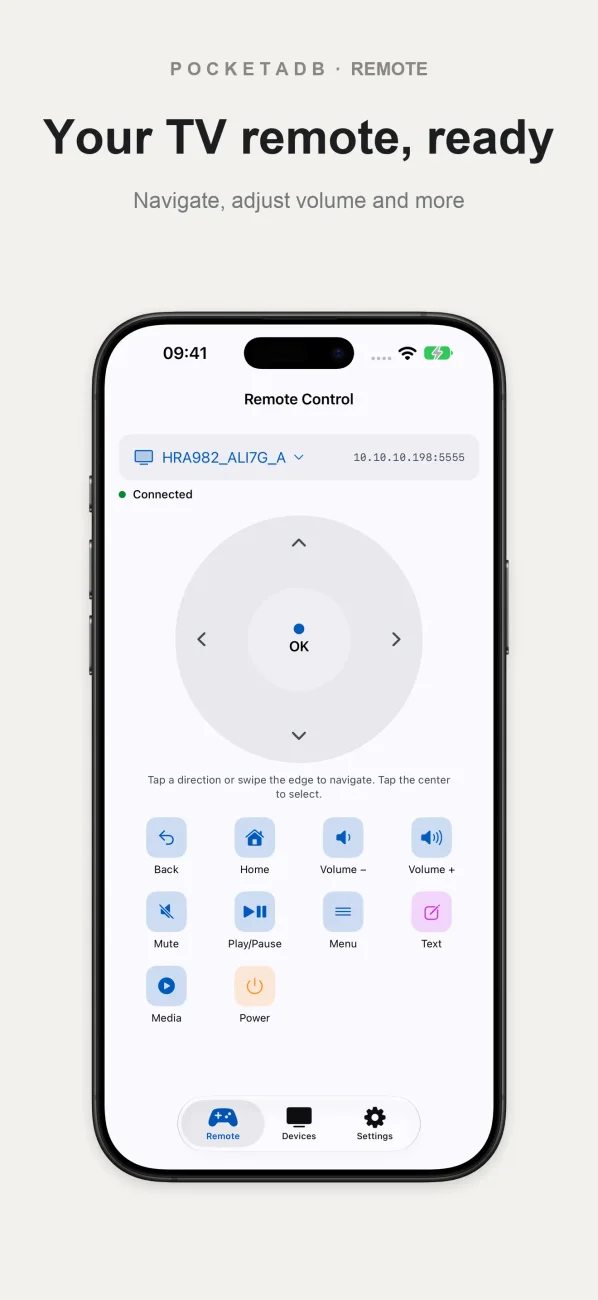
• Remote control: Navigate with directional controls and enter text, including Chinese with Pinyin initials.
• Device information: Check the status of your connected device.
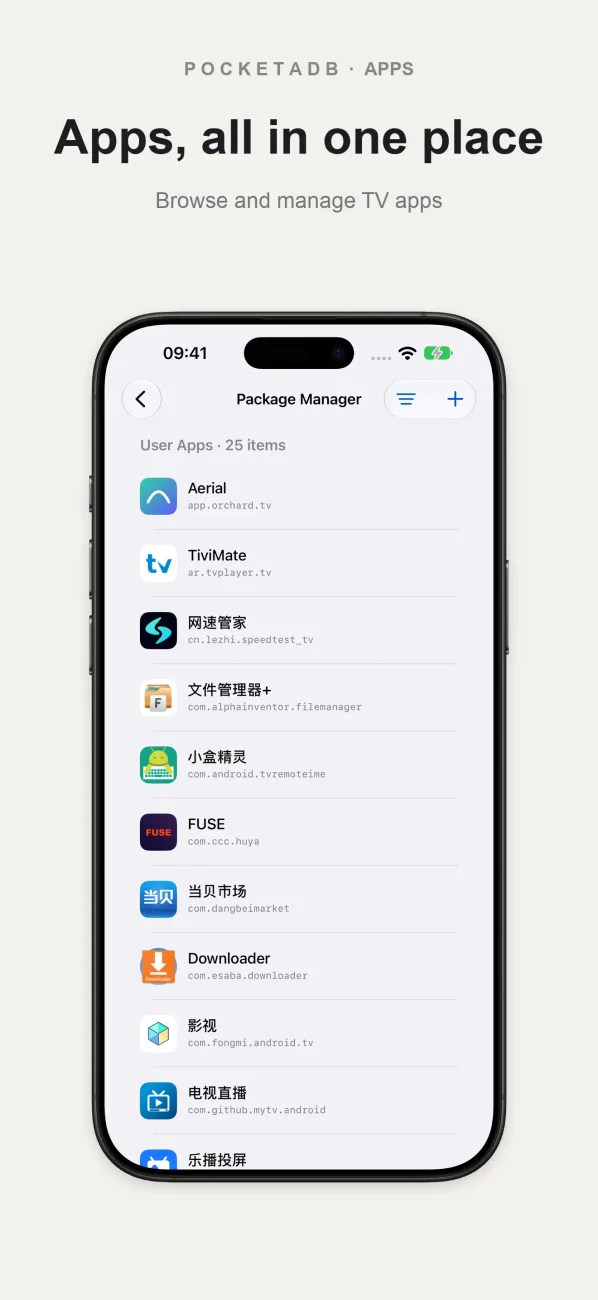
• App management: Browse and manage installed apps.
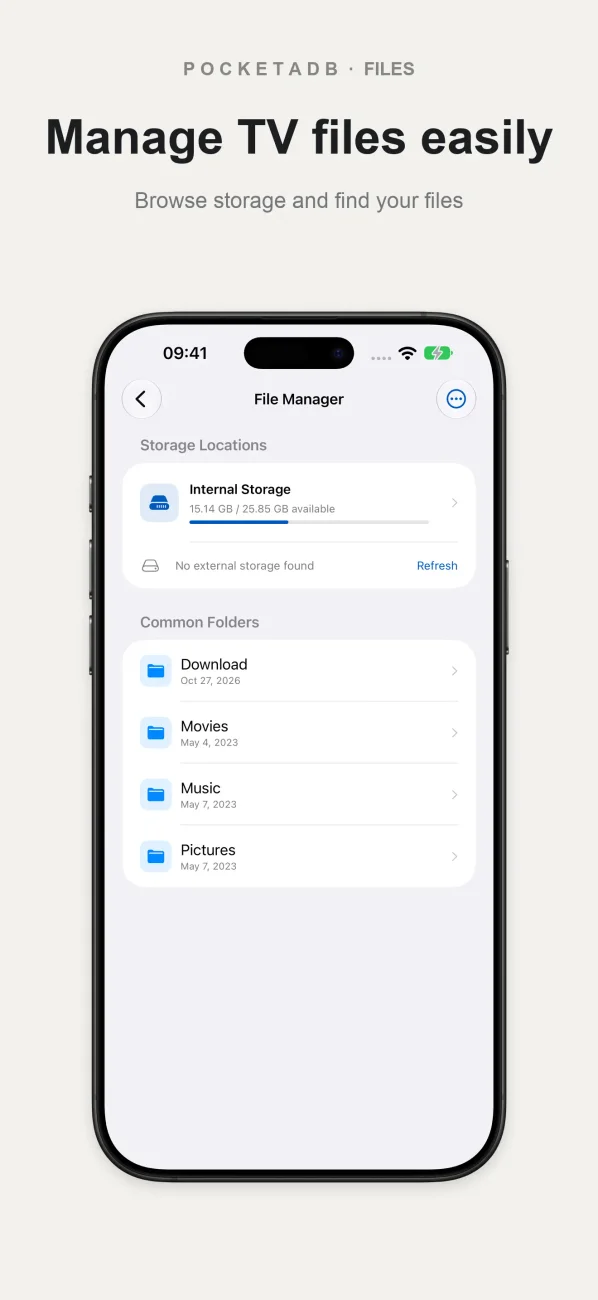
• Files: Browse files and folders on your device.
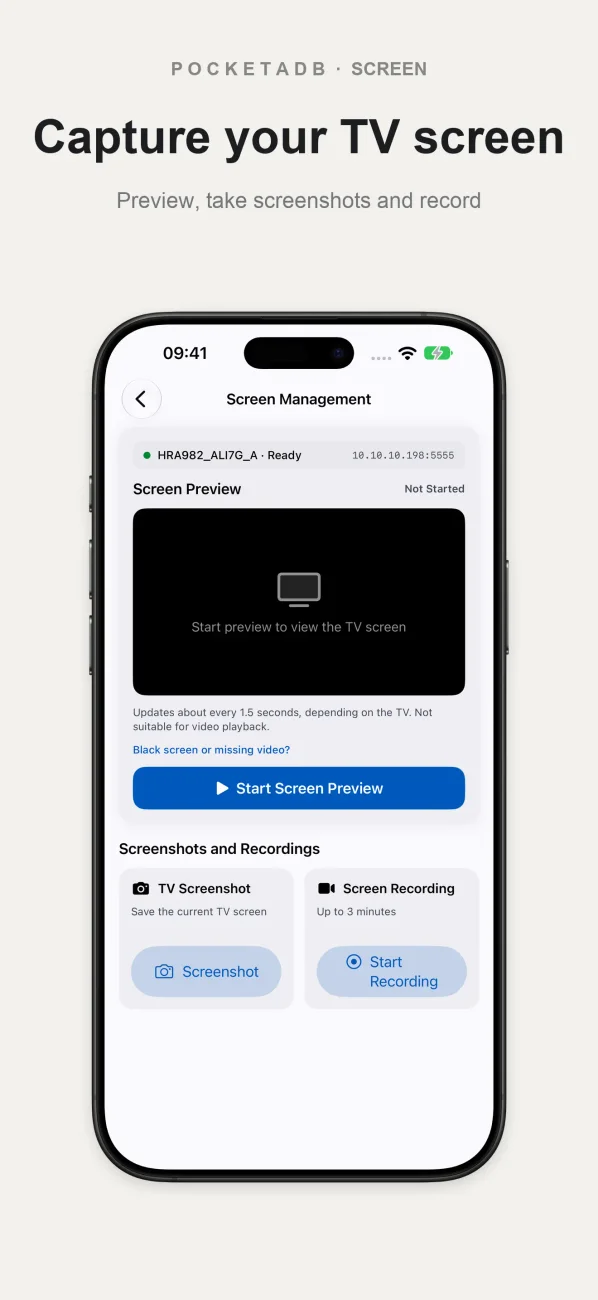
• Screen tools: Preview the device display, take screenshots, and record the screen.
• Advanced tools: View logs and run shell commands on the connected device.
To connect, enable ADB debugging on the TV or TV box, connect both devices to the same local network, and authorize the connection when prompted. Only connect to devices you are authorized to manage.
Feature availability depends on the device model, system permissions, and manufacturer implementation. Some live video cannot be captured using system screenshots or screen recording.
PocketADB Pro is available as an auto-renewing monthly or yearly subscription, or as a one-time lifetime purchase. Manage or cancel subscriptions in your Apple Account settings.
Terms of Use: https://www.apple.com/legal/internet-services/itunes/dev/stdeula/
Privacy Policy: https://api.buildprivacypolicy.com/policy/5b0abb66-f845-43c8-b10b-62e24f1b1ed7
What’s new
Version 1.6.0 · Nov 23, 2026
- Personalize PocketADB from Settings with eight theme presets or a custom color. Changes appear immediately on the remote and other common controls.
- Choose Traditional Chinese in Settings or let PocketADB follow your system language.
- Use a simpler remote and a larger directional pad in iPhone portrait. Open Screen Management, Favorite Apps, or Apps from More Options. Switch to the touchpad for focus navigation or touch swipes. This update also improves landscape, larger text layouts, and VoiceOver labels.
- Paste Chinese text into a focused field on supported Android 9 devices. The Remote tab keeps your draft if the connection drops during sending.
- The remote can try to reconnect after an unexpected disconnect. Live preview now shows resolution, target bitrate, and capture mode. If the live feed goes black, switch to screenshot preview from Help. Compatible TVs use fast screenshots automatically.
- Manage multiple user apps on your TV at once. Save and compare device snapshots to see changes in system information, storage, and user apps.
- Capture 1080p screenshots and silent recordings on supported Haier firmware. See progress as PocketADB prepares, transfers, and checks a recording.
App privacy
What 维平 郭 declares on the App Store about how this app handles data.
-
Data not collected
The developer does not collect any data from this app.
Privacy practices may vary, for example with the features you use or your age.
Information
- Seller
- 维平 郭
- Category
- Utilities
- Version
- 1.6.0
- Updated
- Nov 23, 2026
- Released
- Nov 2, 2026
- Size
- 32.1 MB
- Requires
- iOS 16.0 or later
- Age rating
- 4+
- Price
- Free
- In-app purchases
- Yes
- Languages
- English, Simplified Chinese, Traditional Chinese
- Copyright
- All Right Reserved © 2026 PocketADB
You might also like
-
 RemoteOrbitADB & VNC Remote Control
-
 DroidRemoteRemote Control & Mirroring
-
 iSteeringRemote control over ADB
-
 ApexlyticsUtilities
-
 Aria2ServerUtilities
-
 ADB Remote: TV TouchscreenYour TV, now a touchscreen
-
 AirHQRemote Control for Android TV
-
 ADBox TV & Device Debug ViewerADB Wireless Remote Shell
-
 Remote Control - for Smart TVUniversal TV Controller & Pad
-
 ATV ConnectTV Remote Mirror, Shell, Tools