
ALink Screen Share
Let a helper see your screen
Designed for iPhone, iPod touch
Free
- Age rating4+
- CategoryUtilities
- DeveloperChao Zhang
- LanguagesEnglish+ 21 more
- Size44.7 MB
Links to the official App Store page
Download.org hosts no file of ALink Screen Share. The button opens its official App Store page, published by Chao Zhang. Listing last checked on Nov 23, 2026.
Screenshots
About
ALink Screen Share lets someone you trust see your iPhone screen in ALink Remote, so they can guide you step by step.
SIMPLE
· Show a private invitation QR code; your helper scans it once
· Tap Start screen sharing and confirm the iOS system sheet
· Stop anytime from the red status indicator
TALK AND HELP
· Two-way intercom, off until you turn it on
· Assistance messages arrive as notifications; swipe to delete
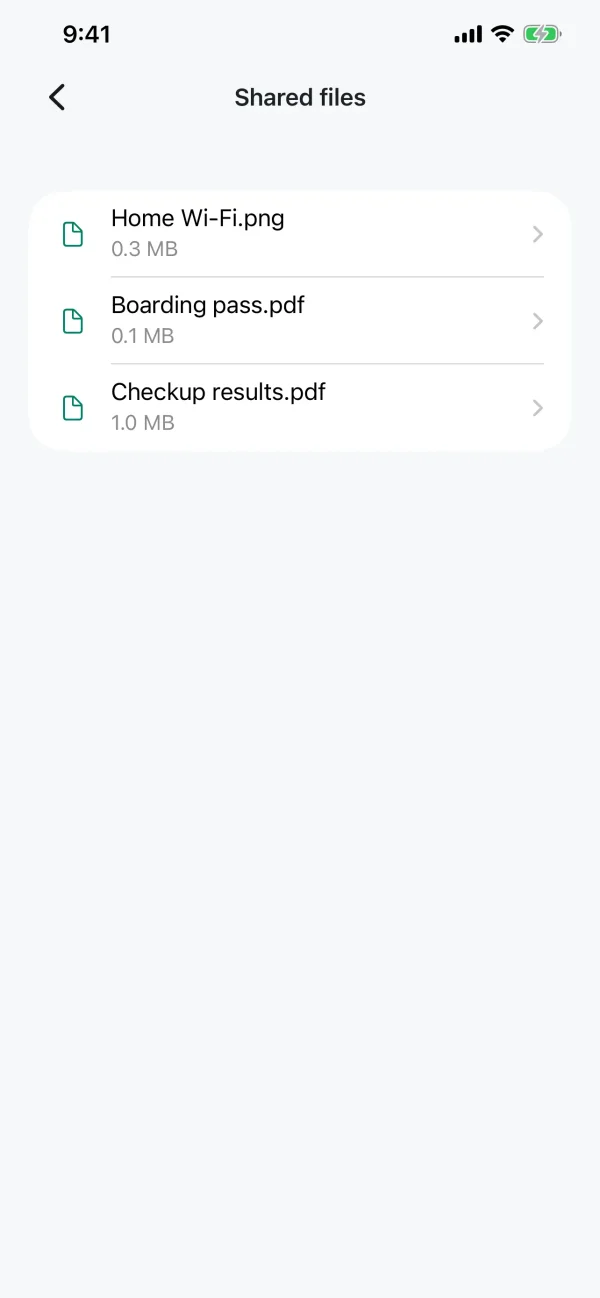
· Share selected files with your helper, and receive files from them
PRIVATE BY DESIGN
· Your helper can only view — they cannot tap or type on your iPhone
· Encrypted direct connection on your network with a private key
· Optional access from anywhere with your own Tailscale account
· No ALink account, no ads, no tracking
Install ALink Remote on the helper's iPhone to view your screen. In the app this edition is shown as ALink Standard.
What’s new
Version 1.0.4 · Nov 21, 2026
Improved screen streaming with low-latency encoding and automatic transport fallback.
App privacy
What Chao Zhang declares on the App Store about how this app handles data.
-
Data linked to you
May be collected and linked to your identity.
- Identifiers
Privacy practices may vary, for example with the features you use or your age.
Information
- Seller
- Chao Zhang
- Category
- Utilities
- Version
- 1.0.4
- Updated
- Nov 21, 2026
- Released
- Nov 15, 2026
- Size
- 44.7 MB
- Requires
- iOS 15.0 or later
- Age rating
- 4+
- Price
- Free
- Languages
- English, Arabic, Belarusian, Catalan, Dutch, French, German, Indonesian, Italian, Japanese, Korean, Malay + 10 more
- Copyright
- © 2026 Chao Zhang
You might also like
-
 ComposePrintMore labels. Fewer sheets.
-
 一生声迹: Voice JournalVoice, places, your story
-
 FinalLook - 截图套壳,一步搞定Utilities
-
 AbidenceLog housing discrimination
-
 CarceptLog the repo. Recover items.
-
 Cipahi: Scripts for SafariJavaScript & CSS manager
-
 Exportly: Export Text MessagesSave Chats as PDF, Excel, Word
-
 Dead Pixels: Touch Screen TestMulti Touch & Display Test
-
 LocalConvert: File ConverterVideo Compressor, HEIC to JPG
-
 PocketADBTV Remote - ADB、FileTV Remote、File Device Manager