
Ambertide: Deadline Planner
Calendar, tasks & timelines
Designed for iPhone, iPad, Mac
Free · In-app purchases
- Age rating4+
- CategoryProductivity
- DeveloperMousa Alwaraki
- LanguagesEnglish
- Size14.2 MB
Links to the official App Store page
Download.org hosts no file of Ambertide: Deadline Planner. The button opens its official App Store page, published by Mousa Alwaraki. Listing last checked on Nov 23, 2026.
Screenshots
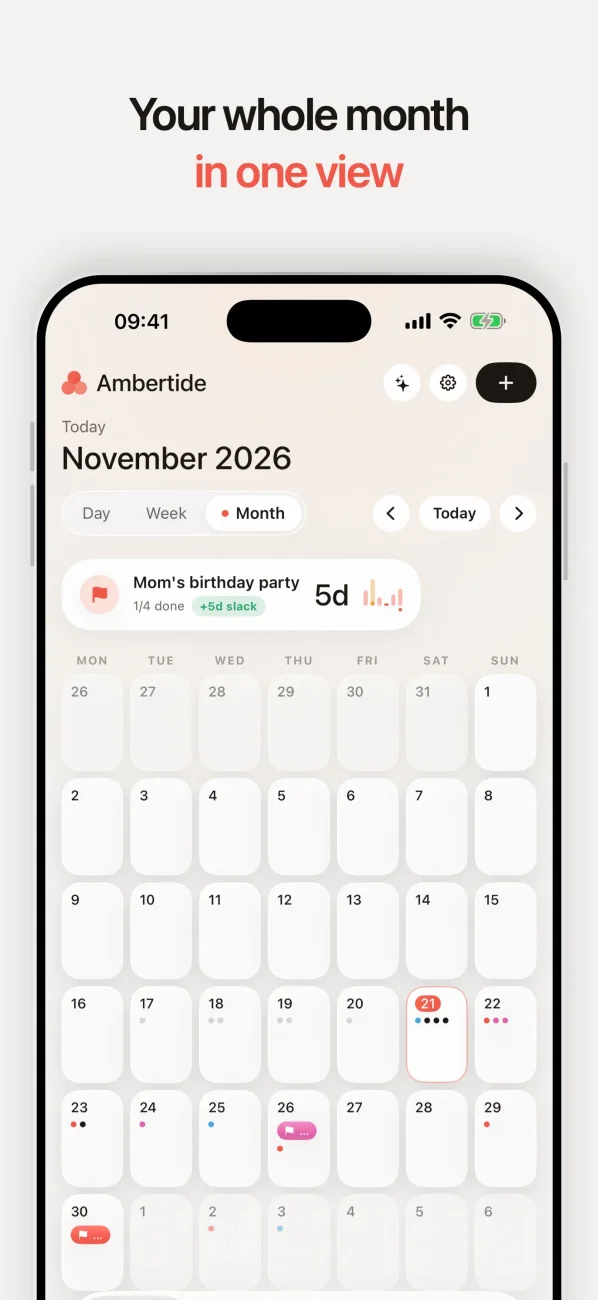
About
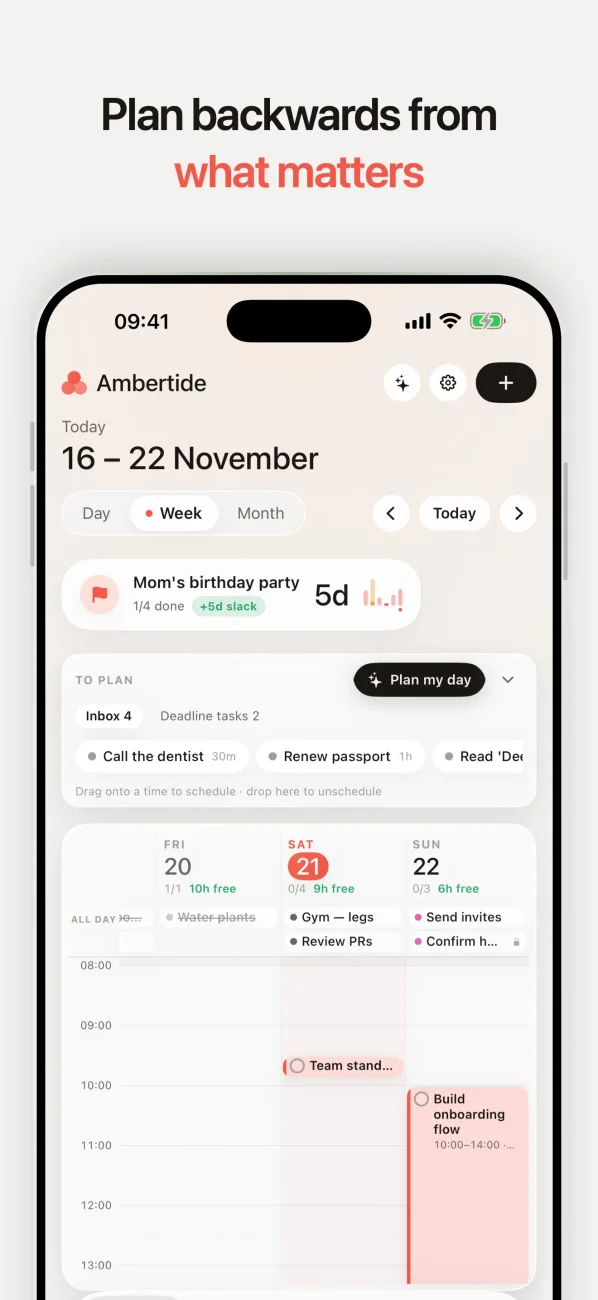
Ambertide is a calendar, task list and deadline planner that works backwards from the dates that matter.
DEADLINES WITH TIMELINES
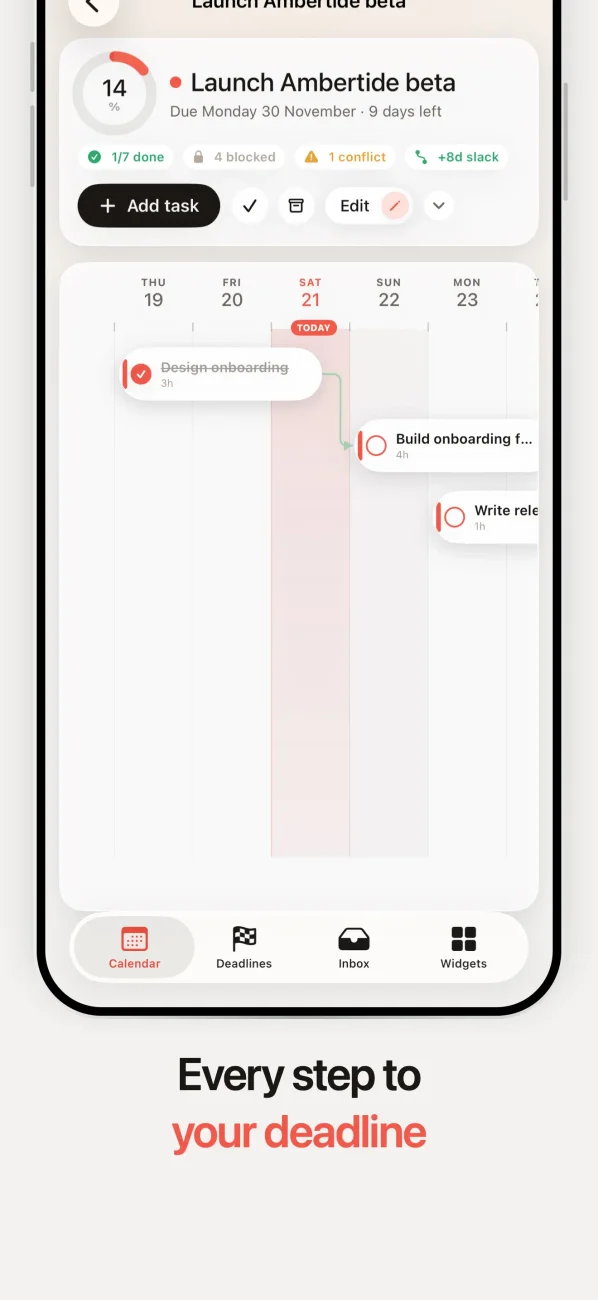
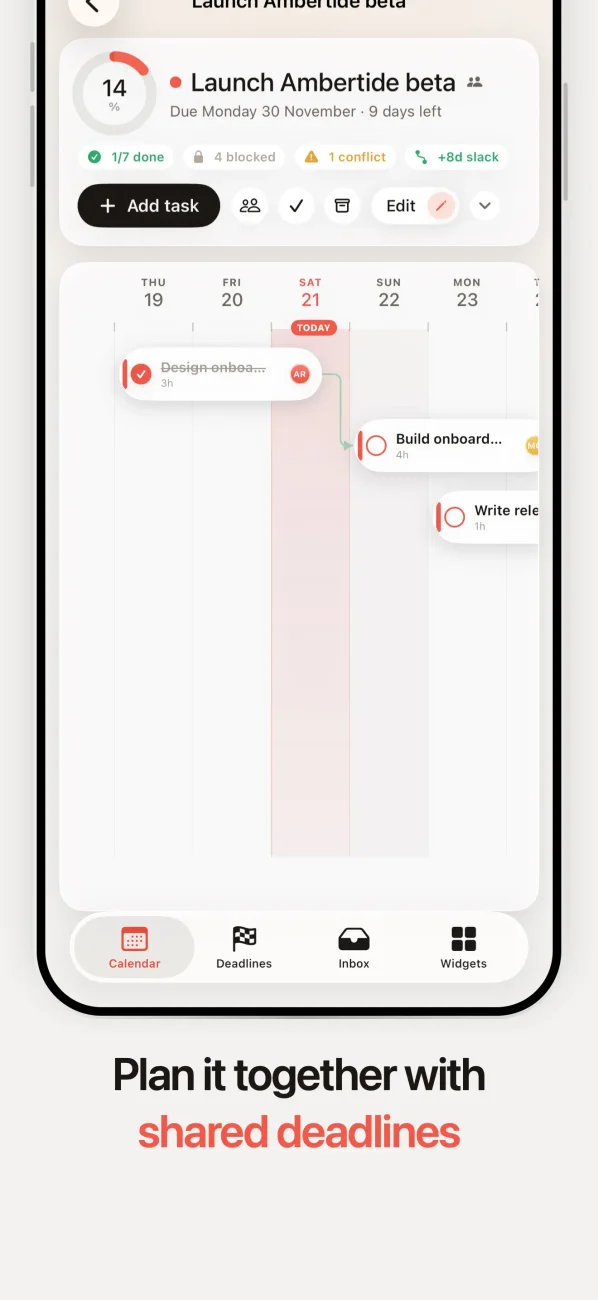
Give a deadline a date, add the tasks that lead up to it, and link the ones that depend on each other. Ambertide draws the timeline, shows what's blocked and what it's waiting on, and warns you when a task is scheduled before the thing it depends on. When every task is done, it asks whether to mark the deadline done. Archive the ones you're finished with to keep your lists short.
KNOW IF IT STILL FITS
The critical path shows the chain of tasks that decides whether you make it, and how many days of slack you have left. The next-deadline pill shows your workload for every day until it's due, so overloaded days stand out.
PLAN YOUR DAYS
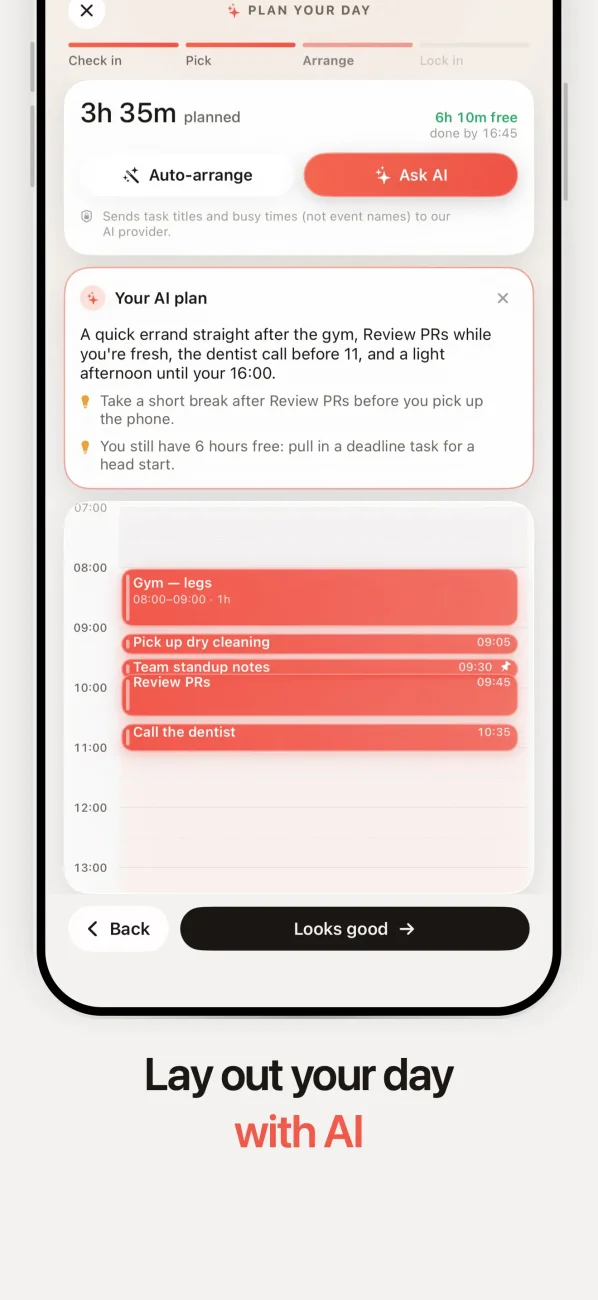
Day, week and month views with drag and drop. Move tasks between days, drop inbox tasks onto a day or a deadline, or just tick them off. Plan my day lays out today hour by hour around your meetings, and auto-schedule suggests where unscheduled work fits within your daily capacity. Nothing moves until you accept.
PLAN IT TOGETHER
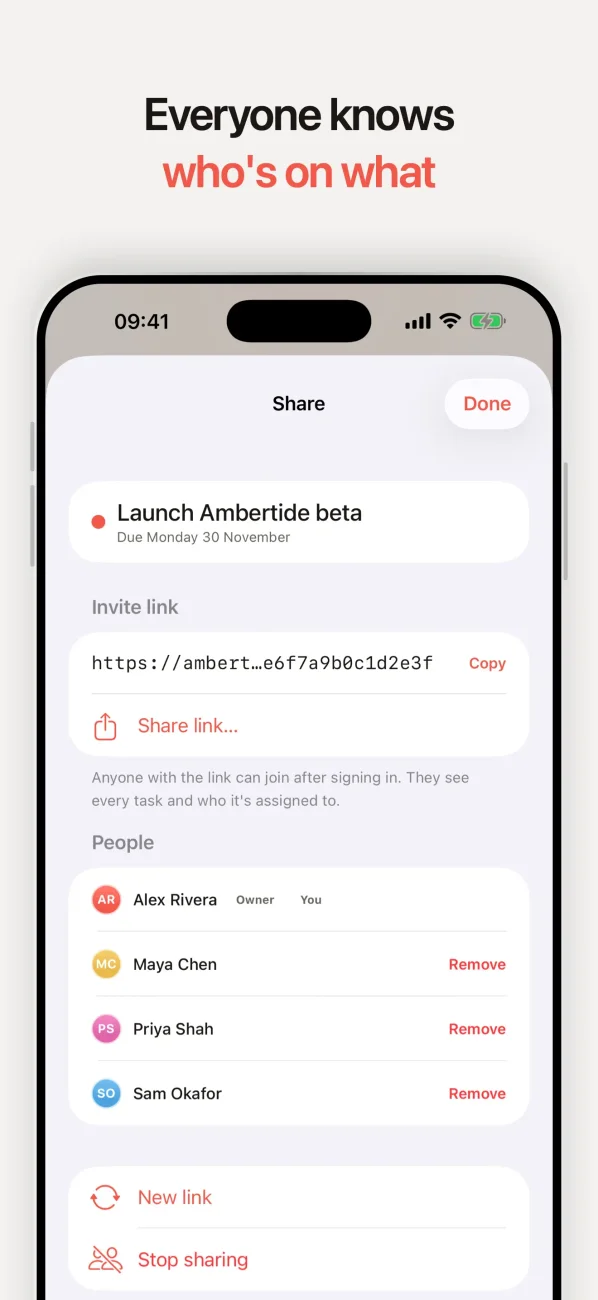
Share a deadline with a link and assign each task to the person doing it. Everyone sees the whole plan and who's on what, and each person's own tasks show up on their calendar.
ASK FOR HELP
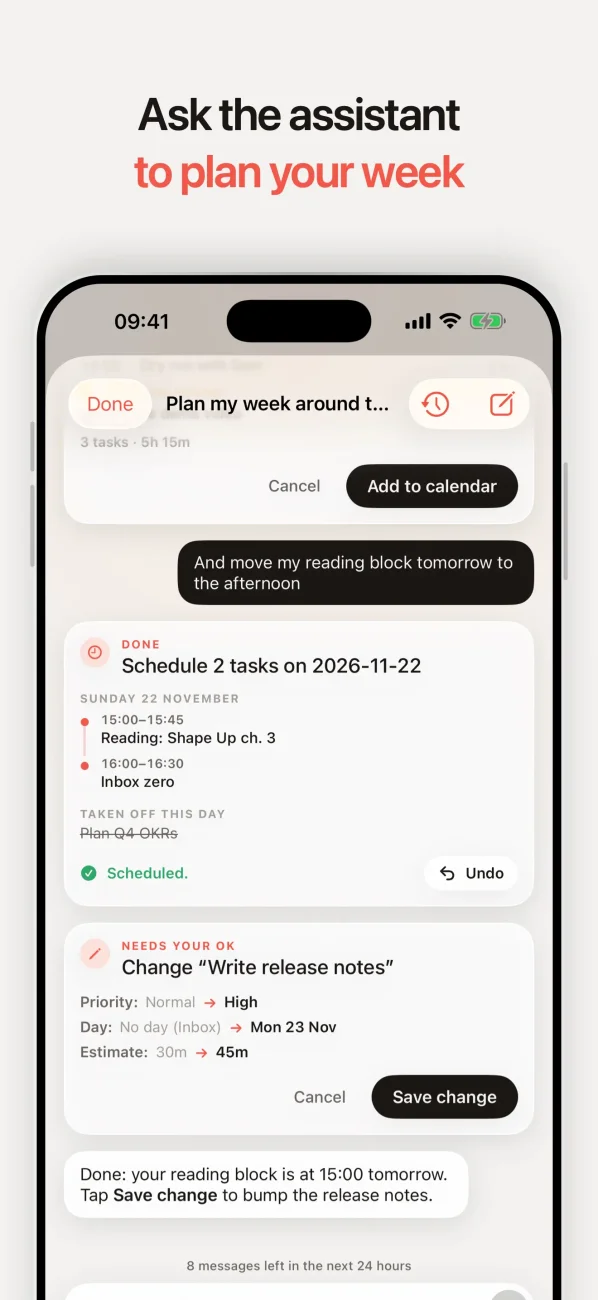
The built-in assistant can break a goal into tasks, estimate them and fit them into your week. You can also connect Claude or ChatGPT to plan with your real deadlines. Every change is shown to you first and only happens when you apply it.
WIDGETS THAT HELP YOU FOCUS
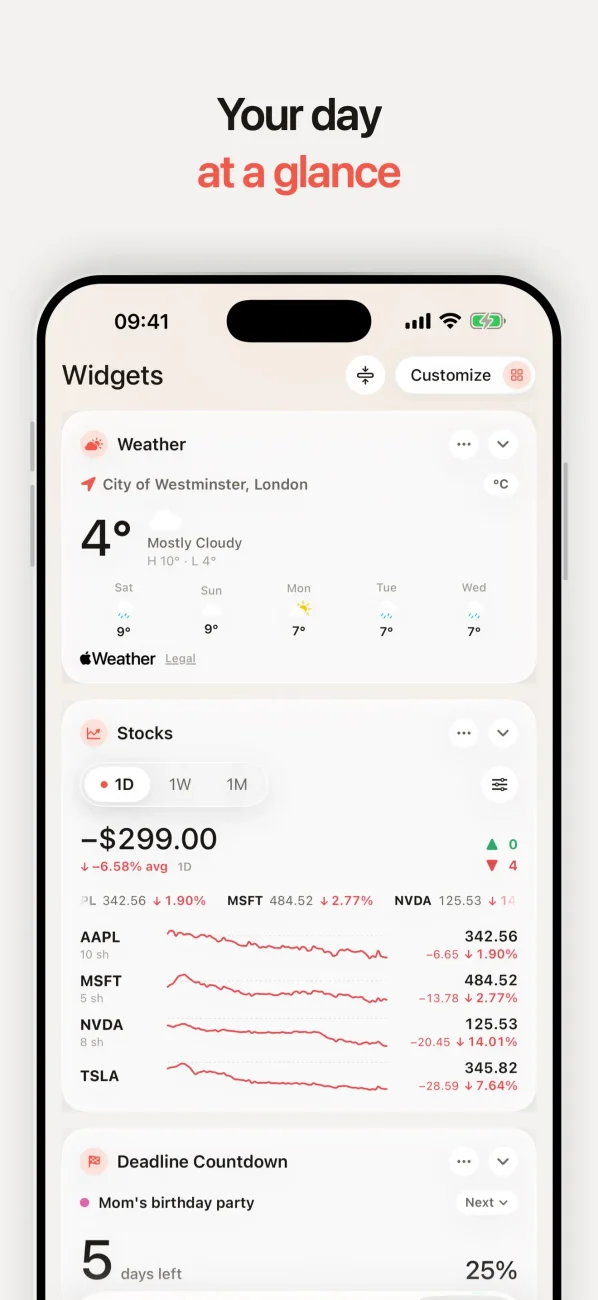
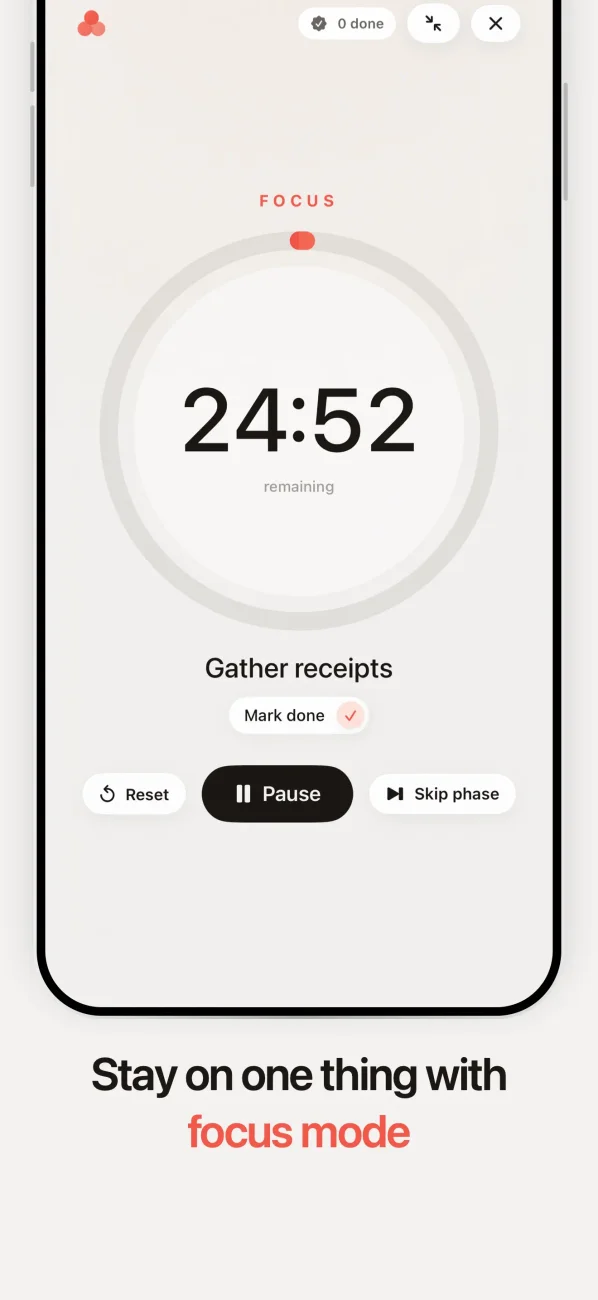
Weather, prayer times, a stocks watchlist with a ticker, a full-screen focus timer, habits with streaks, critical path, an agenda with free time between your calendar events, weekly progress, a workload heatmap, quick notes and a world clock. Add Home Screen and Lock Screen widgets, and follow your focus session in the Dynamic Island.
REMINDERS
Local reminders before deadlines, an alert when a deadline no longer fits, an optional daily plan, and nudges for timed tasks and habits.
PRIVATE BY DEFAULT
No ads, no tracking and no third-party analytics, and we never sell your data. Sign in with email, Apple or Google and your plans sync across your devices for free. Events from your device calendar are never uploaded, and you can delete your account and all synced data at any time in Settings.
Works on iPhone, iPad, Mac and Apple TV, with a calm design in five colour themes.
Stock data is for information only, may be delayed and is not investment advice.
AMBERTIDE PRO
Ambertide Pro is an optional auto-renewing subscription, monthly or yearly (the yearly plan starts with a 7-day free trial). Payment is charged to your Apple ID. It renews automatically unless cancelled at least 24 hours before the end of the current period. Manage or cancel it in your Apple ID's subscription settings.
Terms of Use (EULA): https://www.apple.com/legal/internet-services/itunes/dev/stdeula/
Ambertide Terms: https://ambertide.app/terms/
Privacy Policy: https://ambertide.app/privacy/
What’s new
Version 1.2 · Nov 21, 2026
A calmer look. Ambertide has a new design on iPhone, iPad, Mac and Apple TV: plain backgrounds, clean white cards and one font throughout, with colour kept for the things that need your attention. All five colour themes have been redrawn to match.
Archive deadlines. When you're finished with a deadline, or it no longer matters, archive it from the timeline or its menu. It leaves your lists and calendar and stops counting as open, and you can restore it any time from the Archived section.
Also: tapping a deadline on the Deadlines tab now opens its timeline, and the calendar header is simpler.
App privacy
What Mousa Alwaraki declares on the App Store about how this app handles data.
-
Data linked to you
May be collected and linked to your identity.
- Purchases
- Contact info
- User content
- Identifiers
- Usage data
Privacy practices may vary, for example with the features you use or your age.
Information
- Seller
- Mousa Alwaraki
- Category
- Productivity
- Version
- 1.2
- Updated
- Nov 21, 2026
- Released
- Oct 1, 2026
- Size
- 14.2 MB
- Requires
- iOS 26.0 or later
- Age rating
- 4+
- Price
- Free
- In-app purchases
- Yes
- Languages
- English
- Copyright
- © 2026 Mousa Alwaraki
You might also like
-
 Gapper: Calendar HelperFind free time, work smarter
-
 Orbit DashboardYour life on one dashboard
-
 TalkMemo - Smart Voice NotesSpeak. Organize. Remember.
-
 Mement: Smart PlannerDay Organizer & Second Brain
-
 Voice Message to Text: VoicelySummarize, Translate & Reply
-
 Recall: Daily notesSecond Brain
-
 Ibadah FocusApp Block, Quran, Pray, Athkar
-
 Mirror BrowserProductivity
-
 Kan Do: Project ManagementProductivity