- Age rating4+
- CategoryEducation
- DeveloperJAEHYUN PARK
- LanguagesJapanese+ 6 more
- Size26.3 MB
Links to the official App Store page
Download.org hosts no file of ReBit - 어학용 반복 듣기 플레이어. The button opens its official App Store page, published by JAEHYUN PARK. Listing last checked on Nov 12, 2026.
Screenshots


About
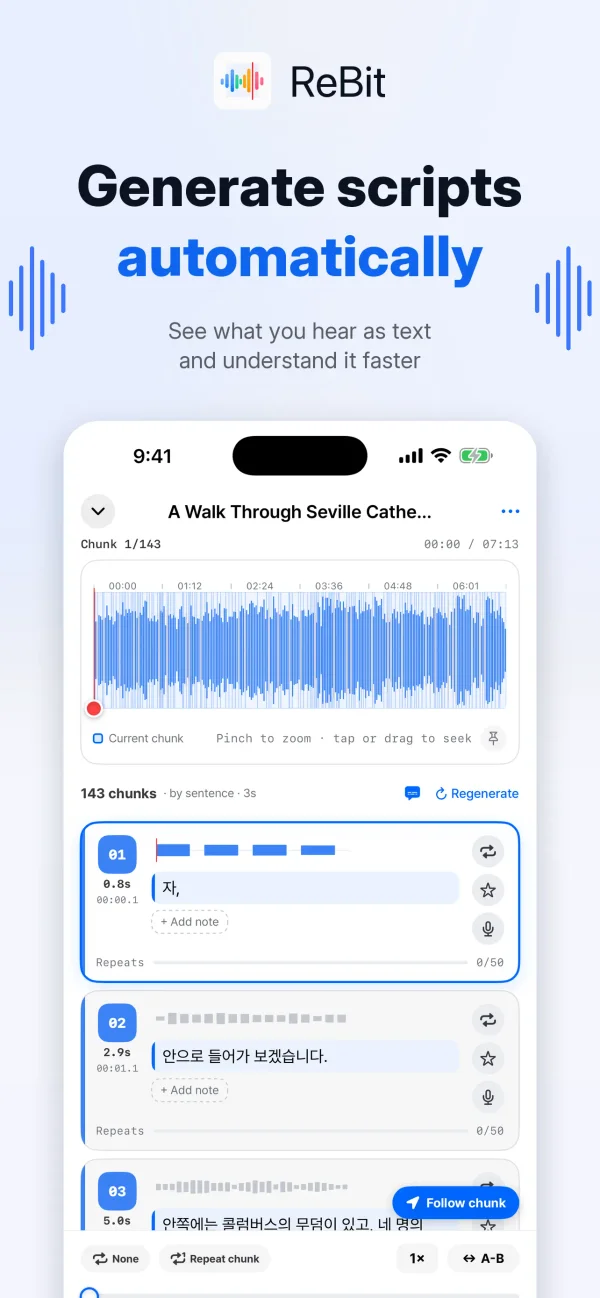
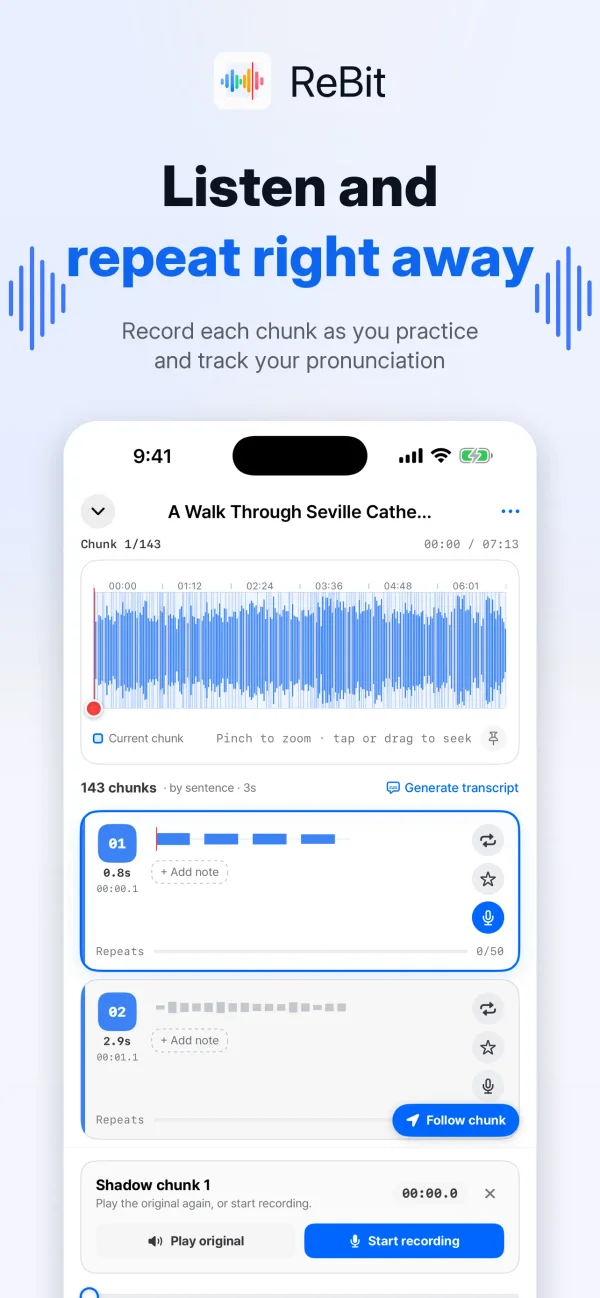
ReBit is a language-learning player that splits audio and video into short chunks so you can loop them, speak them back, and check yourself against a transcript.
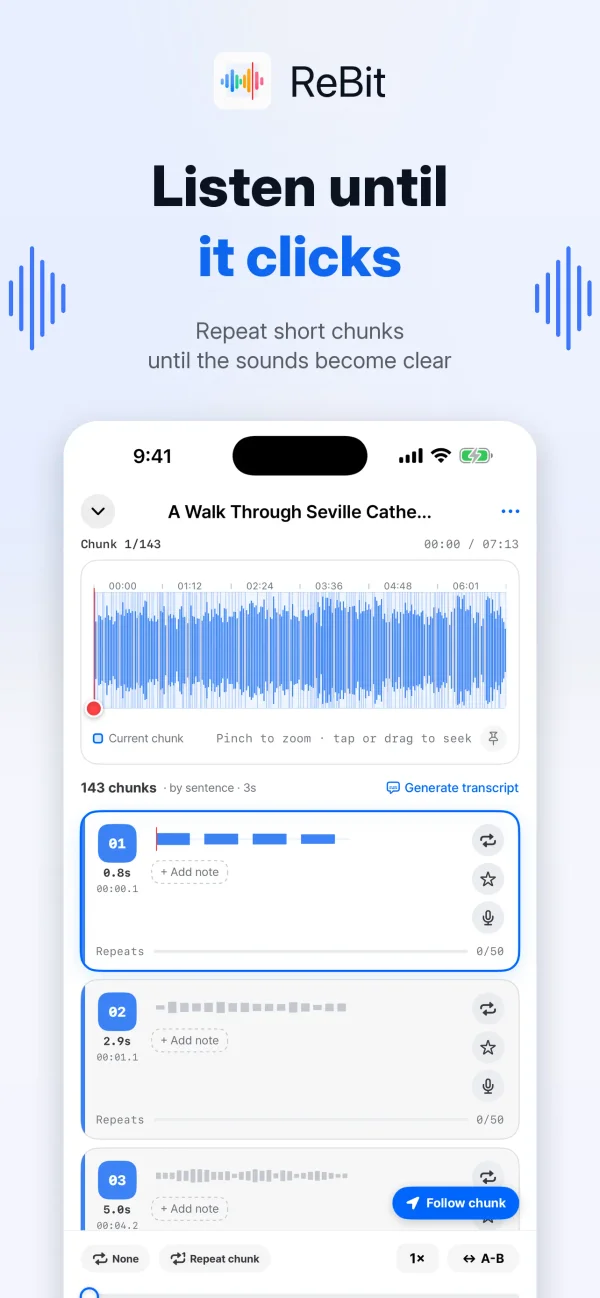
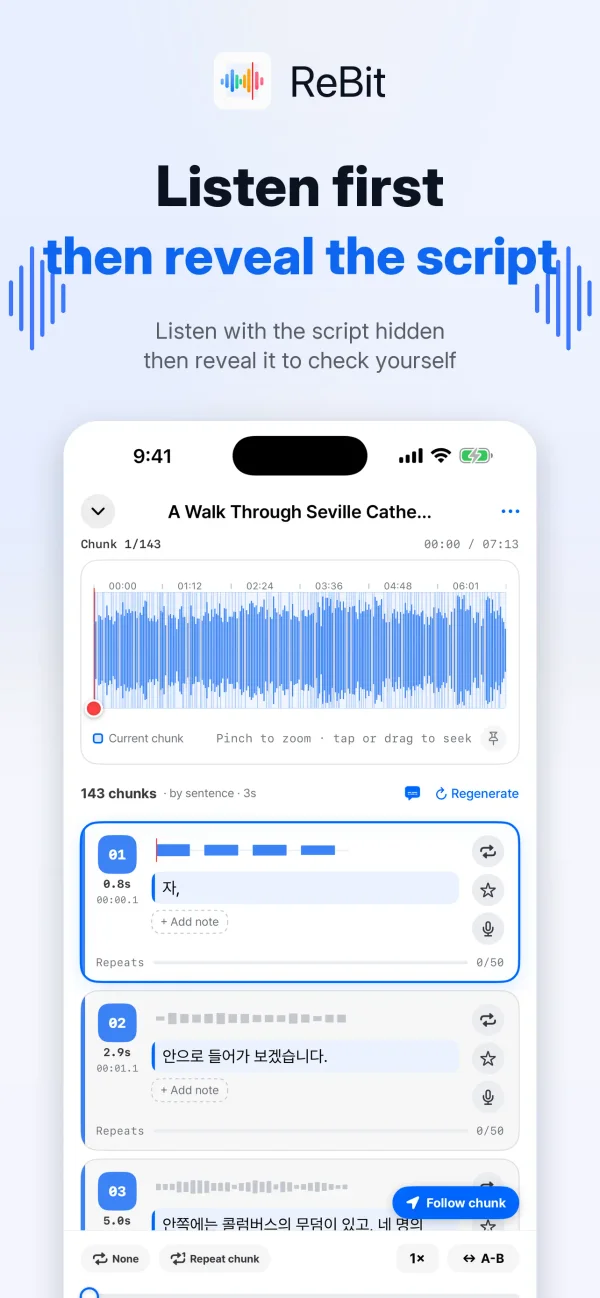
That one sentence you couldn't catch — until you can. ReBit divides an imported file into sentence-length chunks automatically and loops only the one you're working on. It's built for shadowing, listening practice, pronunciation drills, and going back over lectures, news and podcasts.
■ What you can do
· Audio and video split into sentence-length chunks automatically
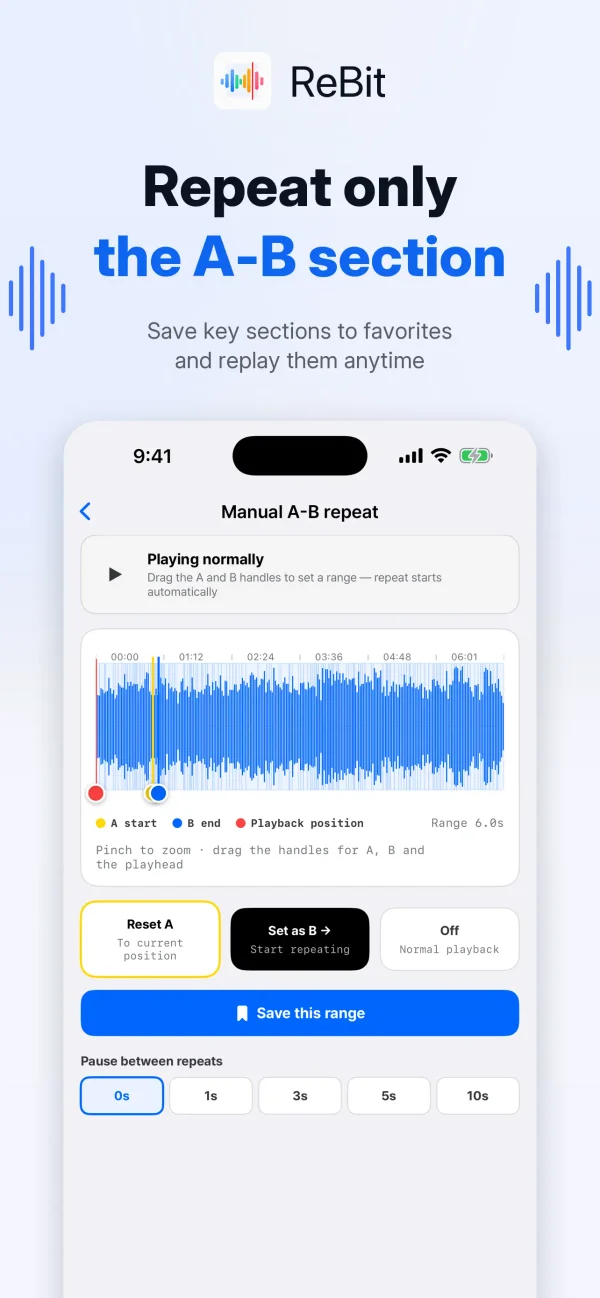
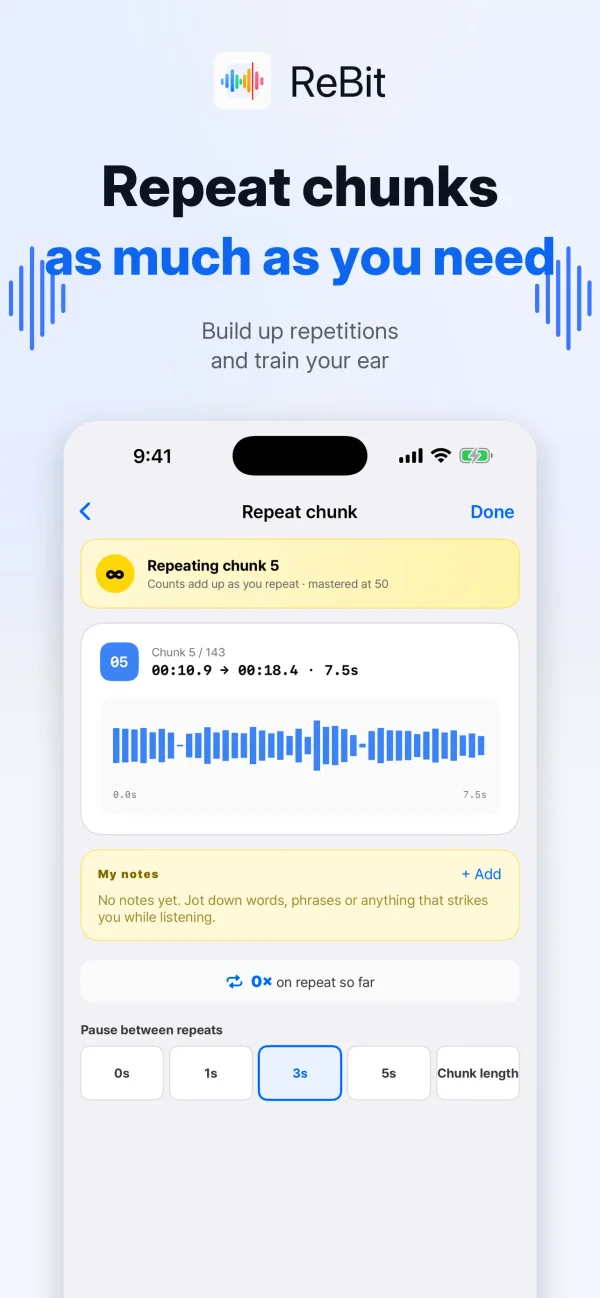
· Loop a single chunk endlessly, with an adjustable pause between repeats
· Set your own A-B range, loop it, and save it
· Play at 0.5× to 2×
· Listen, then record yourself on the spot and compare
· Generate a transcript per chunk on device; edit, copy, export as SRT or VTT
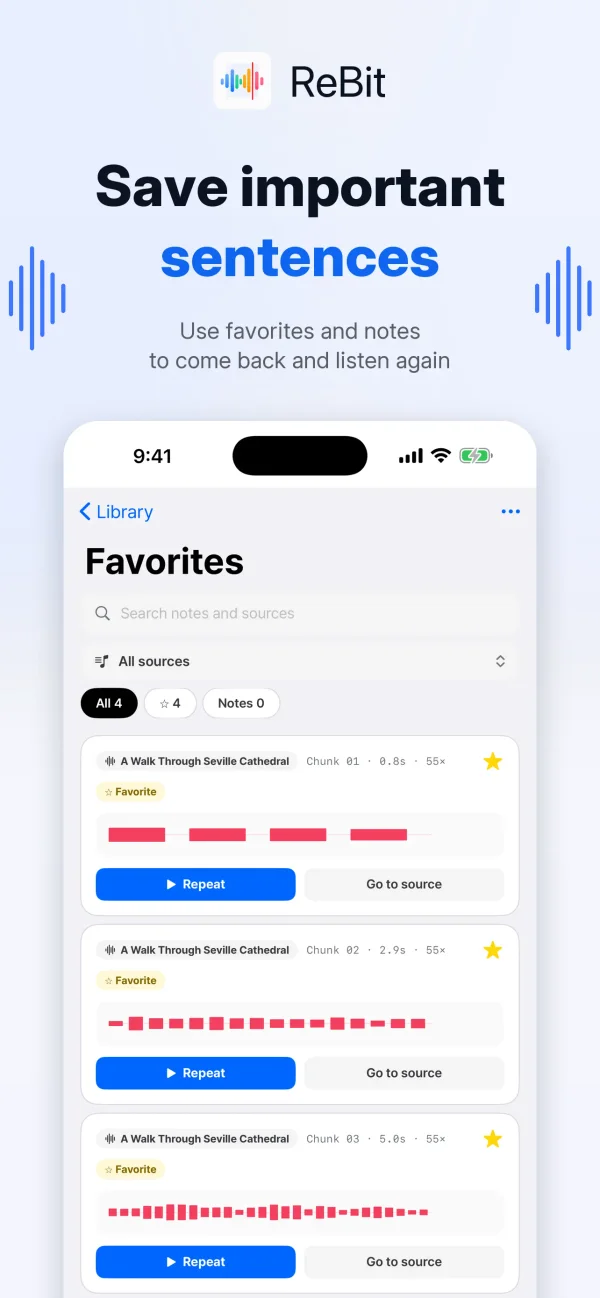
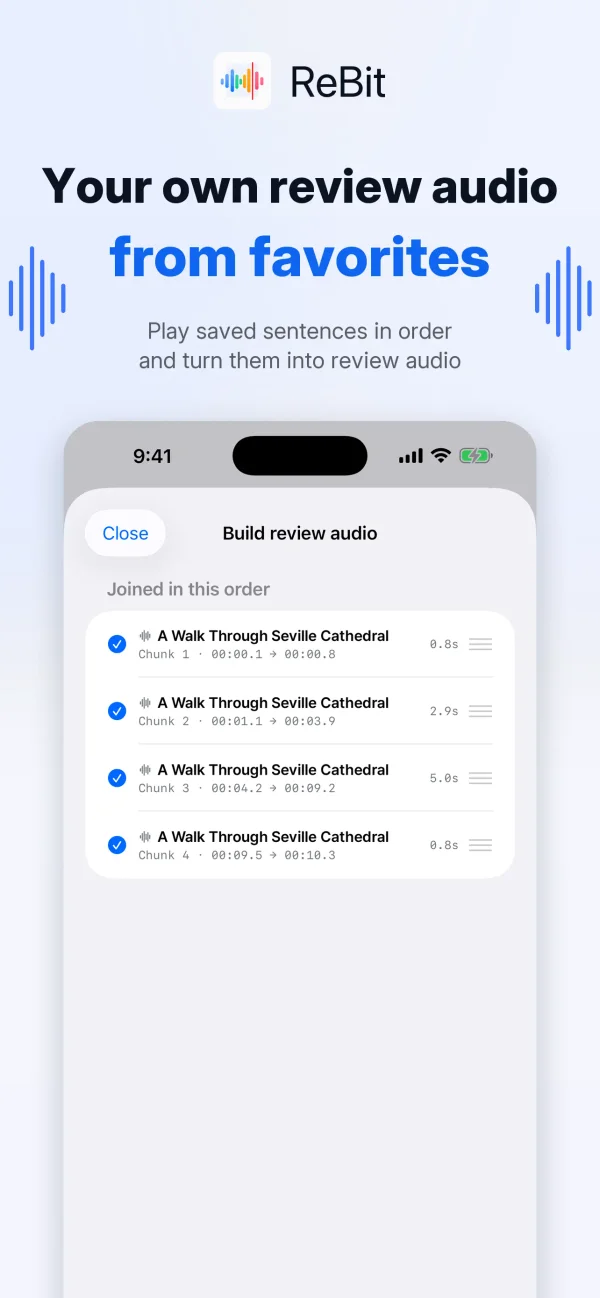
· Join your favourite chunks into a single review track
· Keep notes on the lines you want to remember
· A mastery colour that fills as you repeat
· Hashtags, search and folders to organise
· Today's repeats, your streak, and the chunks you've mastered
■ Video, chunked the same way
Import a video and ReBit pulls the audio out and chunks it exactly like an audio file. Watch and shadow at the same time; on iPad in landscape the picture sits on the left and the chunk list on the right. MKV is converted losslessly on import.
■ Listen, say it back, hear yourself
Tap the microphone on any chunk and a recording panel docks above the player. Hear the original once more, record, then play your own take straight after it. Playback is locked while you record.
■ Transcripts stay on your device
For the parts you can't make out, generate a transcript. Pick the language and the recognition model, and the audio is analysed on device; the result is yours to correct or copy. The model is downloaded the first time you use it.
■ Build your own review audio
Pick the chunks you starred and ReBit joins them in order into one track — the lines you kept, in something you can listen to on the move.
■ Shadow without touching the screen
Connect an iPad or Bluetooth keyboard. Up and down move between chunks, left and right step 0.3 seconds inside one (0.05 with Option), space plays and pauses, and R then Return records. Shortcuts stay inactive while you're typing.
■ Carry on with iCloud
Turn on iCloud sync and your sources, notes, favourites, recordings, learning records and playback position follow you to other devices on the same Apple Account. Press and hold a source to decide it individually — and for video, to sync the picture separately from the sound.
■ Supported formats
Audio MP3, M4A, AAC, WAV, AIFF · Video MP4, MOV, MKV, WebM
■ Languages
Korean, English, Japanese, Chinese (Simplified and Traditional), Vietnamese, Spanish
■ Storage and privacy
Imported files and learning data are stored on your device. Audio analysis for transcripts is processed on device, and the microphone is only used when you start a recording yourself. With iCloud sync on, the data you choose is synced through your own iCloud account.
ReBit is free and may show advertisements. There is no limit on how many sources you can import.
* Transcript accuracy depends on audio quality, pronunciation, background noise, and the language and model you choose.
What’s new
Version 2.1.0 · Aug 8, 2026
ReBit now speaks your language.
• English, Japanese, Chinese (Simplified and Traditional), Vietnamese and Spanish. ReBit follows your device language, or you can set the app on its own in Settings → Language
• Shadow with the keyboard. Up and down move between chunks, left and right step 0.3 seconds inside one (0.05 with Option). Space plays and pauses, R opens the recording panel and Return records. Connect an iPad or Bluetooth keyboard and you never touch the screen — the full list is in Library ⋯ → Keyboard Shortcuts
• Shortcuts stay out of the way while you type. Editing a transcript or a note works exactly as before
• The recording panel now docks above the player. Playback is disabled while you record, and playing your own take fills the button itself like a progress bar
• A new six-page introduction, covering transcripts, speaking back, review audio, and per-source iCloud sync
• Fixed the large title shivering as you scroll, and a crash when opening Favourites after deleting a source
App privacy
What JAEHYUN PARK declares on the App Store about how this app handles data.
-
Data linked to you
May be collected and linked to your identity.
- Location
- Identifiers
- Usage data
-
Data not linked to you
May be collected but is not linked to your identity.
- User content
- Usage data
- Diagnostics
Privacy practices may vary, for example with the features you use or your age.
Information
- Seller
- JAEHYUN PARK
- Category
- Education
- Version
- 2.1.0
- Updated
- Aug 8, 2026
- Released
- Jul 14, 2026
- Size
- 26.3 MB
- Requires
- iOS 17.0 or later
- Age rating
- 4+
- Languages
- Japanese, Spanish, Vietnamese, Simplified Chinese, Traditional Chinese, English, Korean
- Copyright
- © 2026 Jaehyun Park
You might also like
-
 Loop Note - AB Repeat StudyListening, Dictation & AB Loop
-
 LingpleSubtitle-first language study
-
 Langplayer - AB RepeatLoop a line until you get it
-
 Phrabbit Shadowing & DictationAB Loop, Language Practice
-
 매일 일본어Learn Japanese words daily
-
 VocaPica: Korean & JapaneseKorean & Japanese Vocabulary
-
 AI RepeaterLocal AI Transcription Tool
-
 Shadowing MasterSpeak Fluently with Shadowing
-
 Centum: Movie ShadowingWatch It 100 Times
-
 EzMemory – FSRS FlashcardsEducation