App Screenshots: Store Maker
Mockup & Device Frame Editor
Designed for iPhone, iPad, Mac, iPod touch
$6.99
- Age rating4+
- CategoryDeveloper Tools
- DeveloperPROGRESSIO STUDIO COMPANY LTD
- LanguagesEnglish
- Size79.7 MB
Links to the official App Store page
Download.org hosts no file of App Screenshots: Store Maker. The button opens its official App Store page, published by PROGRESSIO STUDIO COMPANY LTD. Listing last checked on Nov 17, 2026.
Screenshots
About
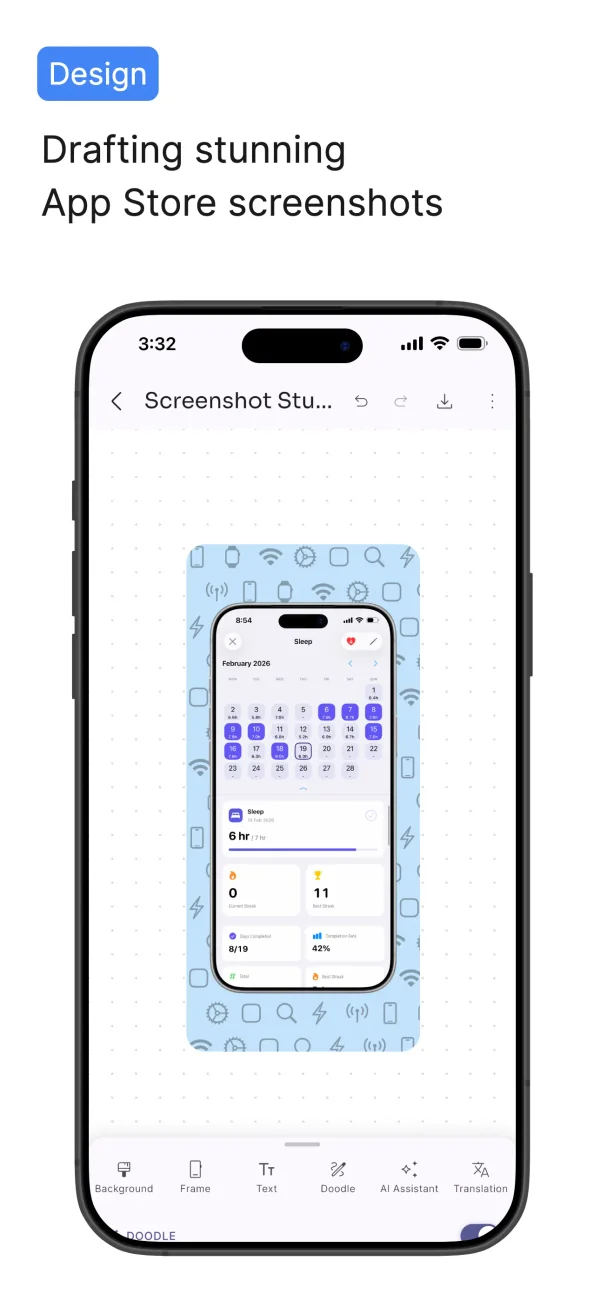
Design stunning App Store screenshots in minutes — no design skills required.
App Screenshots is the all-in-one screenshot studio for indie developers and small teams. Create professional, eye-catching App Store listings that help your app stand out and boost downloads.
SINGLE-CANVAS BOARD EDITOR
- Edit multi-screen layouts on a single canvas with interactive crop zones
- 15 layout templates designed for multi-card app store narratives
- Seamless canvas panning and zooming for precise design control
AI-POWERED DESIGN
- AI Design Assistant: describe changes in plain English and watch them happen
- AI-Generated Templates: describe your style and get coordinated screenshot designs
- Contextual suggestion chips for quick design tweaks
40+ LANGUAGE TRANSLATION
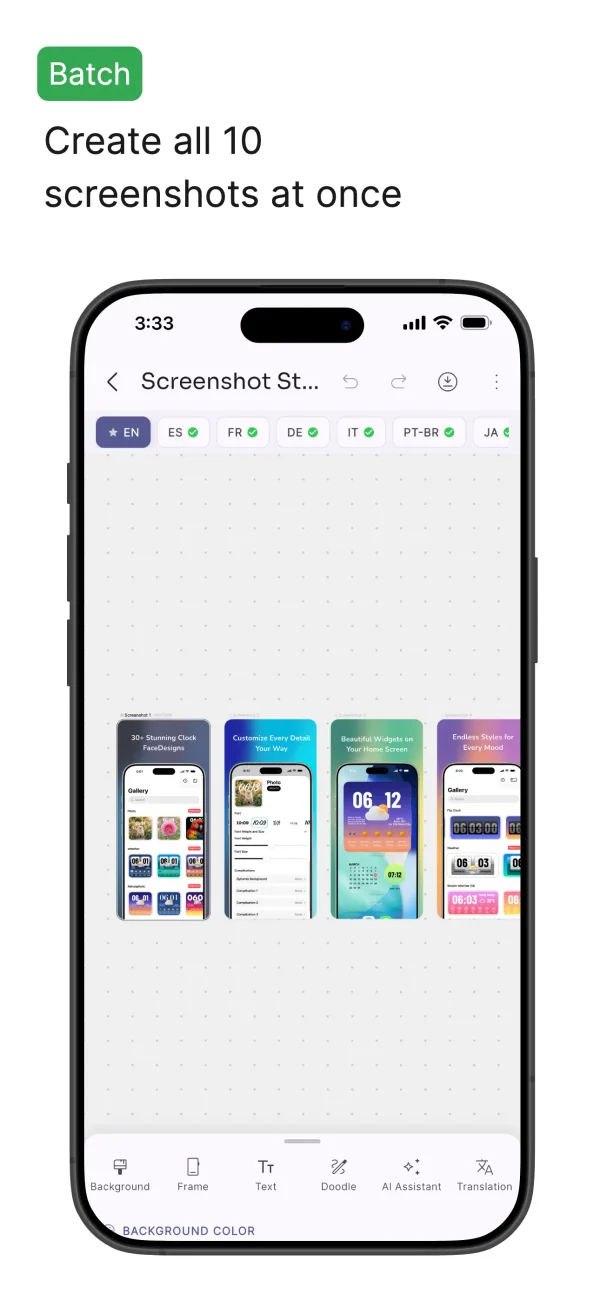
- Translate all text overlays to 40+ App Store locales in one tap
- Per-locale layout overrides for perfect positioning in every language
- Batch multi-locale export to locale-named folders ready for upload
POWERFUL DESIGN EDITOR & TYPOGRAPHY
- Native iOS fonts (SF Pro, SF Compact, New York) & hundreds of curated fonts
- Vector SVG support and clipboard paste integration
- Up to 50x overlay scaling with accurate hit-testing and image-fit controls
- Gradient, mesh gradient, and solid color backgrounds
AUTOMATION & STORE INTEGRATIONS
- Direct integration and streamlined uploads for App Store Connect
- Upload screenshots directly to App Store Connect
- Seamless iCloud sync and Files/Finder workspace visibility
Works on iPhone, iPad, and Mac. Privacy-first local storage.
What’s new
Version 1.4.0 · Sep 1, 2026
Version 1.4.0 introduces powerful new canvas editing and automation features:
• Single-Canvas Board Editor: Design seamless multi-screen screenshot flows on a single unified canvas with custom crop zones.
• 15 Layout Templates: Expanded layout catalogue featuring responsive multi-card arrangements for showcasing app narratives.
• Enhanced Typography & SVG: Native iOS typography (SF Pro, SF Pro Rounded, SF Compact, SF Mono, New York) and curated font styles, plus vector SVG paste & 50x overlay scaling.
• Store Automation: Direct API integration and streamlined uploads for App Store Connect.
• iCloud Sync & Workspace Visibility: Built-in iCloud backup and collaborative workspace accessible via Files app and Finder.
• Precise Canvas Controls: Improved hit-testing, image-fit control, and smoother drag interactions.
App privacy
What PROGRESSIO STUDIO COMPANY LTD declares on the App Store about how this app handles data.
-
Data not collected
The developer does not collect any data from this app.
Privacy practices may vary, for example with the features you use or your age.
Information
- Seller
- PROGRESSIO STUDIO COMPANY LIMITED
- Category
- Developer Tools
- Version
- 1.4.0
- Updated
- Sep 1, 2026
- Released
- May 18, 2026
- Size
- 79.7 MB
- Requires
- iOS 15.0 or later
- Age rating
- 4+
- Price
- $6.99
- Languages
- English
- Copyright
- © Progressio Studio
You might also like
-
 StoreShots: Create store shotsFast Screenshot Maker
-
 DevSnap: Screenshot to CodeOCR Text Scanner & Markdown
-
 HAP StudioHaptics for Everyone
-
 Mevolit - OneStop iOS UpdatesSoftware Companion for iOS
-
 DraftCode: Code & Text EditorMarkdown, JSON, Python & SSH
-
 AiRemovaAI-powered background removal
-
 OpsCat - Server Monitor & SSHDocker、SFTP、Linux and more
-
 iTerminus: SSH Client TerminalKeys, SFTP & Port Forwarding
-
 Buffer Editor - Code EditorGit Client, SFTP, SSH Terminal
-
 Photos RotatorRotate & Flip collectively.