
- Age rating4+
- CategoryDeveloper Tools
- DeveloperAICreator
- LanguagesEnglish
- Size3.9 MB
Links to the official App Store page
Download.org hosts no file of DevSnap: Screenshot to Code. The button opens its official App Store page, published by AICreator. Listing last checked on Nov 23, 2026.
Screenshots

About
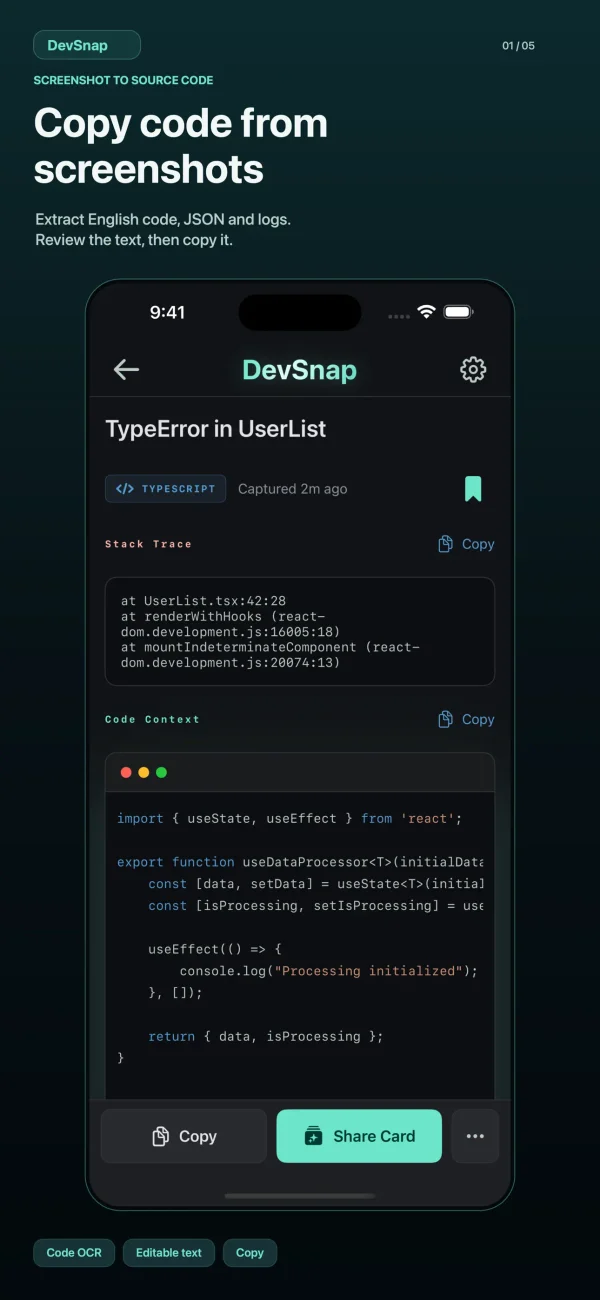
Copy code, JSON and error logs from screenshots instead of typing them again. DevSnap turns images of English source code and technical text into editable results you can copy, share or export as Markdown.
SCREENSHOT TO TEXT, BUILT FOR DEVELOPERS
- Extract code snippets from tutorial slides, screenshots and photos.
- Capture stack traces, terminal output and npm logs for a bug report or developer note.
- Review and edit recognized text before copying it.
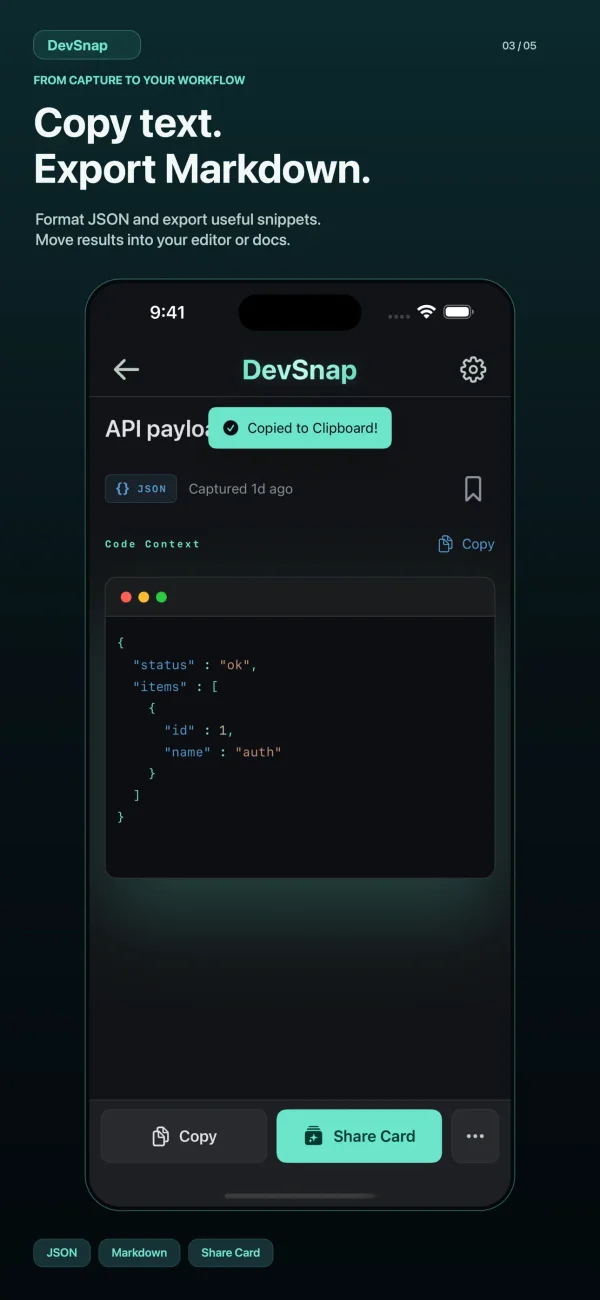
- Format JSON and export Markdown or a language-specific source file.
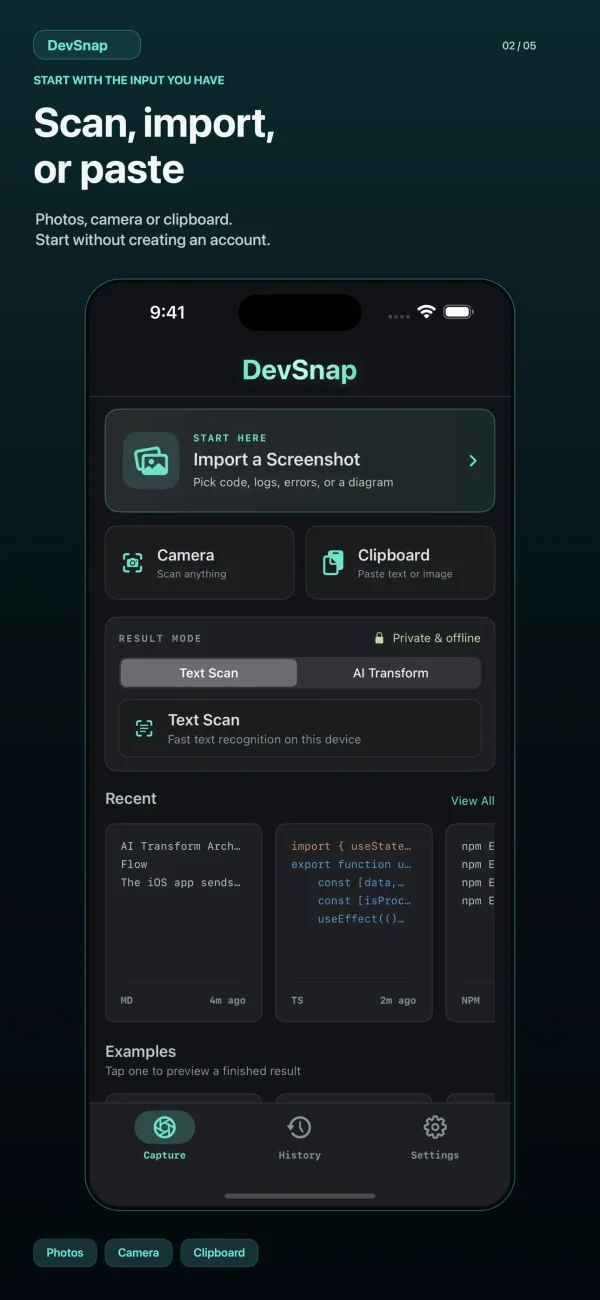
SCAN, IMPORT OR PASTE
Choose a screenshot from Photos, take a picture with the camera, or paste text or an image from the clipboard. Text Scan is the default and recognizes English technical text on your device, even without an internet connection. No account is required.
COPY, SHARE AND KEEP USEFUL RESULTS
Copy cleaned text with one tap, export a file, or create a Share Card from a selected excerpt. Your original screenshot is not included in a Share Card automatically. Search saved snippets, rename results and keep favorites in local history.
TRY A RESULT BEFORE YOU SCAN
Open built-in JSON, TypeScript error and npm log examples to explore the workflow. Examples do not request Photos access, add items to History or spend AI Transform credits.
OPTIONAL AI TRANSFORM
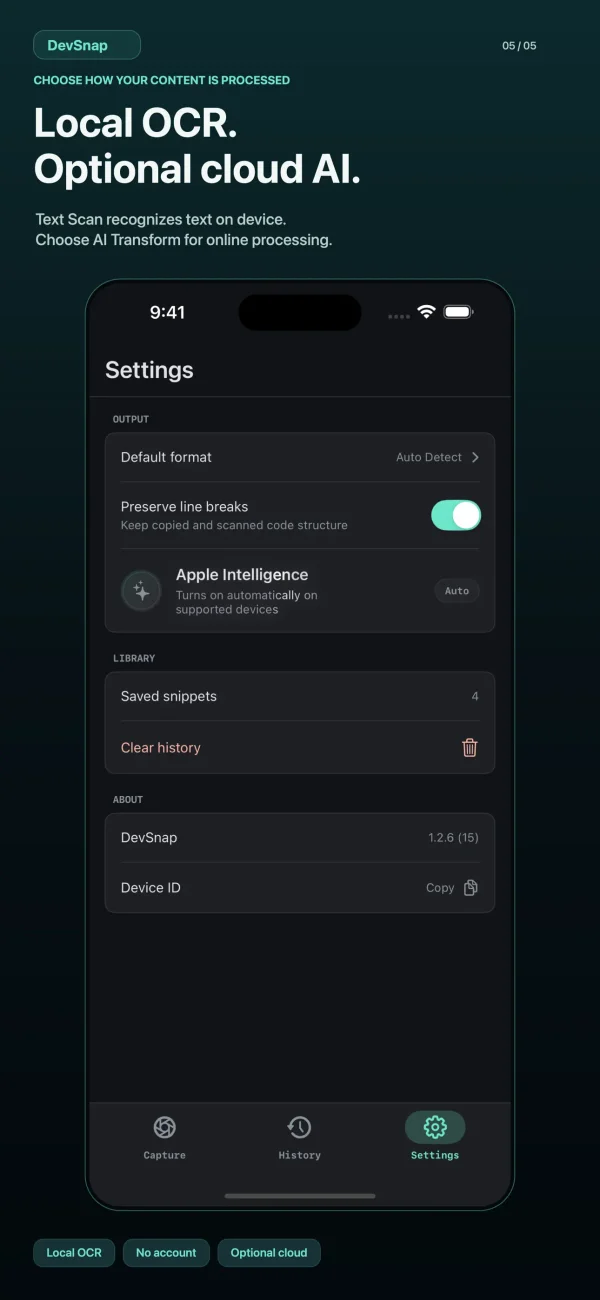
For richer structure, switch to AI Transform to turn a selected image into Markdown, a summary or a Mermaid diagram when applicable. This cloud-processing mode requires internet access and available credits. The selected image, transform setting and an app-generated device identifier are sent to the processing service only when you start an AI request.
Text Scan keeps your images and recognized text on your device. Usage analytics excludes screenshots, clipboard text and generated results. Advertising identifiers are not collected. The app interface and on-device OCR are currently in English.
What’s new
Version 1.2.6 · Nov 16, 2026
This update adds usage analytics to help us improve scanning and sharing. Your screenshots, clipboard text, and generated results are never included in analytics. Advertising identifiers are not collected.
App privacy
What AICreator declares on the App Store about how this app handles data.
-
Data linked to you
May be collected and linked to your identity.
- Location
- User content
- Identifiers
- Usage data
Privacy practices may vary, for example with the features you use or your age.
Information
- Seller
- AICreator
- Category
- Developer Tools
- Version
- 1.2.6
- Updated
- Nov 16, 2026
- Released
- May 26, 2026
- Size
- 3.9 MB
- Requires
- iOS 18.0 or later
- Age rating
- 4+
- Price
- Free
- Languages
- English
- Copyright
- © 2026 AICreator
You might also like
-
 Dev & Ads AIChat to build and ship
-
 Built With for SafariDetect Web Site Technology
-
 TotalDocsThe Total.js docs, offline
-
 App Screenshots: Store MakerMockup & Device Frame Editor
-
 MCP StudioManage & test MCP servers
-
 TapspectInspect web apps on the go
-
 Ledge NotebookThe notebook that runs code
-
 Store Switch XRedirect store & Check reviews
-
 tunlrSSH Client & Terminal Emulator
-
 Keyword Trends PlannerDeveloper Tools