
Arcora: Visual Day Planner
Time Blocking, Tasks & Habits
Designed for iPhone, iPad
Free · In-app purchases
- Age rating4+
- CategoryProductivity
- Developeruh-creations
- LanguagesEnglish+ 18 more
- Size31.0 MB
Links to the official App Store page
Download.org hosts no file of Arcora: Visual Day Planner. The button opens its official App Store page, published by uh-creations. Listing last checked on Nov 18, 2026.
Screenshots
About
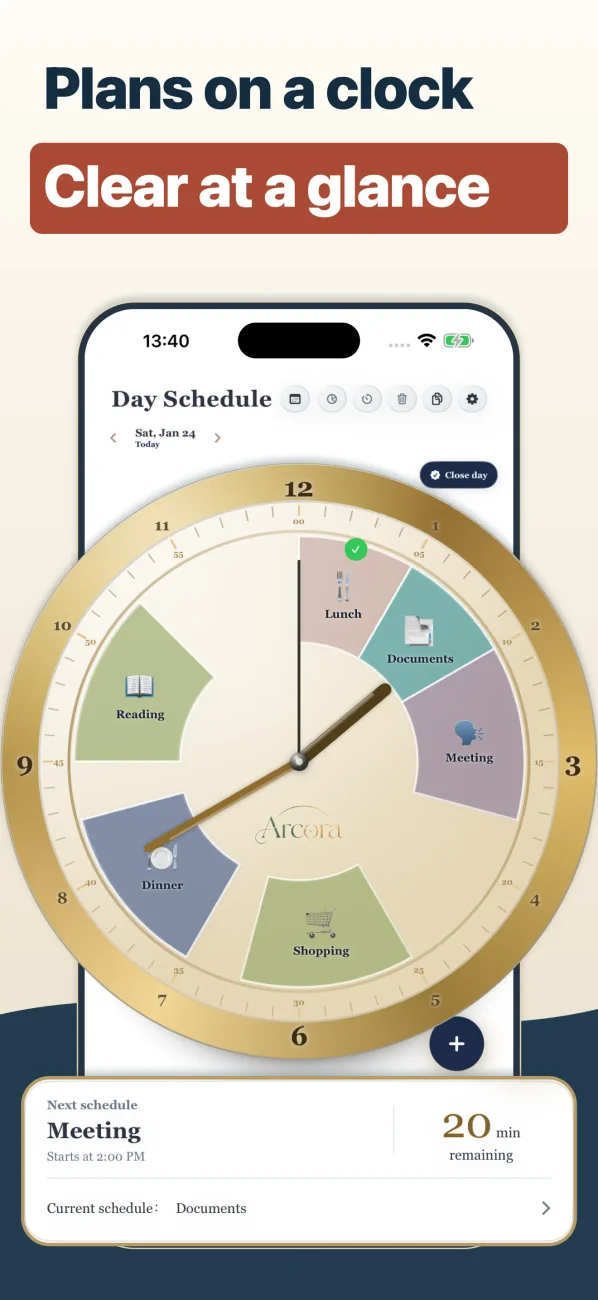
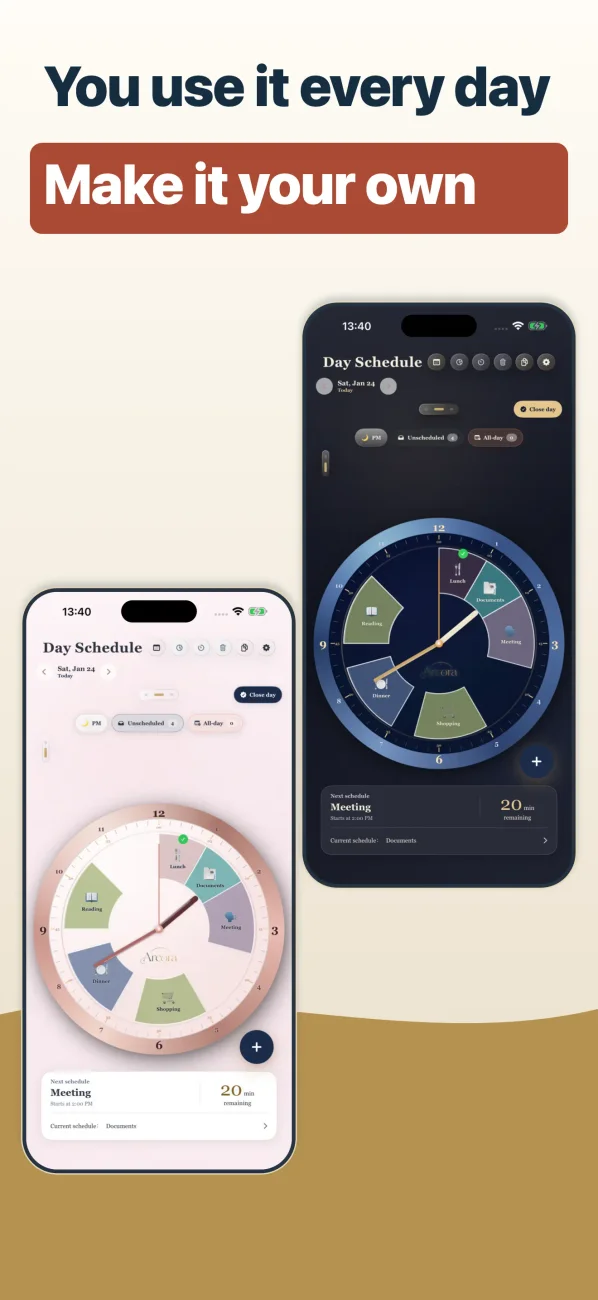
See work and personal plans take shape as colored arcs on an analog clock. Arcora is a visual day planner that helps you understand how your day is planned at a glance.
■ Time blocking on the clock
Add meetings, commutes, chores, exercise, study, and breaks directly to the clock.
• Each arc shows the planned start, end, and duration, making open time and overlapping plans easier to spot.
• You can also review your day in a timeline or browse weekly and monthly calendars.
• Choose from more than 100 preset tasks with icons.
• Create your own tasks and categories.
• Copy a full day of plans to another date.
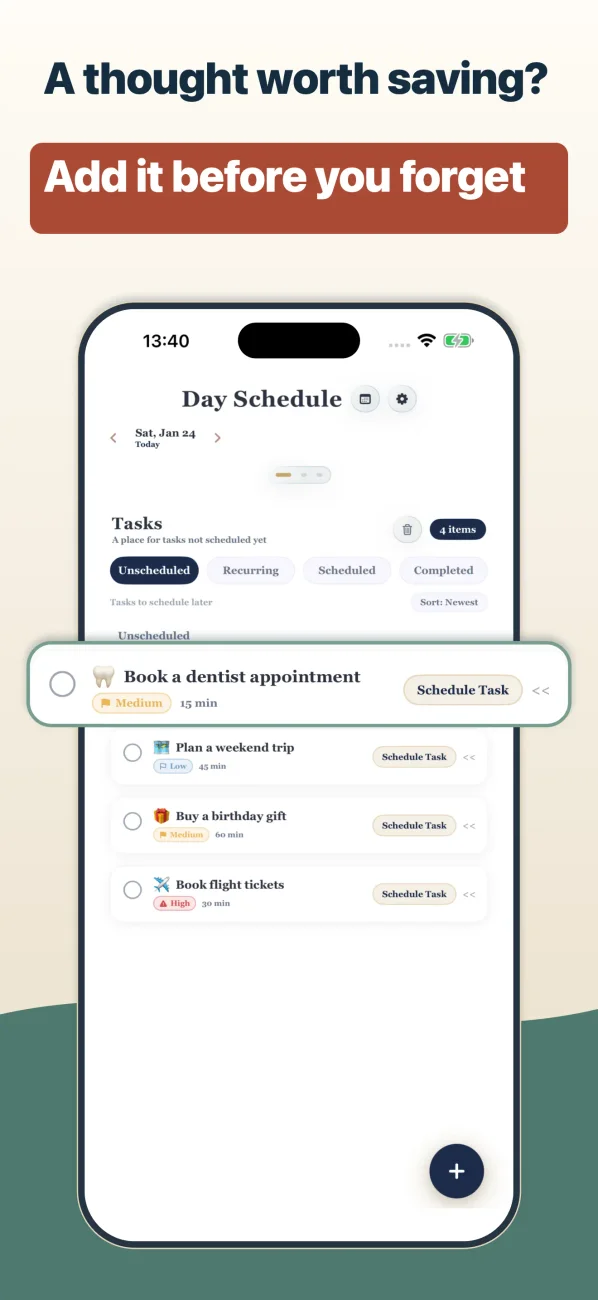
■ Turn unscheduled ToDos into time
Keep tasks without a time in the inbox.
• Add notes, priorities, and time estimates, then move each ToDo into your schedule when you are ready to act.
• Group tasks inside a plan and use them like a checklist, marking each item complete as you go.
• Save repeated sets of tasks as routines and create recurring plans for meetings, morning preparation, exercise, reading, and other habits you want to build.
• Optional reminders can notify you before a scheduled plan begins.
■ Review planned time
Premium weekly and monthly reports total the time assigned to plans by task and category. They also show how much of that planned time belongs to completed plans.
• Use day-end review to decide what is complete and what carries over (Premium).
■ 1–60 minute focus timer
For focused work or study, set a single countdown from 1 to 60 minutes.
• It keeps the remaining time visible and notifies you when the countdown ends.
■ Widgets and Apple Watch
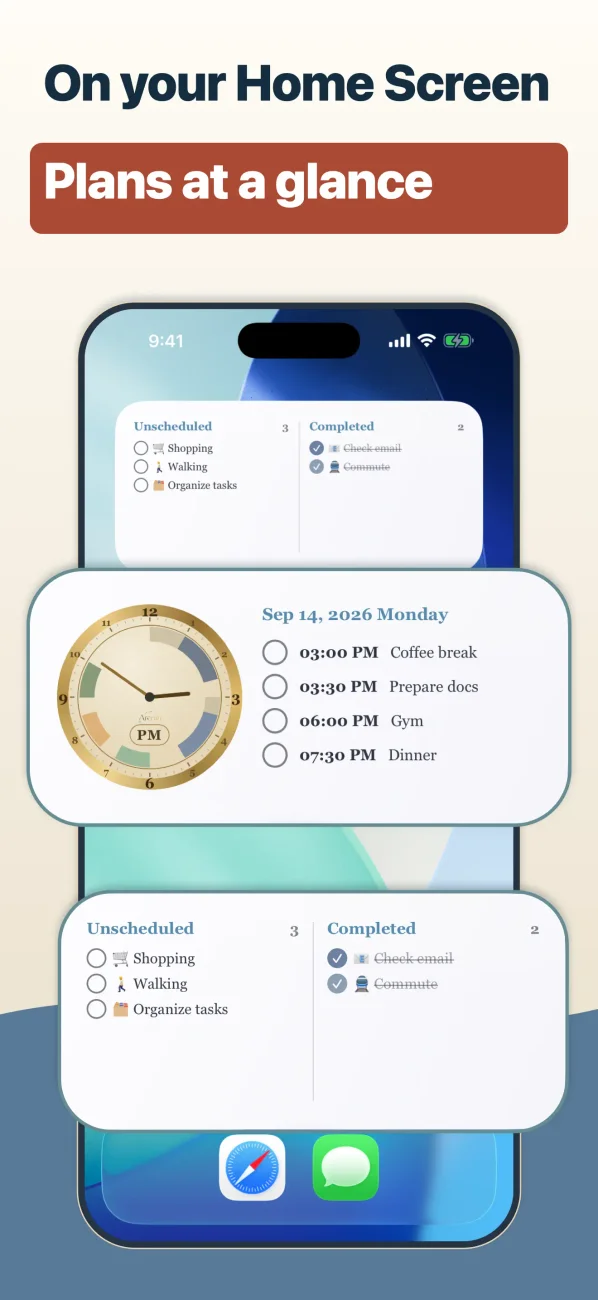
Home Screen widgets show the clock, upcoming plans, and unscheduled tasks, with completion controls for supported items.
• StandBy is supported.
• A running focus timer appears as a Live Activity on the Lock Screen and Dynamic Island.
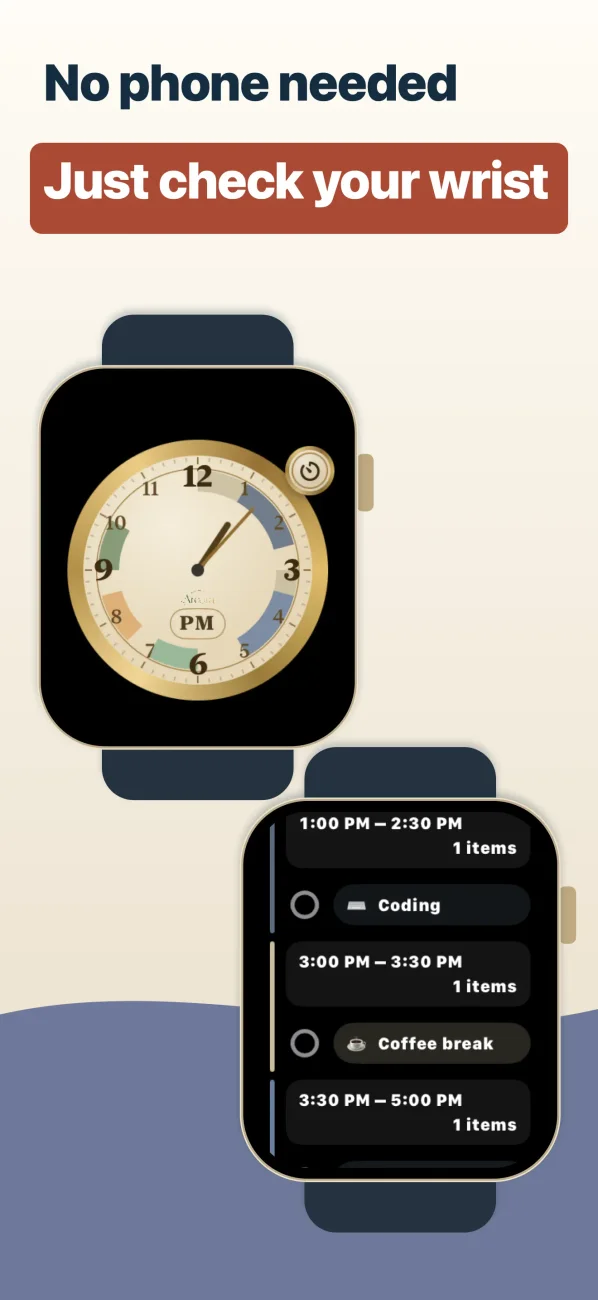
• On Apple Watch, view today’s schedule arcs and plan details, use the focus timer, and add a complication.
■ Calendar and iCloud
On iPhone and iPad, overlay events from the device calendar and, with Premium, export selected Arcora plans to a calendar you choose.
• If you enable iCloud sync, plans, inbox tasks, cards, routines, settings, and other Arcora data sync between devices using the same Apple ID; updates may take time.
• Plan data stays on the device and, when sync is enabled, in your iCloud.
• Calendar export writes selected plans to the chosen calendar.
■ Make the view yours
Choose the clock and display that work for you.
• 11 color themes and 6 clock designs.
• VoiceOver support.
• 12-hour and 24-hour time.
• Japanese, Buddhist, and Minguo calendars.
■ For visual planning
Arcora may also suit people with ADHD who prefer to see plans and time allocation visually. It is a general-purpose app for organizing work and everyday life.
• See plans as arcs on a clock.
• Give unscheduled ToDos a time.
• Repeat everyday routines.
■ Privacy
No account registration is required, and there are no ads.
• For purchase management and related analytics, Arcora sends an anonymous app identifier, basic device and OS information, and purchase information to RevenueCat.
■ Choose from three Premium plans
Premium includes:
• Unlimited custom tasks and routines, all themes and clock designs, colored tags, image notes, planned-time reports, day-end review, and calendar export.
Arcora is free to use. Choose a monthly or yearly subscription, or a one-time purchase for Premium.
Legal
By using Arcora, you agree to Apple’s Standard End User License Agreement (EULA) and the Arcora Terms of Use.
Apple Standard EULA:
https://www.apple.com/legal/internet-services/itunes/dev/stdeula/
Arcora Terms of Use:
https://uh-creations.com/products/arcora/terms.html
Privacy Policy:
https://uh-creations.com/products/arcora/privacy.html
What’s new
Version 1.0.1 · Oct 30, 2026
Optimized the clock, schedules, calendar and timer for iPhone Duo's larger display.
Preserved timer settings when changing the display layout.
App privacy
What uh-creations declares on the App Store about how this app handles data.
-
Data not linked to you
May be collected but is not linked to your identity.
- Purchases
- Identifiers
Privacy practices may vary, for example with the features you use or your age.
Information
- Seller
- uh-creations
- Category
- Productivity
- Version
- 1.0.1
- Updated
- Oct 30, 2026
- Released
- Sep 29, 2026
- Size
- 31.0 MB
- Requires
- iOS 17.0 or later
- Age rating
- 4+
- Price
- Free
- In-app purchases
- Yes
- Languages
- English, Dutch, Filipino, French, German, Hindi, Indonesian, Italian, Japanese, Korean, Polish, Portuguese + 7 more
- Copyright
- © uh-creations
You might also like
-
 Lupo - 予定・タスク・献立・家計簿Productivity
-
 Geoid Globe: World ClockTime zones, true Earth shape
-
 TokiwaProductivity
-
 Syvra PlannerOptimize your schedule
-
 Carré Note - 思考を束ねるアイデアノートProductivity
-
 AI Prompt AcademyLearn AI prompts by example
-
 AfterNotificationSet Notifications Fast & Easy
-
 MyDoProductivity
-
 Alarmカレンダー - アラーム&スケジュール管理Productivity
-
 Stando - Todo & Stand ClockMinimal desk clock & todo app