
Atto — Ticket Drop Timer
Millisecond onsale countdown
Designed for iPhone
In-app purchases
- Age rating4+
- CategoryUtilities
- DeveloperBeomjin In
- LanguagesJapanese+ 4 more
- Size11.1 MB
Links to the official App Store page
Download.org hosts no file of Atto — Ticket Drop Timer. The button opens its official App Store page, published by Beomjin In. Listing last checked on Nov 12, 2026.
Screenshots



About
A ticket drop is decided in milliseconds, not seconds.
The queue opens on the booking server's clock, not your phone's. The two are usually tens to hundreds of milliseconds apart, and that gap decides your place in line.
Atto reads the server's clock directly, and shows you how well it read it.
Measuring server time
An HTTP Date header only resolves to the second, so one read tells you ±500ms and no more. Atto probes at 137ms intervals so each request lands on a different phase inside the second. Once the offset narrows, it predicts when the server's second will roll over and aims at that edge. Twenty overlapping measurements fold the error down to the round trip.
The error bar stays visible
Instead of a label like "high accuracy" you get the measured figure: ±23ms. Sample count, rejected samples, best round trip, and how far this server runs from national standard time are all on screen.
Cached responses get dropped
When a CDN answers instead of the origin, the clock inside that response is frozen at the moment it was stored. Atto checks the Age and cache headers and keeps those responses out of the average.
Device drift correction
Your phone's oscillator runs seconds off per day. Atto measures the slope between syncs, extrapolates it to now, and re-syncs every two minutes while you wait.
Picture in Picture
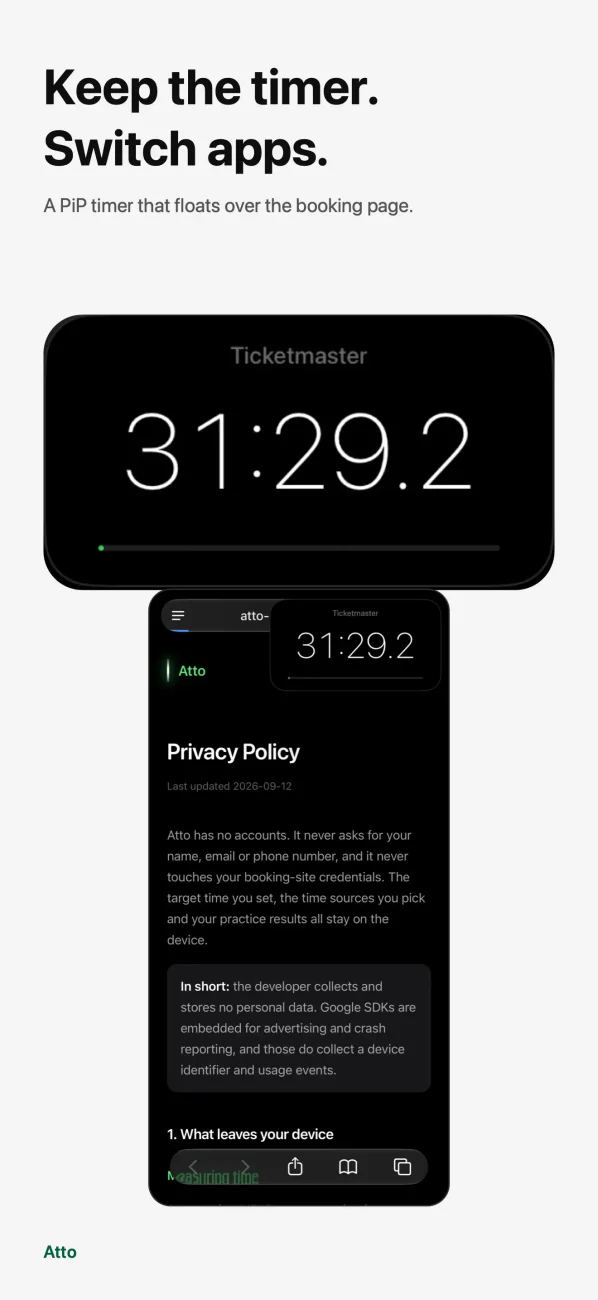
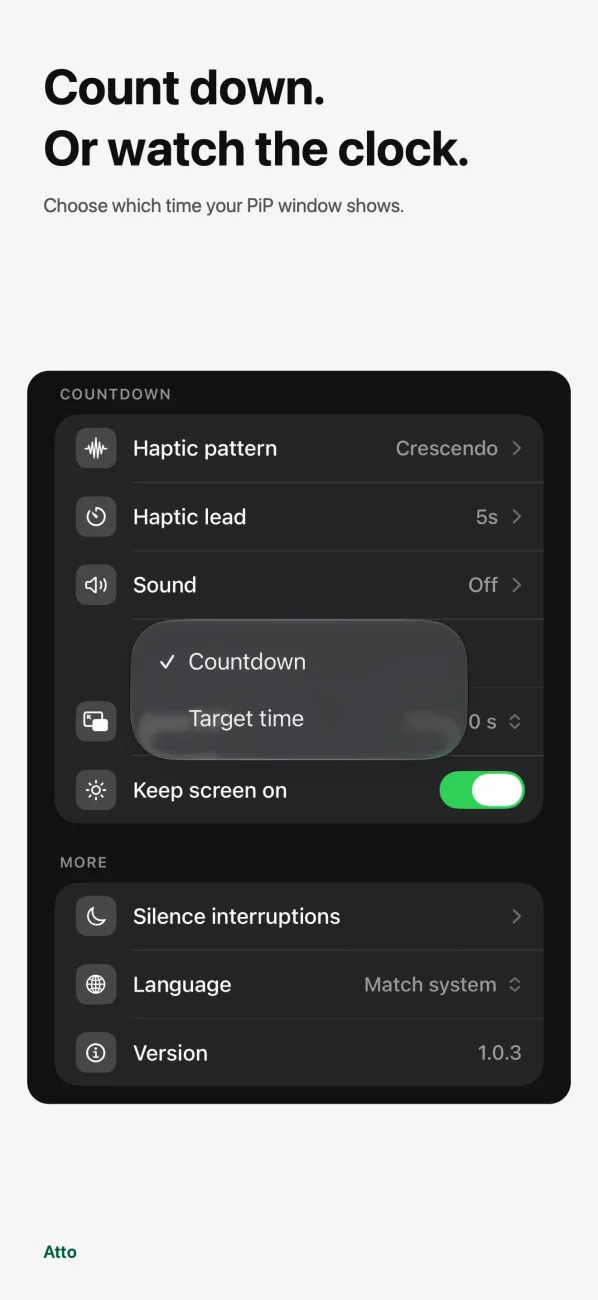
Press Start and a Picture in Picture window floats above your other apps. Show a decreasing countdown or a corrected wall clock that advances toward your configured target, with three-digit milliseconds. Keep the timing in sight while using a booking app or webpage.
Haptics and sound
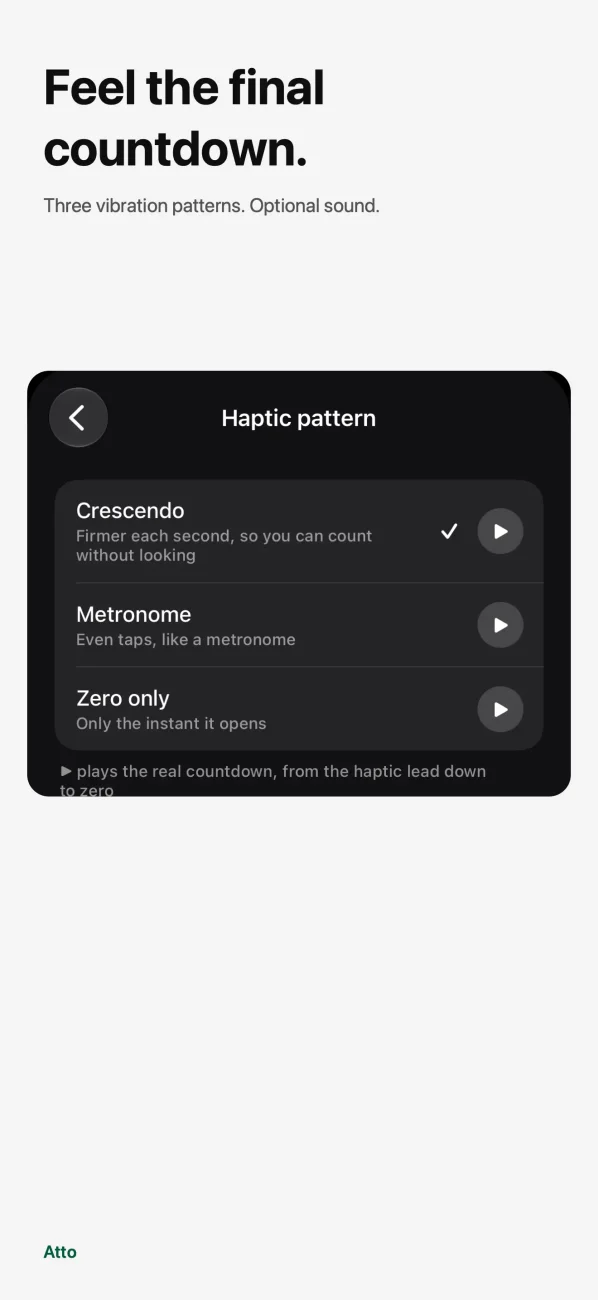
Taps begin at the lead time you set and end with one hard hit at zero. The whole pattern goes to Core Haptics up front rather than a timer, so zero does not move even if the screen stutters. Sound is optional and plays through the silent switch.
Practice mode
A recommended lead time is somebody else's number. Measure the gap between the buzz and your tap actually registering, then apply your own median.
Time sources
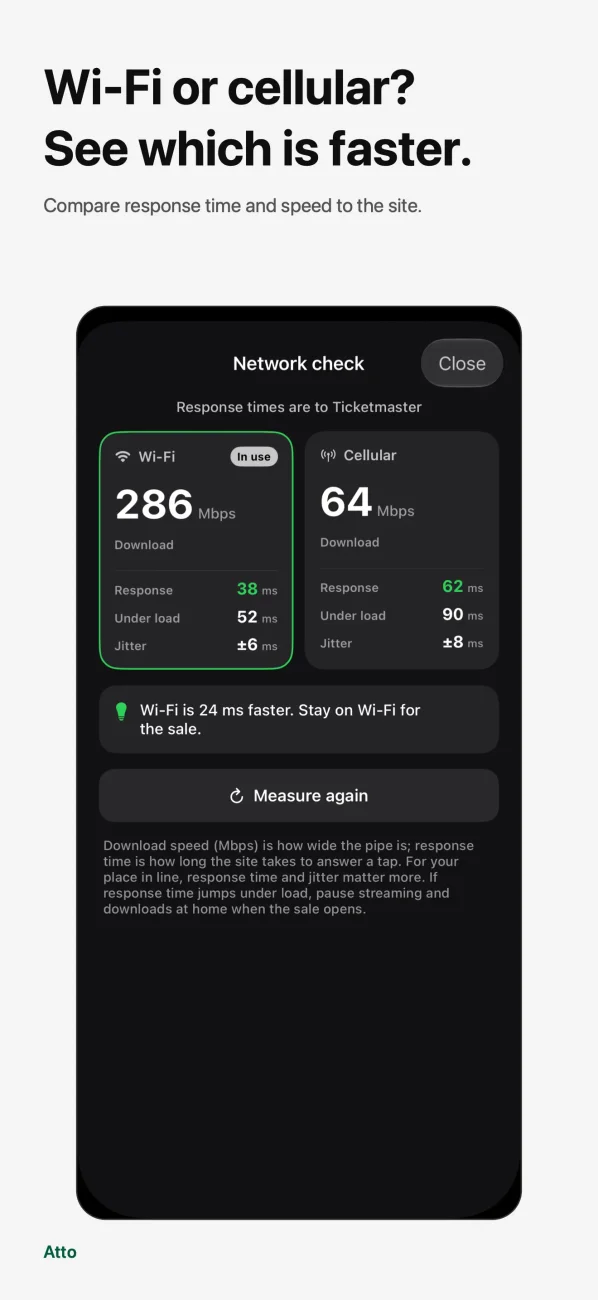
Over 300 sources across 14 regions, including Ticketmaster, AXS, StubHub, Interpark, e+, tixCraft and Damai, plus course registration sites and sneaker drops. Standard-time servers like NIST, NPL, PTB, NICT and KRISS are there too, and you can type any address yourself.
Free and paid
Everything that decides whether you get the ticket is free: full sync accuracy, drift correction, the on-screen countdown, haptics, every time source, practice mode.
One rewarded ad floats a single countdown in a PiP window. A one-time purchase removes ads and keeps PiP unlocked. It is not a subscription.
Reading a clock takes one HEAD request. Atto never asks for an account and takes no part in the booking itself.
English, 한국어, 日本語
What’s new
Version 1.0.5 · Oct 16, 2026
Setting the time and reminders got simpler.
• Tap the clock for a time-only picker; a time that has passed today becomes tomorrow
• Turn on a reminder from the bell and choose the exact date and time, and notification or alarm. Change the time and the reminder moves with it
• New home-screen widget with your target time, the time left and the next reminder
• Interpark and NOL Ticket now sync to the booking server's clock for better accuracy
• The top menu is now icons only
App privacy
What Beomjin In declares on the App Store about how this app handles data.
-
Data used to track you
May be used to track you across apps and websites owned by other companies.
- Identifiers
- Usage data
-
Data not linked to you
May be collected but is not linked to your identity.
- Purchases
- Identifiers
- Usage data
- Diagnostics
Privacy practices may vary, for example with the features you use or your age.
Information
- Seller
- Beomjin In
- Category
- Utilities
- Version
- 1.0.5
- Updated
- Oct 16, 2026
- Released
- Sep 16, 2026
- Size
- 11.1 MB
- Requires
- iOS 17.0 or later
- Age rating
- 4+
- In-app purchases
- Yes
- Languages
- Japanese, Thai, Traditional Chinese, English, Korean
- Copyright
- © 2026 Beomjin In
You might also like
-
 ClickTimer - Ticketing TimerServer-time sync for ticketing
-
 나노타임 - pip 서버시간 오토클릭 티켓팅 수강신청Utilities
-
 Tick: Precise CountdownMillisecond-accurate countdown
-
 SomTime: Island & PiP ClockFloating Window & Server Time
-
 CHALLNA: Precise Server ClockZero Lag, Perfect Timing
-
 Second-SyncPiP timer for crucial moments
-
 CUE! Time Signal SyncAccurate NTP Clock & Voice
-
 Floating Clock - Server TimeSee seconds over other apps
-
 Millisecond stopwatch & timerFor study, sports, interval
-
 Seconds Clock: Floating & DeskDynamic Island & Lock Screen