- Age rating4+
- CategoryUtilities
- Developer杰 曹
- LanguagesJapanese+ 10 more
- Size4.0 MB
Links to the official App Store page
Download.org hosts no file of Seconds Clock: Floating & Desk. The button opens its official App Store page, published by 杰 曹. Listing last checked on Nov 19, 2026.
Screenshots



About
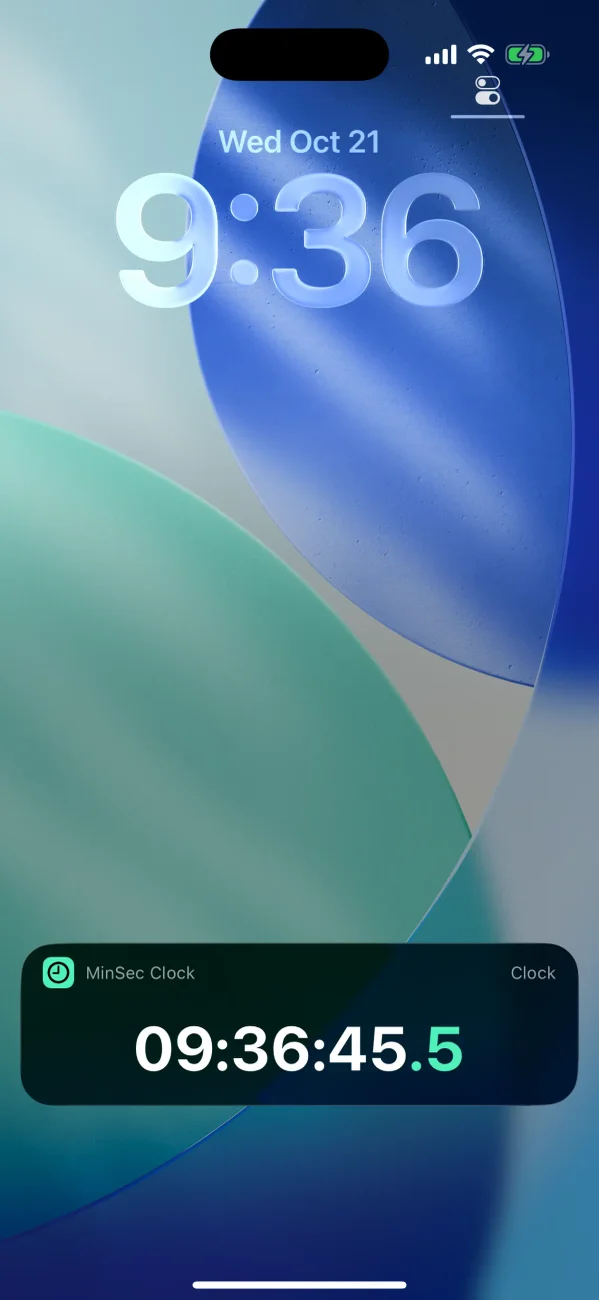
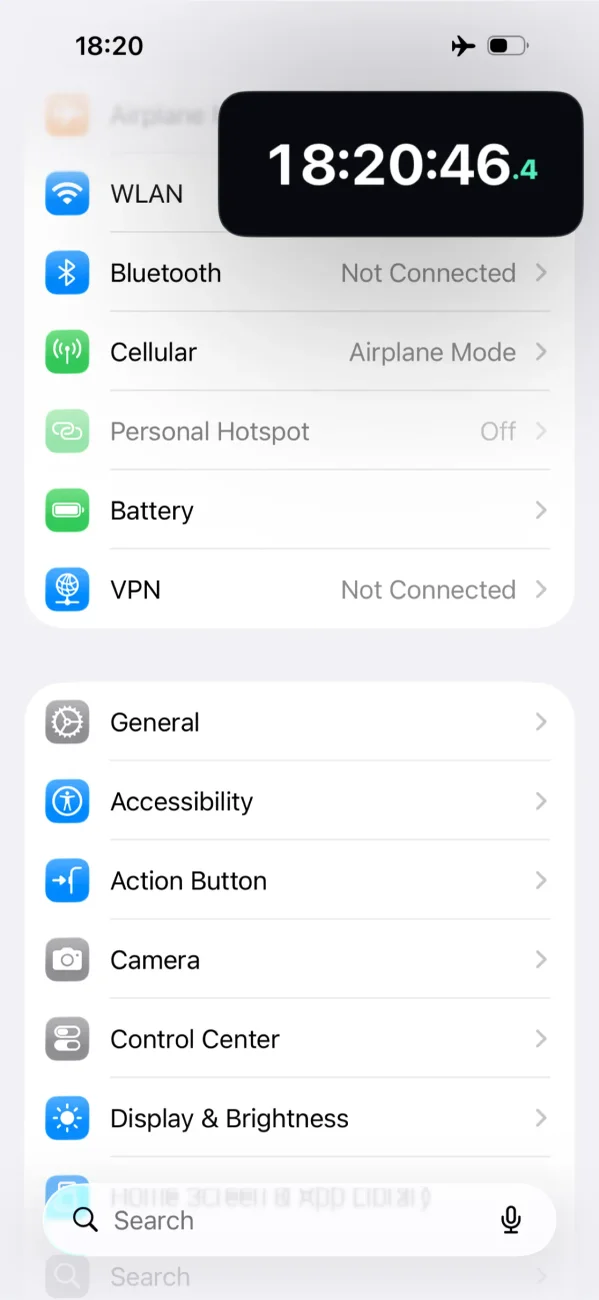
See hours, minutes, and seconds clearly in the app, on the Lock Screen, and in the Dynamic Island. On supported devices, use Picture in Picture to keep the clock visible over other apps. MinSec combines a precise seconds display, a full-screen desk clock, and customizable clock faces in one clean iPhone app.
WHY MINSEC
- Dynamic Island and Lock Screen time: show your selected hours, minutes, seconds, and optional fractional seconds with a Live Activity
- Picture in Picture clock: keep the clock visible over other apps on supported devices
- Lock Screen clock: check the current time without unlocking
- Full-screen desk clock: turn your iPhone sideways for a clear landscape display
- Analog and digital clock faces: switch styles to suit the moment
- Custom time display: choose which hours, minutes, and seconds to show, plus fractional seconds
- Detailed time: choose 12- or 24-hour time and display fractional seconds
- Personalize the look: use a smooth second hand and a choice of accent colors
- Shortcuts support: quickly start or stop the Live Activity
- Private by design: no ads, accounts, analytics, or tracking
MinSec uses your iPhone's system time and does not require a network connection.
Seconds on the Lock Screen and in the Dynamic Island use Live Activities. iOS allows each Live Activity to run for up to 8 hours. On some older iOS versions, it may stop at midnight; restart it to keep displaying the time.
What’s new
Version 2.6 · Nov 12, 2026
Updated our App Store presentation with a new video preview showing the floating clock, Dynamic Island, and desk clock. The app name on your Home Screen and the clock features you use remain the same.
App privacy
What 杰 曹 declares on the App Store about how this app handles data.
-
Data not collected
The developer does not collect any data from this app.
Privacy practices may vary, for example with the features you use or your age.
Information
- Seller
- 杰 曹
- Category
- Utilities
- Version
- 2.6
- Updated
- Nov 12, 2026
- Released
- Aug 1, 2026
- Size
- 4.0 MB
- Requires
- iOS 16.2 or later
- Age rating
- 4+
- Languages
- Japanese, Italian, Spanish, German, French, Portuguese, Russian, Simplified Chinese, Traditional Chinese, English, Korean
- Copyright
- © 2026 jie cao
You might also like
-
 Exact SecondsLive seconds clock and widgets
-
 SecBlinkSee Every Second
-
 Big Digital Clock - Desk ClockFull Screen Clock with Weather
-
 Simple Clock JPBig clock for stage and studio
-
 ロボジョイUtilities
-
 Floating Clock ProFloating Clock · Flash Sales
-
 CUE! Time Signal SyncAccurate NTP Clock & Voice
-
 Simple Clock - ハイブリッド時計Utilities
-
 DateTimeAtIslandUtilities
-
 Micro Clock: Floating TimerCountdown, Stopwatch & Focus