
Audio Spleeter Lite
Vocal Accompaniment splitter
Designed for iPhone, iPad
Free · In-app purchases
- Age rating4+
- CategoryUtilities
- Developer龙刚 李
- LanguagesEnglish+ 9 more
- Size148.5 MB
Links to the official App Store page
Download.org hosts no file of Audio Spleeter Lite. The button opens its official App Store page, published by 龙刚 李. Listing last checked on Nov 17, 2026.
Screenshots



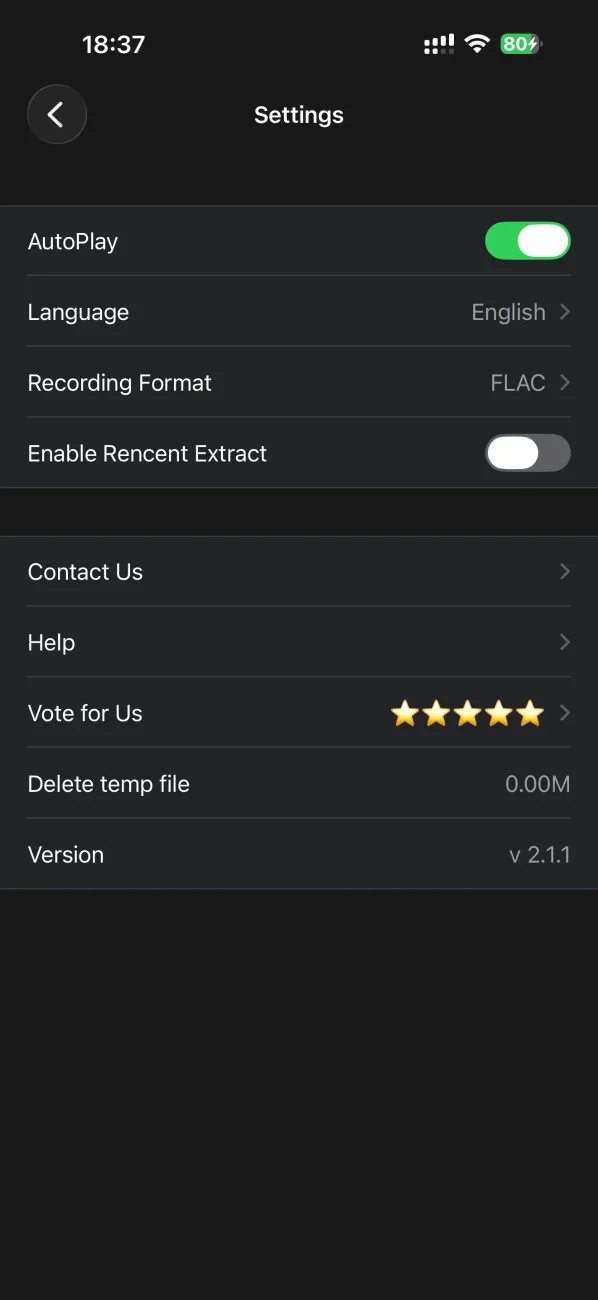
About
Turn any song into vocals, instrumental, drums, bass, piano, and pitch to create your own remix—right on your iPhone or iPad.
Audio Spleeter is an AI vocal remover, stem splitter, and remix tool designed for musicians, singers, DJs, dancers, karaoke fans, and music learners. Separate tracks directly on your device without uploading your audio to a server. No internet connection is required for stem separation.
AI STEM SEPARATION
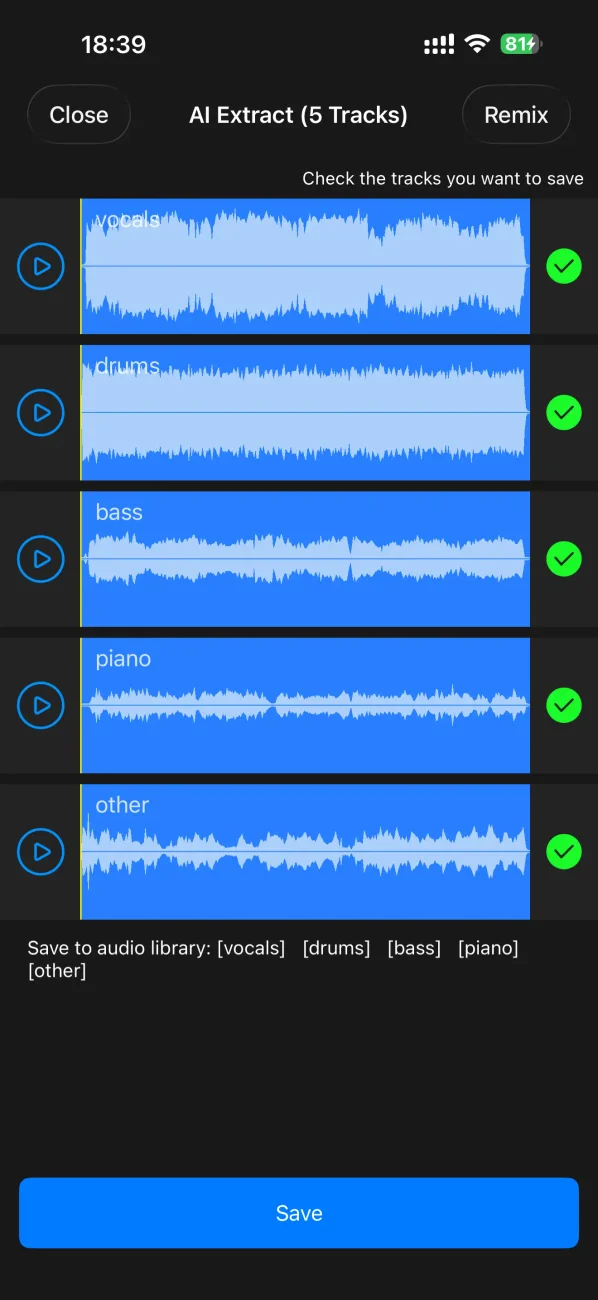
• 2-Stem Separation
Split a song into vocals and instrumental accompaniment.
• 5-Stem Separation
Separate vocals, drums, bass, piano, and other instruments.
• Fast On-Device Processing
Hardware-accelerated AI processing is available on supported devices for faster extraction and improved performance.
CENTER CHANNEL EXTRACTION
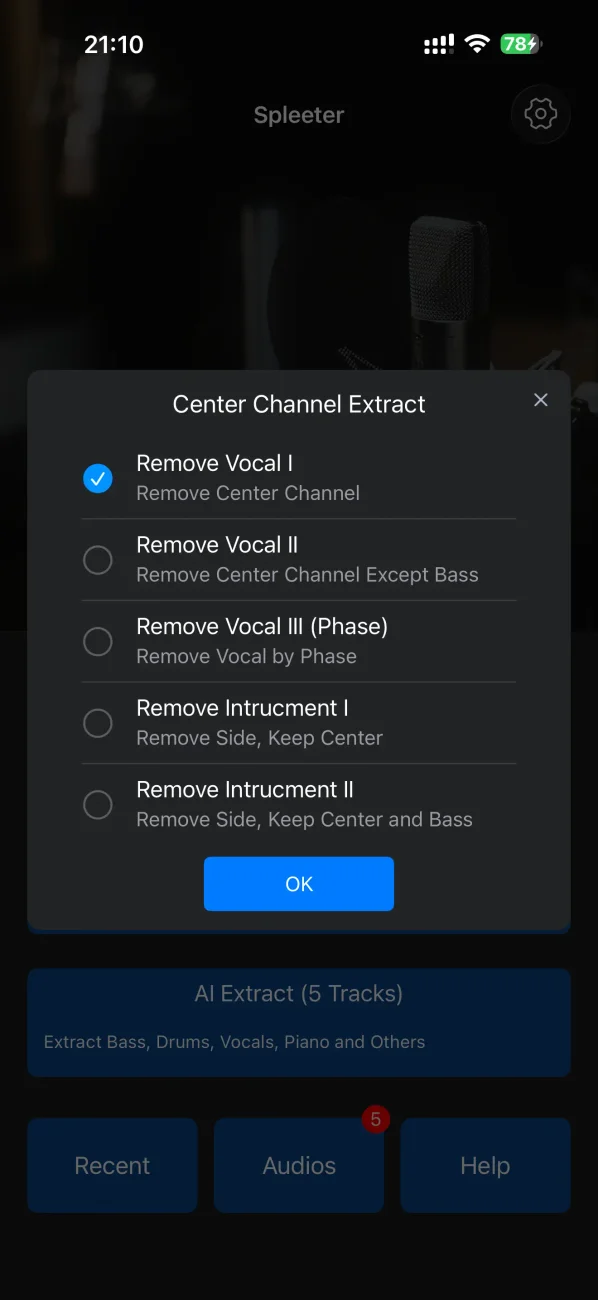
Choose from five center-channel extraction modes to remove or isolate vocals in compatible stereo recordings. This provides a fast alternative to AI separation when working with traditional center-mixed tracks.
REMIX YOUR TRACKS
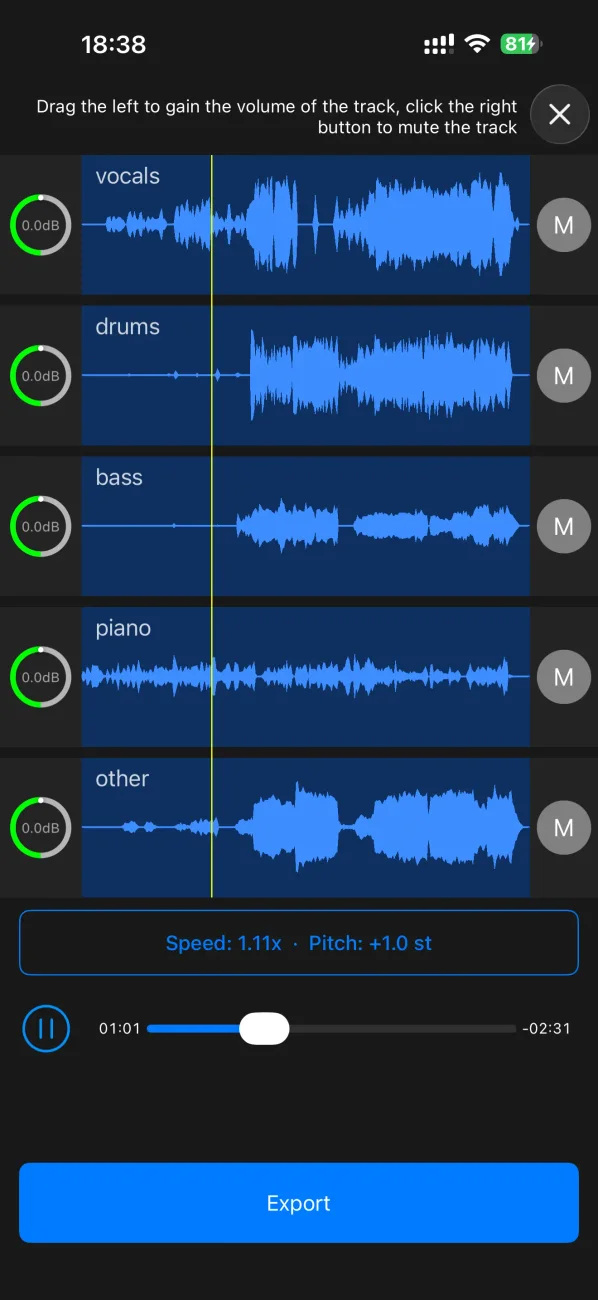
• Adjust the volume of each stem independently
• Mute individual vocals or instruments
• Change playback speed from 0.5x to 2.0x
• Shift pitch by semitones without changing speed
• Preview changes while editing
• Export your finished remix
CREATE TRACKS FOR ANY PURPOSE
• Remove vocals to create karaoke or backing tracks
• Isolate vocals for acapella practice
• Extract drums, bass, or piano for music study
• Slow down difficult sections while practicing
• Change the key to match your voice or instrument
• Build custom mixes for rehearsals and performances
IMPORT AUDIO YOUR WAY
Import audio from:
• Files and iCloud Drive
• Your local audio library
• Videos
• Downloadable audio links
• Built-in audio recording
FLEXIBLE AUDIO EXPORT
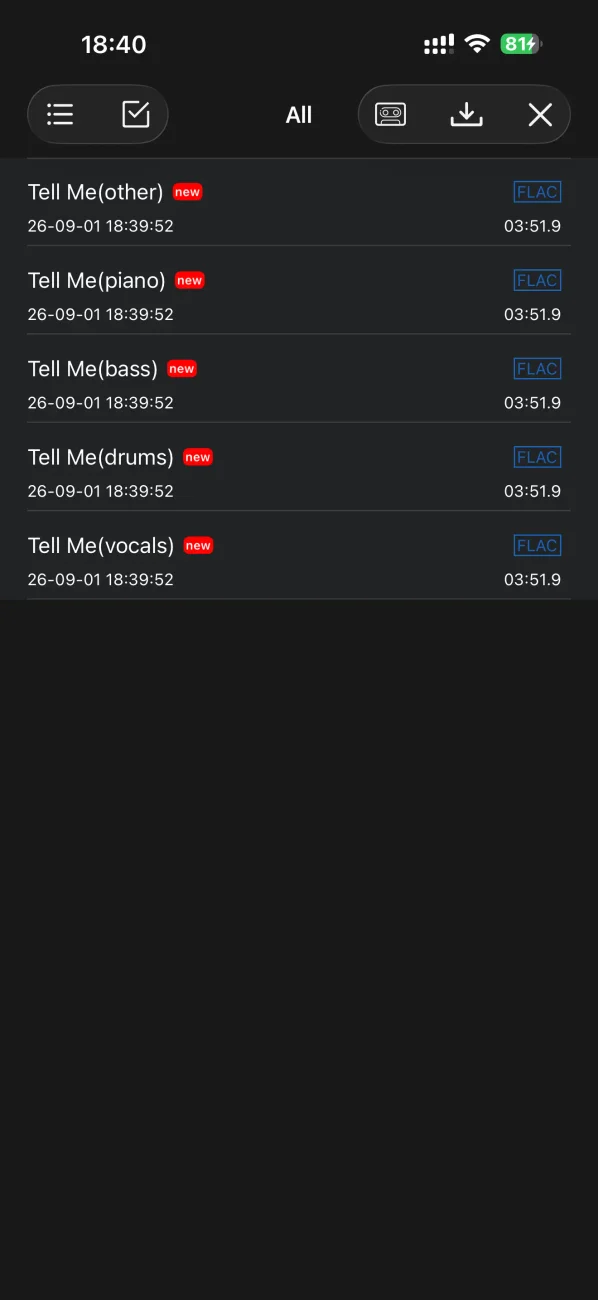
Export separated stems and remixes in popular formats, including:
• AAC
• M4A
• MP3
• WAV
• FLAC
• AIFF
EASY SHARING
Share your audio through Files, iCloud Drive, Wi-Fi transfer, or other installed apps.
PRIVATE, ON-DEVICE SEPARATION
AI stem separation runs locally on your device. Your source audio does not need to be uploaded to a cloud processing service.
Whether you want to make an instrumental track, isolate vocals, practice an instrument, change a song’s key or tempo, or create a custom remix, Audio Spleeter gives you the tools you need in one place.
Terms of Use (EULA):
http://www.iruomu.com/audiospleeter/termofuse.html
Privacy:
http://www.iruomu.com/audiospleeter/privacy.html
What’s new
Version 2.2.1 · Oct 26, 2026
• Get 5 free credits when you install the app for the first time.
• Share your audio directly after saving.
• Improved audio library loading and category switching.
• Improved playback completion handling and ad lifecycle management for better stability.
App privacy
What 龙刚 李 declares on the App Store about how this app handles data.
-
Data used to track you
May be used to track you across apps and websites owned by other companies.
- Usage data
-
Data not linked to you
May be collected but is not linked to your identity.
- Usage data
- Diagnostics
Privacy practices may vary, for example with the features you use or your age.
Information
- Seller
- 龙刚 李
- Category
- Utilities
- Version
- 2.2.1
- Updated
- Oct 26, 2026
- Released
- Dec 1, 2021
- Size
- 148.5 MB
- Requires
- iOS 17.0 or later
- Age rating
- 4+
- Price
- Free
- In-app purchases
- Yes
- Languages
- English, French, German, Italian, Japanese, Korean, Russian, Simplified Chinese, Spanish, Traditional Chinese
- Copyright
- © ruomu
You might also like
-
 Vocals RemoverSeparate accompaniment vocals
-
 Unmix AI Speech Vocal RemoverRemove voice from any yt song
-
 Mp3 Converter - mp4 to mp3bulk mp3 converter
-
 音分轨-AI人声分离&人声伴奏提取&视频转音频&视频消音Utilities
-
 Audio Editor - Audio CutterAudio Converter, Audio Mixer.
-
 Voice Recorder & Noise RemoverAI Audio Cleaner & Enhancer
-
 Wave Audio EditorAudio Editor Utility
-
 Voice Remover: Music SeparatorRemove Vocals, Extact Voice
-
 Dango AIQuality focused AI Audio tools
-
 伴奏提取—AI人声分离&消除人声Utilities