
BatchOptimize: Compress Media
Convert, Watermark & Edit PDF
Designed for iPhone, iPad, Mac
In-app purchases
- Age rating+4
- CategoryUtilities
- DeveloperLei Feng
- LanguagesGerman+ 7 more
- Size15.7 MB
Links to the official App Store page
Download.org hosts no file of BatchOptimize: Compress Media. The button opens its official App Store page, published by Lei Feng. Listing last checked on Nov 23, 2026.
Screenshots


About
【NEW IN v1.6】Logo image watermarks across photos, PDFs & videos, Album Storage Radar for large photos & RAWs, fast Auto-SSIM, JSON reports & video frame scrubbing.
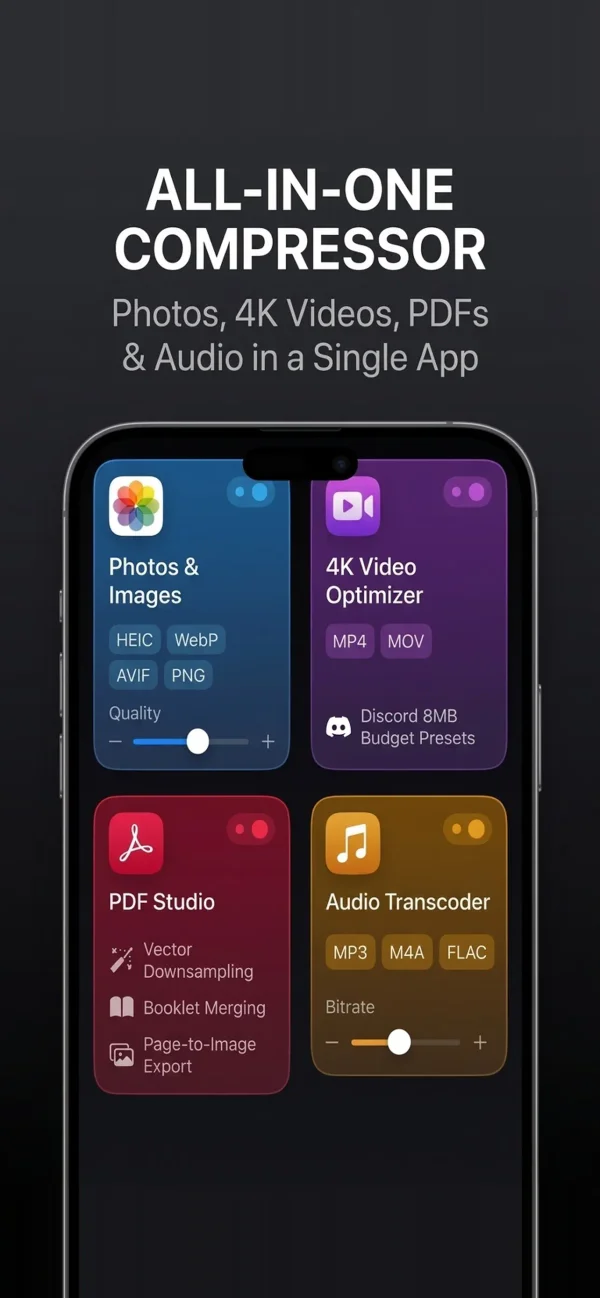
BatchOptimize is the ultimate high-performance media and document compression powerhouse engineered exclusively for macOS, iOS, and iPadOS.
Built from the ground up for Apple Silicon with Metal, VideoToolbox, and CoreGraphics hardware acceleration, BatchOptimize lets you crush massive file sizes by up to 90% while preserving crisp pixel fidelity.
KEY CAPABILITIES:
• IMAGES & GRAPHICS:
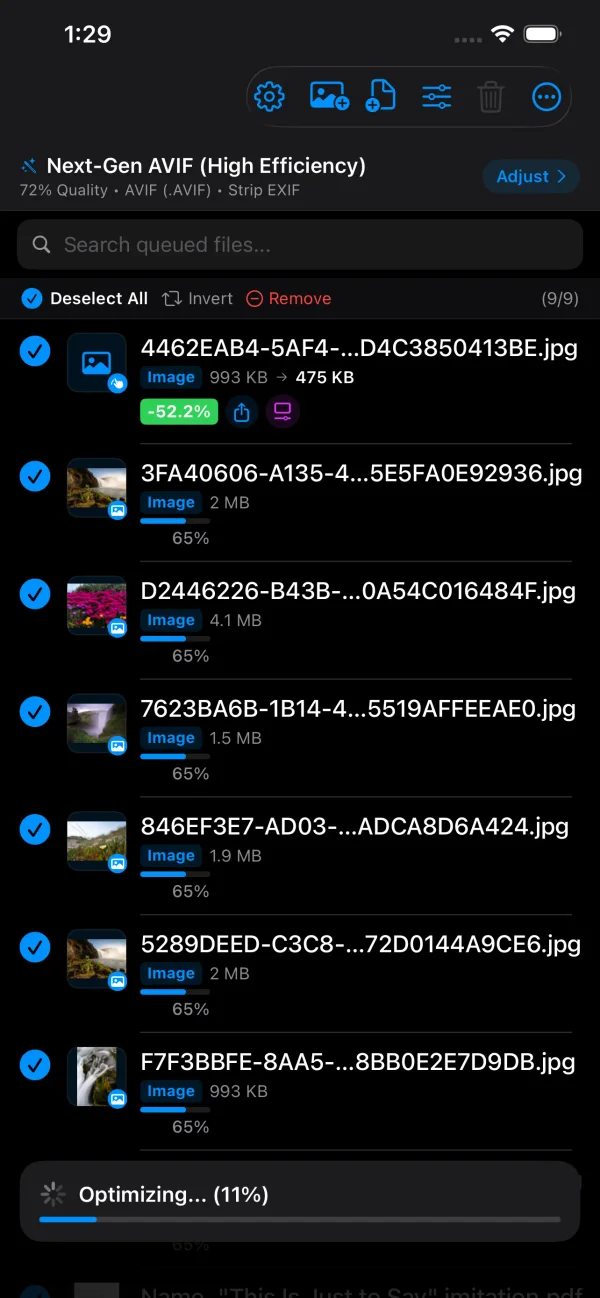
• Next-Gen Formats: Convert & compress to WebP, AVIF, HEIC, JPEG, PNG, and TIFF.
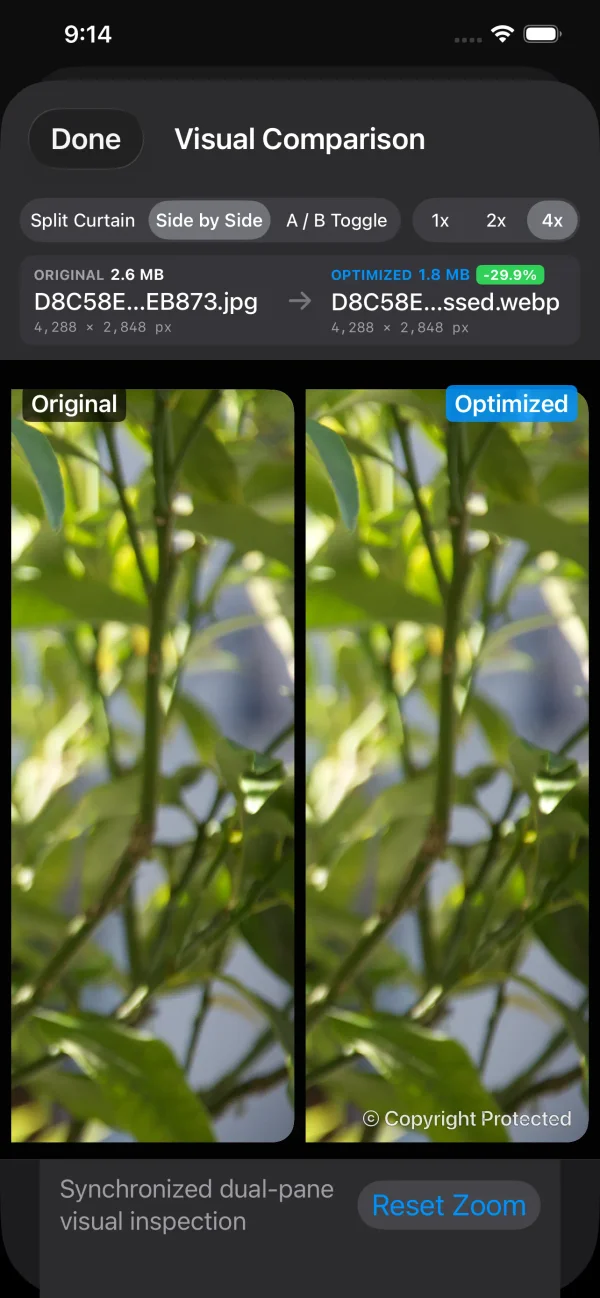
• Text Watermarking: Add customizable copyright overlays with position and opacity controls.
• Vector Minification: Clean and strip redundant SVG code tables and metadata.
• Smart Scaling: Resize to exact bounding boxes or percentage steps.
• Lossless Master: 100% bit-perfect stream cleanup with zero pixel degradation.
• VIDEOS & CLIPS:
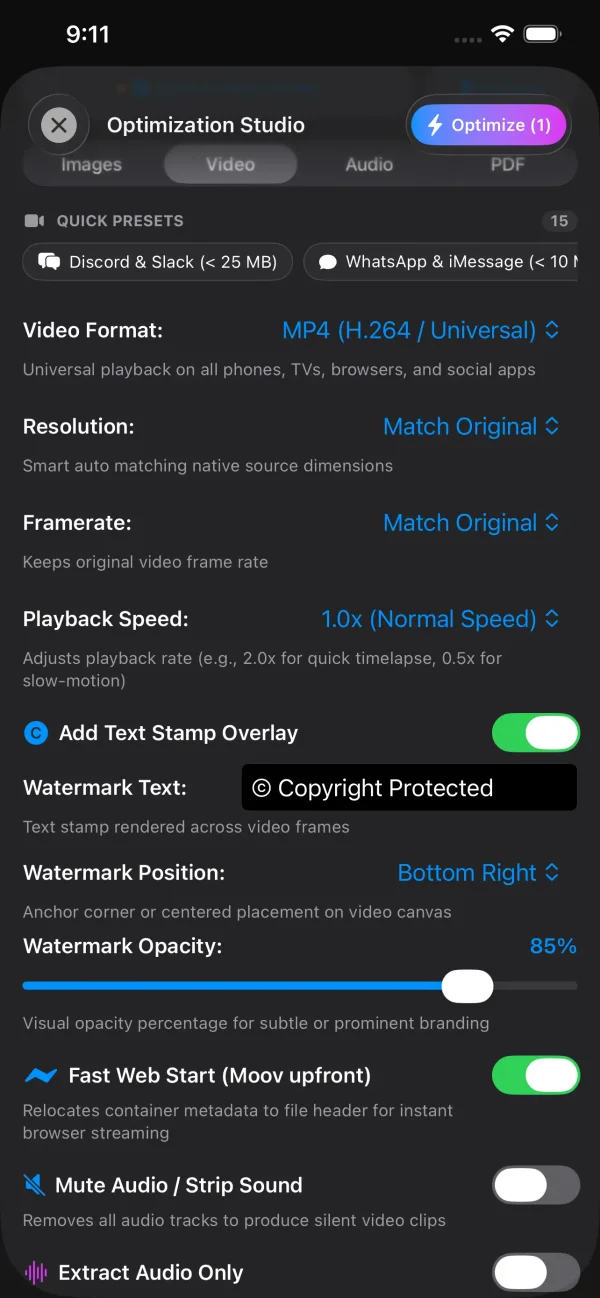
• Multi-Codec: Transcode between MP4 (H.264 & HEVC/H.265), Apple ProRes MOV, WebM, and GIF.
• Animated GIF & WebP: Convert video clips into smooth looping animations for Discord and web.
• Audio Extraction: Demux soundtracks directly to standalone MP3, M4A, FLAC, or WAV.
• Target Size Caps: Constrain video exports to strict limits (Under 25 MB Discord, Under 10 MB WhatsApp).
• Fast Web Start: Place MP4 MOOV atom at start for instant online streaming.
• Audio Muting: Strip unwanted audio tracks to reduce clip sizes.
• PDF DOCUMENTS:
• Resolution Downsampling: Choose between 72 DPI (Web), 150 DPI (Email), or 300 DPI (Print).
• Merge Images to PDF: Combine photos, receipts, or scans into a single compressed PDF booklet.
• Page Rotation & Alignment: Rotate pages (90° CW, 180°, 90° CCW) or auto-align (Force Portrait/Landscape).
• Image Compression Levels: Choose High Quality (85%), Compact (65%), Max (45%), or Lossless (100%).
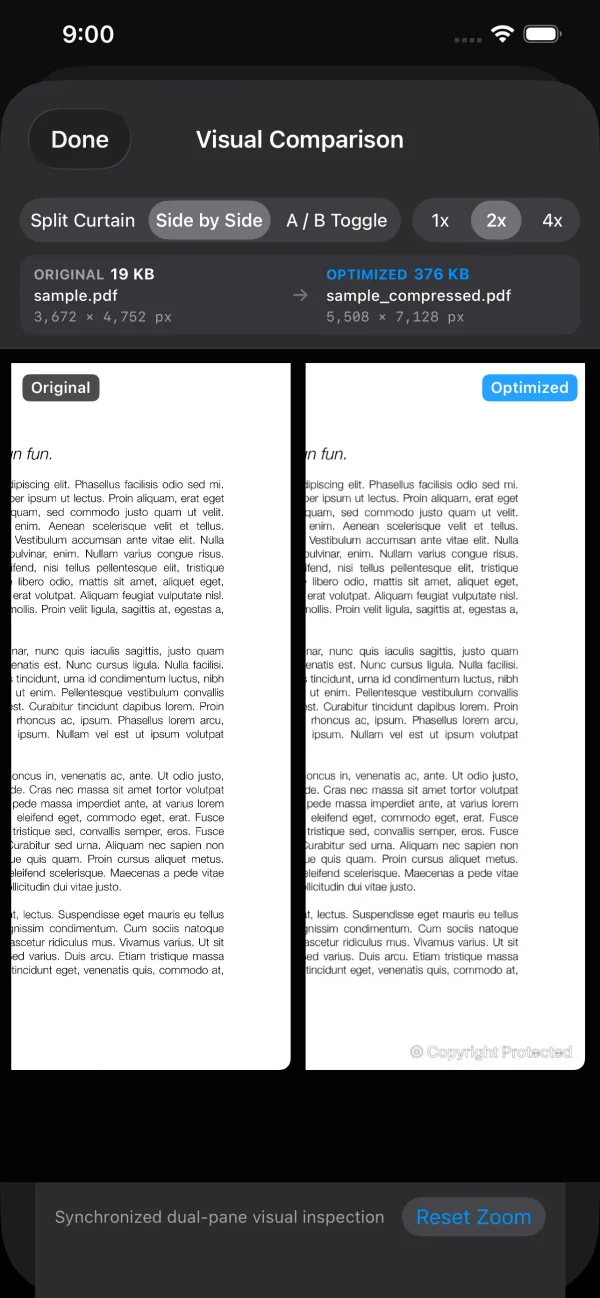
• Watermark Stamps: Apply copyright and security stamps across 5 positions.
• Fast Web View: Linearize PDF document structure for instant browser streaming.
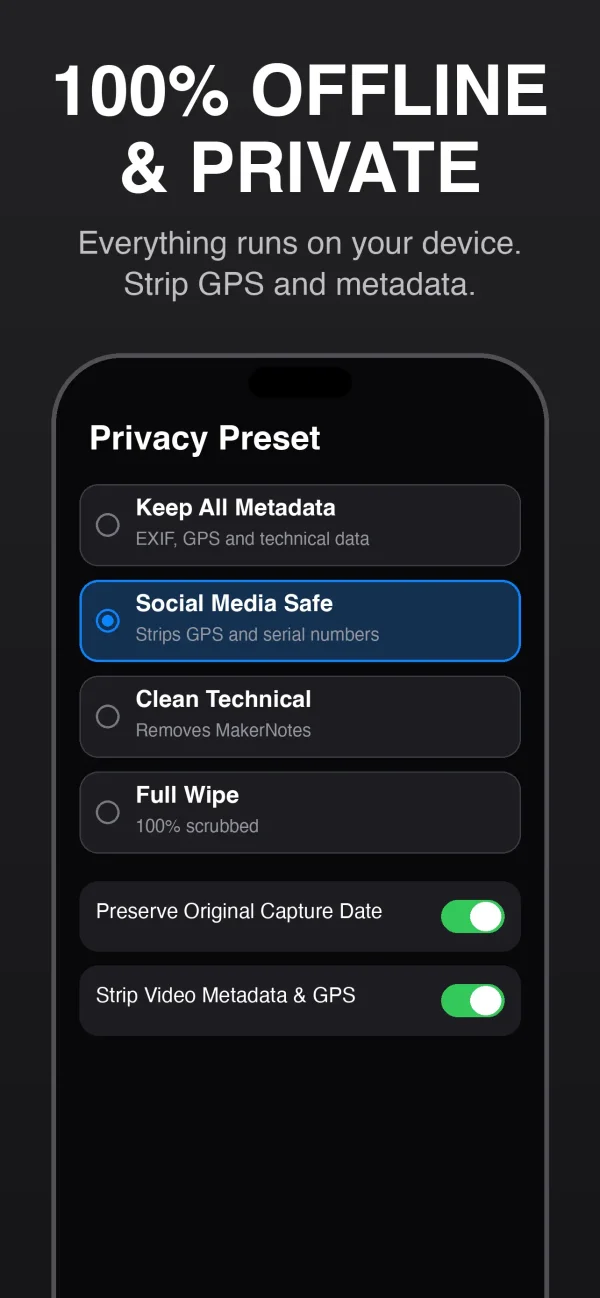
• Privacy Sanitization: Strip author names, editing software, and hardware serials.
• AUDIO TRACKS:
• Multi-Format Transcoder: Reduce bitrates for MP3 (LAME Engine), M4A (AAC with Cover Art), FLAC, and WAV.
• Loudness Normalization: Standardize volume to Podcast Speech (-16 LUFS) or Music (-14 LUFS).
• Smooth Fades: Apply 1s to 5s volume fade-in and fade-out to prevent clicks.
• Pitch-Preserved Speed: Change playback speed (0.8x to 2.0x) with zero pitch distortion.
• Channel Mixing: Convert stereo audio to mono for an instant 50% size reduction.
• PRODUCTION & AUTOMATION:
• Apple Shortcuts & Siri: Native AppIntents to automate bulk optimization, format conversion, and image-to-PDF merging via voice or Finder Quick Actions.
• Direct Drag-Out: Drag completed files directly into Finder, Slack, Discord, Mail, Figma, or Photoshop.
• Clipboard Quick Optimizer (Cmd+Shift+V): Instant 1-click import and compression for copied screenshots.
• Visual Diff & Loupe: Inspect before-and-after image and PDF results side-by-side at 120 FPS.
• CSV Summary Reports: Export detailed spreadsheets with byte savings and compression ratios for Excel & Numbers.
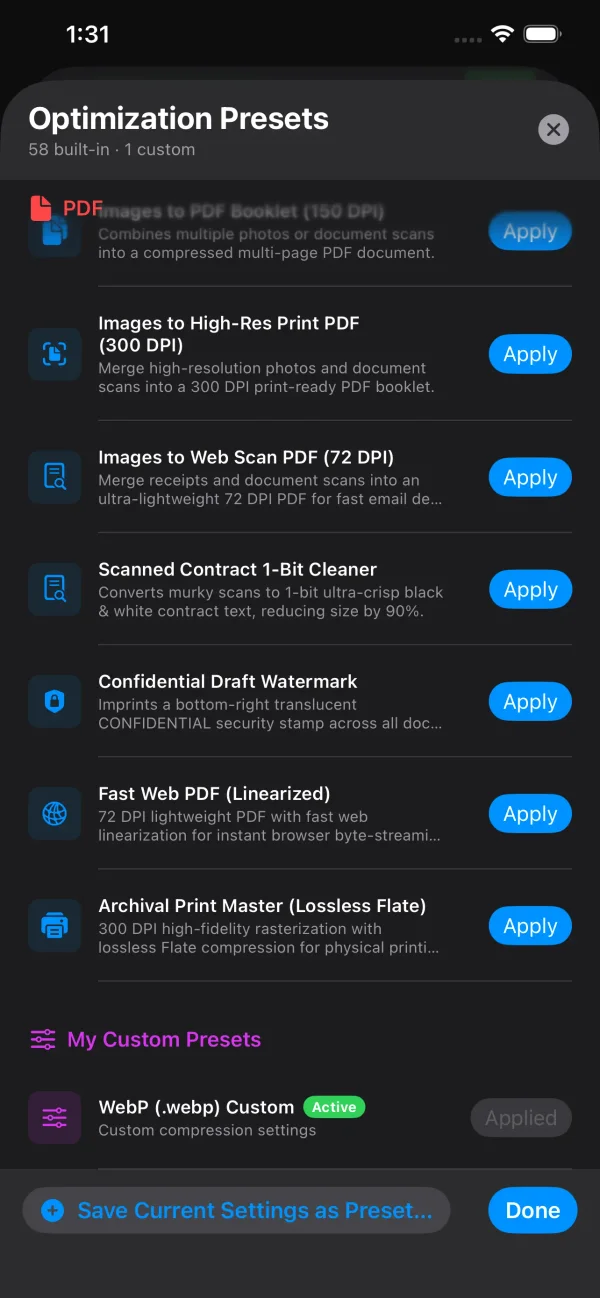
• 90 Tailored Presets & iCloud Sync: One-click optimization for Shopify, Instagram, Discord, Email, and Podcasts. Custom presets sync automatically across your Mac, iPhone, and iPad via iCloud.
• 100% Offline & Private: No cloud uploads, no server delays, and zero data collection.
What’s new
Version 1.6 · Nov 21, 2026
Version 1.6 Updates:
• Logo Image Watermarks: Stamp custom PNG or photo logos alongside text watermarks across Images, PDFs, and Videos with adjustable scale, opacity, and corner placement.
• Redesigned Pro Preset Manager & 10 New Presets (90 Total): Larger 2-column preset browser with category tabs, live search, and technical spec badges, plus 10 new presets for Brand Logo Photos, Videos, Social Clips and PDFs, AVIF Auto-SSIM, Large Photo/RAW to HEIC, under 200 KB Web Uploads, and 0.5x/2x Video Speed.
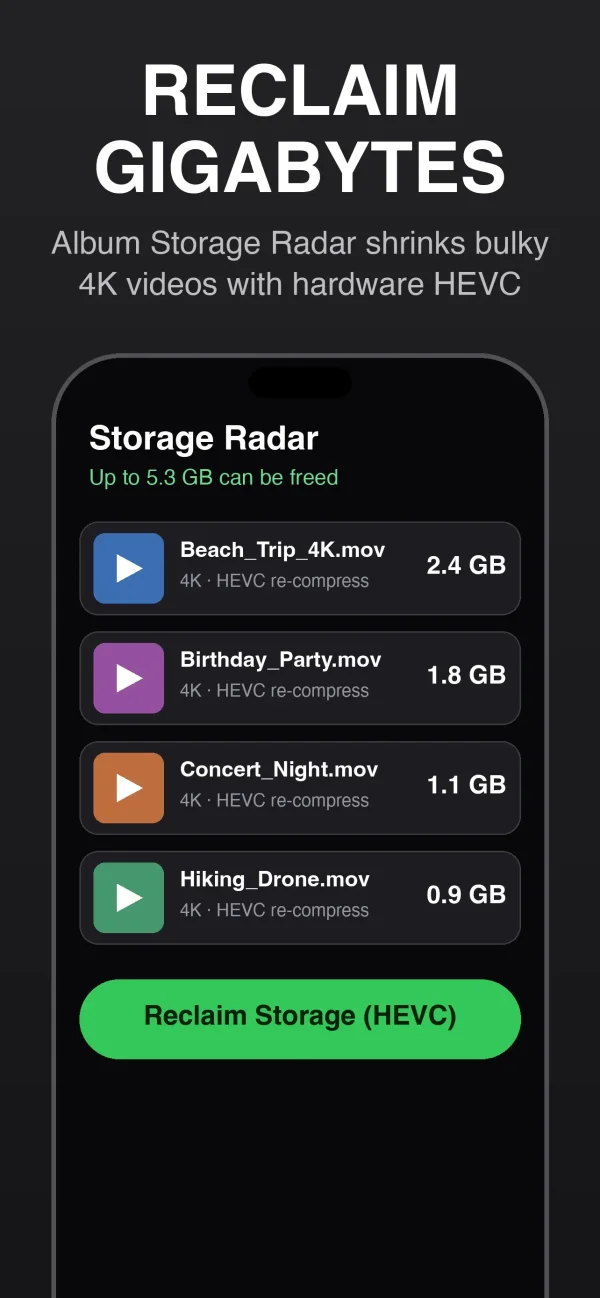
• Album Storage Radar for Photos (iPhone and iPad): Now scans large Photos and RAW files (2.5 MB+) alongside large Videos, letting you reclaim space while keeping originals or removing bulky copies.
• Video Frame Timestamp Scrubber & Precision Compression: Scrub exact timestamps when comparing Before/After video frames, plus fast SSIM perceptual auto-tuning, exact target-size binary search, and video speed control (0.5x-2.0x).
• JSON Batch Reports & Audio Extraction Shortcuts: Export batch savings reports as JSON or CSV, and automate audio extraction with the new Extract Audio from Video Shortcuts action.
• UI, Workflow & Reliability Improvements: Cleaner macOS workspace with inline queue sorting, direct workflow handoff to Redact Studio and Receipt Studio, modern Data Protection Keychain storage (eliminating legacy macOS keychain prompts), iCloud preset deduplication, and legacy WebM presets migrated to HTML5 MP4.
App privacy
What Lei Feng declares on the App Store about how this app handles data.
-
Data not collected
The developer does not collect any data from this app.
Privacy practices may vary, for example with the features you use or your age.
Information
- Seller
- Lei Feng
- Category
- Utilities
- Version
- 1.6
- Updated
- Nov 21, 2026
- Released
- Aug 20, 2026
- Size
- 15.7 MB
- Requires
- iOS 16.0 or later
- Age rating
- +4
- In-app purchases
- Yes
- Languages
- German, Simplified Chinese, Traditional Chinese, Korean, Spanish, French, English, Japanese
- Copyright
- © Copyright 2026.
You might also like
-
 LiteZo: Compress & ConvertPDF, Image & Video Toolkit
-
 Audio Extractor - FFmpegExtract audio from video
-
 SnapResizerApp Store Screenshot Maker
-
 Sound ClipperPull Audio from Your Videos
-
 Optimize: Storage CleanerCompress videos to save space
-
 Rename PhotosBatch Rename Photos & Files
-
 SlimByte: Phone Storage SaverKeep quality. Take less space.
-
 0.05 Player0.05-16x / Reverse / A-B Loop
-
 Feather: Video CompressorKeep memories, save space
-
 Private AI ModelsOffline AI Chat & Local LLM