
- Age rating4+
- CategoryProductivity
- DeveloperErich Champion
- LanguagesEnglish+ 5 more
- Size8.2 MB
Links to the official App Store page
Download.org hosts no file of Be Like Ike. The button opens its official App Store page, published by Erich Champion. Listing last checked on Nov 14, 2026.
Screenshots
About
Be Like Ike — Use the Eisenhower Matrix with your Reminders & Calendar
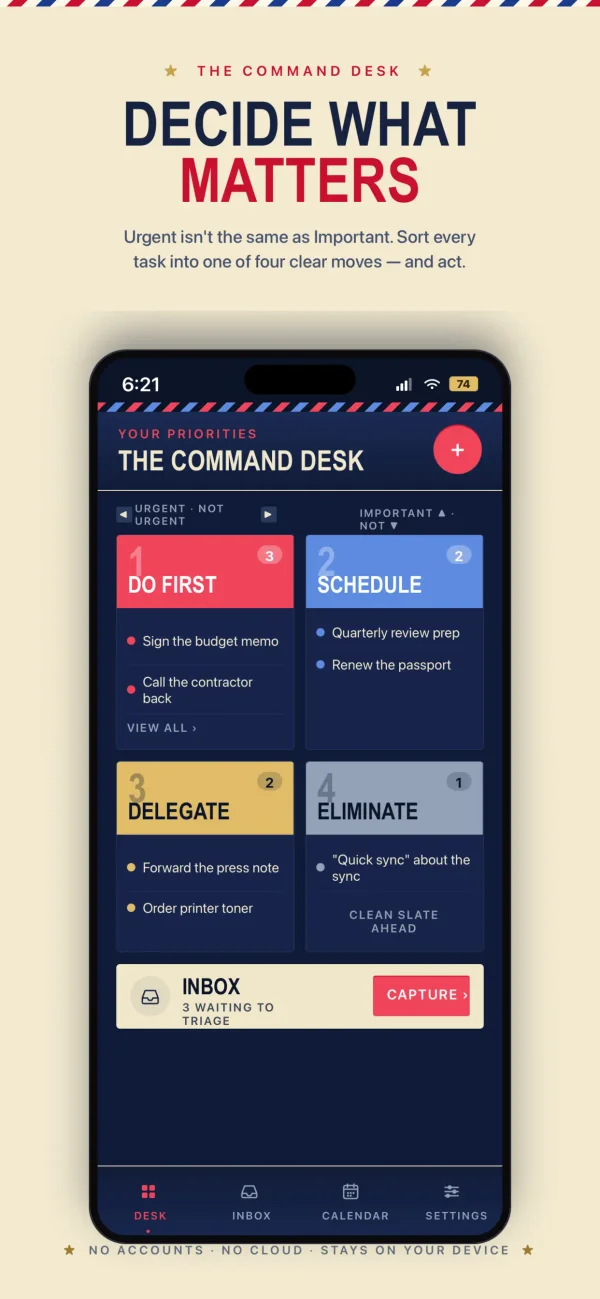
Focus on what matters. Be Like Ike brings the Eisenhower Matrix to your iPhone and iPad using Apple Calendar and Reminders—no new accounts, no cloud lock-in. Your tasks and events stay in the apps you already use.
How it works
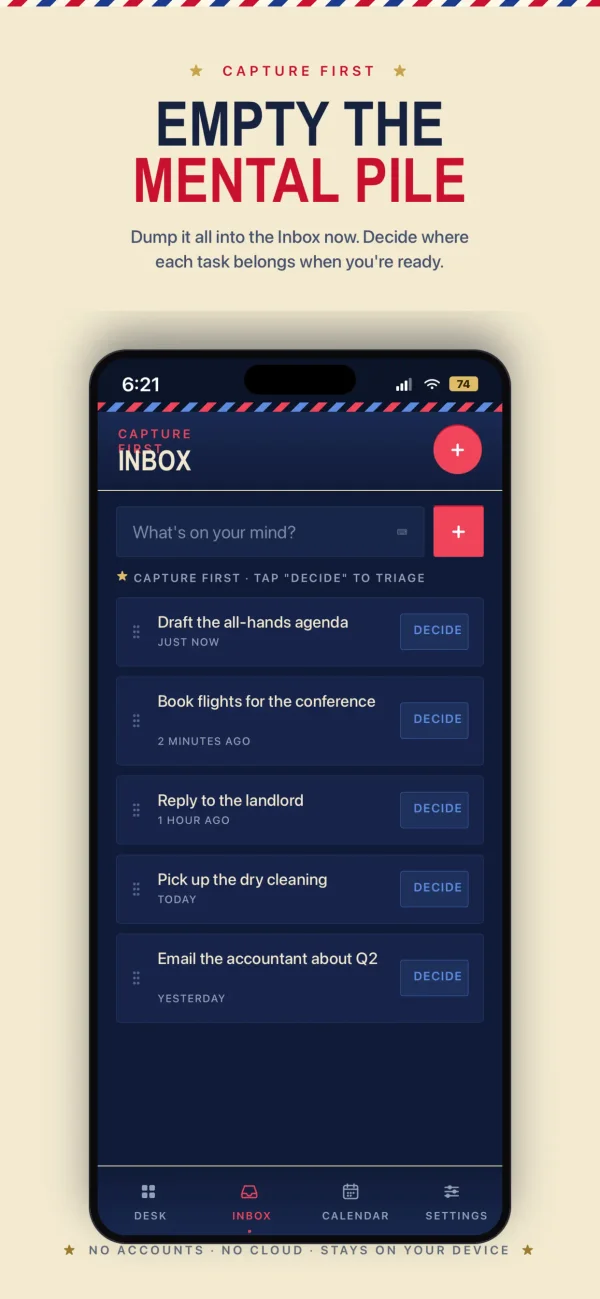
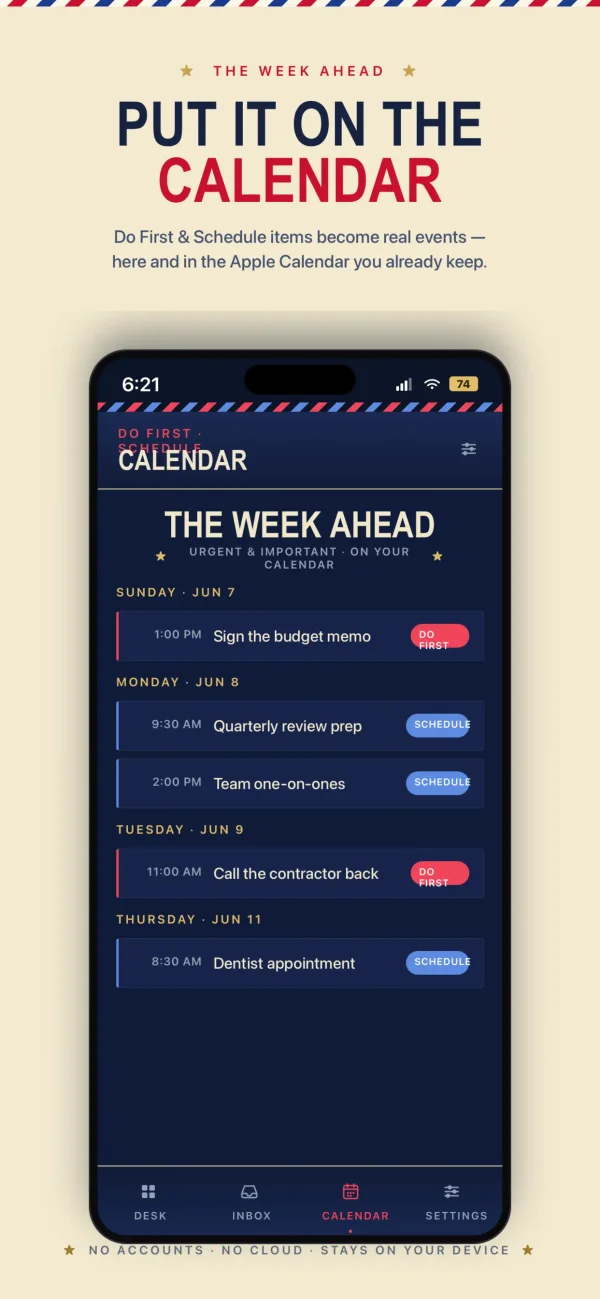
Capture everything in Inbox, then decide: Is it urgent? Important? Both? Move items into Urgent or Important (they become calendar events you see in Calendar and in the app). Send tasks to Delegate when someone else should do them, or to Eliminate when they’re not worth your time. One matrix view shows all five areas; a single tap jumps to any section or to a combined calendar of Urgent and Important.
Built on the Eisenhower method
President Eisenhower was famous for separating the urgent from the important. Be Like Ike turns that into a real workflow: do first (Urgent), schedule (Important), delegate, or drop. No overwhelm—just clear choices.
Designed for your system
• Calendar — Urgent and Important events live in dedicated calendars, so they appear in the system Calendar app and in Be Like Ike’s calendar view.
• Reminders — Inbox, Delegate, and Eliminate use Reminder lists. Full EventKit integration; the app creates the calendars and lists it needs.
• Drag and drop — Move items between sections. Schedule from Inbox into Urgent or Important with one action.
• Grid and list — See the full matrix or focus on one section. Tap items to view or edit details.
• Privacy — Everything stays on your device and in your Calendar and Reminders. No accounts, no tracking.
Who it’s for
Anyone who wants to prioritize without switching to a new ecosystem. If you already use Calendar and Reminders, Be Like Ike fits in. If you’ve always wanted to try the Eisenhower Matrix but never had a simple place to do it, start here.
Download Be Like Ike and spend your time on what actually matters.
What’s new
Version 1.2.0 · Aug 11, 2026
This release closes the loop. You can now finish things — in every section — and the app remembers when you did.
New:
- Mark anything done, anywhere. Completion used to work in only two of the five sections. It now works in all of them — and ticking off an item in Inbox, Delegate or Eliminate ticks it off in Apple Reminders too, in both directions. Finished work drops out of its section after a week so the list stays about what's left.
- Due dates on every list. Inbox, Delegate and Eliminate items can now be given a due date, not just the calendar sections — and a date can be removed as well as added.
- Notes where you need them. Add notes while you capture, and see them on the item itself instead of only inside the editor.
- Delete asks first, and can be undone. The confirmation names the item, and a tap on the "Item removed" message puts it back — with its notes, its schedule and its status intact.
- The field manual is now in the app. Three screens on first run explain the two questions and what belongs in each quadrant, and every empty section tells you what goes there. It's always available again from Settings.
- Settings on iPad and Mac. Those versions previously went straight to the calendar-setup screen with nothing in front of it.
Improvements:
- Accessibility. Buttons and text now grow with your chosen text size instead of staying put, every tap target meets the minimum size, and the icon-only controls say what they do instead of naming their symbol.
- Failures are honest. If a move, delete, edit or capture doesn't work, the app says so instead of reporting success. Your typing is kept when a capture fails, rather than being cleared before the attempt.
- Better filing. Moving a completed item to another section keeps it completed — and keeps the date you completed it. Filing an item with a due date keeps that date rather than replacing it.
Note: Items you completed in an earlier version don't carry a completion date, because earlier versions didn't record one. Those will drop out of their sections on first launch rather than over the following week. They are untouched in Calendar and Reminders.
App privacy
What Erich Champion declares on the App Store about how this app handles data.
-
Data not collected
The developer does not collect any data from this app.
Privacy practices may vary, for example with the features you use or your age.
Information
- Seller
- Erich Champion
- Category
- Productivity
- Version
- 1.2.0
- Updated
- Aug 11, 2026
- Released
- Mar 12, 2026
- Size
- 8.2 MB
- Requires
- iOS 17.0 or later
- Age rating
- 4+
- Price
- Free
- Languages
- English, French, German, Italian, Japanese, Spanish
- Copyright
- © 2026 Erich Champion
You might also like
-
 IkeMatrixProductivity
-
 Eisenhower Matrix: PrioritiseUrgent Important Task Planner
-
 iomatrixMatrix Task Manager
-
 Pith: Eisenhower MatrixVoice priority task planner
-
 Imalecto: Extract ImagesSave Google Docs & DOCX images
-
 Ike OrganizerEisenhower Matrix Manager
-
 ioplannerTimebox Planner
-
 Simple Tracker: GoalsHabits, streaks, & daily notes
-
 The Next To-DoA Multi-Modal To-Do App
-
 TaskQuadrant - Task PlannerEisenhower Matrix To-Do List