
- Age rating4+
- CategoryUtilities
- Developer怀峰 张
- LanguagesEnglish+ 1 more
- Size1.6 MB
Links to the official App Store page
Download.org hosts no file of beanviz. The button opens its official App Store page, published by 怀峰 张. Listing last checked on Nov 18, 2026.
Screenshots

About
BeanViz turns your Beancount ledger into beautiful, instant insights — right on your iPhone or iPad.
Built for people who already trust plain-text accounting (Beancount, double-entry bookkeeping), BeanViz adds the one thing that's been missing: a fast, native, gorgeous mobile visualizer. No web server. No syncing your finances to someone else's cloud. Just open the app and see your money.
WHAT YOU GET
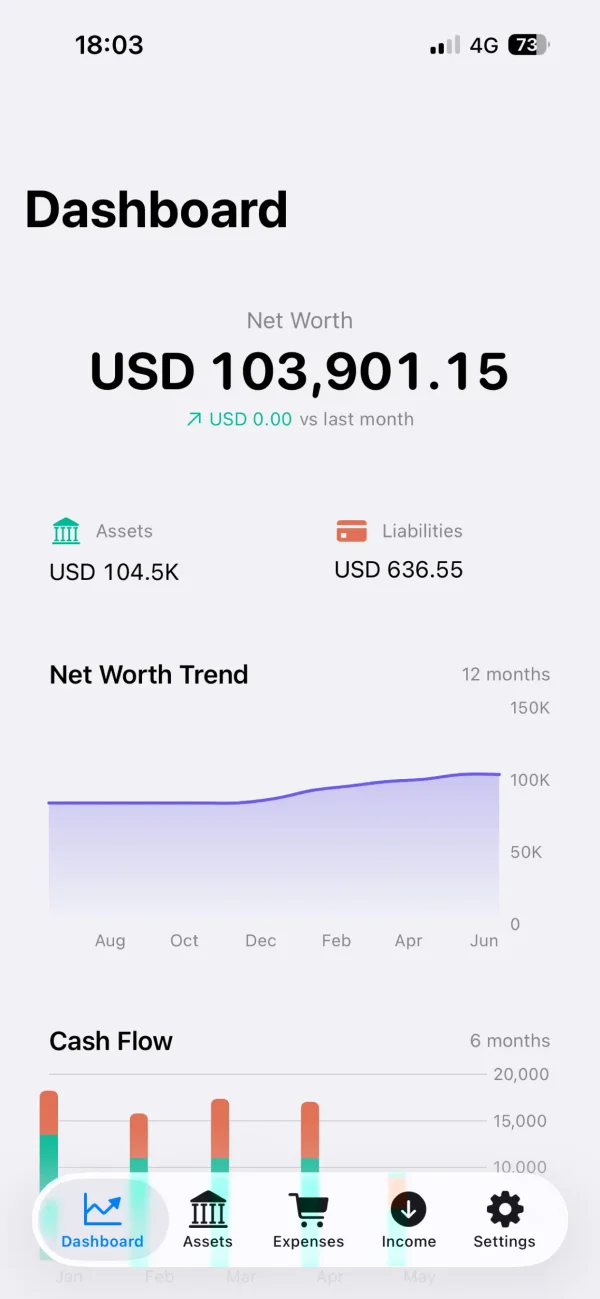
• Dashboard — Net worth at a glance, with month-over-month change, asset/liability breakdown, cash flow trend, and top expenses for the year.
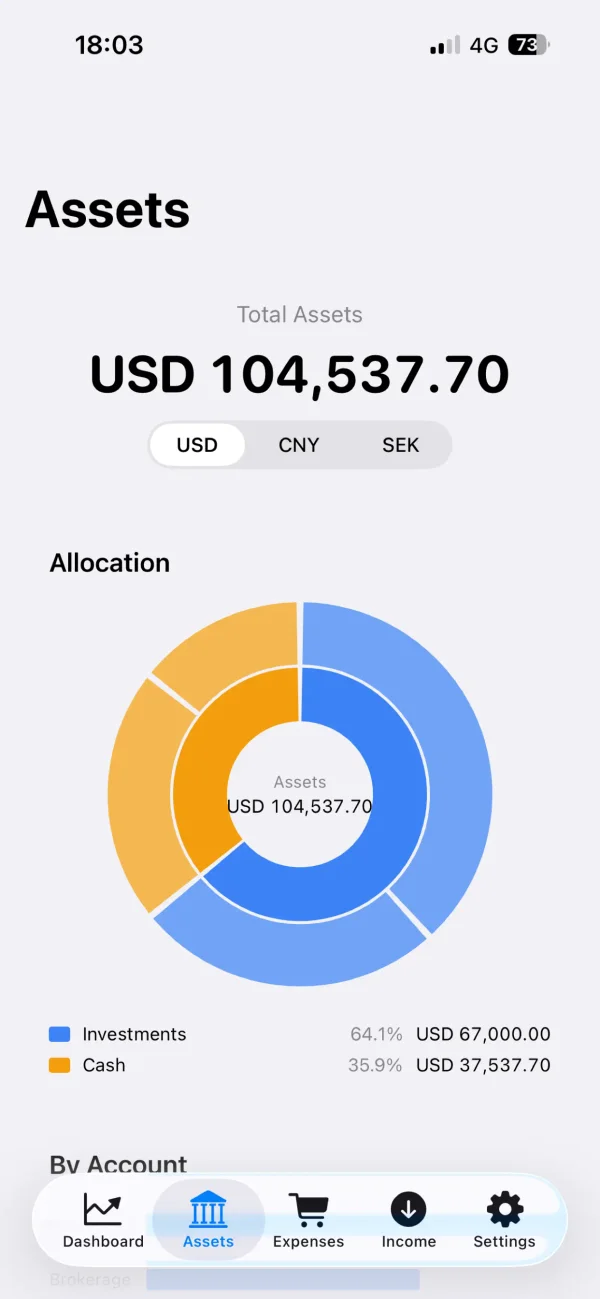
• Assets — Sunburst chart showing your full asset allocation, plus a per-account bar chart that drills down to leaf accounts.
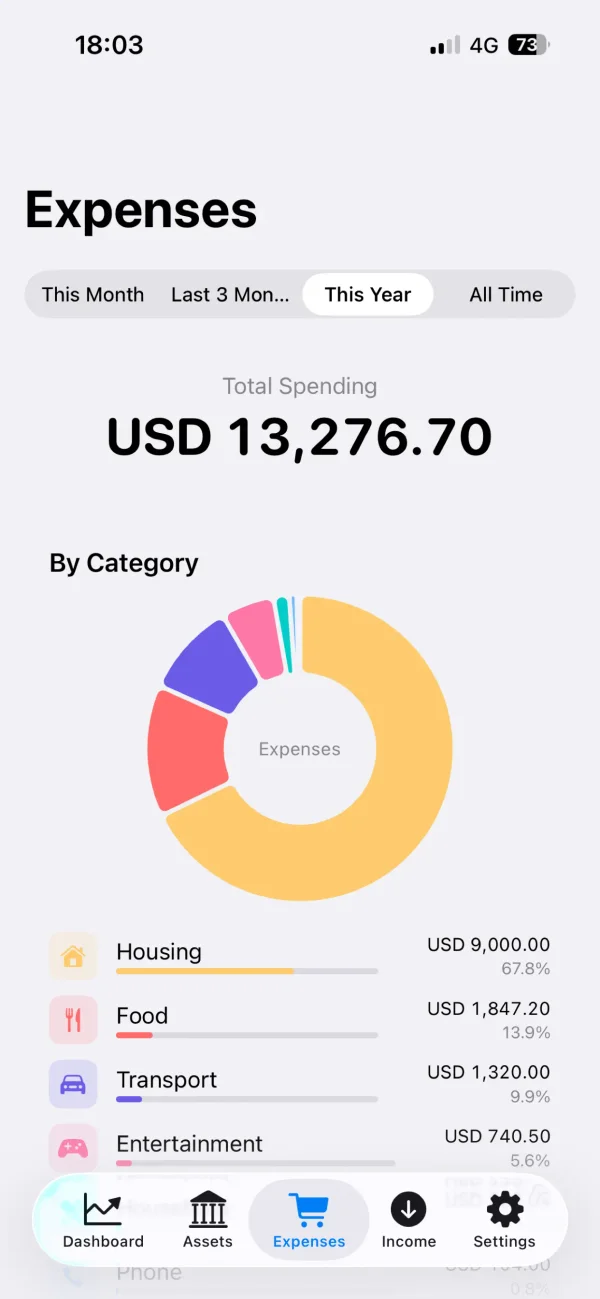
• Expenses — Pie chart by category, monthly and daily trend bars, transactions grouped by day, and a "By Tag" view for project- or trip-based tracking.
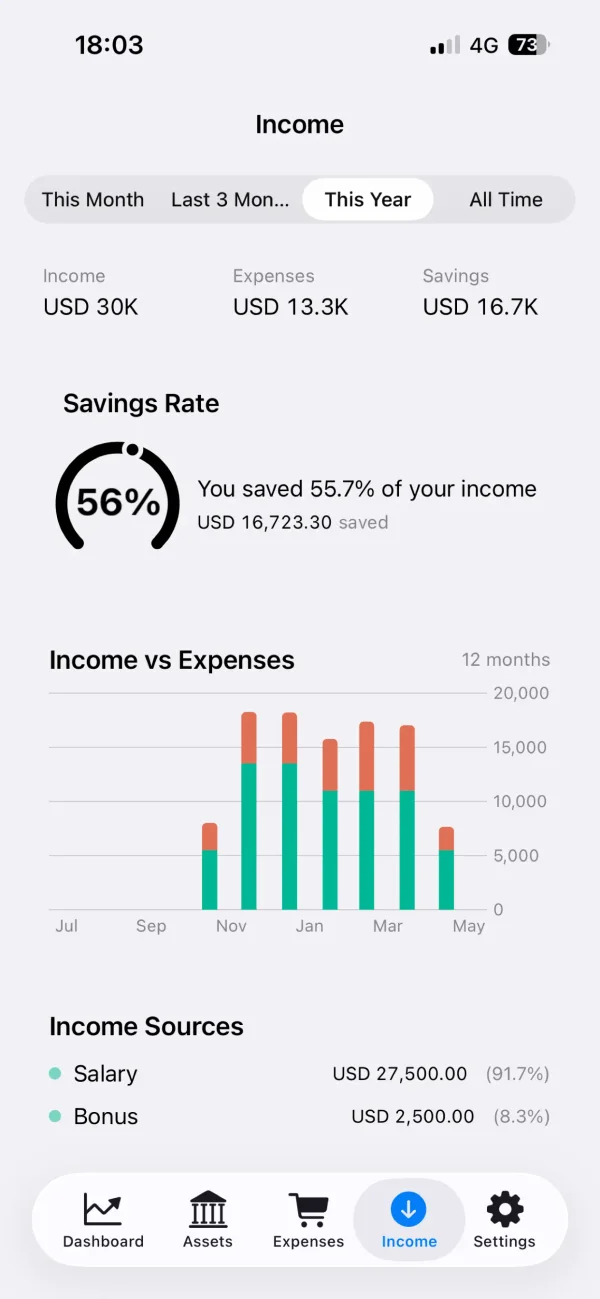
• Income — Income vs. expenses, savings rate, and a breakdown of income sources.
• Multi-currency — Auto-converts using the price directives already in your ledger. Switch your base currency between USD, CNY, and SEK on the fly.
PRIVACY-FIRST BY DESIGN
BeanViz truly values your privacy. Your ledger never leaves your device. There is no account to create, no analytics SDK, no remote logging. The only network calls the app makes are the ones you explicitly trigger, to the data sources you choose:
• Your own iCloud Drive folder
• A private GitHub repository, using a Personal Access Token you control
Everything else stays in the app's sandboxed storage. Your originals are never modified.
GETTING STARTED
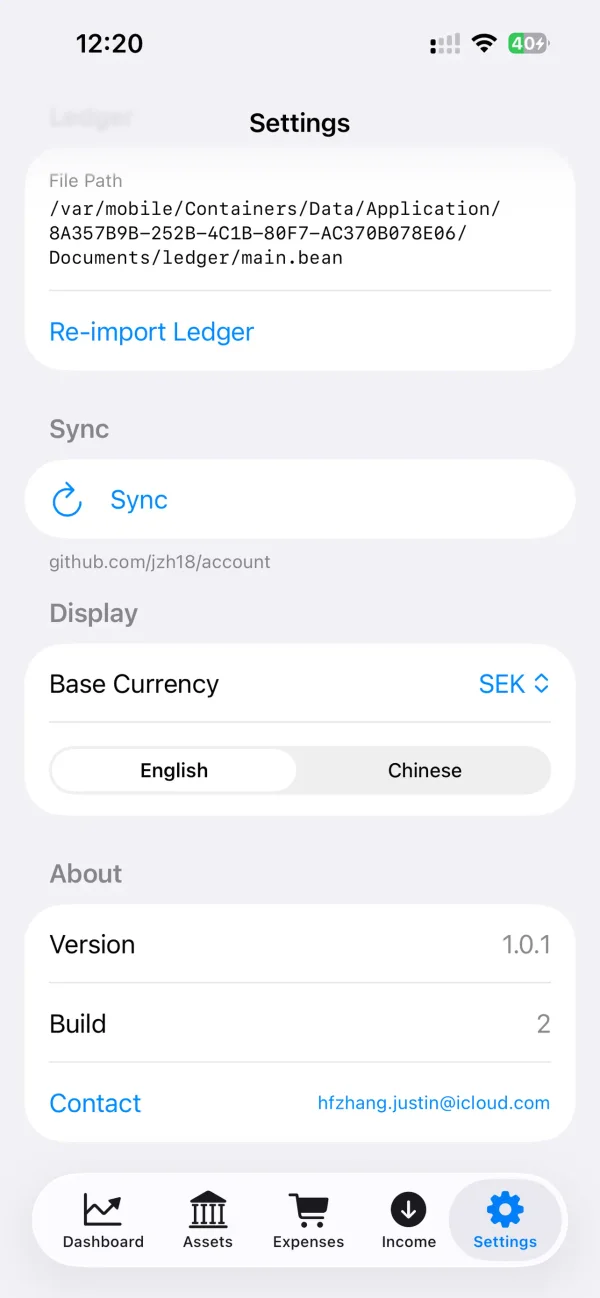
New to BeanViz? Tap "Try Demo Ledger" on the welcome screen to load a sample ledger from GitHub. It shows exactly how a valid Beancount folder is structured — main.bean as the entry point, include directives for splitting files, and standard double-entry transactions. When you're ready, re-import your own ledger anytime from the Settings tab.
LEDGER REQUIREMENTS
• A main.bean file as your entry point.
• Standard Beancount syntax is supported, including include directives, price directives, account hierarchies, transactions, and tags.
WHO IT'S FOR
If you already use Beancount, Ledger CLI, hledger, or any plain-text double-entry accounting tool, you know the trade-off: total control over your data, but no good way to glance at it on the go. BeanViz fixes that. Open it, see your numbers, close it. No friction.
Made by a fellow Beancount user. Feedback and feature requests welcome — tap Contact in Settings.
What’s new
Version 1.0.1 · Sep 13, 2026
• Fixed some bugs.
• Set any currency your ledger declares as your base currency, in Settings → Display.
• Recent Activity on the Dashboard shows your latest transactions.
App privacy
What 怀峰 张 declares on the App Store about how this app handles data.
-
Data not collected
The developer does not collect any data from this app.
Privacy practices may vary, for example with the features you use or your age.
Information
- Seller
- 怀峰 张
- Category
- Utilities
- Version
- 1.0.1
- Updated
- Sep 13, 2026
- Released
- Jun 30, 2026
- Size
- 1.6 MB
- Requires
- iOS 17.0 or later
- Age rating
- 4+
- Price
- $1.99
- Languages
- English, Simplified Chinese
- Copyright
- © 2026 Huaifeng Zhang
You might also like
-
 RSS WidgetOn Home Screen & Today View
-
 Copyboard-quickly enter toolMake your input more efficient
-
 FlowDown - Open & Fast AIGet your task done smooth.
-
 Keystone NexusUtilities
-
 OpenCloud: Your Data, Anywherefile management&collaboration
-
 换机助手 - 极速互传手机搬家工具Utilities
-
 字加Utilities
-
 CloudyBayUtilities
-
 Whisper Transcribe - DictationSpeech to text, Voice Memos
-
 Hafele Smart LivingUtilities