
- Age rating4+
- CategoryUtilities
- DeveloperSANGHOON LEE
- LanguagesSpanish+ 5 more
- Size9.1 MB
Links to the official App Store page
Download.org hosts no file of Beoltteok Alarm. The button opens its official App Store page, published by SANGHOON LEE. Listing last checked on Nov 9, 2026.
Screenshots
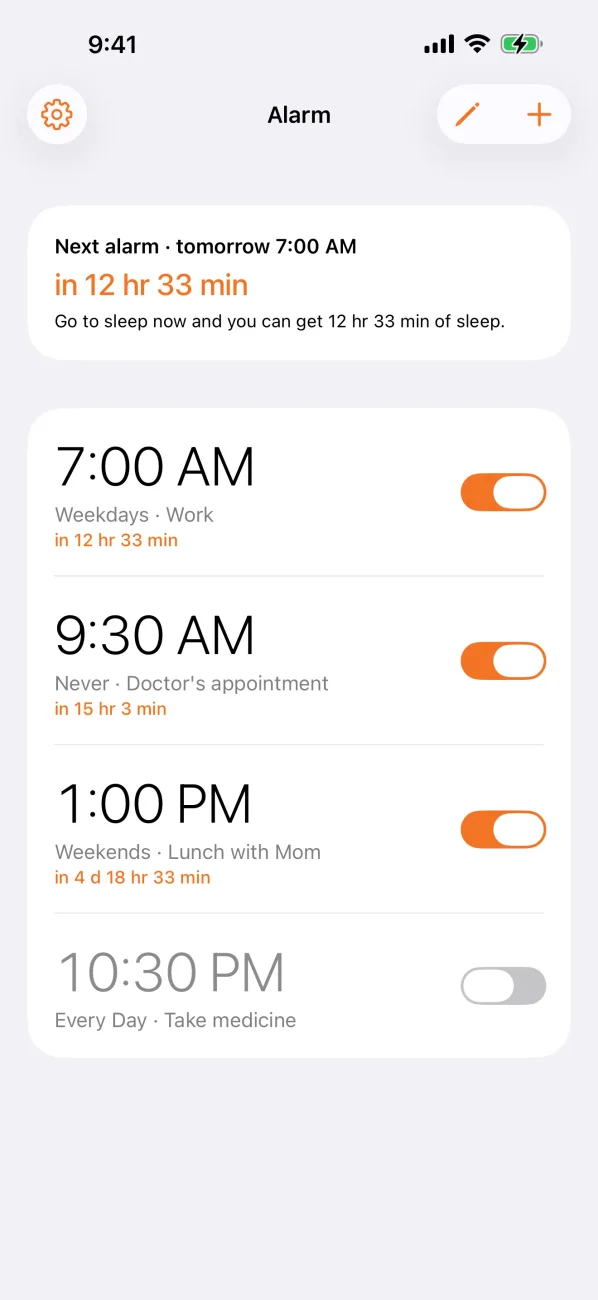

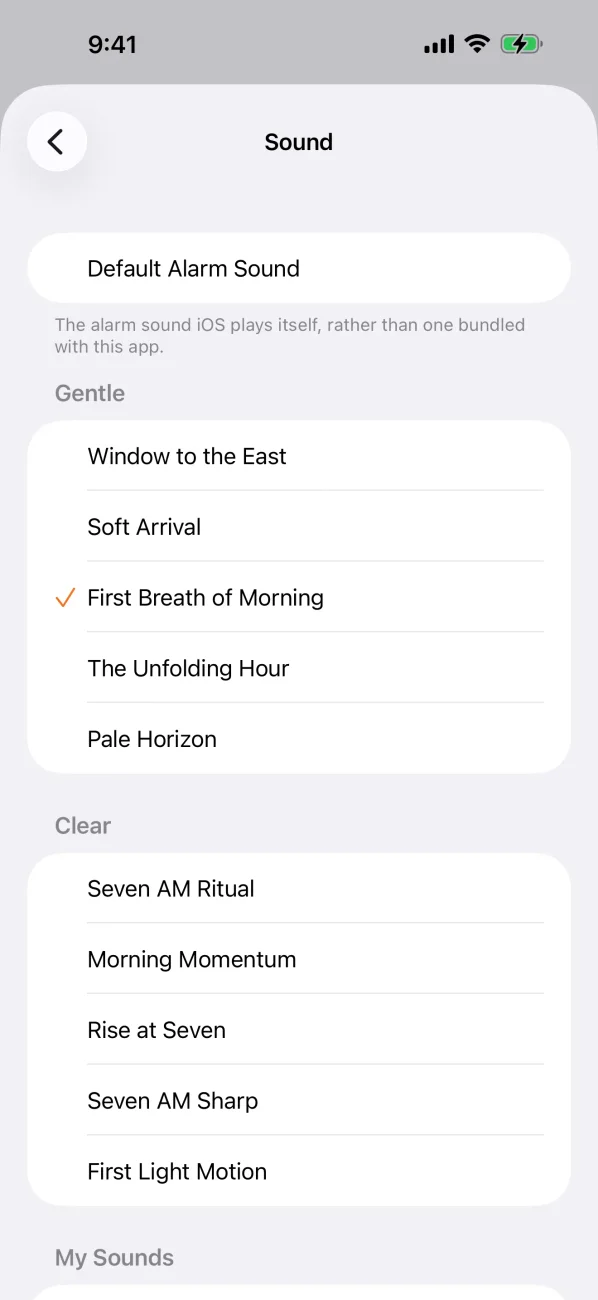
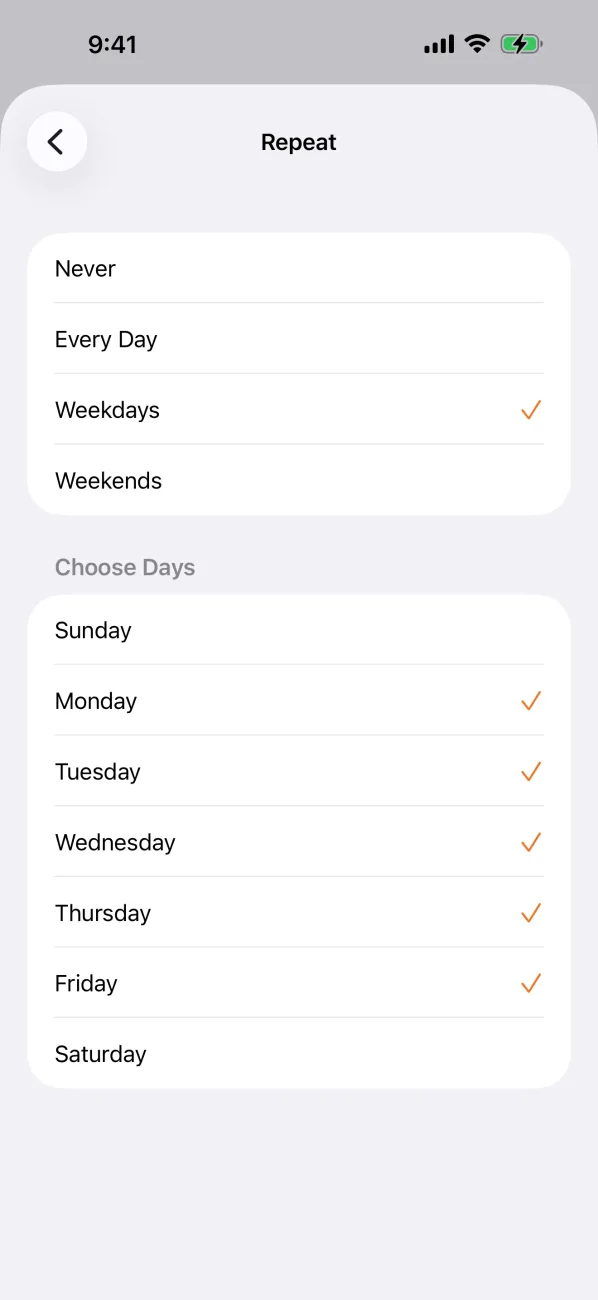
About
Ever set an alarm and then work out in your head how much sleep you're going to get?
Beoltteok shows the time remaining under every alarm in the list. No math required.
■ Time remaining, at a glance
Each alarm shows something like "in 9 hr 53 min". At the top of the list you see your next
alarm and how long you'd sleep if you went to bed now. Alarms you've turned off show nothing.
■ Breaks through Silent and Focus
Built on the iOS 26 alarm framework. It rings with the silent switch on, with Sleep Focus
enabled, and during Driving Focus. Alarms survive a restart.
■ 12-hour time picker
Three wheels — AM/PM, hour, minute. It stays 12-hour even if your device is set to 24-hour time.
■ Repeat however you like
Never, every day, weekdays, weekends, or pick individual days.
■ Skip just this once
Taking tomorrow off? Skip the next occurrence without turning the alarm off. It returns to
normal on its own once that time has passed.
■ Alarm sounds
Purpose-made sounds, plus any audio from your Files app. Preview before you choose, and every
sound is loudness-matched so switching never surprises you.
■ Widgets and Shortcuts
See the countdown on your Home Screen and Lock Screen, and ask Siri for your next alarm or to
skip one.
■ No ads, no account, no data collection
Every feature is free. There is no server; alarms stay on your device. Tipping the developer
is optional and unlocks nothing.
What’s new
Version 1.1.0 · Sep 24, 2026
Alarms can now skip holidays.
· Turn on Skip Holidays when editing a repeating alarm and it won't ring on public or
substitute holidays — it moves on to the next occurrence, the same way weekends are left out.
· Holidays for South Korea, the United States, Japan, China, Spain and Germany are included
through 2040, right inside the app. No internet connection needed.
· Choose the country in Settings → Holidays. It defaults to your device region.
App privacy
What SANGHOON LEE declares on the App Store about how this app handles data.
-
Data not collected
The developer does not collect any data from this app.
Privacy practices may vary, for example with the features you use or your age.
Information
- Seller
- SANGHOON LEE
- Category
- Utilities
- Version
- 1.1.0
- Updated
- Sep 24, 2026
- Released
- Sep 11, 2026
- Size
- 9.1 MB
- Requires
- iOS 26.1 or later
- Age rating
- 4+
- In-app purchases
- Yes
- Languages
- Spanish, German, Simplified Chinese, Korean, English, Japanese
- Copyright
- © 2026 Ggeomddakji
You might also like
-
 Punctual: Smart Alarm ClockSkip holidays, keep work days
-
 Alarm Plus: Smart AlarmSmarter alarms for every day
-
 Timers & Alarms: Multi TimerCountdown, Interval, Stopwatch
-
 全屏时钟-极简大字时间显示与横竖屏桌面展示模式Utilities
-
 BeebAlarm - Timely Alarm & LogAd-Free, Smart Alarm & Holiday
-
 Kloky - Clock Widgets & AlarmsFlip, Analog & World Time
-
 闪诉Utilities
-
 Alarm Clock & Shift RemindersMath wake-up & repeat cycles
-
 Flux Clock - Beauty in FluxMinimalist Clock & Focus Timer
-
 DoneAt: Shift Countdown TimerWork Schedule, Rota & Earnings