Bimir Lock: Password Manager
Offline Vault, Keeper & Saver
Designed for iPhone, iPad, iPod touch
Free
- Age rating4+
- CategoryUtilities
- DeveloperBimal Khatri
- LanguagesEnglish
- Size30.7 MB
Links to the official App Store page
Download.org hosts no file of Bimir Lock: Password Manager. The button opens its official App Store page, published by Bimal Khatri. Listing last checked on Nov 17, 2026.
Screenshots

About
Bimir Lock is an offline password manager that keeps your passwords encrypted on your own iPhone or iPad. No account to create, no cloud to trust, no ads. Save every login once, open it with your PIN or Face ID, and fill it with AutoFill.
YOUR PASSWORDS STAY ON YOUR DEVICE
• Passwords and their notes are encrypted with AES-256-GCM before they are saved
• The key is kept in the iOS Keychain, on this device only, and is never synced
• No sign-up, no email, no server: there is no account for anyone to break into
• Works fully offline, on a plane, abroad or with mobile data off
• No ads, no analytics, no tracking
ONLY YOU CAN OPEN THEM
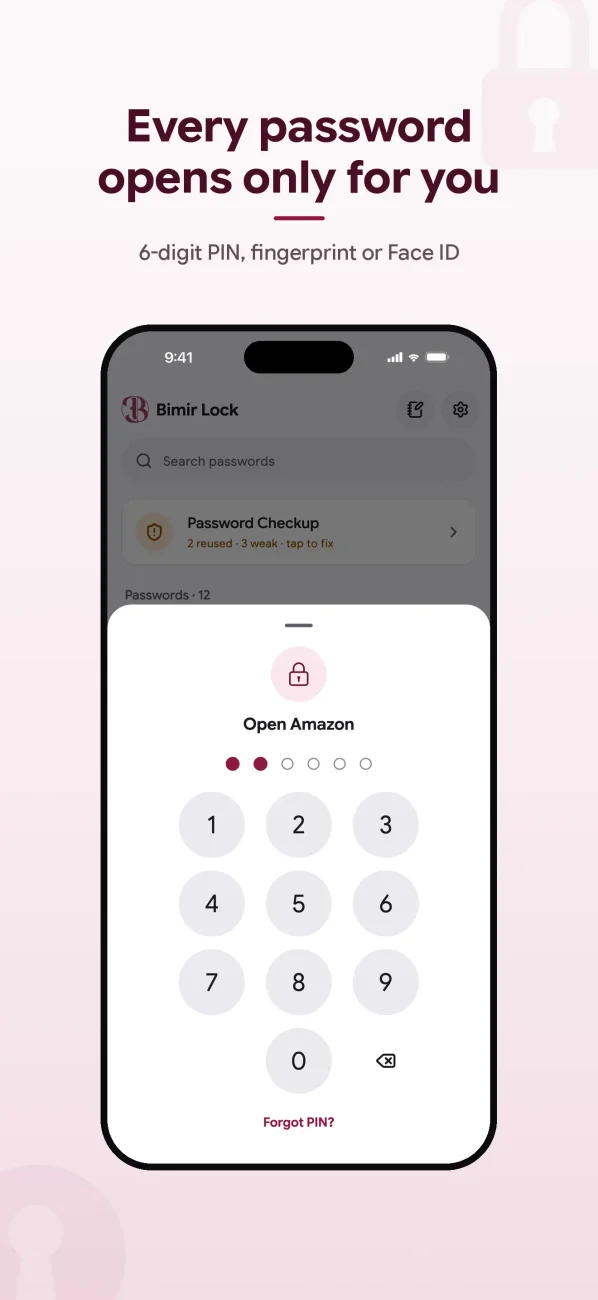
• Every saved password opens only with your 6-digit PIN, or Face ID or Touch ID if you turn it on
• Easy PINs like 123456 or 111111 are refused
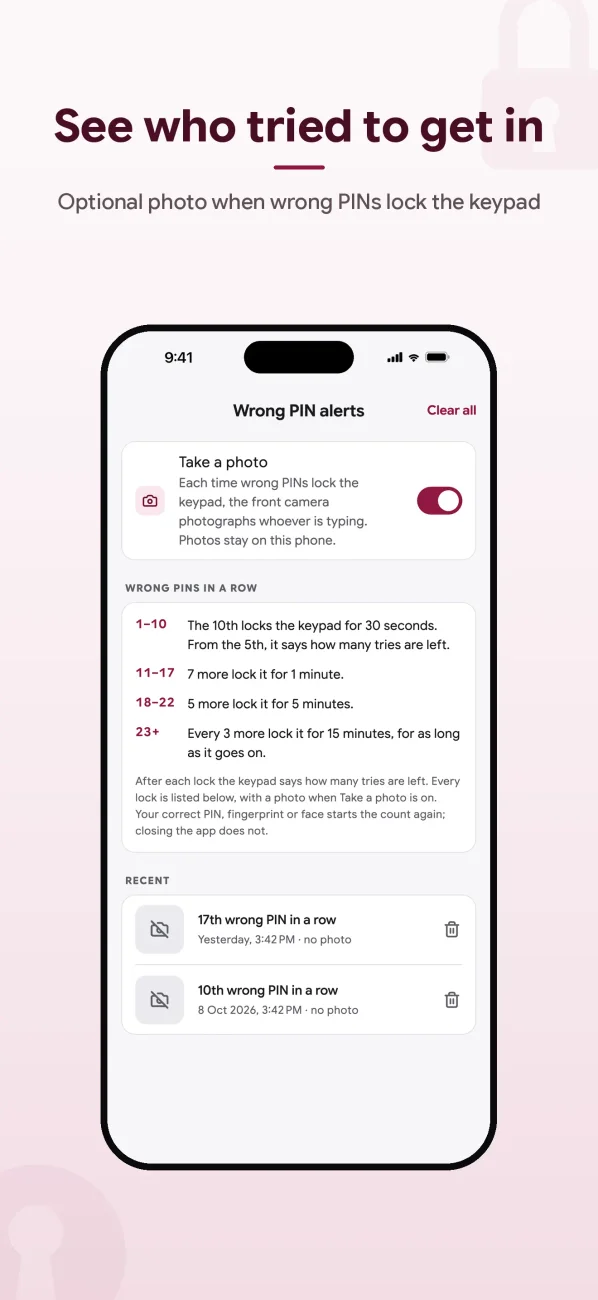
• 10 wrong PINs in a row lock the keypad for 30 seconds; more guessing locks it for 1, 5, then 15 minutes, and it shows the tries left
• Wrong PIN alerts list every lockout and can photograph whoever was guessing (optional; photos stay on your device)
• A revealed password hides again after 30 seconds, and a copied one is cleared from the clipboard after 30 seconds
STRONG PASSWORDS, MADE FOR YOU
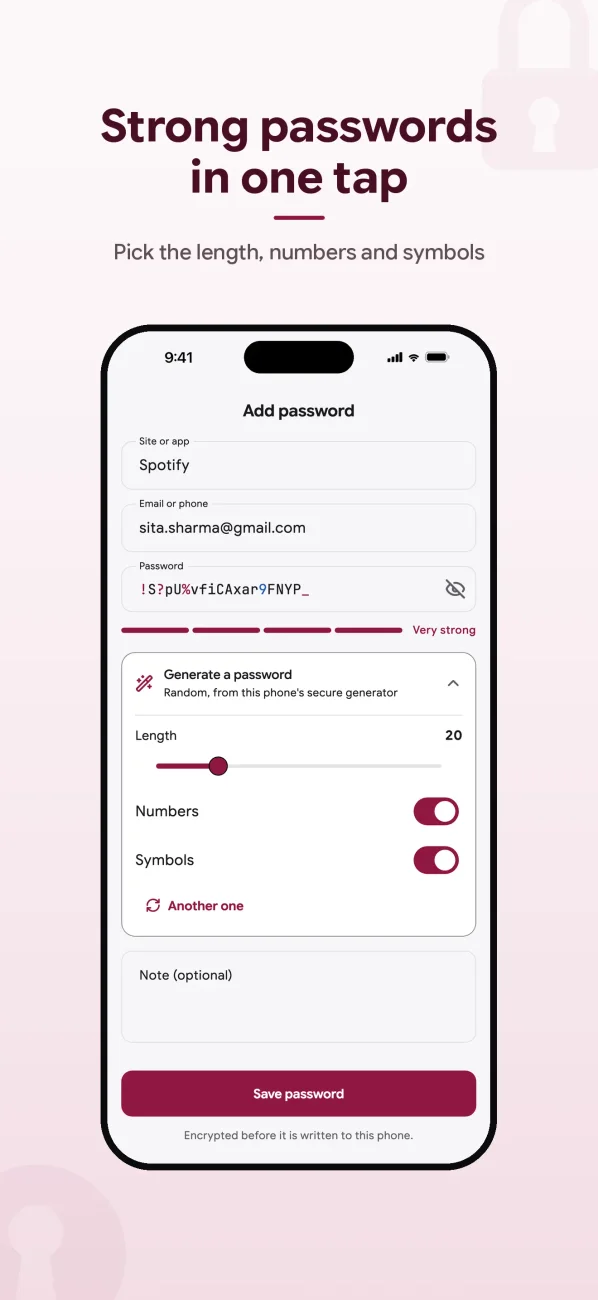
• Password generator from 8 to 64 characters, with numbers and symbols on or off
• Leaves out look-alike characters such as l, I, O and 0
• Strength meter on every password
• Warns you before you reuse a password you already saved
PASSWORD CHECKUP
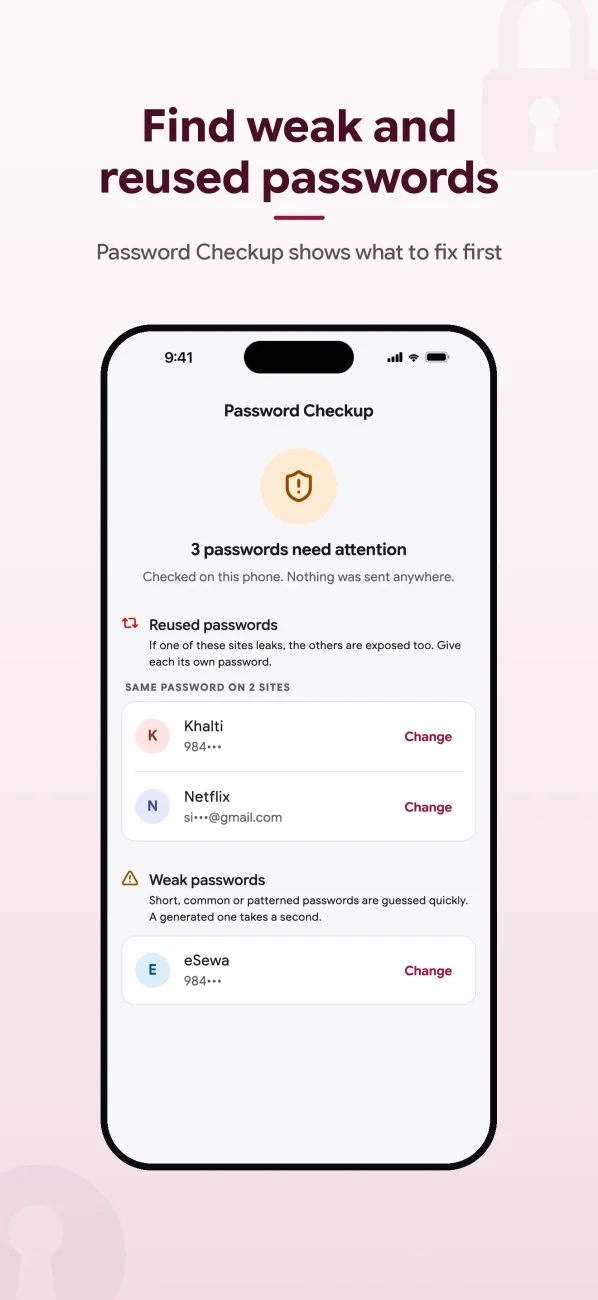
• Finds weak passwords and passwords used on more than one site
• Shows what to fix first, with a Change button on each
• Checked on your device; nothing is sent anywhere
AUTOFILL
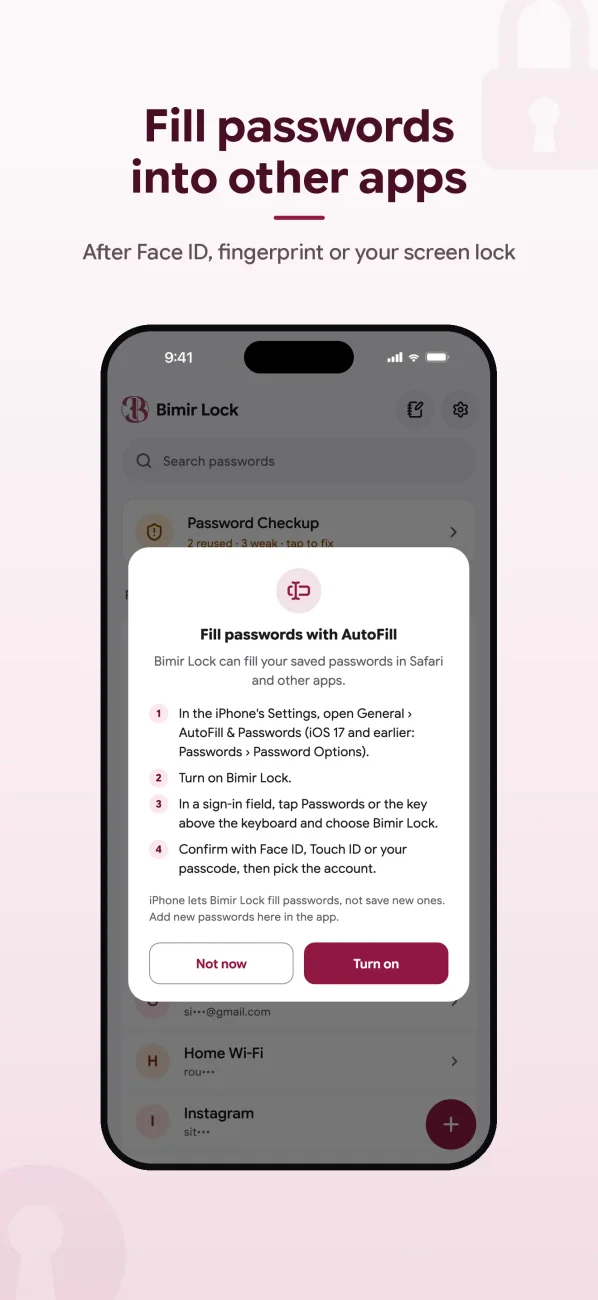
• Bimir Lock works as an AutoFill password provider in Safari and other apps
• Turn it on in your iPhone's Settings, under AutoFill & Passwords
• Nothing is filled until you confirm with Face ID, Touch ID or your passcode
BACKUP YOU CONTROL
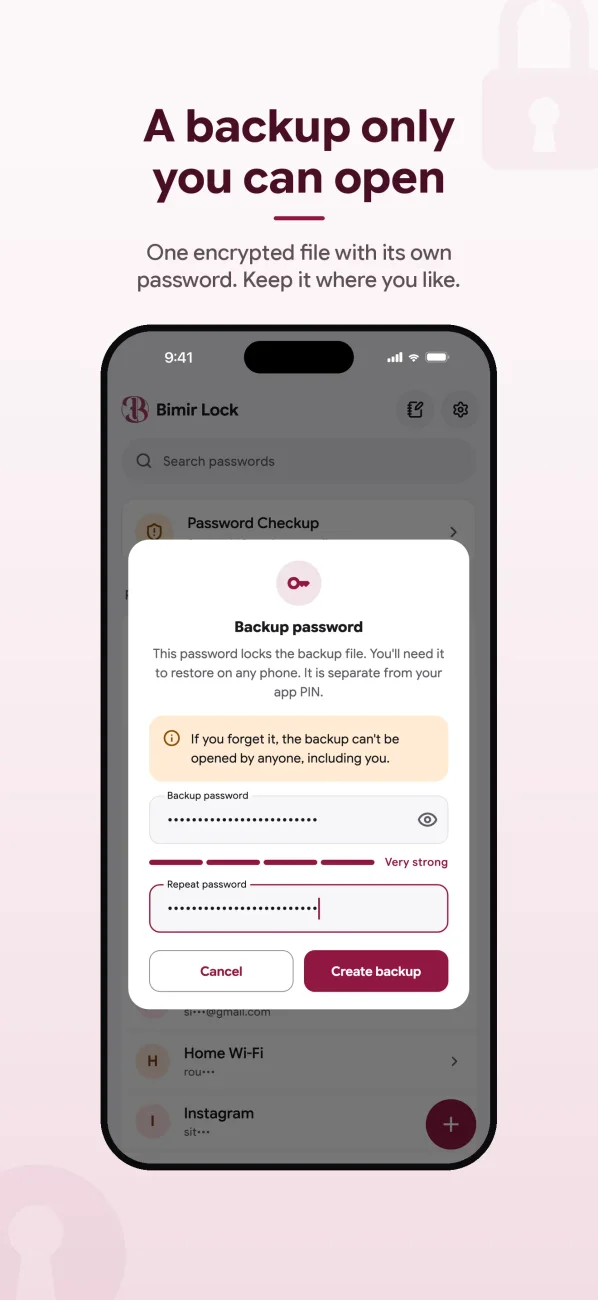
• Back up to one encrypted file, locked with its own backup password (Argon2id + AES-256-GCM)
• Keep it wherever you like: in Files, iCloud Drive, on a computer
• Restore on a new iPhone: it adds what is missing and never deletes anything
CALM AND EASY TO USE
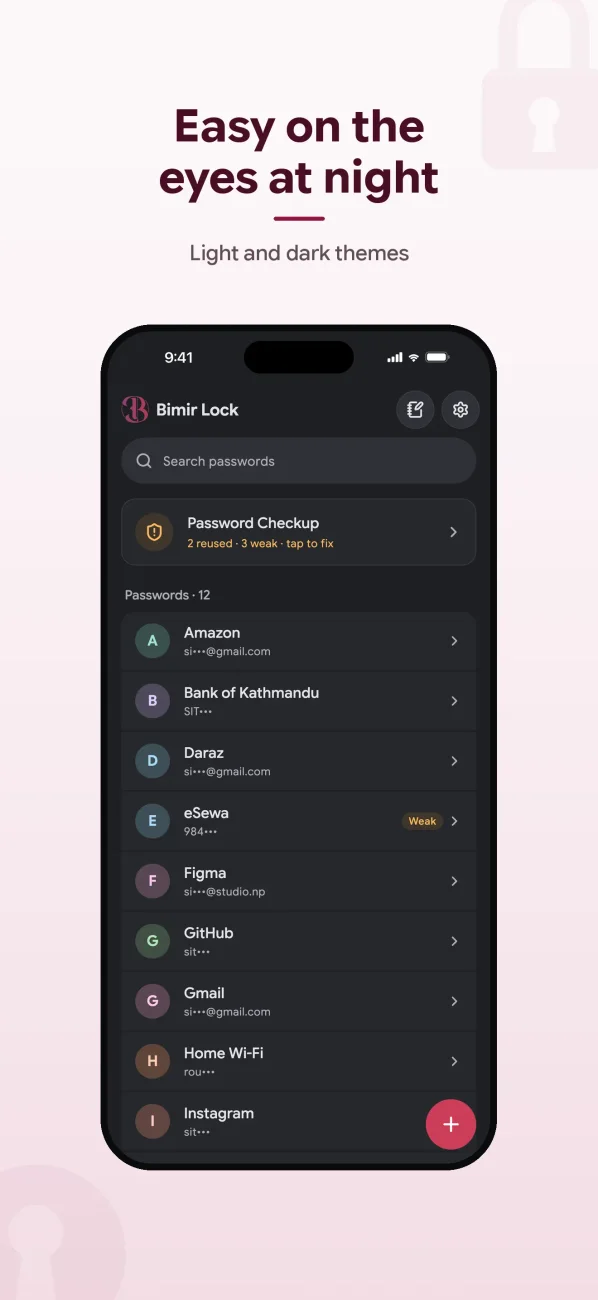
• A clean list with search and letter icons
• Site name suggestions as you type
• The username field adapts: email, phone number, customer ID or Wi-Fi network
• Light and dark themes
• A short security quote each time you open it
• A notes space for everyday notes (keep secrets in a password's encrypted note)
WHAT IT IS NOT
There is no cloud sync and no account, so your vault lives on one device: keep a backup file somewhere safe. Bimir Lock does not check passwords against breach lists and does not make 2FA codes.
Free, with no ads and no in-app purchases. Made by one developer in Pokhara, Nepal.
App privacy
What Bimal Khatri declares on the App Store about how this app handles data.
-
Data not collected
The developer does not collect any data from this app.
Privacy practices may vary, for example with the features you use or your age.
Information
- Seller
- Bimal Khatri
- Category
- Utilities
- Version
- 1.1.1
- Updated
- Oct 31, 2026
- Released
- Oct 31, 2026
- Size
- 30.7 MB
- Requires
- iOS 15.6 or later
- Age rating
- 4+
- Price
- Free
- Languages
- English
- Copyright
- © 2026 Bimal Khatri
You might also like
-
 Vault – Password Manager & 2FAOffline storage & AutoFill
-
 AI CleanWeb Ad BlockerBlock ads in apps & games
-
 HeatAdaptHeat pump on dynamic pricing
-
 Passbook - Password ProtectionSimple Password Protection
-
 enjoyelec: Home Energy AISaving home energy bills
-
 Chargee SparkyBeing smarter about energy
-
 DLT GPS NoticeUtilities
-
 MidTown CinemasUtilities
-
 talento smartUtilities
-
 Authenticator App2FA, MFA & OTP Authentication