
BINIT - Mail & Spam Clean Up
Unsubscribe, Block & Delete
Designed for iPhone, iPad
In-app purchases
- Age rating4+
- CategoryProductivity
- DeveloperTHOMAS JUNIOR MODESTE
- LanguagesFrench+ 30 more
- Size23.9 MB
Links to the official App Store page
Download.org hosts no file of BINIT - Mail & Spam Clean Up. The button opens its official App Store page, published by THOMAS JUNIOR MODESTE. Listing last checked on Nov 25, 2026.
Screenshots


About
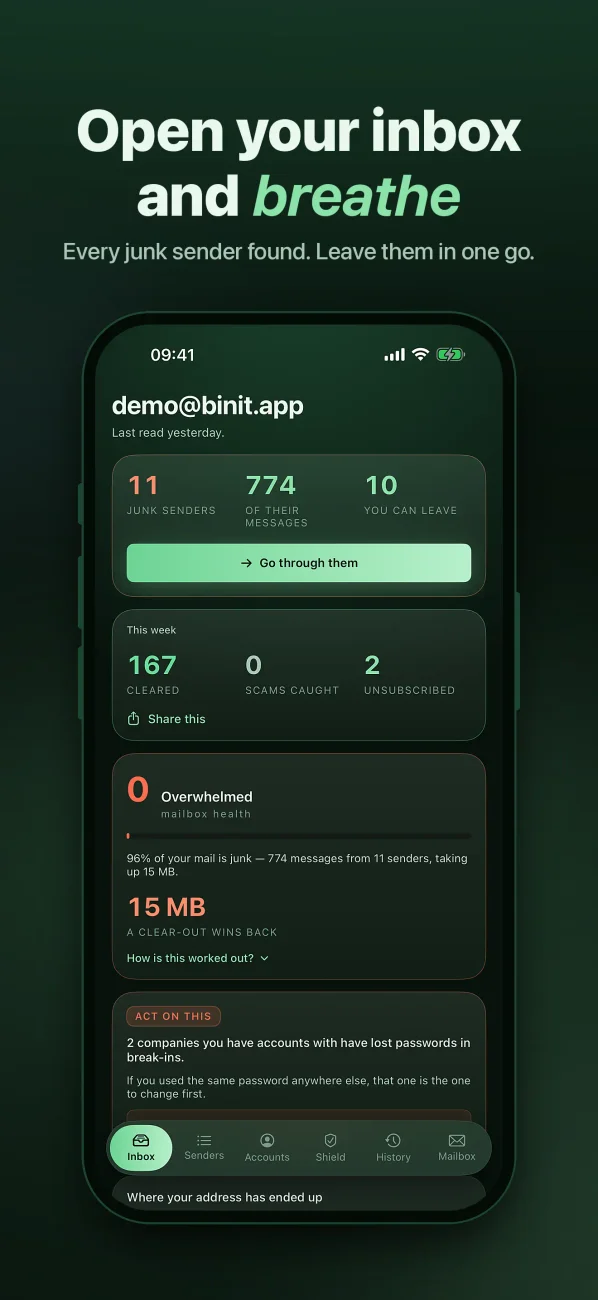
Your inbox is full of mail you never asked for. BINIT finds out who is sending it, and gets you out.
It reads your mailbox on your iPhone, works out which senders are junk and which ones you actually want, and then gives you three things to do about it: leave their mailing list, clear out everything they have ever sent, or block them so every future read clears them out too.
WHO IT IS FOR
If your inbox has thousands of unread email newsletters, promotions and spam in it, or you signed up for one thing years ago and are still being written to about it, that is what this is for. It does not sort mail into folders and it does not hide anything. It gets you off the lists.
RECEIPTS AND SUBSCRIPTIONS
The Receipts tab on Accounts lists what you pay for, monthly and one-off, with your monthly total. Each subscription has a Cancel subscription button that opens the company's own cancel page.
PRIVACY: YOUR MAIL NEVER LEAVES YOUR DEVICE
There is no BINIT server and no account to make. Your email is read straight from your mailbox, the same way Apple's own Mail app reads it, and everything BINIT works out about it stays in one file on your iPhone that goes when you delete the app.
The words in your messages are never read. A scan asks who sent it, what it was called, when it arrived, and whether it carried an unsubscribe link. That is all. Prices inside receipts are read only if you switch that on, and only the amount is kept.
NOTHING IS DESTROYED
Clearing a sender out moves their mail to your Deleted folder, where it sits until you empty it. Nothing is erased, and anything can be dragged back.
WHAT IT SHOWS YOU
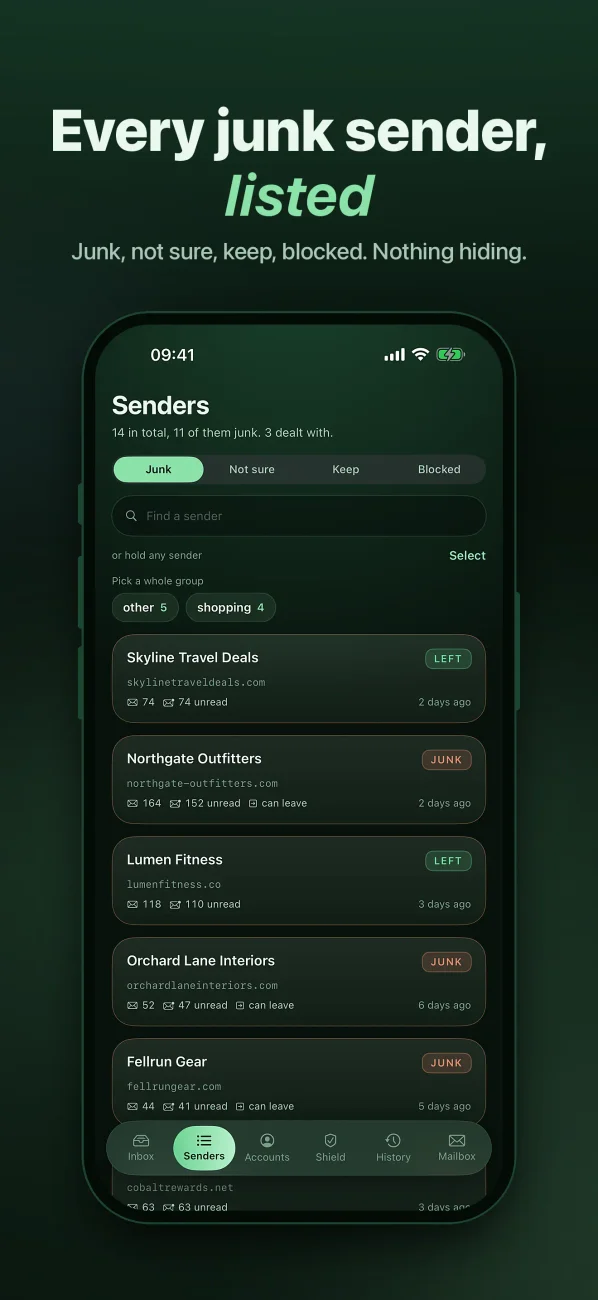
• Every sender who writes to you, ranked by how much of your mailbox they take up
• Which of them offer a way out, and which have to be blocked instead
• What you pay: subscriptions worked out from the prices in your receipts, and the monthly total
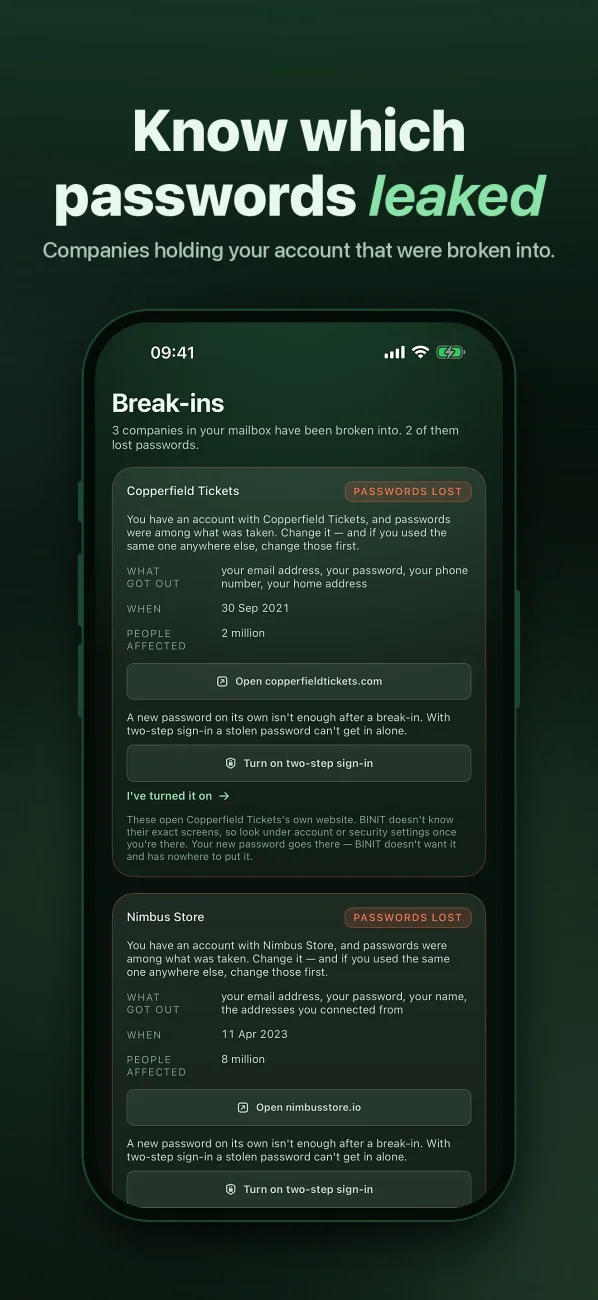
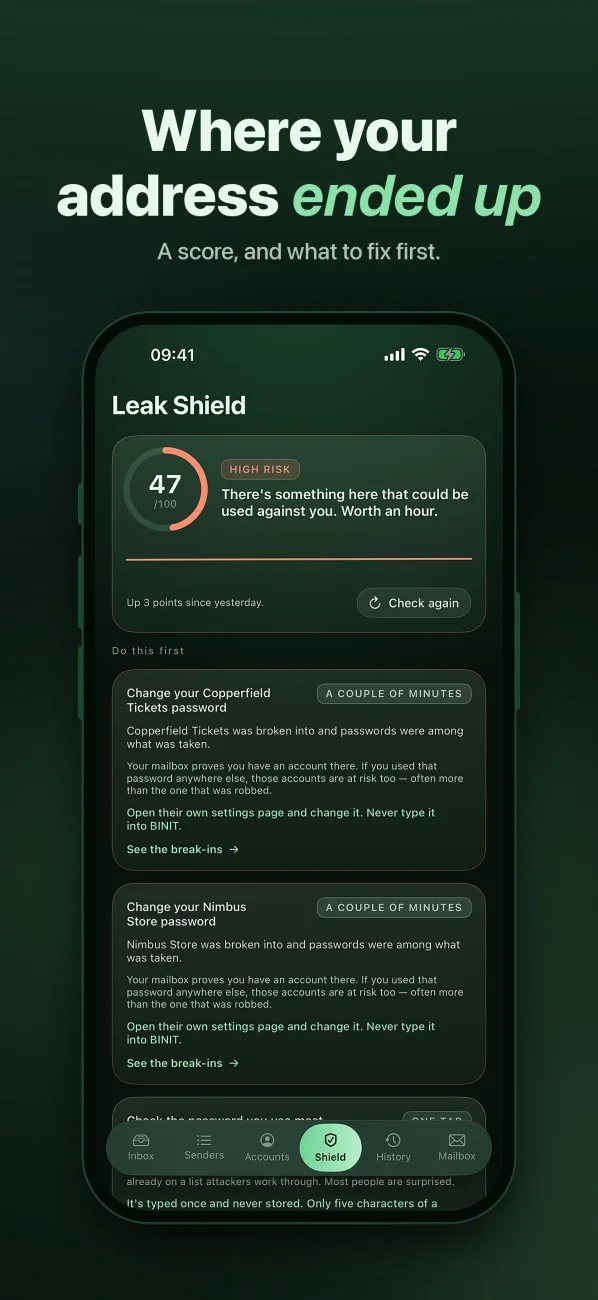
• Which companies holding your address have been broken into, checked against a public list of known breaches on your own phone
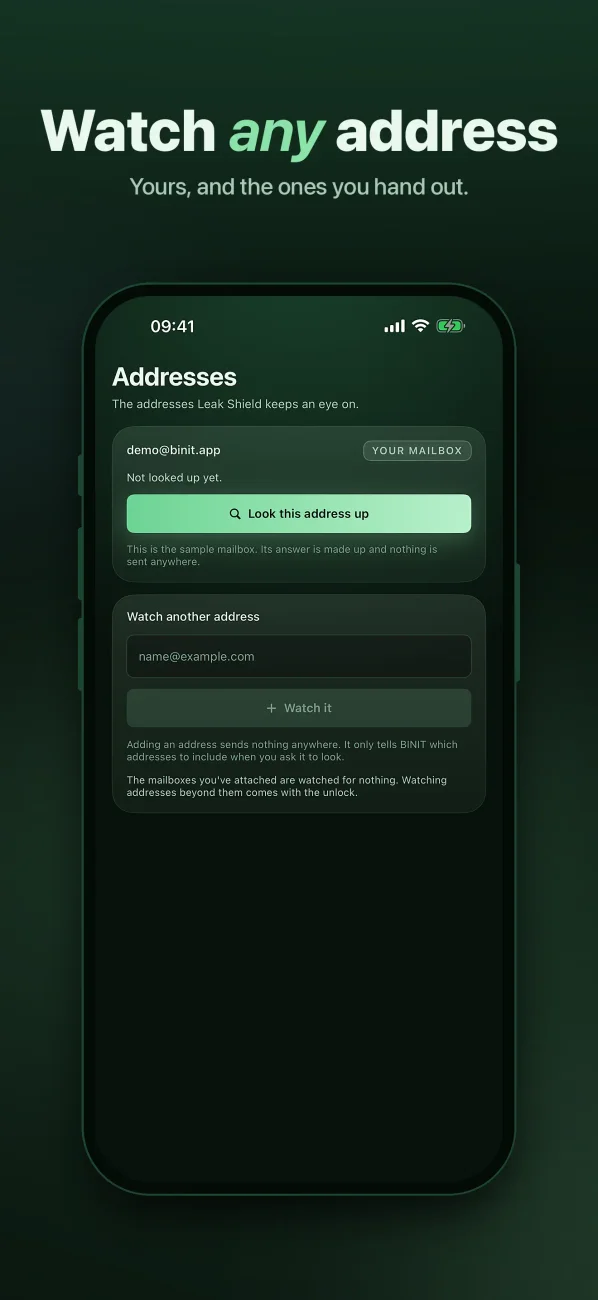
• Everywhere your address has been used to sign up for something
• Which of the addresses you handed out have been passed on to somebody else
• Scams pulled out of your spam, with the reasons each one was called a scam
• How much space the heaviest mail in your mailbox is taking up
WHAT IT DOES
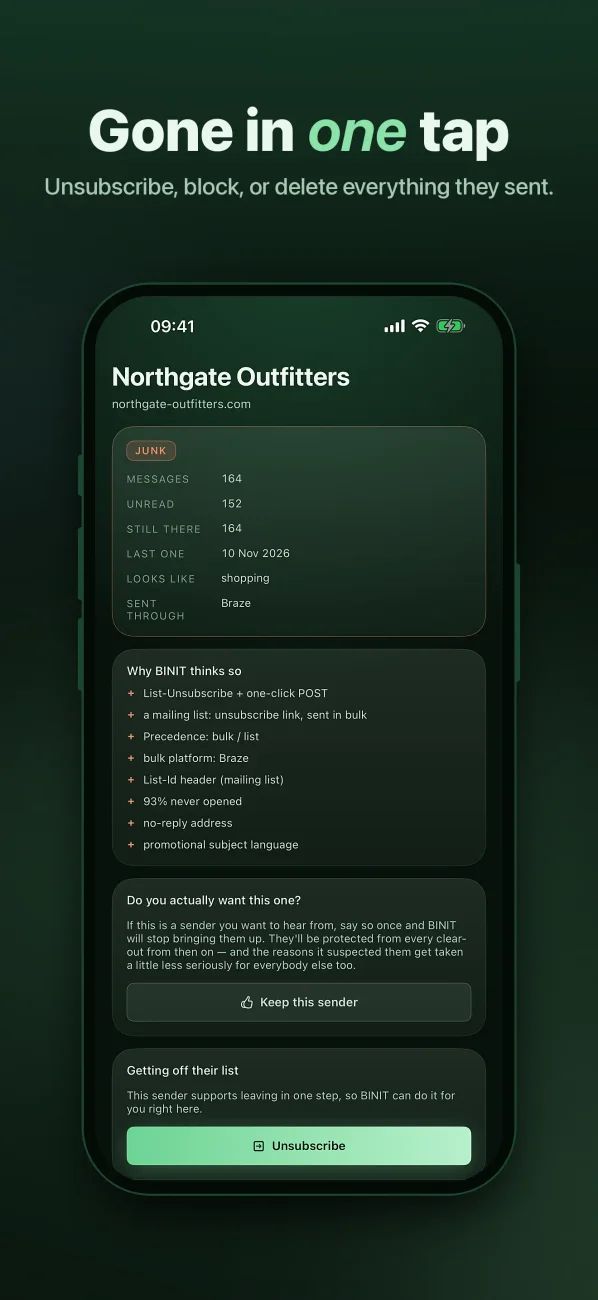
• Leaves a mailing list for you, using the sender's own unsubscribe address
• Takes you straight to their page when they insist on doing it themselves
• Moves everything one sender ever sent you to your Deleted folder in one tap
• Blocks a sender, so every read from then on clears what they have sent since
• Writes the email asking a company to delete the personal data it holds on you
• Reports a scam to the national reporting service, from the details in your own mailbox
• Wins space back by moving the heaviest or the oldest mail to Deleted
• Files receipts into their own folder and archives old inbox mail on every read
• Puts your mailbox score on your home screen, with one tap to go and clear it
Blocked senders stay blocked when they change address. Junk mail moves domain constantly, and when a sender you blocked turns up under a new one BINIT recognises it and turns that away too.
ANY MAILBOX
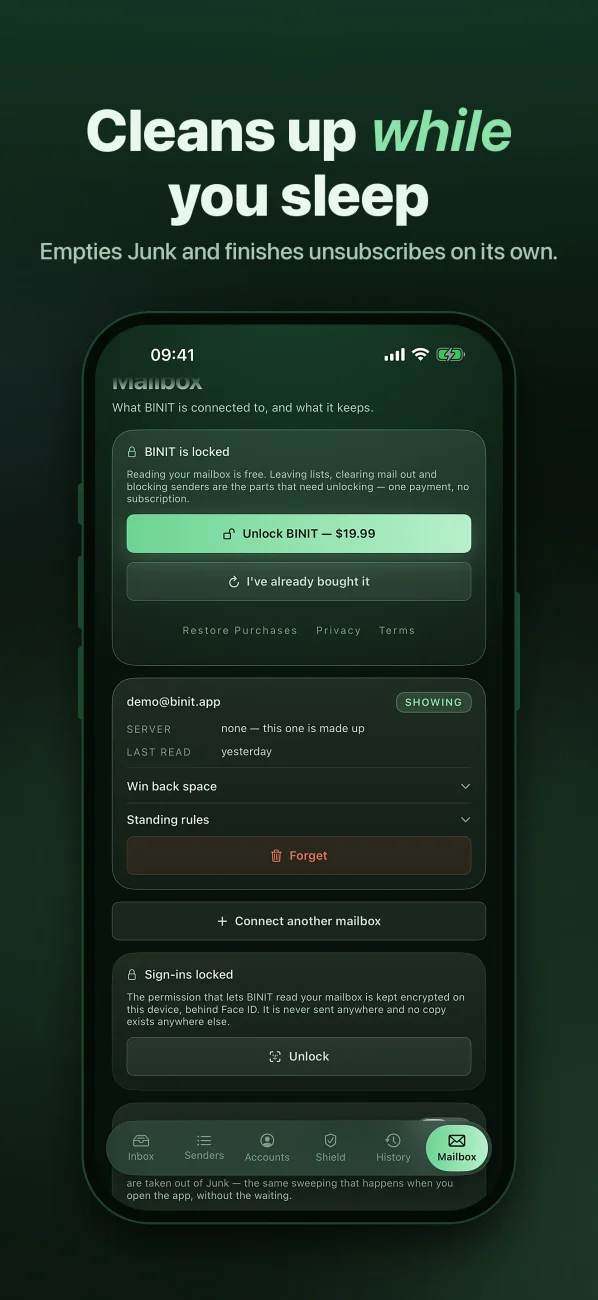
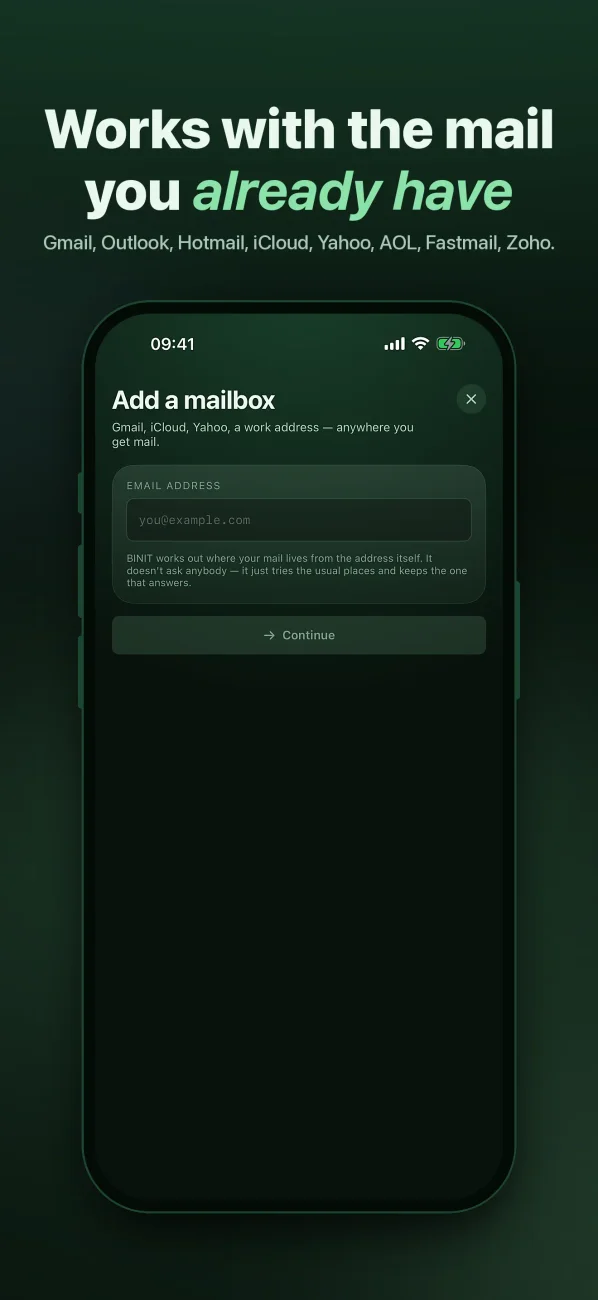
Outlook and Hotmail sign in on Microsoft's own page — no password is ever typed into BINIT. Gmail, iCloud, Yahoo and work email addresses use an app password made on the provider's own site, never your real one. Connect as many as you like; a read covers all of them.
COMMON QUESTIONS
Does it delete my mail? No. Clearing a sender out moves their messages to your Deleted folder, and they sit there until you empty it yourself.
WHAT IT COSTS
Reading your mailbox is free, and always will be. Leaving lists, clearing mail out and blocking senders are unlocked by one payment, once. It is not a subscription — nothing renews and there is nothing to cancel. It stays with your Apple Account, so a new phone gets it back.
What’s new
Version 1.0.32 · Nov 24, 2026
• Under-the-hood work to keep your unlock secure and BINIT running smoothly.
• Nothing changes in how your mail is read, and nothing about your mail ever leaves your phone.
App privacy
What THOMAS JUNIOR MODESTE declares on the App Store about how this app handles data.
-
Data used to track you
May be used to track you across apps and websites owned by other companies.
- Purchases
- Identifiers
- Usage data
-
Data linked to you
May be collected and linked to your identity.
- Purchases
- Identifiers
- Usage data
Privacy practices may vary, for example with the features you use or your age.
Information
- Seller
- THOMAS JUNIOR MODESTE
- Category
- Productivity
- Version
- 1.0.32
- Updated
- Nov 24, 2026
- Released
- Aug 26, 2026
- Size
- 23.9 MB
- Requires
- iOS 17.0 or later
- Age rating
- 4+
- In-app purchases
- Yes
- Languages
- French, German, English, Catalan, Simplified Chinese, Traditional Chinese, Korean, Croatian, Danish, Spanish, Finnish, Greek + 19 more
- Copyright
- © 2026 T Modeste
You might also like
-
 MailritSmart and Efficient Email
-
 Mailora | AI Email AssistantProductivity
-
 FastmaskManage Fastmail Masked Emails
-
 FTP OneSend photos via FTP and cloud
-
 Email Cleaner: Clean Up InboxUnsubscribe & Bulk Delete Mail
-
 Clearin: Email Inbox CleanerJunk Mail & Newsletter Remover
-
 ShieldMailKeep Your Email Safe
-
 AIMailMindSmart inbox with AI triage
-
 xworks.365Productivity
-
 Spreadsheet: XLSX & CSV EditorTables, Formulas & Budgets