BoardView Reader
Motherboard repair & diagnosis
Designed for iPhone, iPad, Mac
Free · In-app purchases
- Age rating4+
- CategoryUtilities
- Developerintergoldex llc
- LanguagesEnglish+ 6 more
- Size6.8 MB
Links to the official App Store page
Download.org hosts no file of BoardView Reader. The button opens its official App Store page, published by intergoldex llc. Listing last checked on Nov 17, 2026.
Screenshots
About
BoardView Reader answers the two questions every motherboard repair tech asks: where do I measure this power rail, and which part do I replace? Open the board's boardview and schematic, locate the rail in one tap, test it with your multimeter and find the reference and value of the component to change — on your phone, tablet and computer.
LOCATE A POWER RAIL
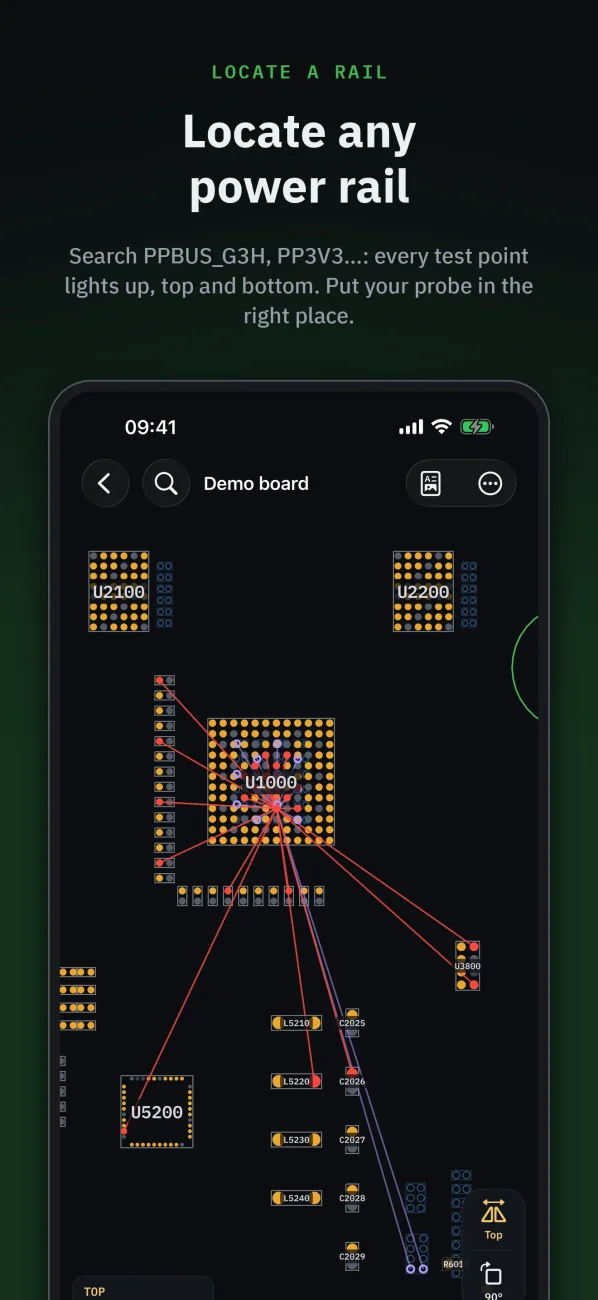
• Search a rail (PPBUS_G3H, PP3V3_S5, VCC_MAIN…) or a component in a single field
• Every point on the same net lights up on the board, top and bottom
• Spot the most accessible capacitor or test point to place your probe
• Flip the board, rotate 90°, show one side or both, just like on the bench
TEST FOR SHORTS
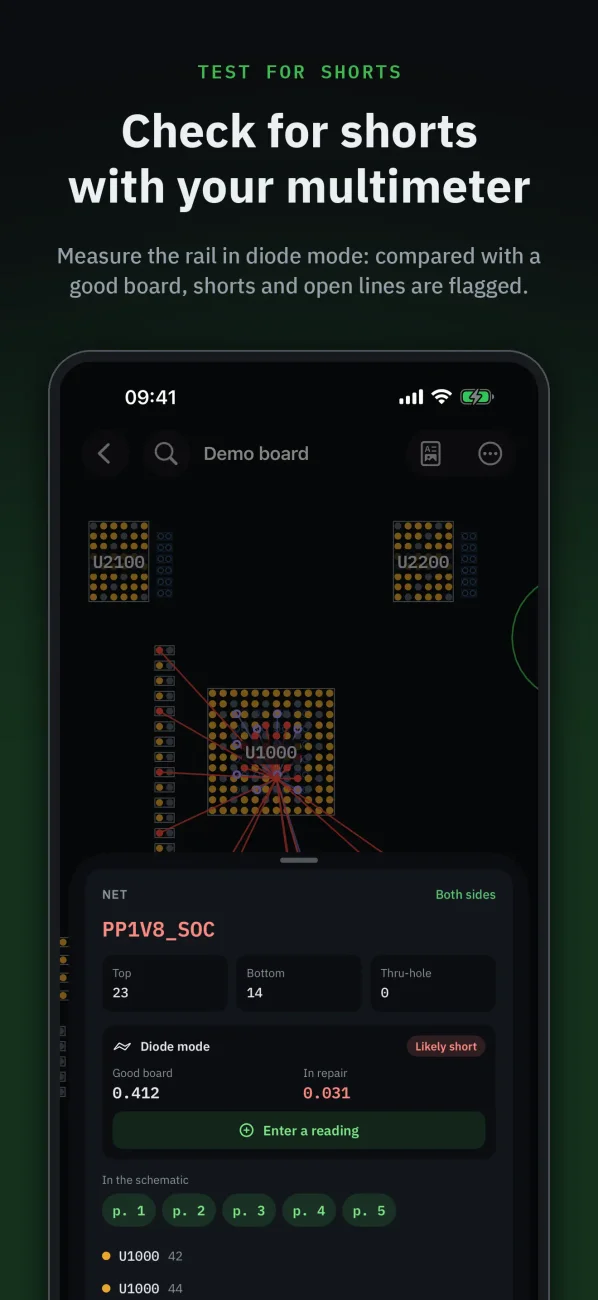
• Measure the rail in diode mode and log the reading in one tap
• Compared with a known-good board, it is judged at once: matches, slight difference, large difference, likely short, open line
• Your reference values apply to every board with the same number; share them as CSV
FIND THE PART TO REPLACE
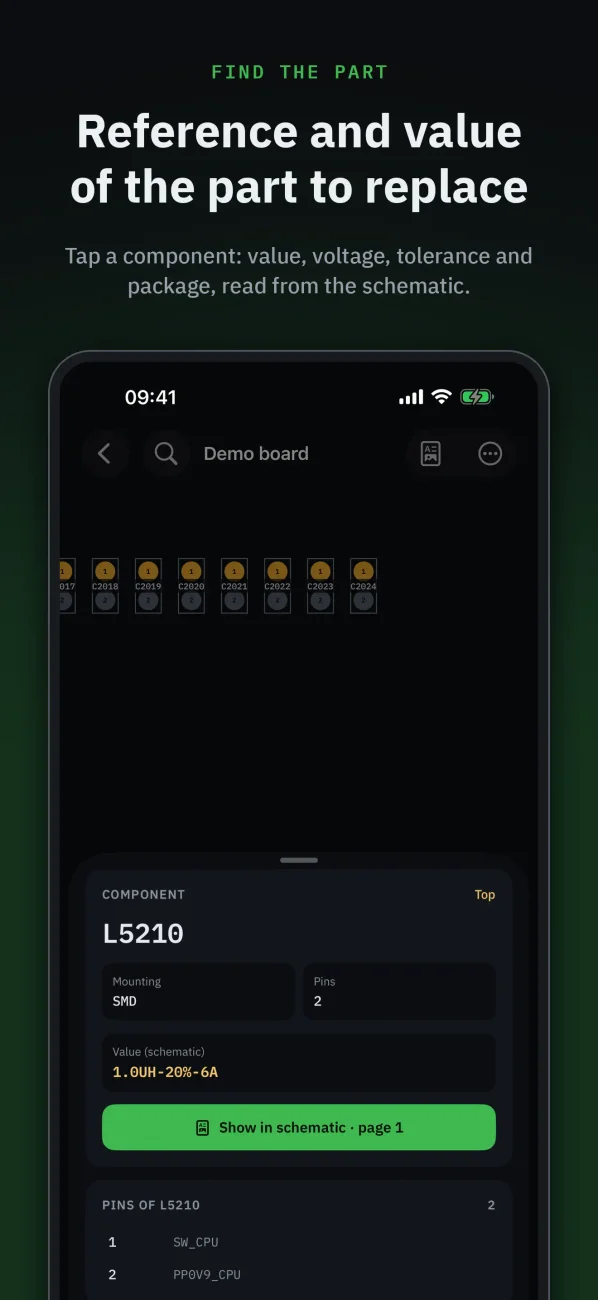
• Tap a component: its reference, value, voltage, tolerance and package, read from the schematic
• Side, pin count and the net of each pin in the inspector
TAKE IT FROM A DONOR BOARD
• "Find in other boards" looks for the same component in your donor boards, or in any folder you choose
• Same part number, same value or same designator: results ranked from most to least certain
• Tap a result: the donor board opens on the component
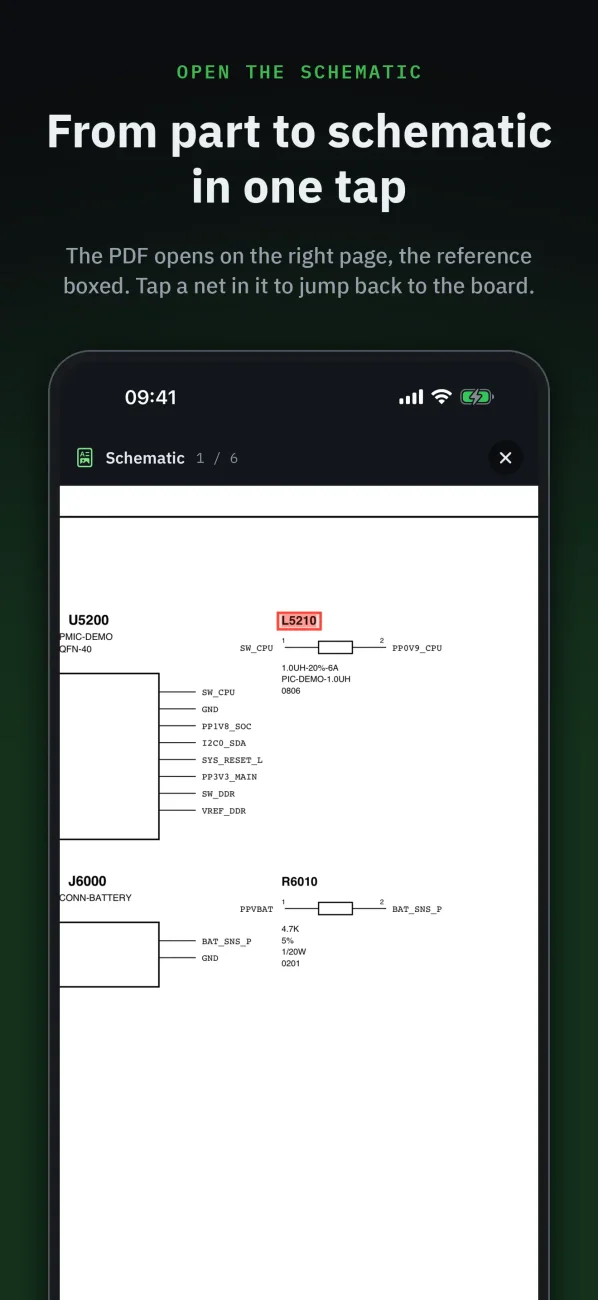
THE SCHEMATIC IN THE RIGHT PLACE
• Import the board and its PDF schematic with the same name: they are paired automatically
• Tap a component: the schematic opens on the right page, the reference boxed
• Tap a net or a reference in the schematic: "Show on board" takes you back
AN ORGANISED SHOP
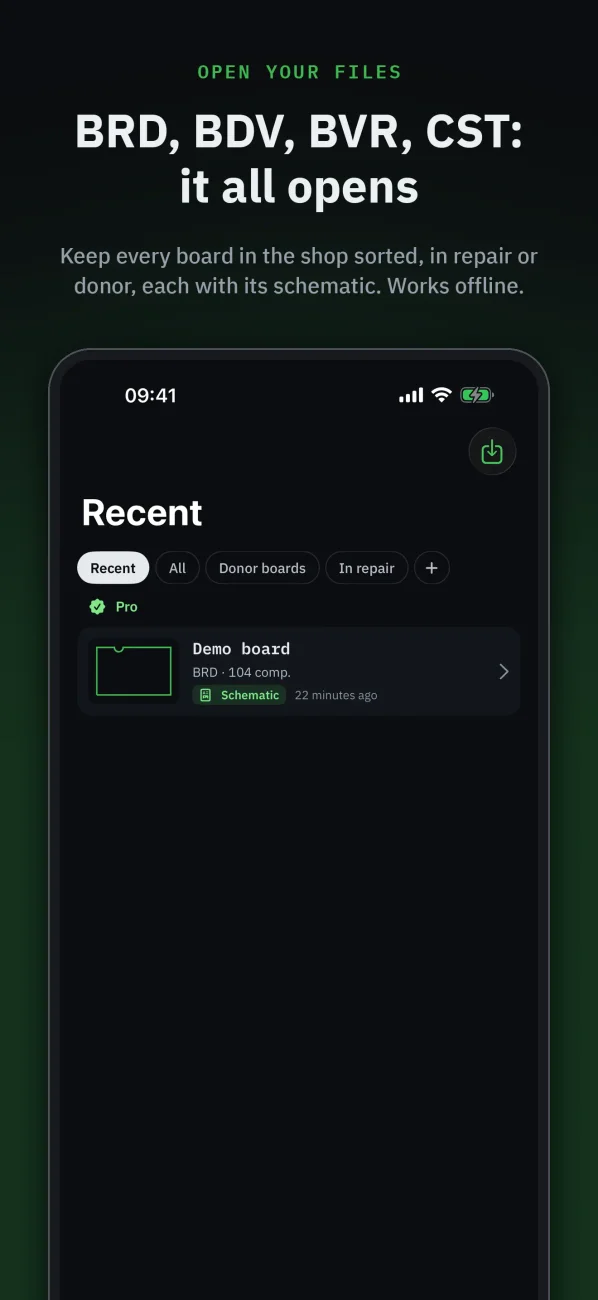
• Sort boards into folders: in repair, donors, customers…
• Import a board's folder: its boardview and schematic are linked under the folder's name
• Each board keeps its schematic and its readings
• On a computer: hover info with the mouse and customisable keyboard shortcuts
FORMATS: BRD (Test_Link, including encoded), BRD2, BDV, BVR and BVR3, CST, GenCAD (.cad), PCB (XZZ), on their own, in a folder or in a ZIP or RAR archive. Encrypted FZ files are not supported yet.
Bring your own files: the app does not include a boardview library. A file won't open? Send it to us from the app, we add the most requested formats.
A demo board and schematic are included so you can try everything right away.
FREE TO READ — Opening and reading boards is free. The linked schematic, diode-mode readings and the unlimited library are part of Pro: a one-time purchase, no subscription, with a full 48-hour free trial for 2 boards.
STEP-BY-STEP GUIDES — Link the PDF schematic, import a board, follow a power rail, diode mode readings, parts on donor boards: illustrated guides at https://geckofix.com/outils/boardview-reader/guides/en
No ads, no account, no ad tracking, works offline. Available in English, French, German, Italian, Spanish, Portuguese and Japanese.
What’s new
Version 2.4 · Nov 11, 2026
New: step-by-step user guides with screenshots, from the menu (“User guides”) and under “Attach schematic”. Some scrambled BRD files now open. Fixes.
App privacy
What intergoldex llc declares on the App Store about how this app handles data.
-
Data not linked to you
May be collected but is not linked to your identity.
- Search history
- Identifiers
- Usage data
- Diagnostics
Privacy practices may vary, for example with the features you use or your age.
Information
- Seller
- djamal guellati
- Category
- Utilities
- Version
- 2.4
- Updated
- Nov 11, 2026
- Released
- Oct 22, 2026
- Size
- 6.8 MB
- Requires
- iOS 17.0 or later
- Age rating
- 4+
- Price
- Free
- In-app purchases
- Yes
- Languages
- English, French, German, Italian, Japanese, Portuguese, Spanish
- Copyright
- © 2026 TheAppsFactory
You might also like
-
 Doutor Repair Open BRD LiteUtilities
-
 DTS AIPhone repair assistant
-
 PCB Studio MakerBest PCB Studio Maker
-
 Expat Tools: ConvertUnit conversion app
-
 TESCO Test BoardUtilities
-
 Modbus 40001Modbus TCP Master & Slave
-
 Wood CalculatorUtilities
-
 Sensor Toolkit10 tools for measuring
-
 Fast Family TreeUtilities
-
 PCBmakerUtilities