- Age rating4+
- CategoryProductivity
- DeveloperTzu-Ying Chan
- LanguagesEnglish
- Size77.0 MB
Links to the official App Store page
Download.org hosts no file of BookNotes. The button opens its official App Store page, published by Tzu-Ying Chan. Listing last checked on Nov 17, 2026.
Screenshots
About
The developer has not provided this text in your language.
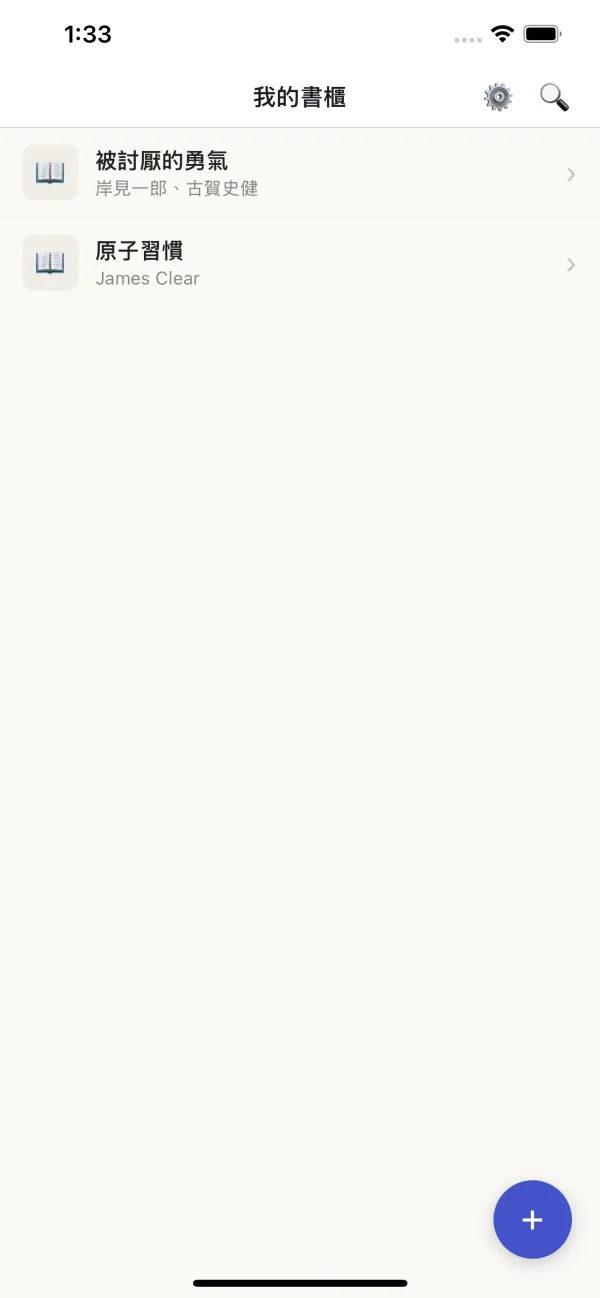
BookNotes 是專為愛做筆記的讀者設計的讀書筆記工具。
拍下書頁,讓文字辨識幫你打字
打開相機對準書頁拍照,App 會直接在手機上辨識中文文字(完全離線運算,不需要網路),辨識完成後只要反白想留下的句子,就能一鍵存成筆記,不用自己一個字一個字打。
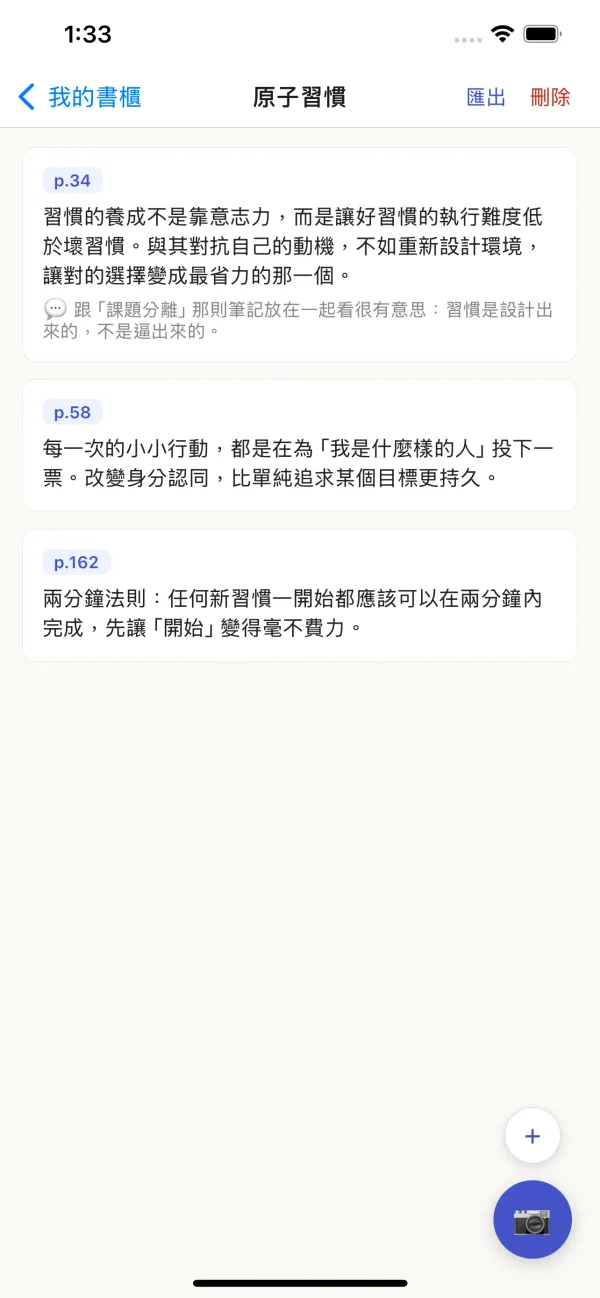
依書本整理,頁碼自動附上
每一則筆記都自動記錄你正在讀的書名與頁碼,之後想回頭找某本書某一頁寫了什麼,一目瞭然。
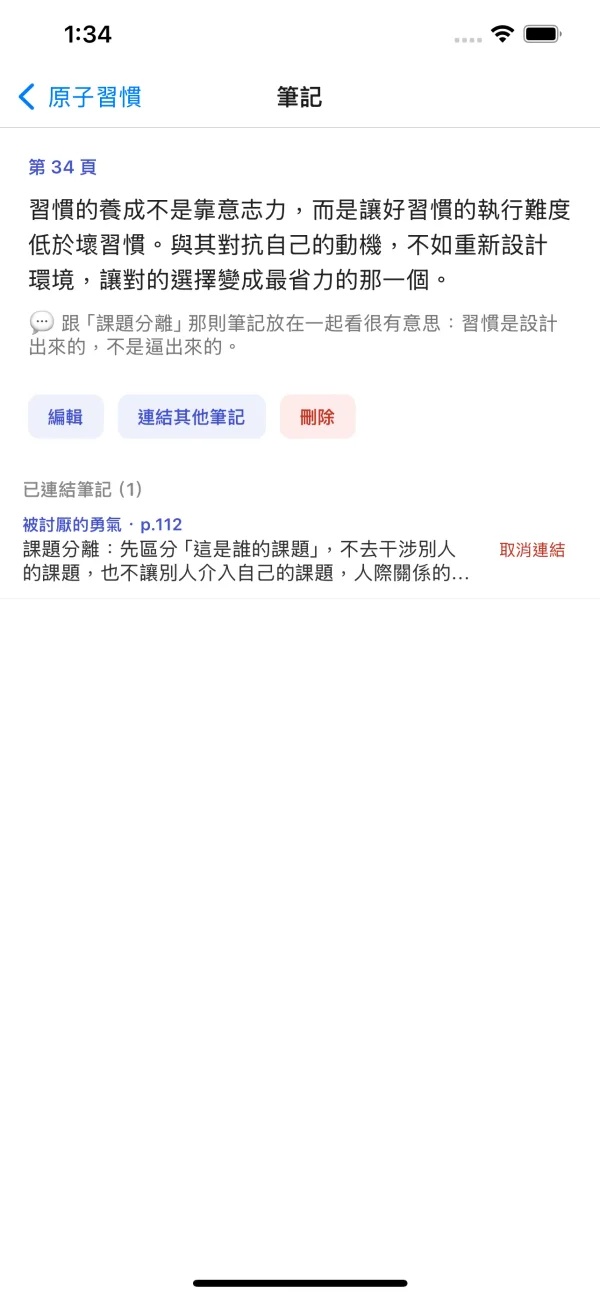
筆記可以互相連結
讀到後面呼應前面某個觀點?把兩則筆記連結在一起,慢慢累積出屬於自己的知識網路——不管是同一本書內,還是跨書的筆記都可以連結。
全域搜尋
不記得是哪本書寫的也沒關係,直接搜尋筆記內容就能找到。
一鍵匯出到 Notion
把整本書的筆記匯出成一個 Notion 頁面,方便你在 Notion 裡繼續整理、分享或延伸寫作。這個功能完全選用,用你自己的 Notion 帳號連接,資料直接從手機傳到你自己的 Notion 工作區。
所有筆記都留在你的手機裡
BookNotes 不需要註冊帳號,你的書本與筆記預設只存在裝置本機,沒有廣告、沒有追蹤。
如果你也習慣一邊讀書一邊做筆記,卻受不了打字打到分心,BookNotes 讓你把力氣留給思考,而不是打字。
What’s new
Version 1.0.1 · Sep 21, 2026
• Notion 匯出改為一鍵授權:按「連結 Notion」→ 選擇要放筆記的頁面 → 允許,不再需要自己建立 Integration 與貼上 Token
• 更清楚的 Notion 錯誤提示,並在頁面被刪除時自動重建匯出頁面
• 修正編輯或新增筆記時,鍵盤遮住輸入內容的問題
App privacy
What Tzu-Ying Chan declares on the App Store about how this app handles data.
-
Data not linked to you
May be collected but is not linked to your identity.
- User content
Privacy practices may vary, for example with the features you use or your age.
Information
- Seller
- Tzu-Ying Chan
- Category
- Productivity
- Version
- 1.0.1
- Updated
- Sep 21, 2026
- Released
- Sep 15, 2026
- Size
- 77.0 MB
- Requires
- iOS 16.4 or later
- Age rating
- 4+
- Price
- Free
- Languages
- English
- Copyright
- © 2026 Tzu-Ying Chan
You might also like
-
 NoteBox - simple notes,notepadeasy notes,writing pad
-
 计数助手 - 统计数量Productivity
-
 Scrol-Notes : finger writingScrollable notepad, simple.
-
 Folder Note and String CounterText to Speech and Writing Pad
-
 AI Meeting - Voice-to-SummaryPrecise Transcript & summary
-
 Project Planner: MilestonesTask Manager & Goal Tracker
-
 習慣充電站-瓦基陪你養成好習慣Productivity
-
 Note X - NotepadTake notes easily
-
 Password Manager'Lock Apps Keep Vault Safe
-
 PDF Editor & Scanner:PDF ToolsScan, Edit & Manage PDFs