
Brim Memo
Notes, synced across devices
Designed for iPhone, Mac
Free · In-app purchases
- Age rating4+
- CategoryProductivity
- Developer钰林 周
- LanguagesEnglish+ 1 more
- Size13.7 MB
Links to the official App Store page
Download.org hosts no file of Brim Memo. The button opens its official App Store page, published by 钰林 周. Listing last checked on Nov 18, 2026.
Screenshots
About
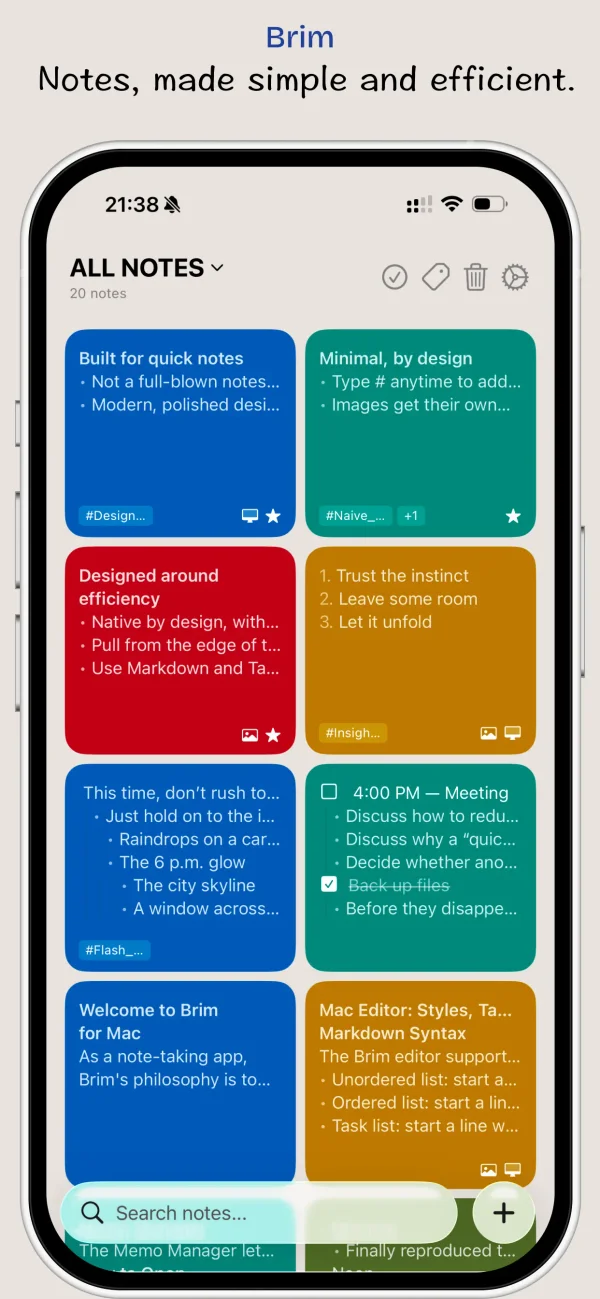
Brim is an app designed to do one thing well: notes.
Write down an idea the moment it appears, then find it easily when you need it. No more losing thoughts while opening an app. No complex note structures—everything is connected through your content and tags.
On iPhone, create a note instantly from Control Center or capture what’s in front of you with a photo. Keep ideas, tasks, links, and images within reach.
Capture Quickly, Stay in the Moment
Create a new note instantly from Control Center
Create notes with photos to save what you see and what it inspires
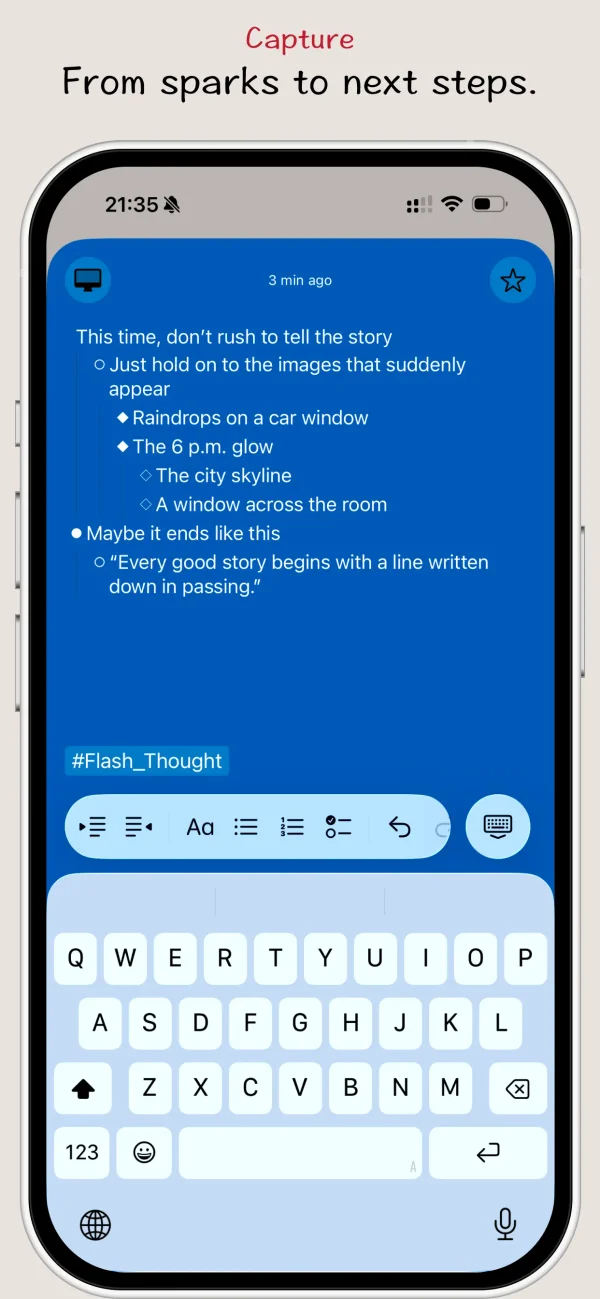
A smooth native editing experience that lets you capture thoughts right away
Write Clearly, See at a Glance
Use the editing action bar to quickly add bulleted lists, numbered lists, and checklists, along with bold, underline, highlight, and strikethrough styles
Support for up to 6 levels of indentation
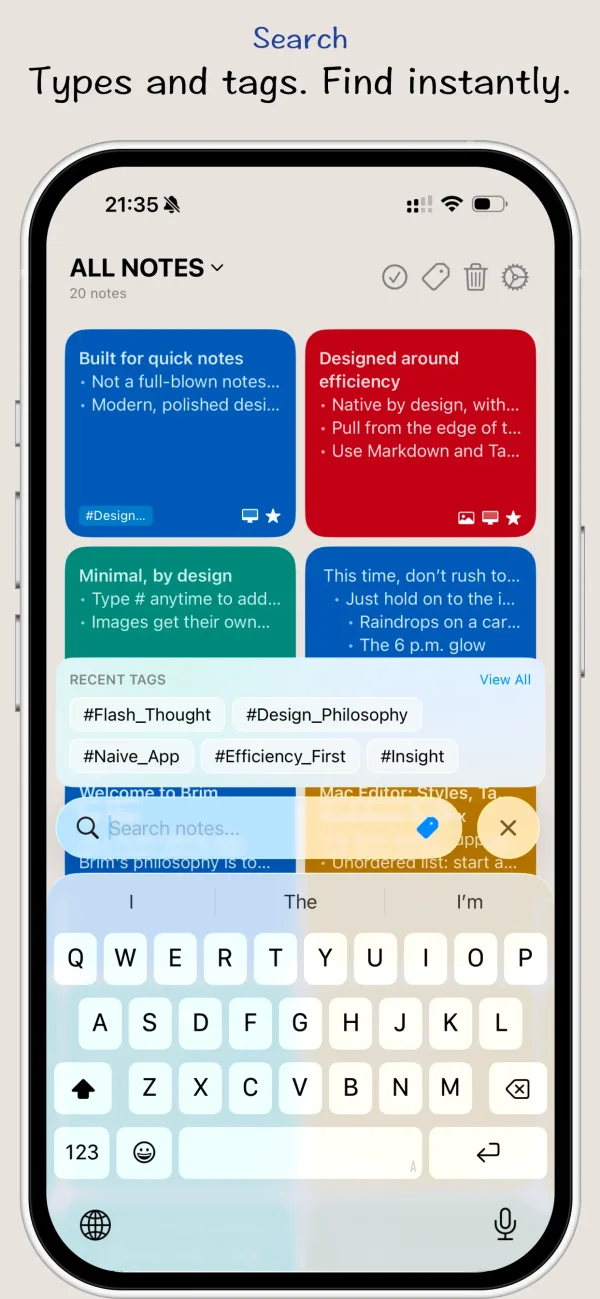
Add and manage #tags quickly in a dedicated tag panel
Add images to your notes
Stay Organized, Find Anything
Find what you need with favorites, tags, search, and filters
Browse notes by All, Favorites, Links, or Images
Deleted notes stay in the Trash for 3 days, so accidental deletions can be restored
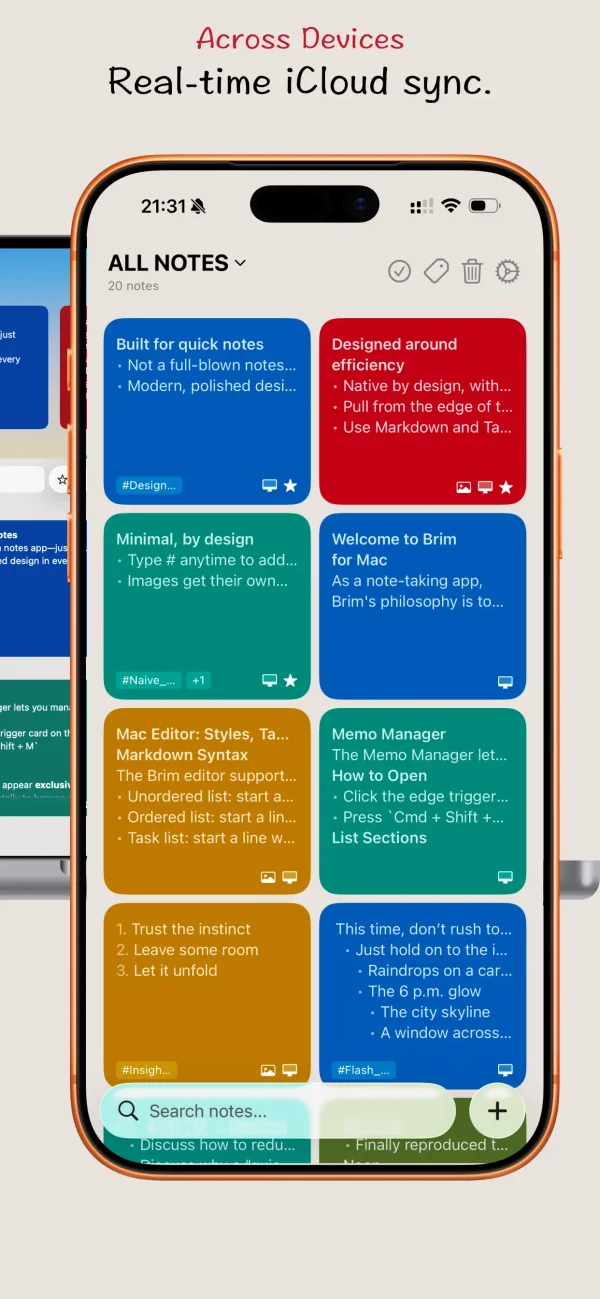
Move Seamlessly Across Your Apple Devices
Send notes to your Mac desktop
Brim Pro supports iCloud sync across your Apple devices
Brim Basic includes up to 4 notes, 4 tags, and 3 image attachments for free.
Brim Pro unlocks unlimited notes, tags, and image attachments, plus iCloud sync across devices. Choose from monthly or annual subscriptions (including a 7-day free trial for eligible users, as shown on the App Store), or make a one-time lifetime purchase. Prices, trial eligibility, and purchase terms are shown on the App Store and in the app.
Terms of Use (EULA):
https://www.apple.com/legal/internet-services/itunes/dev/stdeula/
What’s new
Version v1.2.1 · Nov 7, 2026
A second paper for all five note colors: Note Color Style is now available.
• Settings > Appearance adds Note Color Style. Changes apply immediately and the choice is saved on this device.
• Mineral gives all five note colors a light mineral-paper surface with dark text, even when the app uses a dark appearance.
• Brim remains the default, so existing notes look the same. Switching doesn't change note colors, content, or sync.
• Fixed the close button height not matching the bottom toolbar in note details.
App privacy
What 钰林 周 declares on the App Store about how this app handles data.
-
Data not collected
The developer does not collect any data from this app.
Privacy practices may vary, for example with the features you use or your age.
Information
- Seller
- 钰林 周
- Category
- Productivity
- Version
- v1.2.1
- Updated
- Nov 7, 2026
- Released
- Sep 1, 2026
- Size
- 13.7 MB
- Requires
- iOS 18.0 or later
- Age rating
- 4+
- Price
- Free
- In-app purchases
- Yes
- Languages
- English, Simplified Chinese
- Copyright
- © 2026 Zhou Yulin
You might also like
-
 Todo Line: To Do List ReminderDaily Planner, Tasks Checklist
-
 StickyCue: Lock Screen CuesPersistent Tasks & Reminders
-
 DewmoroDrop by drop, day by day.
-
 记住了么AI 帮你记住每一件事
-
 纸笺-手写笔记便签时间记事本-安静写下每一天的想法
-
 Floe Agent: AI WorkspaceTasks, Docs, Code, Media & CAD
-
 DOO Daily PlannerAI to-dos & reminders
-
 Diple - Markdown NotesJournal, Notepad & Plain Text
-
 Brim - Shopping CalculatorGrocery List, Budget & Tax
-
 Codex UsageProductivity